Solved SysWOW64 Removal help

Jakov

New Member
Thread author
Apr 2, 2015
10
0
5
35
I think I've said it all.

I noticed it a couple of days ago when my avast kept blocking suspicious links, it just woudlnt stop so I went and did a system scan with malwarebytes and avast.

It is slowing the computer down and interfeers with my Nvidia GeForce Experience, I can't download or install drivers because it messed something up.

I have looked at many guides and tried them but none of them work, I still find dllhost.exe in task manager in the processes bar because I don't know how to remove SysWOW64.

But I saw that on the forums, everyone got help and eventually got rid of them so I wanted to try this because so far everyone said that You guys've helped them a lot. ;D
 
Hello,


They call me TwinHeadedEagle around here, and I'll be working with you.


Before we start please read and note the following:
  • At the top of your post, please click on the "Watch thread" button and make sure to check Watch this thread...and receive email notifications. This will send an email to you as soon as I reply to your topic, allowing me to solve your problem faster.
  • Please do not install any new software during the cleaning process other than the tools I provide for you. This can hinder the cleaning process. Please do not perform System Restore or any other restore.
  • Instructions I give to you are very simple and made for complete beginner to follow. That's why you need to read through my instructions carefully and completely before executing them.
  • Please do not run any tools other than the ones I ask you to, when I ask you to. Some of these tools can be very dangerous if used improperly. Also, if you use a tool that I have not requested you use, it can cause false positives, thereby delaying the complete cleaning of your machine.
  • All tools we use here are completely clean and do not contain any malware. If your antivirus detects them as malicious, please disable your antivirus and then continue.
  • If during the process you run across anything that is not in my instructions, please stop and ask. If any tool is running too much time (few hours), please stop and inform me.
  • I visit forum several times at day, making sure to respond to everyone's topic as fast as possible. But bear in mind that I have private life like everyone and I cannot be here 24/7. So please be patient with me. Also, some infections require less, and some more time to be removed completely, so bear this in mind and be patient.
  • Please stay with me until the end of all steps and procedures and I declare your system clean. Just because there is a lack of symptoms does not indicate a clean machine. If you solved your problem yourself, set aside two minutes to let me know.
  • Please attach all report using
    fjqb1h.png
    button below. Doing this, you make it easier for me to analyze and fix your problem.

  • Do not ask for help for your business PC. Companies are making revenue via computers, so it is good thing to pay someone to repair it.
  • If I don't hear from you within 3 days from this initial or any subsequent post, then this thread will be closed.


Download
51a5f31352b88-icon_MBAR.png
Malwarebytes Anti-Rootkit to your desktop.
  • Double-click the icon to start the tool.
  • It will ask you where to extract it, then it will start.
  • Warning! Malwarebytes Anti-Rootkit needs to be run from an account with administrator rights.
  • Click in the introduction screen "next" to continue.
  • Click in the following screen "Update" to obtain the latest malware definitions.
  • Once the update is complete select "Next" and click "Scan".
  • When the scan is finished and no malware has been found select "Exit".
  • If malware was detected, make sure to check all the items and click "Cleanup". Reboot your computer.
  • Open the MBAR folder and paste the content of the following files in your next reply:
    • "mbar-log-{date} (xx-xx-xx).txt"
    • "system-log.txt"


FRST.gif
Scan with Farbar Recovery Scan Tool

Please download Farbar Recovery Scan Tool and save it to your desktop.

Note: You need to run the version compatibale with your system. If you are not sure which version applies to your system download both of them and try to run them.
Only one of them will run on your system, that will be the right version.


  • Double-click to run it. When the tool opens click Yes to disclaimer.
  • Press Scan button.
  • It will make a log (FRST.txt) in the same directory the tool is run. Please attach it to your reply.
  • The first time the tool is run, it makes also another log (Addition.txt). Please attach it to your reply.
 
Well it's not.
Every time I open task manager I find dllhost.exe and I found the SysWOW64 files too in my disk and can't get rid of them. The virus is slowing my pc horribly and won't let my graphics card update GeForce. I've tried everything but It just simply won't work.
There is NO way to update my drivers unless I get rid of this virus I am sure because it is somehow blocking it or destroyed something. I've tried numerous top rated ways of fixing the graphics card drivers but It simply won't work. Is there any other program to scan with.

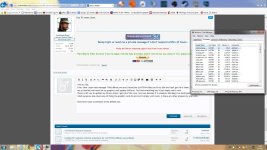
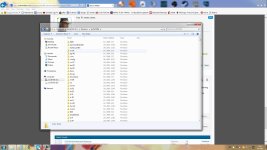
Here have some screenshots of the dllhost.exe.
 

Attachments

  • dllhost.jpg
    dllhost.jpg
    398.9 KB · Views: 42
  • syswow.jpg
    syswow.jpg
    301.7 KB · Views: 44
51a5bf3d99e8a-ComboFixlogo16.png
Scan with ComboFix

This is a very powerful tool that should be used only if advised by Malware Analyst.
Do not run ComboFix on your own!


Referring to this instruction, please download ComboFix by sUBs and save it to your desktop.
Temporary disable your AntiVirus and AntiSpyware protection - instructions here.

  • Right-click on
    51a5bf3d99e8a-ComboFixlogo16.png
    icon and select
    RunAsAdmin.jpg
    Run as Administrator to start the tool.
  • Accept the disclaimer and agree if prompted to install Recovery Console.
  • Do not take any actions while ComboFix goes through your System - it may cause it to stall!
  • This scan may take some time!
  • When finished - it will display a logfile (located also on your main drive, usually C:\ComboFix.txt).

Include that log in your next reply.
icon_idea.gif
If you'll encounter any issues with internet connection after running ComboFix, please visit this link.
icon_idea.gif
If an error about operation on the key marked for deletion will appear after running the tool, please reboot your machine.
 
OK I did, I saw ComboFix deleting 2 files, coudln't see the name, just 2 massive numbers, maybe it helps, maybe it won't.

And It openned the log.txt file but when I tried to send it to you the whole ComboFix folder was empty, could it be that Sys deleted it?
And should I run ComboFix again so I can try to resend you the quickly?
 
But I sent You the pictures with dllhost.exe and SysWOW64 files, what is THAT then? It can't be leftovers of the malware. Oh well. Seems like I'm going to have to look for even more ways to fix my graphics card...
 
Oh, well can I get rid of the SysWOW64 files. It says that I don't have permission when I try to delete them even though I changed who their owner is to me (the user) and it still says that I don't have permission. And I think it still did some damage on my Nvidia GeForce. Maybe I'm wrong. Sorry for being a pain in the ass.
 
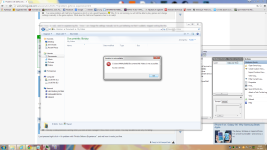
I'm also denied from accessing My Videos etc.
 

Attachments

  • access denied from my videos.png
    access denied from my videos.png
    390.9 KB · Views: 41
And now I can't even run my Nvidia GeForce installers, NONE of them will work. It says that I am lacking enough permissions to run this file. More and more files are being restrained from me...
 
Huh, now when I restarted it will. Still can't install the drivers, well thanks anyways for you help. I appreciate it. You can close the thread if you wish. Bye ;D