Maybe I might be alone with that opinion, but you should give M$ Defender a try, w/ Configure Defender by @AndyFul set to "high", if your internet connection is good, as M$ Defender takes most detections from the cloud, though I have seen it's BB in action, too.
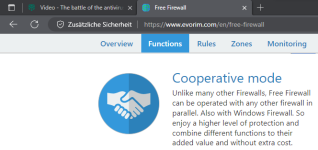
Using it @ Windows 11, combined with Evorim Free Firewall. I found very few malwares which slipped trough, but were prevented calling out by the Firewall.
Very very seldom, I managed to get an AutoRun.
That said, I have been loading many signed malware and scriptors, most of the time, not a single one went trough (today and yesterday: 0).
You might add AppCheck AntiRansomware.

 www.checkmal.com
Runs very smooth w/ no delays, my startup time is 5.5s w/ the mentioned firewall. One note on Defender: It's buggy w/ the Trojan:Script/Wacatac.H!ml detection - cosmetic bug though. It blocks the download of the respective script file (it can even check inside a password-protected archive while downloading!), still asks for an action (delete or quarantine), although the file never arrived on the machine. However, the warning did solve itself after some time / reboot. Known bug according to my web research, not yet resolved.
EDIT:
Machine details as follows:
ASUS R558U
Intel i5-7200 U @ 2,5 GHz (7th gen.)
Nvidia Geforce 940 Mx GPU
8 GB RAM (no details available at the moment, stock config)
1 TB HDD + 128 GB SSD
Steam files are located @ D://
Opinions on that are very welcome, though maybe in another thread, as this one is on BD engine equipped AVs. Mods might want to move that thread part maybe.
Using it @ Windows 11, combined with Evorim Free Firewall. I found very few malwares which slipped trough, but were prevented calling out by the Firewall.
Very very seldom, I managed to get an AutoRun.
That said, I have been loading many signed malware and scriptors, most of the time, not a single one went trough (today and yesterday: 0).
You might add AppCheck AntiRansomware.
Product Introduction - CheckMAL
AppCheck is the only solution providing proactive defense from unknown ransomware threats based on Context-Awareness Ransomware Behavior engine.
www.checkmal.com
Runs very smooth w/ no delays, my startup time is 5.5s w/ the mentioned firewall. One note on Defender: It's buggy w/ the Trojan:Script/Wacatac.H!ml detection - cosmetic bug though. It blocks the download of the respective script file (it can even check inside a password-protected archive while downloading!), still asks for an action (delete or quarantine), although the file never arrived on the machine. However, the warning did solve itself after some time / reboot. Known bug according to my web research, not yet resolved.
EDIT:
Machine details as follows:
ASUS R558U
Intel i5-7200 U @ 2,5 GHz (7th gen.)
Nvidia Geforce 940 Mx GPU
8 GB RAM (no details available at the moment, stock config)
1 TB HDD + 128 GB SSD
Steam files are located @ D://
Opinions on that are very welcome, though maybe in another thread, as this one is on BD engine equipped AVs. Mods might want to move that thread part maybe.