TrueCrypt unable to open hidden file

zillah

New Member
Thread author
Feb 14, 2015
2
0
1
47

Attachments

  • Hidden Volume TrueCrypt.jpg
    Hidden Volume TrueCrypt.jpg
    42.2 KB · Views: 455
  • Icon color is brown.png
    Icon color is brown.png
    112.5 KB · Views: 430
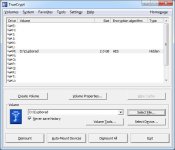
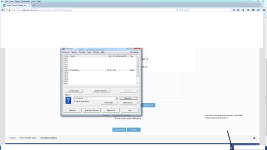
Problem when I double click on the volume to access it a message pops up if I want to format it !!!

The message appears because Windows generally doesn't recognize a partition on the drive that has been inserted and asks for the formatting because the only thing it can do is to create a partition.
It does not seem to be a problem of data corruption but it is probably related to the controller that allows communication between the memory chip (where physically the data is located) and the computer. Each time you save or read a file from the pen drive the computer sends a command to the USB port. This command is received by the controller which interprets it and provides to query the memory chip to write or read the requested file.

Try reinserting the memory stick but If the problem is hardware, I see difficult to recover the files from that USB stick.
It is always important to have a working backup of these files.
 
Thanks for that
>>Try reinserting the memory stick<<
I tried that still same issue
 
Stumbled over this through " Similar Threads ". For any guests or members that wonder it's solved here : TrueCrypt unable to open hidden file

Quote : " You have to click on M which is the virtual drive that you mounted the D encrypted volume to. In other words on Windows its now the M drive not the D drive. "
 
  • Like
Reactions: frogboy
I can't directly help with the TrueCrypt issue but I did want to notify you that TrueCrypt contains multiple security and performance issues in which has been fixed by it's branch-off version known as VeraCrypt.
 
  • Like
Reactions: upnorth and XhenEd