Western Digital SN720 OEM NVMe SSD is always operating at 55 C - 60 C degrees? Is it normal?

My SanDisk 128 GIG is running at 38 Celsius, according to its on sensor it rarely goes above this but I don't look often but this is a Desk PC, lappys often run hotter anyway do to being in confined area with limited cooling - Seems its within reason, especially in a laptop

Link
 
Last edited:
My SanDisk 128 GIG is running at 38 Celsius, according to its on sensor it rarely goes above this but I don't look often but this is a Desk PC, lappys often run hotter anyway do to being in confined area with limited cooling - Seems its within reason, especially in a laptop

Link
I am afraid it will burn or melt internal parts its soo hot. I overboosted fans! Lol ,What should I do?

My NVMe SSD is partitioned as APFS and exFAT anyway!
 
  • Like
Reactions: Cortex and Venustus
Quote: 'Western Digital SSD Temps: WD Blue SSDs are rated for operation between 0ºC and 70ºC'

I would not worry unless your PC is unstable? If your heat sink pipes are OK and fan free of dust that may be how it is, my SSD in a PC cabinet has lots of air around it & a pretty big fan above it, that makes a difference. There are a few things you can do to cut the load & increase life on a SSD, you don't need Prefetching / Superfetch enabled to start with, often Windows search/Indexing can be removed. Defragging can be (should have been auto disabled) disabled, these cut the continual unneeded work your SSD is doing thereby potentially reducing it's temperature. Others may have alternative advice.

Windows Club SSD Advice
 
Last edited:
  • Like
Reactions: Venustus and plat
It is OK. Thermal throttling can occur around 70-75 deg C and up, esp with heavy disk activities. MY PC Samsung nvm-e is idling around 44 deg C, hotter than I'd like but oh well. It's in a heat sink, which is optional but can be helpful in some cases (mine is 5-7 deg C lower on one sensor). Are your laptop's vents and fan/s clear of dust/dirt/hair? Are all fans operational? Does your nvme have the latest firmware?

Have you checked your temps with an alternate utility (AIDA64, HWINFO64, etc)?


I would check the forums to see whether any applicable firmware update is causing widespread user problems.
 
I added a Western Digital SN720 OEM NVMe SSD to my ASUS TUF FX504 laptop and it is always operating at 55 C - 60 C degrees? Is it normal?
That means something is taking the IO in background. If disk usage is showing 0% in task manager > Disk section (NVMe drive), Then I think you need 2 layers of 1mm thermal pads or small heatsink such as Advancing Gene or similar to reduce those temps by 5-10C.
Before adding thermal pads, my crappy Samsung NVme drive used to idle at 55C-60C and thermal throttles instantly. After adding pads, its reduced by 10-12C.
 
Same issue on my Tuf F17, 2nd NVMe SSD is running at around 60°C, while preinstalled Samsung SSD is running at 35°C. In task manager 0% utilization on both disks. I think issue might be this component just above SSD generating heat (covered by copper HS) in this picture.
 
Same issue on my Tuf F17, 2nd NVMe SSD is running at around 60°C, while preinstalled Samsung SSD is running at 35°C. In task manager 0% utilization on both disks. I think issue might be this component just above SSD generating heat (covered by copper HS) in this picture.
Is there anything TSkin settings in Ryzen Controller or Ryzen master? I think your SSD performance could be throttled due to nearby hot components which can trigger artificial throttling.
 
I added a Western Digital SN720 OEM NVMe SSD to my ASUS TUF FX504 laptop and it is always operating at 55 C - 60 C degrees? Is it normal?

No, it will burn your PC and melt your motherboard, run... Yes, you are safe, these are the specs from the manufacturer, 85ºC of max, you are very far from this temperature, it's safe.

(5 Year Limited Warranty)


Wide Operating Temperature of 0°C – 85°C: Applications like in-flight entertainment
systems, factory 2.0 / machinery automation, edge gateways tend to operate within
high operating temperature range, but companies are often required to invest both
resources and power to maintain system cool. A wide operating temperature of up to
85°C means that Western Digital CL SN720 NVMe SSDs can reduce the need for cooling
investment and enable applications to run longer with minimal heat sink and airflow
 
Is there anything TSkin settings in Ryzen Controller or Ryzen master? I think your SSD performance could be throttled due to nearby hot components which can trigger artificial throttling.
No Ryzen, this one has i5-11400H. I have no performance issues.
I ran CrystalDiskMark benchmark and temps rose to 71 'C. Funny thing is while gaming (or anything thing that makes CPU hot, makes fan run as well) the temps on SSD are actually lower, around 45 'C.

Whatever that thing is above 2nd SSD slot, needs active cooling, so on idle when fans don't run it keeps getting hotter, rising the temps on SSD as well. As the back panel is plastic thermal pad wouldn't help, I thought of trying them but then thought no, it wouldn't help.

As @Freud2004 said it's within specs so I am not that worried now.
 
Last edited:
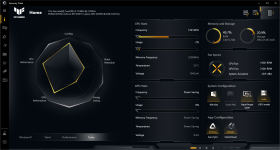
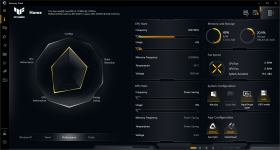
I found the issue causing SSD temps rising due to bad fan curves in all Armoury crate "profiles/mode" (i.e Windows, Silent & Performance) except "Turbo Mode".
This whole issue wouldn't occur if the laptop fans would actually run in "Performance/Windows Mode", but they don't start spinning even though CPU temps (as seen in Armoury Crate) hover around ~55 'C (sometimes even going above 60 'C for awhile before fans even kick in) while browsing/watching movie. In Performance mode fans kick only when gaming or while doing other heavy task. Same behavior is seen in "Windows mode". On Turbo mode fans start spinning as soon as I turn this mode ON and SSD temps come down to ~45 'C, also CPU temps fall below 40 'C after few min.
Really bad experience with Armoury Crate so far.
Screenshot 2021-12-07 232054.pngScreenshot 2021-12-07 232131.png