Advice Request What AV for an Android Phone?

Please provide comments and solutions that are helpful to the author of this topic.
When my parents visited, they offered me a valuable opportunity to test an Android-based antivirus solution.

Their devices, operating on Android 15, were running ESET with potentially unwanted program (PUP) detection activated; nevertheless, they still managed to become infected after downloading a peculiar game from the official Play Store.

The issue with the phone was that every time an application gained focus, a full-screen advertisement would appear, which became exceedingly irritating.

I conducted a scan using ESET; nothing was found.

I performed a scan with Norton: nothing was found.

Bitdefender: nothing was found.

Trend Micro: nothing was found.

Ultimately, I uninstalled all the unfamiliar software that I could not verify as legitimate and upgraded the phone to Android 16. This resolved the issue. However, the fact that no Android antivirus software detected anything, not even a PUP or adware, raises serious concerns about the effectiveness of Android antivirus solutions.
I'm so glad you came to realization that antivirus products for Android are useless piece of garbage because this is what I've been telling people for years.

You actually don't need an antivirus software for Android phones because malicious apps can't do any real damage unlike on Windows. Programs on Windows work completely different from apps on Android. Give a program admin access, it can touch any file on the PC, including system files and Windows won't complain. On the other hand, you have severely restricted Android OS and even if you grant all permissions that exist on Android, malicious app still can't do any damage because it simply doesn't have any rights to do so.

Just like malicious apps can't do anything, antivirus apps also have their hands tied. In the worst case scenario they are only able to detect apps which show you obnoxious ads, nothing else.
Then how the hell app like this was successfully installed from Google Play Store? Nice and easy. Antivirus apps generally trust every app you install from Play Store and I doubt they even check them at all because Play Store is verified and trusted source (despite known for having a lot of apps breaking their terms of service).
If you downloaded adware app through the browser and went to install it, antivirus might tell you it's "malicious" and advise you not to install it. That is if they have it in their data base; if not, it will gladly let you install it. Forget about heuristics on Android—it doesn't exist due to app limitations set by Android.

Take a look at any antivirus app for Android. They are not even an antivirus apps; these are just apps with set of tools. VPN? App lock? Identity leak check? Privacy advisor? Are you fu*king kidding me? They know their apps are as powerless as malware, yet they have to sell you something which is the ultimate job of Android antivirus apps; to sell you something you don't need.

Want to secure your Android device?
  1. use DNS with malware and phishing protection
  2. use ad blocker (AdGuard, Blokada; anything that blocks ads works)
  3. never install apps from outside of Play Store
  4. install only popular apps from Play Store, read reviews.
You phone will be thankful because it won't have another useless app "protecting you" in the background chugging your battery.
 
Last edited:
What's the impact of Kaspersky on phone and battery usage?

@Moonhorse, Kaspersky scans links only in browsers it supports that are set as default. Is Firefox your phone's default browser?
1753693281716.jpeg

FF is supported to Block Dangerous Webs and open links from other apps...
 
Do DNS services, such as NextDNS, provide sufficient protection against phishing, malware, scams, and similar dangerous links?
Absolutely yes!

The major threat to Android users aren't really malicious apps, rather phishing and scam websites. My parents aren't tech savvy and they tap on everything they see. I have never installed any antivirus app on their device and none of their devices was ever compromised. I could use Family Link to restrict some settings, but turns out I don't need to do that. Still, 0 problems.

I just set AdGuard Public DNS as a private DNS and installed Brave on their devices so they don't have any ad placeholders when they surf. And, of course, disabled installation of apps from unknown sources (just in case).
 
Last edited:
What's the impact of Kaspersky on phone and battery usage?

@Moonhorse, Kaspersky scans links only in browsers it supports that are set as default. Is Firefox your phone's default browser?
I installed chrome for my mother instead of firefox. im messing with edge, firefox and chrome on my own phone atm

Kaspersky never been hungry with the battery, it wont drain at all
 
When my parents visited, they offered me a valuable opportunity to test an Android-based antivirus solution.

Their devices, operating on Android 15, were running ESET with potentially unwanted program (PUP) detection activated; nevertheless, they still managed to become infected after downloading a peculiar game from the official Play Store.

The issue with the phone was that every time an application gained focus, a full-screen advertisement would appear, which became exceedingly irritating.

I conducted a scan using ESET; nothing was found.

I performed a scan with Norton: nothing was found.

Bitdefender: nothing was found.

Trend Micro: nothing was found.

Ultimately, I uninstalled all the unfamiliar software that I could not verify as legitimate and upgraded the phone to Android 16. This resolved the issue. However, the fact that no Android antivirus software detected anything, not even a PUP or adware, raises serious concerns about the effectiveness of Android antivirus solutions.
Most Android antiviruses can indeed scan and detect malicious apps. When it comes to "removal," they often instruct the user to uninstall the app. In some cases, if the malware has gained Device Administrator privileges, the antivirus might guide the user through revoking those privileges before the app can be uninstalled. For more deeply embedded or persistent malware, a factory reset is often the most reliable solution

Your experience underscores the challenge with adware and PUPs. Sometimes, the most effective solution is manual intervention (identifying and uninstalling suspicious apps) combined with system updates that patch vulnerabilities or change how apps can behave.

Android antivirus offers a useful, but not infallible, layer of protection. Its effectiveness can vary depending on the type of threat and the user's habits. It's best seen as one component of a multi-layered security strategy.
 
I don't have an antivirus program installed on my Google Pixel 9a. I only install the absolutely necessary apps on my smartphone (no games or anything like that) and use it very sparingly. Therefore, I rely on Google Play Protect. It should be sufficient for my usage habits. If I'm occasionally logged into someone else's Wi-Fi network, I use a VPN.
 
I don't have an antivirus program installed on my Google Pixel 9a. I only install the absolutely necessary apps on my smartphone (no games or anything like that) and use it very sparingly. Therefore, I rely on Google Play Protect. It should be sufficient for my usage habits. If I'm occasionally logged into someone else's Wi-Fi network, I use a VPN.
Android is equivalent to Windows S mode.
 
I don't have an antivirus program installed on my Google Pixel 9a. I only install the absolutely necessary apps on my smartphone (no games or anything like that) and use it very sparingly. Therefore, I rely on Google Play Protect. It should be sufficient for my usage habits. If I'm occasionally logged into someone else's Wi-Fi network, I use a VPN.
This is the best approach. The less apps you have installed, the better.

It doesn't hurt to have antivirus app when it's not using much battery. I'd argue it even the small amount of battery it's using, it's too much for the job of advertising other products from antivirus company. These apps are perfect example of snake oil.
Android is equivalent to Windows S mode.
With installation from unknown sources disabled it is definitely S mode. However, with the setting enabled, it's just regular Windows, but with A LOT more restrictions.
 
I don't have an antivirus program installed on my Google Pixel 9a. I only install the absolutely necessary apps on my smartphone (no games or anything like that) and use it very sparingly. Therefore, I rely on Google Play Protect. It should be sufficient for my usage habits. If I'm occasionally logged into someone else's Wi-Fi network, I use a VPN.
Same. I limit using 3rd party apps and only install apps I NEED. Make sure to also turn this on
 
Last edited by a moderator:
This is the best approach. The less apps you have installed, the better.

It doesn't hurt to have antivirus app when it's not using much battery. I'd argue it even the small amount of battery it's using, it's too much for the job of advertising other products from antivirus company. These apps are perfect example of snake oil.

With installation from unknown sources disabled it is definitely S mode. However, with the setting enabled, it's just regular Windows, but with A LOT more restrictions.
True; conditioned sticking to google play and not enabling "install unknown app" in settings to get apks on device.
 
When my parents visited, they offered me a valuable opportunity to test an Android-based antivirus solution.

Their devices, operating on Android 15, were running ESET with potentially unwanted program (PUP) detection activated; nevertheless, they still managed to become infected after downloading a peculiar game from the official Play Store.

The issue with the phone was that every time an application gained focus, a full-screen advertisement would appear, which became exceedingly irritating.

I conducted a scan using ESET; nothing was found.

I performed a scan with Norton: nothing was found.

Bitdefender: nothing was found.

Trend Micro: nothing was found.

Ultimately, I uninstalled all the unfamiliar software that I could not verify as legitimate and upgraded the phone to Android 16. This resolved the issue. However, the fact that no Android antivirus software detected anything, not even a PUP or adware, raises serious concerns about the effectiveness of Android antivirus solutions.
It's common for individual anti-virus apps to miss threats on Android. I have a few recommendations that can help them be more secure going forward.

1. This guide covers some simple safety habits; it would be helpful for your parents to read it.

Safe Habits for Mobile

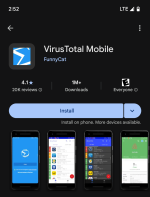
2. The community-driven VirusTotal app on the Google Play Store, created by "Funny Cat," is an excellent tool. It uses 77 different scanning engines to detect malicious apps, including both user-installed and system apps. In my experience, it's the most efficient tool for quickly finding issues on mobile devices. You can use the color-coded boxes next to the app names to get more information, such as permissions ect. Often, the solution is as simple as uninstalling the problematic app. This tool is especially helpful when users have many games and "cleaning" apps installed, as it quickly identifies the one causing the problem.

Screenshot_20250801-145252.png