Poll What kind of ad/tracker blocking do you use?

What's your approach to ad/tracker blocking?

  • Local content filter (app)

    Votes: 17 21.8%
  • Browser extension

    Votes: 57 73.1%
  • Cloud DNS filter

    Votes: 34 43.6%
  • Local DNS sinkhole

    Votes: 3 3.8%
  • Other

    Votes: 6 7.7%

  • Total voters
    78

Miravi

Level 9
Thread author
Verified
Well-known
Aug 31, 2024
421
2,995
768
USA
I'd used AdGuard as a local content filter for almost a year, but more recently I've been set up with NextDNS (NextDNS + OISD blocklists for now). AdGuard worked well for the most part. I was actually prompted to look at my options by the thought that I'd like a solution that used as little battery as possible on my phone.
 
Last edited:

Using NextDNS, it blocks 99% of everything, it lacks cosmetics filtering, but it does not bother me. I use Brave for Youtube.
 

Attachments

  • capture_08162025_195940.jpg
    capture_08162025_195940.jpg
    224.5 KB · Views: 123
  • capture_08162025_200021.jpg
    capture_08162025_200021.jpg
    165.8 KB · Views: 115
  • capture_08162025_200157.jpg
    capture_08162025_200157.jpg
    186.6 KB · Views: 109
  • capture_08162025_200230.jpg
    capture_08162025_200230.jpg
    400.8 KB · Views: 114
  • capture_08162025_200516.jpg
    capture_08162025_200516.jpg
    291.2 KB · Views: 121
Last edited:
Windows laptop: uBlock Origin Lite and Vivaldi Browser
Android phone: NextDNS (Private DNS) and Vivaldi Browser (built-in ad blocker)
Apple iPad: NextDNS (configuration profile) and Vivaldi Browser (built-in ad blocker)

uBlock Origin Lite (Complete mode): Default + Annoyances + IndianList
NextDNS: AdGuard DNS filter + HaGeZi Multi PRO
Vivaldi (Strict blocking): Default (partners disabled) + Peter Lowe's English + Fanboy's Annoyance + EasyList Cookie + IndianList
 
Last edited:
I use the uBlock Origin extension on EDGE, Vivaldi, and Firefox. And the uBlock Origin Lite extension on Chrome. On Brave, I use the built-in AdBlock and NextDNS on all browsers. I also use DNS over HTTPS (DoH) on my entire system. (y)
 
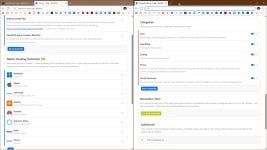
I'm using NextDNS system wide with several security and content-blocking features enabled.

I've enabled the NextDNS Ads & Trackers Blocklist and the HaGeZi - Multi PRO++ for robust ad blocking.

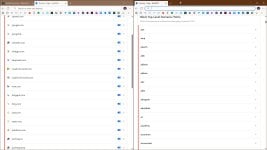
I've also manually configured settings like blocking commonly abused top-level domains.

In addition, I use the parental control features to block unwanted content, restricting access to specific categories of websites and apps. I find the logs, allow lists, and deny lists to be useful for managing and fine-tuning these settings.
 
Does VPN service include malicious websites and ad filters? I thought it just for hiding your IP, replacing it with a fake one.
Several well-known VPN providers have integrated ad and malicious website filters into their services. This is a common practice to offer more comprehensive security to their users. These features work by using DNS filtering, which blocks connections to known ad servers and malicious domains.
 
Does VPN service include malicious websites and ad filters? I thought it just for hiding your IP, replacing it with a fake one.
Some VPN services provide additional features. For example, in Windscribe, you can enable filtering/blocking of malware, ads + trackers, social networks, porn, gambling, clickbait, other VPNs, and crypto.
 
Some VPN services provide additional features. For example, in Windscribe, you can enable filtering/blocking of malware, ads + trackers, social networks, porn, gambling, clickbait, other VPNs, and crypto.
My first time to know; I am not the VPN man at all, even secure DNS is a relatively recent experience for me.
 
I'd like a solution that used as little battery as possible on my phone.
If you use cloud/sinkhole-filtered DNS, all the processing (except for the waiting) will occur on the server's side, but the blocking is at the IP level, so it isn't going to be as complete.
 
  • Like
Reactions: Parkinsond
blocking is at the IP level, so it isn't going to be as complete.
The statement that cloud/sinkhole-filtered DNS performs blocking at the IP level and is therefore incomplete is incorrect. These services operate by blocking at the DNS layer, which is a layer above the IP address in the network stack, which is a more effective and proactive method. When a user tries to access a malicious website, the DNS query is sent to the cloud server, which checks the domain name against a blocklist. If the domain is found, the server responds with a non-routable or safe IP address, preventing the user's device from ever establishing a connection with the malicious server. This method is considered highly complete and efficient because it stops the connection at the earliest possible stage, before any data is exchanged, and it is more reliable than IP-based blocking, as malicious domains can change their IP addresses frequently.
 
The statement that cloud/sinkhole-filtered DNS performs blocking at the IP level and is therefore incomplete is incorrect.
OK, so it blocks at the domain name level (the IP being inaccurate), but it is not as complete as compared to browser extension blocking, which would remove the ad elements completely from the web page. But the browser extension does require some processing, taking up battery, as compared to the DNS blocking, which happens on the server side.

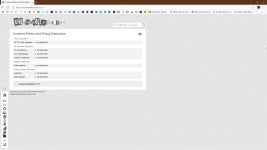
There are ad block web pages that you can compare DNS blocker via browser extension, with accuracies probably varying but maybe useful as an indicator, such as:

 
But the browser extension does require some processing, taking up battery, as compared to the DNS blocking, which happens on the server side.
The downside is that they only work within the browser they're installed on as well as requiring some processing power and impacting battery life on mobile as you stated.

The best solution is to use both methods in combination. Using a DNS blocker like Pi-hole, AdGuard DNS, or NextDNS provides a broad, system-wide defense for all devices and applications, while a browser extension like uBlock Origin handles the more nuanced, in-browser cosmetic filtering and specific ad types that DNS can't catch.