Solved Windows defender continually finds and deletes Trojan:Win64/Lazy.PGLI!MTB on daily startup.

Trojan:Win64/Lazy.PGLI!MTB

Defender finds and deletes it, for the past 8 days. I also get a message:
Windows cannot find Program Data\Services\ Recycle.exe

Malwarebytes scan and Farbar files are attached. Please help me.
 

Attachments

  • Like
Reactions: Khushal
Hello..! Welcome to MalwareTips..! :) My name is icotonev and I'm here to help you remove malware ..!

Please give me some time to examine your logs and I will get back to you as soon as possible.

Thank you..! :)
 
  • Like
Reactions: Jonny Quest
Hello..! Are you familiar with this proxy..?

Code:
ProxyServer: [S-1-5-21-2039325563-154138367-580804012-1001] => https=localhost:2482

VirusTotal Online Virus Scanner
  • Please go to VirusTotal
  • Select Choose file
  • Navigate to the following file and double click on it (repeat for each file, if more than one listed)
Code:
C:\Users\User\AppData\Local\AdaptiRouter.exe
  • Select Confirm upload
  • Once completed, highlight the information in the address bar and copy and paste the link(s) in your reply
 
Last edited:
Farbar Recovery Scan Tool Fix
  • Right click on the FRST64 icon and select Run as administrator
  • Highlight the below information then hit the Ctrl + C keys at the same time and the text will be copied
  • There is no need to paste the information anywhere, FRST64 will do it for you
Code:
Start::
CreateRestorePoint:
CloseProcesses:

HKLM\SOFTWARE\Policies\Microsoft\Windows\WindowsUpdate: Restriction <==== ATTENTION
HKLM\Software\Policies\...\system: [EnableSmartScreen] 0 <==== ATTENTION
HKLM\SOFTWARE\Policies\Mozilla\Firefox: Restriction <==== ATTENTION
Task: {B0EA93AE-E764-4EEC-8FD8-C40ECC09C779} - System32\Tasks\EOSv3 Scheduler onLogOn => C:\Users\User\AppData\Local\ESET\ESETOnlineScanner\ESETOnlineScanner.exe  LOGON (No File)
Task: {7D94EC2E-158C-4A0C-A646-18AD4FBC2B54} - System32\Tasks\EOSv3 Scheduler onTime => C:\Users\User\AppData\Local\ESET\ESETOnlineScanner\ESETOnlineScanner.exe  SCHED (No File)
Task: {E557A452-1AA2-45E3-A491-CA444F0AEC3D} - System32\Tasks\KpRm-quarantines\KpRm-quarantines-20250122011211 => C:\KPRM\tasks-quarantines\kprm-quarantines.exe [2363664 2025-01-22] (kernel-panik -> kernel-panik) [File not signed] -> C:\KPRM\tasks-quarantines\quarantines 20250122011211
ProxyServer: [S-1-5-21-2039325563-154138367-580804012-1001] => https=localhost:2482
S3 BlackCat1; \??\C:\ProgramData\Nexon\NGS\BlackCat1.sys [X]
FirewallRules: [{99118653-5F13-4B23-99C8-1555B9C35A4C}] => (Allow) D:\FunPlus\Sea of Conquest\Launcher.exe => No File
FirewallRules: [{F9D557CB-27CE-4FE2-9222-4245A40F3A94}] => (Allow) D:\FunPlus\Sea of Conquest\Launcher.exe => No File
File: C:\Users\User\AppData\Local\AdaptiRouter.exe
File: C:\Users\User\AppData\Roaming\com_int_repository_arm64
File: C:\ProgramData\com_int_repository_arm64


CMD: netsh int ip reset
CMD: ipconfig /flushDNS

cmd: sfc /scannow
cmd: DISM /Online /Cleanup-Image /CheckHealth

Removeproxy:
Emptytemp:
End::


  • Click Fix
  • Note: The Emptytemp: command will remove cookies and may result in some websites (like banking) indicating they do not recognize your computer. It may be necessary to receive and apply a verification code.
  • When completed the tool will create a log on the desktop called Fixlog.txt. Please copy and paste the contents of the file in your reply.
In your next reply, please include:
  • Fixlog.txt
 
Last edited:
Hello..! Have you used PassMark Software..?
Your "Installed Programs" list does not show that this program is installed. An analysis of the file detected by Defender shows that it is this software"

Code:
========================= File: C:\Users\User\AppData\Local\AdaptiRouter.exe ========================

C:\Users\User\AppData\Local\AdaptiRouter.exe
File is digitally signed
MD5: 3B264FC74AD9277AC263BDF9FC623B9E
Creation and modification date: 2026-03-08 16:45 - 2026-03-08 16:45
Size: 000455976
Attributes: ----A
Company Name: PassMark Software Pty Ltd ->
Internal Name:
Original Name:
Product:
Description:
File Version:
Product Version:
Copyright:
Virusscan: https://virusscan.jotti.org/filescanjob/3mgefj7xwn
 
...In addition:

Farbar Recovery Scan Tool Fix
  • Right click on the FRST64 icon and select Run as administrator
  • Highlight the below information then hit the Ctrl + C keys at the same time and the text will be copied
  • There is no need to paste the information anywhere, FRST64 will do it for you

Code:
Start::
CloseProcesses:

Folder: C:\Users\User\AppData\Roaming\com_int_repository_arm64
Folder: C:\ProgramData\com_int_repository_arm64

End::

  • Click Fix
  • When completed the tool will create a log on the desktop called Fixlog.txt. Please copy and paste the contents of the file in your reply.

In your next reply, please include:
  • Fixlog.txt
 
I do not believe I have used PassMark Software. And the creation date of Mar08 is when Defender first started to find a threat.

New txt attached
 

Attachments

Farbar Recovery Scan Tool Fix
  • Right click on the FRST64 icon and select Run as administrator
  • Highlight the below information then hit the Ctrl + C keys at the same time and the text will be copied
  • There is no need to paste the information anywhere, FRST64 will do it for you
Code:
Start::
CreateRestorePoint:
CloseProcesses:

C:\Users\User\AppData\Local\AdaptiRouter.exe
C:\Users\User\AppData\Local\resmon.resmoncfg
C:\Users\User\AppData\Roaming\com_int_repository_arm64\XPFix.exe

Emptytemp:
End::

  • Click Fix
  • Note: The Emptytemp: command will remove cookies and may result in some websites (like banking) indicating they do not recognize your computer. It may be necessary to receive and apply a verification code.
  • When completed the tool will create a log on the desktop called Fixlog.txt. Please copy and paste the contents of the file in your reply.
In your next reply, please include:
  • Fixlog.txt
 
Sorry for the delay. Farbar is on my desktop and it takes several attempts for FRST to locate the copied text. Message is always no fixlist found, should be in same folder/directory as tool
 

Attachments

No problem. The script worked. Run a full scan with Windows Defender so we can see the results.
 
Great ..!:) All Clean...! I'll leave this topic open for a couple of days, to give you time to get back to me if you have any problems..

Thanks for the excellent work..! (y)
 
Fresh FRST logs

Please run FRST tool once more, and attach for me fresh logs:
  • Double-click on the FRST icon to run it, as you did before. When the tool opens click Yes to disclaimer.
  • Press Scan button and wait for a while.
  • The scanner will produce two logs on your Desktop: FRST.txt and Addition.txt.
  • Please attach these two logs in your next reply.
In your next reply, please include:
  • FRST.txt
  • Addition.txt
 
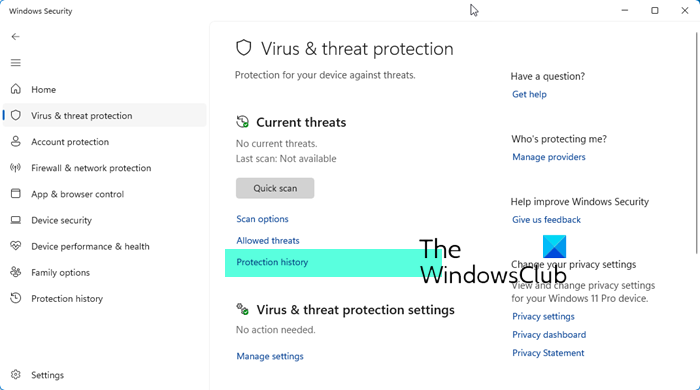
Hmm...! First: Clean the Windows Defender Quarantine folder. Follow the directives on the page to delete all the files in the quarantine folder.


  • Right click on FRST and select Run as administrator
  • Copy/paste the following in the Search: box

Code:
Searchall: AdaptiRouter

  • Click Search Files button
  • When completed click OK and a Search.txt document will open on your desktop
  • Аttach the report in your reply. If the file is too large zip and upload it here.
In your next reply, please include:
  • Search report