App Review Windows Defender Firewall critique- Part 1

It is advised to take all reviews with a grain of salt. In extreme cases some reviews use dramatization for entertainment purposes.
Content created by
Ophelia
It is very important to mention that nowadays, the firewall is on your router. The router is one of the “doors” in terms of traffic and attacks, and it is important to invest in a device from a reputable manufacturer.
This is the firewall that will be responsible for dropping packets and connections that are coming unexpectedly, out of the blue and are undesired, uninitiated, and this is the firewall that will attempt to “hide” the network from hackers discovery attempts.

The software firewalls installed in operating systems nowadays plays very minimal role in the overall protection.
The main benefits are:
  • Protecting device from internal threats, such as other compromised devices (laptops, desktops, IoT, etc).
  • Optionally fully hiding the device from the network, when it is shared (for example, shared accommodation).
  • Privacy protection: controlling specific programmes when users want for example, to limit the amount of telemetry being sent.
  • Could assist in blocking attacks such as reverse shell attacks coming from the internal network
More important than the firewall and frequently overlooked is, controlling and inspecting the traffic already allowed by firewall, for threats. Blocking connections to malicious domains and IP addresses and using signatures to identify attacks and exploits (IPS).

There is no need to overcomplicate the software firewall, better look at the things mentioned above.
 
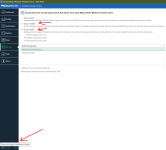
Does enabling these settings have any effect against an info stealer?
1724659207384.png
 
If the Windows firewall can be disabled so easily, it might not be worth relying on. Many of your security measures become ineffective if a rogue application can simply turn it off. It would be problematic if your antivirus software didn’t catch such threats. To avoid putting all your eggs in one basket, consider using a third-party firewall. While hardware firewalls like OPNSense and FortiGate offer excellent protection, they can be expensive and require advanced configuration skills, which is why most regular users don’t have one at home. Just remember your regular home router is probably not set up or have the capability to block outbound traffic.
 
What's more important is ability to block outbound
Isn't it the opposite? If you have installed a program that you trust, does it matter if it connects outside - video and audio players, games, messengers, torrent clients? If the program is malicious then you are f*ck3d even if all antivirus scanners reports no infection. The first thing I will do is a clean installation, changing passwords and enable 2fa. So who cares for outbound, when your pc is compromised? You'll have to do a clean install anyway and change your passwords.

About the test...are all protection modules turned off except the windows firewall? If yes then this test is more useless than TPSC's tests. I'm interested in prevention, not the other way around.
 
  • Like
Reactions: ForgottenSeer 67091
Isn't it the opposite? If you have installed a program that you trust, does it matter if it connects outside - video and audio players, games, messengers, torrent clients? If the program is malicious then you are f*ck3d even if all antivirus scanners reports no infection.

Yes for safe applications it's necessary to allow them to connect out when they need to, but for a malicious process, a firewall configured at default-deny can and should block the outbound attempt by the malicious process, thereby at least least preventing exfiltration of your personal data. The key to setting up the firewall is to use: Default-deny. Block all attempts by all programs, and create rules only for safe programs that require outbound comms.
 
  • Like
Reactions: ForgottenSeer 67091
Yes for safe applications it's necessary to allow them to connect out when they need to, but for a malicious process, a firewall configured at default-deny can and should block the outbound attempt by the malicious process
if I install program, it means that I trust their author 100%.
if I install malicious program by mistake, then I'm f*ck3d anyway.
in both cases, I doubt that the outbound firewall rules would change something.
 
If the device is infected, firewall can do almost nothing to solve the problem.
That depends, usually a weak dropper tries to download the payload and that is where the firewall comes in, just blocking port 80 alone blocks majority of malware. Hackers do not take firewall into an account, since 99% users do not block outbound and lately there are hardly any real firewalls left. I only rely on DNS and firewall for malware protection along with some OS hardening.