Wise Registry Cleaner - System tuneup

Status
Not open for further replies.

jackuars

Level 28
Thread author
Verified
Top Poster
Well-known
Forum Veteran
Jul 2, 2014
1,730
6,046
2,669
36
The system tune-up tab in Wise Registry Cleaner has various optimization features that really optimizes your PC. I tried this, and my boot-up, and system shut-down times has decreased by more than 50% even on a newly installed OS. Also the applications load times are faster and the system is far more responsive. Kudos to that.

What have you felt after trying this out?
 
@askmark

Same here.
The only way I can think of for speeding boot times on a fresh install would be to turn off unnecessary start-up items.

As a general rule , I avoid registry cleaners , optimizers , and defraggers like the plague .
There is simply no point in using them , and there is a very real probability that they will bork your system .

I tested Wise Care ( and Kerish Doctor ) last year on a spare machine , and I did use the reg tune-up and I did need the rollback ,
or whatever name they give it .
 
Last edited:
@askmark

Same here.
The only way I can think of for speeding boot times on a fresh install would be to turn off unnecessary start-up items

I agree, but what startup items?

Why can't these programs be transparent about what they do? Oh yeah then we'd find out they do very little, other than make a few registry changes I could have done myself.
 
  • Like
Reactions: Deleted member 2913
I'd be interested to know what changes it makes to a fresh windows install that apparently make such dramatic improvements to performance?

cPWXpk0.png

1mj4JsU.png

5W5Hgkt.png


@askmark

Same here.
The only way I can think of for speeding boot times on a fresh install would be to turn off unnecessary start-up items.

As a general rule , I avoid registry cleaners , optimizers , and defraggers like the plague .
There is simply no point in using them , and there is a very real probability that they will bork your system .

I tested Wise Care ( and Kerish Doctor ) last year on a spare machine , and I did use the reg tune-up and I did need the rollback ,
or whatever name they give it .

The optimization feature didnt disable any startup items as I had disabled almost everything except my antivirus from starting up automatically earlier.
 
Last edited:
I use selected tuneups from every category. It has helped, even if a little....

And yes, the tuneups are far more reliable than they seem in Wise registry cleaner.
 
you can roolback using the button in the lower right corner "system default" :)
Oh true that! I'm sorry what I mentioned was for only Registry Cleaner part.
 
Well..rollback is fine... but I want to know what changes are being made to my system... "Optimize LAN connection"... sounds nice... but what changes is it making. Where is the "tuneups" documentation for Wise products?
 
  • Like
Reactions: TairikuOkami
What have you felt after trying this out?
I prefer to do tweaks myself to know, what they actually do. The most significants ones are "AutoEndTasks" related.

Wise does really update those values. Like "Disable Autoplay" is wrong, I contacted them twice about it, still no fix.

"NoDriveTypeAutoRun" should be "FF", they use "DD", I believe it is a typo.

https://support.microsoft.com/en-us/help/967715

It is probably better to use SG TCP Optimizer for internet optimizations, it is updated based on Windows changes.

Well..rollback is fine... but I want to know what changes are being made to my system...

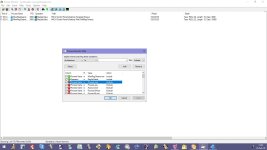
Same here. You can see, what it does via Process Explorer. Use those 2 filters, select any option you want, Apply and it should popup, then you can google it.
 

Attachments

  • capture_02252018_115305.jpg
    capture_02252018_115305.jpg
    110.4 KB · Views: 799
Last edited:
  • Like
Reactions: Azure and roger_m
Hello I have used WiseCare Pro for the past 6 months and never had any issues:love:
 
Status
Not open for further replies.

You may also like...