Using our submission form or live chat?Hi xywcloud and Hi allall
When I submit Files to you via the Homepage did you checks the Files
And what is with my post Nr. 37
With best Regards
Mops21
Using our submission form or live chat?Hi xywcloud and Hi allall
When I submit Files to you via the Homepage did you checks the Files
And what is with my post Nr. 37
With best Regards
Mops21
Hi xywcloud and Hi all
When I scan a folderit will skipped Files is that right
=======================================
Start Time: Tue Oct 20 15:03:39 2015
Scan Directory: C:\Program Files (x86)\Adguard
Heuristic Engine: Enabled
Elapsed Time: 0 h 0 min 19 sec
Total File: 42
Skipped File: 4
Infected File: 0
=======================================
And what can I do or what did you Need it for check
With best Regards
Mops21
Using our submission form or live chat?

Now can you download program updates with the updater?It' s my bad, there is a little bug in Updater which can let Updater work improperly, please re-download full program to use latest version of Updater[I didn' t change its version]
XSec_HE.dll now updated to 1.0.0.3
- Change rules to avoid some FPs
- You can use latest version of Updater to update this module
Yes, now it works well~Now can you download program updates with the updater?

Hi xywcloud and Hi all
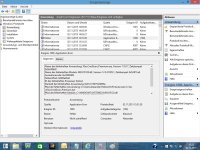
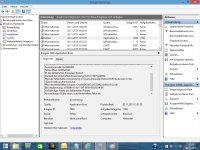
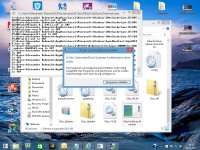
I have found a Bug in X-Sec CommandLine Scanner see my txt File and my screenshots
With best Regards
Mops21
Hello Mops,
Can you please explain what you where doing with the scanner when it crashed? I'm going to see if I can re produce the error
Hi, Mops21Hello Frost
I'm scanning
With best Regards
Mops21
Hi, Mops21
I want to know which directory do you scan, did you stop this scan just by closing the window of X-Sec?
Any pop-up window when you find this bug? Or you just found it on System Event Log?I`m scanning with Filepath
Scan Directory: C:\Users
After some tiome go my pc into the standby Modus
With best Regards
Mops21

 ]
]Any pop-up window when you find this bug? Or you just found it on System Event Log?
Can this bug recurrentable?
The info you gave is not enough for me to locate this bug...
[Maybe I should add SEH in the future version
OK, I have got itHere is the screenshot with the Pop up
With best Regards
Mops21
OK, could you please pack the directory which can let X-Sec crash and send it to me for further analysis(NVIDIA, or ... the next directory)? Thank you!Does X-Sec crash on the same directory every time? Yes
With best Regards
Mops21
OK, could you please pack the directory which can let X-Sec crash and send it to me for further analysis(NVIDIA, or ... the next directory)? Thank you!
Thank you for your further reply, I have got some infomation from @Frost and I' m navigating the problem[But in fact it' s very very strange...]Can you say me please how can I send and how can I pack the directory please
With best Regards
Mops21