Dr. Mary Newport Coconut Oil Cure Scam Exposed: Fake AI Ads Investigated
Written by: Lapain Epuran
Published on:
A calm doctor appears beside brain scans and coconut oil. The story feels personal, hopeful, and specific enough to make a worried family keep watching.
Then the names, footage, and promises begin connecting in ways they never do outside the advertisement. That is where this investigation starts.
Overview
The advertisement borrows a real personal story
The presentation invokes physician Mary Newport and her late husband’s experience with Alzheimer’s disease. Old interview material gives the campaign a foundation that feels authentic.
The funnel then treats that personal history as proof of a commercial memory product. No verified evidence connects Mary Newport to the Cogni Max offer examined.
A real interview can be edited, reordered, voiced over, or surrounded by invented narration. The original speaker does not control the new sales message.
A coconut oil discussion becomes a cure promise
The video describes Alzheimer’s as brain insulin resistance and presents ketones as an alternative fuel. It then turns a complex research question into a dramatic reversal claim.
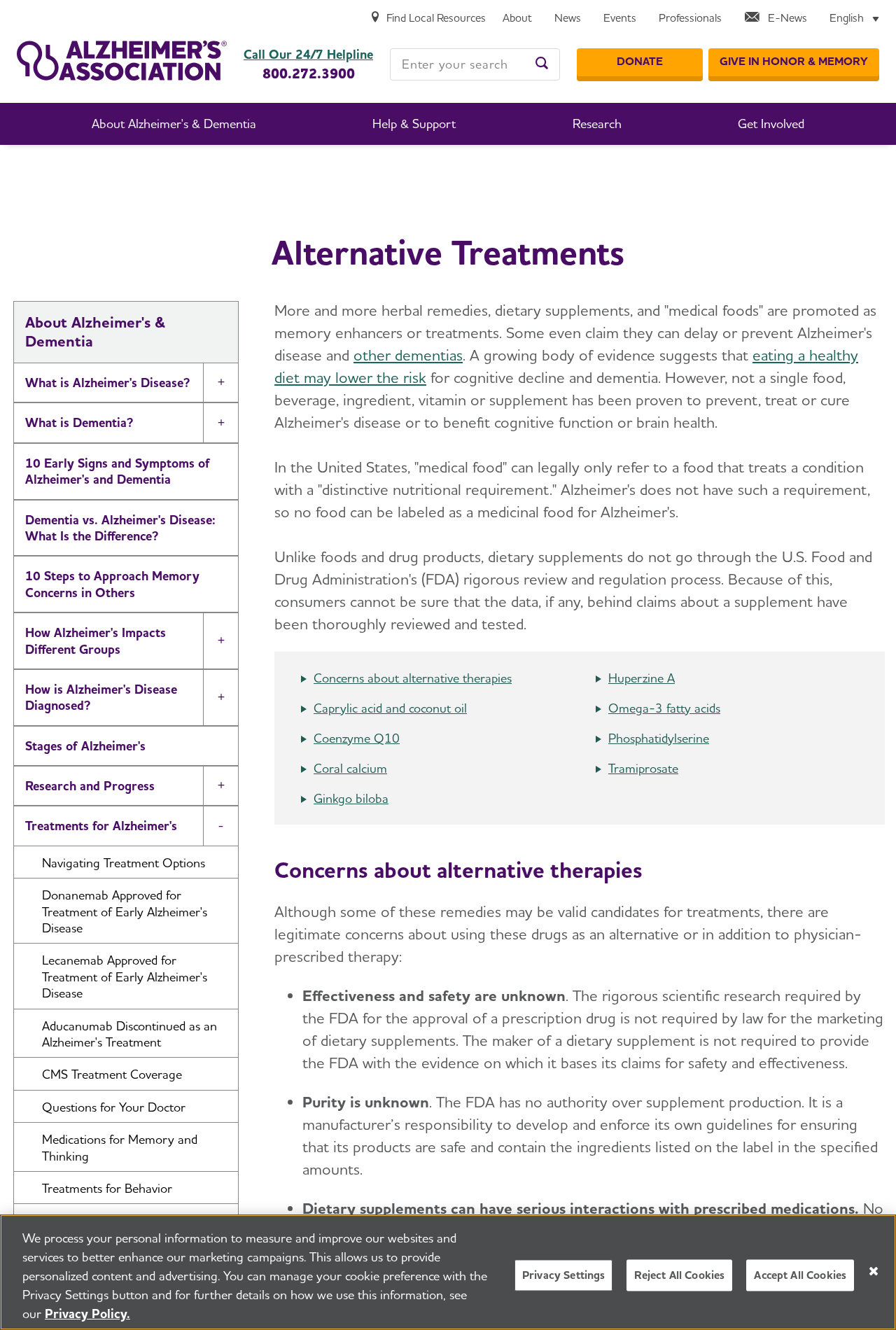
The Alzheimer’s Association says no single food, beverage, ingredient, vitamin, or supplement has been proven to prevent, treat, or cure Alzheimer’s disease.
That distinction matters. A biological theory or caregiver story does not establish that one bottle restores memory, reverses dementia, or works within weeks.
The promised recipe ends at a supplement checkout
Viewers are encouraged to wait for a coconut oil protocol, brain ketone discovery, or hidden recipe. The destination instead promotes blue Cogni Max supplement bottles.
The observed label used broad support language for memory, focus, and cognitive function. The sales presentation surrounding it made far stronger disease-related suggestions.
That gap protects the label while the video carries the emotional promise. Buyers may remember the cure story, not the cautious wording printed on the bottle.
Impersonated authority: Dr. Mary Newport and other medical-looking presenters
Emotional hook: a family story involving Alzheimer’s disease
Ingredient story: coconut oil, MCT oil, ketones, and brain energy
Product revealed: blue Cogni Max memory supplement bottles
Observed checkout route: a separate sales platform rather than an official medical source
Primary risk: unsupported health claims, payment exposure, and possible continuity billing
Safest response: consult a qualified clinician and avoid the advertisement checkout
How The Scam Works
Step 1: A social ad finds families searching for hope
The campaign targets people worried about forgetfulness, dementia, or a loved one’s diagnosis. Hope makes a remarkable story feel worth several minutes of attention.
The opening may resemble a medical interview, podcast, or news segment. Brain scans and professional clothing create authority before any seller is identified.
The ad rarely begins with a bottle. It begins with fear, frustration, and the suggestion that ordinary medicine overlooked a simple answer.
Clicking moves the viewer into a controlled funnel where every page repeats the same claim and discourages outside research.
Step 2: Real footage is reframed with synthetic narration
Older interview clips can show Mary Newport discussing her husband, ketones, coconut oil, or MCT oil. Those clips do not establish a Cogni Max endorsement.
New narration is placed around the footage to imply a coordinated discovery. Lip movement, voices, or connecting presenters may be generated or altered.
The viewer hears one continuous story, even when its pieces came from unrelated recordings created years apart for different purposes.
A reliable endorsement should appear through the expert’s official channels and clearly name the exact product, seller, evidence, and limitations.
Step 3: The video turns uncertainty into a secret
Research questions become claims that doctors lied, industry suppressed a cure, or government finally admitted a mistake. Secrecy makes weak evidence feel exclusive.
The phrase type 3 diabetes is used as though it settles Alzheimer’s causes and treatment. It does not convert a complicated disease into one universal nutritional fix.
Viewers are told that conventional care addresses symptoms while the hidden protocol addresses the real cause. That framing can encourage dangerous treatment delays.
A credible medical explanation discusses uncertainty, study design, eligibility, side effects, and monitoring. The sales video emphasizes certainty and speed.
Step 4: The recipe promise keeps the viewer watching
The script repeatedly suggests that a household ingredient or precise combination will be revealed. Each new detail postpones the promised instructions.
Personal testimonials describe clearer thinking, restored skills, improved energy, and dramatic changes within weeks. The identities and medical records are not independently verifiable.
Long viewing creates commitment. People who spent time following the story may feel closer to a solution and less willing to abandon the page.
When the recipe never arrives, the supplement appears as the convenient finished version of everything the presentation described.
Step 5: Cogni Max appears as the commercial answer
The campaign eventually reveals Cogni Max capsules and describes them with brain-support language. The product name arrives after the strongest medical claims were already delivered.
The observed bottle listed contact information, an Ogden, Utah address, and a separate email domain. Those details require verification, not automatic trust.
A postal address can be a mailbox or logistics point. It does not prove where capsules were manufactured, tested, bottled, or quality controlled.
Buyers should demand a complete Supplement Facts panel, lot details, manufacturer identity, warnings, and evidence tied to the precise formulation.
Step 6: The checkout creates distance from the story
The payment page may use another domain or processor. That separation makes it harder to understand which entity accepts the order and owes the refund.
Bundles are commonly emphasized as the best value. Large bottle quantities increase the initial charge before the buyer has tested support or cancellation.
Review every selected option, total, policy link, and billing statement descriptor. Do not rely on the price spoken inside the presentation.
If recurring delivery is unclear, assume nothing. Ask the seller and card issuer how future authorization will be handled.
Step 7: Medical and billing harm can continue after delivery
A delivered bottle does not prove the cure story. The contents may provide no benefit, interact with medicine, or delay appropriate evaluation.
Unexpected refills or related offers can follow the first purchase. Sellers may share buyer data with affiliates promoting other miracle products.
Families can lose time as well as money. Memory changes deserve professional assessment because several treatable conditions can resemble cognitive decline.
The safest decision is to leave the funnel, preserve evidence, and discuss the underlying concern with a qualified health professional.
What the Evidence Actually Shows
No verified Cogni Max endorsement was found
The campaign footage itself is not independent confirmation. Searches should locate a clear statement on Mary Newport’s official channels naming this exact product and seller.
The observed promotion instead connects old subject matter to a new commercial conclusion. That editing pattern is common in unauthorized health endorsements.
Complaints should target the responsible seller and advertising platform, not unrelated products or companies that happen to use a similar name.
Coconut oil is not an established Alzheimer’s cure
The Alzheimer’s Association states that no single food, ingredient, or supplement has been proven to prevent, treat, or cure Alzheimer’s disease.
Its alternative-treatment guidance discusses the ketone theory and explains why dietary supplements do not provide the same assurance as reviewed prescription medicines.
Anyone considering coconut oil or MCT products should discuss dosage, cardiovascular considerations, calories, digestive effects, and medication interactions with a clinician.
The product-specific evidence is missing
General discussion of ketones does not test Cogni Max. The campaign would need independent research on the exact formula, dose, population, outcomes, and safety.
Anonymous testimonials cannot replace randomized evidence. Viewers are not shown complete records, baseline diagnoses, concurrent treatments, or independent verification.
The label’s general support wording also does not validate the surrounding promises of reversal, restored memory, or rapid recovery.
The FDA warns about unproven disease claims
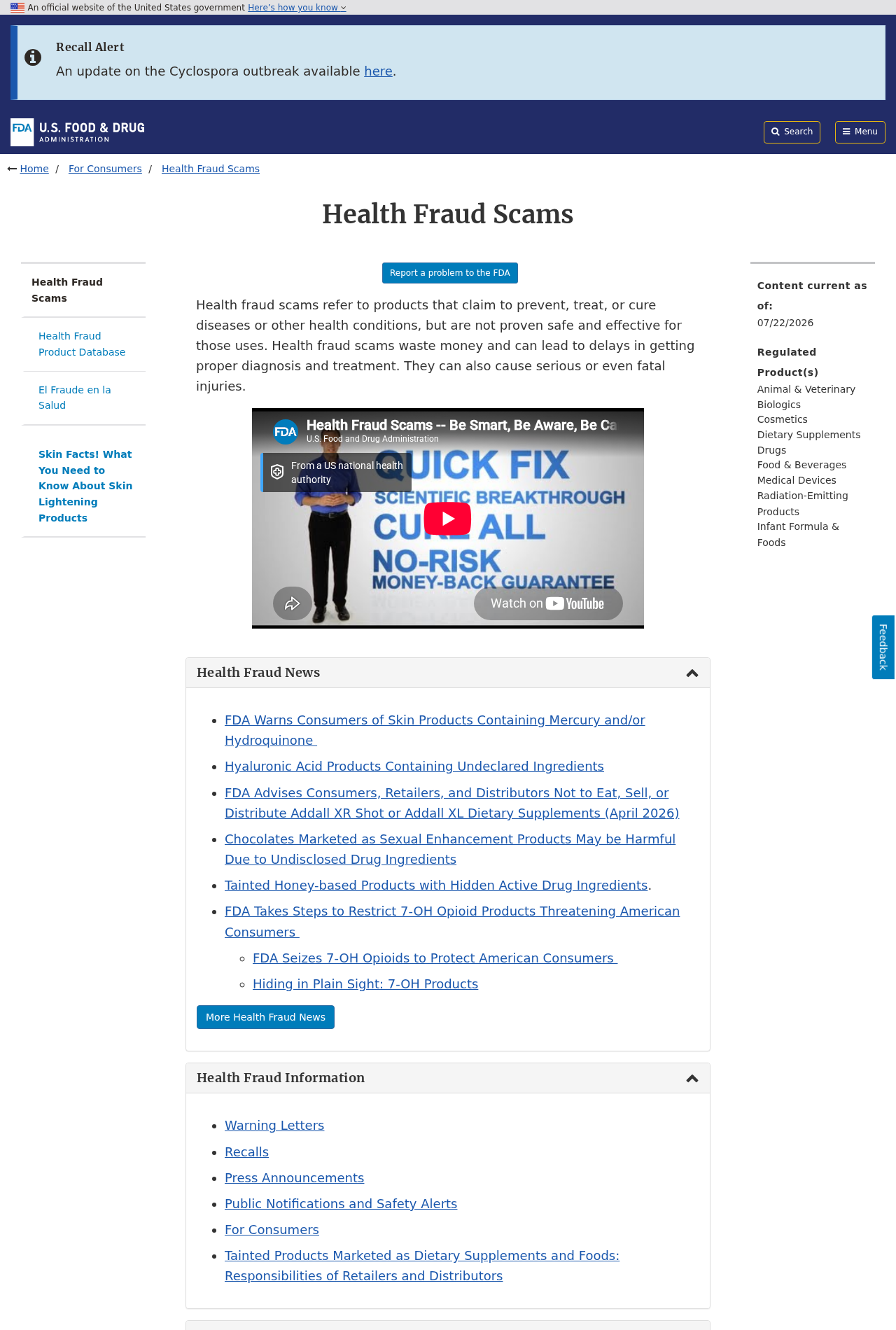
FDA health fraud guidance warns that products promoted to treat diseases without proven safety and effectiveness can waste money and delay proper care.
Supplements are not automatically approved to treat or prevent disease. Natural language does not guarantee purity, effectiveness, or freedom from interactions.
Report adverse reactions to the FDA and seek urgent medical help for severe symptoms. Keep the bottle, lot number, receipt, and ingredient panel.
Company, Address, and Fulfillment Checks
The bottle name is not the business identity
Cogni Max is the label buyers see, but that label alone does not identify the company legally responsible for the order.
Compare the checkout, receipt, privacy notice, refund policy, and card statement. Every document should point to the same accountable operator.
Conflicting names matter because a family seeking a refund needs a real entity, not another marketing brand created for a single funnel.
The Ogden address needs context, not assumptions
The observed bottle references 525 North 530 West, Suite 5, in Ogden, Utah, along with a separate post office box.
An address can receive mail or returns without being a laboratory, headquarters, capsule plant, or medical research facility.
Search property records and business registrations. Ask who manufactures each lot and whether the listed location can answer product-quality complaints.
Test the Cogni Max support trail before trusting it
The captured label showed contact@getcognimax.com and (323) 348-1448. Their presence is useful only if trained support actually responds.
Ask for the contracting company, manufacturing country, lot documentation, refund destination, and whether any recurring shipment follows the first purchase.
Save the answer in writing. A voicemail loop or generic agent cannot resolve uncertainty about a supplement promoted beside serious disease claims.
Unknown capsules deserve medical caution
A polished blue bottle does not reveal ingredient testing, contaminant screening, dosage accuracy, storage conditions, or the factory that produced it.
Mass-produced supplements may pass through private-label brokers and distant fulfillment centers. Country of origin should be documented, not guessed from branding.
Bring the complete label to a pharmacist or clinician. Memory concerns, existing medicines, and possible interactions make experimentation particularly risky.
What to Do if You Have Fallen Victim to This Scam
Pause the capsules and call a clinician
Do not use a social-media presentation as permission to start, increase, or combine Cogni Max with coconut oil or MCT products.
Tell the clinician what was taken, the dose, the timing, and any new symptoms. Keep the bottle available during the conversation.
Severe confusion, weakness, breathing trouble, fainting, or an allergic reaction needs urgent medical attention, not customer-service advice.
Protect the person whose memory is changing
Arrange a proper assessment rather than waiting for an advertised reversal. Medication effects, infections, sleep problems, depression, and other conditions can affect cognition.
If the buyer has impaired judgment, involve a trusted relative in banking, deliveries, appointments, and future online purchases.
Do not shame the buyer. The advertisement was designed around fear, love, and the wish to recover someone familiar.
Call the card issuer about the exact merchant
Use the telephone number printed on the card. Describe the advertisement, purchase date, amount, card descriptor, and any unexpected second charge.
Ask whether the merchant can submit recurring transactions through an account updater, even after the visible card number changes.
Request the appropriate dispute, merchant block, and replacement options. Monitor small test charges as carefully as large bottle orders.
Cancel refills with a written record
Send cancellation to every verified Cogni Max contact shown on the receipt and formal policies. Revoke authorization for all future deliveries and charges.
Record the date, message headers, agent name, case number, and promised resolution. A spoken assurance is difficult to prove later.
Before returning bottles, confirm the approved address and requirements. Photograph sealed packages and retain tracked-delivery evidence.
Preserve the medical promises you saw
Capture the coconut oil story, Mary Newport footage, Cogni Max bottle, checkout total, guarantee, terms, and every website address.
Write down claims about Alzheimer’s reversal, timelines, dosage, and expected results while the presentation remains fresh in memory.
These details help a bank distinguish ordinary buyer dissatisfaction from a purchase induced by unsupported disease claims.
Check the device after suspicious downloads
Run Malwarebytes if the funnel installed a file, browser extension, remote-support program, or unknown application.
Remove detections, update the browser and operating system, restart, then scan once more before using email or banking.
A refund request addresses the payment. It does not remove software or browser permissions acquired during the sales journey.
Block repeat health-fraud advertising
AdGuard can reduce exposure to malicious ad networks, tracking redirects, and known deceptive domains connected with similar memory offers.
Also disable notification permission for unfamiliar sites. Push alerts often recycle the same cure story under a different bottle name.
Filtering helps, but verify future medical claims with clinicians and official health organizations before buying anything advertised as a breakthrough.
Report both billing and safety concerns
Report the advertisement to its social platform and submit deceptive sales details at ReportFraud.ftc.gov.
Send unproven disease claims or adverse supplement events to the FDA. Include the lot number and ingredient panel when available.
Keep medical records private. Regulators need the seller, URLs, claims, dates, and transactions, not publicly posted identity documents.
Is Your Device Infected? Run a Free Malware Scan
Slow performance, constant pop-ups, or strange behavior? These are classic signs of a malware infection. The fastest way to find out is to scan your device with Malwarebytes Anti-Malware Free — one of the most trusted malware removal tools available.
The free version detects and removes the most common threats, including:
Adware — the cause of those annoying pop-ups
Browser hijackers — unwanted redirects and changed homepages
Trojans and spyware — hidden programs stealing your data
Potentially unwanted programs (PUPs) — software you never asked for
👉 Select your device below — Windows, Mac, or Android — then follow the simple steps to download Malwarebytes, scan your system, and remove any threats it finds. The whole process takes about 5 minutes.
Malwarebytes for WindowsMalwarebytes for MacMalwarebytes for Android
Run a Malware Scan with Malwarebytes for Windows
Malwarebytes is one of the most popular and trusted anti-malware tools for Windows — and it’s completely free for removing infections. It catches threats that many antivirus programs miss, including adware, browser hijackers, and trojans. Follow the steps below to scan and clean your PC in just a few minutes.
Download Malwarebytes
Click the button below to download the latest version of Malwarebytes for Windows from the official source. The free version is all you need — it will scan your computer and remove adware, browser hijackers, and other malicious software at no cost.
(The link opens in a new page where your download will start)
Install Malwarebytes
When the download finishes, open your Downloads folder and double-click the MBSetup file. If Windows shows a User Account Control pop-up, click “Yes” to allow the installation.
Follow the On-Screen Prompts to Install Malwarebytes
The setup wizard will walk you through a few quick screens:
Choose where you’re installing the program — “Personal Computer” or “Work Computer” — then click Next.
Malwarebytes will now install on your device. This usually takes under a minute.
When installation is complete, the “Welcome to Malwarebytes” screen will open automatically.
On the final screen, click Open Malwarebytes to launch the program.
Enable “Scan for Rootkits”
Before scanning, turn on rootkit detection so Malwarebytes can find even the most hidden threats. Click the Settings gear icon on the left side of the screen.
In the settings menu, find “Scan for rootkits” and click the toggle so it turns blue.
Done? Click “Dashboard” in the left pane to return to the main screen.
Start the Scan
Click the blue Scan button. Malwarebytes will automatically update its virus database and start checking your computer for malware.
Wait for the Scan to Finish
The scan checks your entire system for browser hijackers and other malicious programs, so it can take several minutes. Feel free to do something else — just check back occasionally to see the progress.
Quarantine the Detected Threats
When the scan is done, you’ll see a list of everything Malwarebytes found — malware, adware, and potentially unwanted programs. Click the “Quarantine” button to remove all of them at once.
Malwarebytes will now remove the malicious files and registry entries and move them safely into quarantine.
Restart Your Computer
Some threats can only be fully removed after a reboot. If Malwarebytes asks you to restart, click Yes. Once you’re logged back in, your PC is clean and you can continue with the next steps in this guide.
When the scan finishes, click Quarantine to remove everything Malwarebytes found. That’s it — your Windows PC is now clean of trojans, adware, and other malware, and should be back to running smoothly.
If your current antivirus allowed this malicious program on your computer, you may want to consider purchasing Malwarebytes Premium to protect against these types of threats in the future. If you are still having problems with your computer after completing these instructions, then please follow one of the steps:
Malwarebytes for Mac is a free on-demand scanner that removes the malware other security software tends to miss — adware, browser hijackers, and unwanted programs included. Cleaning an infected Mac with Malwarebytes has always been completely free, and it’s our go-to recommendation. Follow the steps below to scan and clean your Mac in just a few minutes.
Download Malwarebytes for Mac
Click the button below to download the latest version of Malwarebytes for Mac.
When the download finishes, open your Downloads folder and double-click the setup file to begin the installation.
Follow the On-Screen Prompts to Install Malwarebytes
The Malwarebytes for Mac Installer will guide you through a few quick screens. Click “Continue” and keep following the prompts until the installation completes.
When the installation is complete, Malwarebytes opens to the Welcome to Malwarebytes screen. Click “Get started“.
Select “Personal Computer” or “Work Computer”
Malwarebytes will ask what type of computer you’re installing it on. Click either Personal Computer or Work Computer, whichever applies.
Start the Scan
Click the “Scan” button. Malwarebytes will automatically update its detection database and begin checking your Mac for malware.
Wait for the Scan to Finish
Malwarebytes will scan your Mac for adware, browser hijackers, and other malicious programs. This can take a few minutes, so feel free to do something else — just check back occasionally to see the progress.
Quarantine the Detected Threats
When the scan is done, you’ll see a list of everything Malwarebytes found. Click the “Quarantine” button to remove all the threats at once.
Restart Your Mac
Malwarebytes will now remove all the malicious files it found. Some threats can only be fully removed after a reboot — if Malwarebytes asks you to restart, allow it. Once you’re logged back in, your Mac is clean.
Once the scan is done, remove every threat it detected. Your Mac is now free of adware, rogue browser extensions, and other potentially harmful software.
If your current antivirus allowed a malicious program on your computer, you might want to consider purchasing the full-featured version of Malwarebytes Anti-Malware to protect against these types of threats in the future. If you are still experiencing problems while trying to remove a malicious program from your computer, please ask for help in our Mac Malware Removal Help & Support forum.
Run a Malware Scan with Malwarebytes for Android
Malwarebytes for Android automatically detects and removes dangerous threats like malware and ransomware so you don’t have to worry about your most-used device being compromised. Aggressive detection of adware and potentially unwanted programs keeps your Android phone or tablet running smooth.
Download Malwarebytes for Android.
You can download Malwarebytes for Android by clicking the link below.
In the Google Play Store, tap “Install” to install Malwarebytes for Android on your device.
When the installation process has finished, tap “Open” to begin using Malwarebytes for Android. You can also open Malwarebytes by tapping on its icon in your phone menu or home screen.
Follow the on-screen prompts to complete the setup process
When Malwarebytes will open, you will see the Malwarebytes Setup Wizard which will guide you through a series of permissions and other setup options. This is the first of two screens that explain the difference between the Premium and Free versions. Swipe this screen to continue. Tap on “Got it” to proceed to the next step. Malwarebytes for Android will now ask for a set of permissions that are required to scan your device and protect it from malware. Tap on “Give permission” to continue. Tap on “Allow” to permit Malwarebytes to access the files on your phone.
Update database and run a scan with Malwarebytes for Android
You will now be prompted to update the Malwarebytes database and run a full system scan.
Click on “Update database” to update the Malwarebytes for Android definitions to the latest version, then click on “Run full scan” to perform a system scan.
Wait for the Malwarebytes scan to complete.
Malwarebytes will now start scanning your phone for adware and other malicious apps. This process can take a few minutes, so we suggest you do something else and periodically check on the status of the scan to see when it is finished.
Click on “Remove Selected”.
When the scan has been completed, you will be presented with a screen showing the malware infections that Malwarebytes for Android has detected. To remove the malicious apps that Malwarebytes has found, tap on the “Remove Selected” button.
Restart your phone.
Malwarebytes for Android will now remove all the malicious apps that it has found. To complete the malware removal process, Malwarebytes may ask you to restart your device.
After the scan, tap Remove Selected to delete all detected threats. Your Android phone is now clean — no more malicious apps, adware, or browser redirects.
If your current antivirus allowed a malicious app on your phone, you may want to consider purchasing the full-featured version of Malwarebytes to protect against these types of threats in the future. If you are still having problems with your phone after completing these instructions, then please follow one of the steps:
Restore your phone to factory settings by going to Settings > General management > Reset > Factory data reset.
Now that your device is clean, keep it that way. Most infections start with a malicious ad or a fake download button — so blocking them at the source is your best defense.
We recommend AdGuard, which blocks malicious ads, phishing pages, and dangerous redirects before they can reach you.
No verified endorsement connecting Mary Newport to this Cogni Max campaign was found during the investigation.
Her real interviews about her husband and ketones do not authorize advertisers to attach her story to a later supplement checkout.
Can coconut oil reverse Alzheimer’s disease?
No single food, ingredient, vitamin, or supplement is proven to prevent, treat, or cure Alzheimer’s disease.
Ketone research and caregiver experiences remain different from evidence that coconut oil reverses dementia in an individual patient.
Why does the label sound milder than the video?
Supplement labels often use general phrases such as memory or focus support, while surrounding affiliates make far more dramatic promises.
Buyers usually remember the emotional cure narrative. The softer bottle wording does not validate what the advertisement implied.
Could Cogni Max interact with medication?
Any supplement can present interaction or allergy concerns depending on its ingredients, dose, manufacturing quality, and the buyer’s medical history.
A pharmacist or clinician should review the complete Supplement Facts panel before use, especially when several prescriptions are involved.
What should happen to unopened bottles?
Keep them sealed until the bank and seller explain the return process. Photograph labels, lot codes, packaging, and quantities first.
Use tracked shipping only to a confirmed return address. A warehouse receipt does not automatically guarantee that a refund will follow.
What is the safest response to a similar memory ad?
Close the advertisement and search the named expert’s official channels independently. Then discuss the underlying memory concern with a qualified clinician.
Never let a countdown or family testimonial replace diagnosis, product-specific evidence, clear ownership, and readable billing terms.
The Bottom Line
The campaign begins with a real and emotional subject, then attaches that trust to a product through edited footage, synthetic narration, and unsupported certainty.
Nothing found establishes that Dr. Mary Newport endorsed Cogni Max or that coconut oil capsules reverse Alzheimer’s disease. The medical and commercial claims require far stronger evidence.
Leave the sales funnel, speak with a qualified clinician, and contact the bank quickly if payment details were entered or unexpected charges appeared.
10 Rules to Avoid Online Scams
Here are 10 practical safety rules to help you avoid malware, online shopping scams, crypto scams, and other online fraud. Each tip includes a quick “if you already got hit” action.
Stop and verify before you click, log in, download, or pay.
Most scams win by creating urgency. Verify using a trusted method: type the website address yourself, use the official app, or call a known number (not the one in the message).
If you already clicked: close the page, do not enter passwords, and run a malware scan.
Keep your operating system, browser, and apps updated.
Updates patch security holes used by malware and malicious ads. Turn on automatic updates where possible.
If you saw a scary “update now” pop-up: close it and update only through your device settings or the official app store.
Use layered protection: antivirus plus an ad blocker.
Antivirus helps block malware. An ad blocker reduces scam redirects, phishing pages, and malvertising.
If your browser is acting weird: remove unknown extensions, reset the browser, then run a full scan.
Install apps, software, and extensions only from official sources.
Avoid cracked software, “keygens,” and random downloads. During installs, choose Custom/Advanced and decline bundled offers you do not recognize.
If you already installed something suspicious: uninstall it, restart, and scan again.
Treat links and attachments as untrusted by default.
Phishing often impersonates delivery services, banks, and popular brands. If it is unexpected, do not open attachments or log in through the message.
If you entered credentials: change the password immediately and enable 2FA.
Shop safely: research the store, then pay with protection.
Be cautious with brand-new stores, “closing sale” stories, and prices that make no sense. Prefer credit cards or PayPal for dispute options. Avoid wire transfers, gift cards, and crypto payments.
If you already paid: contact your card issuer or PayPal quickly to dispute the transaction.
Crypto rule: never pay a “fee” to withdraw or recover money.
Common patterns include fake profits, then “tax,” “gas,” or “verification” fees. Another is a “recovery agent” who demands upfront crypto.
If you already sent crypto: stop paying, save evidence (wallet addresses, TXIDs, chats), and report the scam to the platform used.
Secure your accounts with unique passwords and 2FA (start with email).
Use a password manager and unique passwords for every account. Enable 2FA using an authenticator app when possible.
If you suspect an account takeover: change passwords, sign out of all devices, and review recent logins and recovery settings.
Back up important files and keep one backup offline.
Backups protect you from ransomware and device failure. Keep at least one backup on an external drive that is not always connected.
If you suspect infection: do not connect backup drives until the system is clean.
If you think you are a victim: stop losses, document evidence, and escalate fast.
Move quickly. Speed matters for disputes, account recovery, and limiting damage.
Stop payments and contact: do not send more money or respond to the scammer.
Call your bank or card issuer: block transactions, replace the card if needed, and start a dispute or chargeback.
Secure your email first: change the email password, enable 2FA, and remove unfamiliar recovery options.
Secure other accounts: change passwords, enable 2FA, and log out of all sessions.
Scan your device: remove suspicious apps or extensions, then run a full malware scan.
Save evidence: screenshots, emails, order pages, tracking pages, wallet addresses, TXIDs, and chat logs.
Report it: to the payment provider, marketplace, social platform, exchange, or wallet service involved.
These rules are intentionally simple. Most online losses happen when decisions are rushed. Slow down, verify independently, and use payment methods and account controls that give you recourse.
Hello! I'm Lapain Epuran, your go-to source for detailed and honest product reviews. From tech gadgets to miracle cures, I provide insights to help you make informed choices. Join me as we discover what's truly worth your time and money.