


The presenter speaks like a specialist who has finally identified why ordinary diabetes care fails. A laboratory, university name, and dramatic pancreas graphic complete the scene.
Yet the expert’s identity becomes harder to verify with every specific claim. The trail eventually leads somewhere very different from a medical breakthrough.

Overview
Tom Green is presented as an expert, not independently verified
The sales video introduces a man called Tom Green as a diabetes authority. His white coat and confident explanation do most of the credibility work.
No reliable evidence establishes that this persona is a licensed specialist who developed or endorsed the Sugar Defender drops sold at the end.
The name may also confuse viewers familiar with unrelated people named Tom Green. Similar names do not connect those individuals to this campaign.
A university story supplies scientific theater
The pitch refers to cellular experts at the University of Düsseldorf and an examination involving 260 people with diabetes. Those details sound precise and research-based.
The script claims a toxic blanket of zombie cells smothers the pancreas. That vivid phrase is marketing language, not a transparent citation to product-specific research.
No complete paper, authors, methods, ethics approval, outcomes, or university announcement is presented to connect that story with Sugar Defender.
Sugar Defender arrives after the cure narrative
The video promises to reveal a natural discovery capable of reversing type 2 diabetes and balancing blood sugar. Viewers are encouraged to distrust ordinary explanations.
Only after the long presentation does the page reveal Sugar Defender liquid drops. The bottle’s general support language cannot substantiate a disease reversal promise.
The concern is broader than disappointment. Diabetes requires individualized medical management, and relying on unproven drops can delay effective treatment.
- Persona: an unverified diabetes expert named Tom Green
- Claimed institution: a cellular research team at the University of Düsseldorf
- Story device: a toxic blanket of zombie cells around the pancreas
- Claimed sample: 260 people with diabetes
- Product revealed: Sugar Defender liquid drops
- Main risks: unsupported cure claims, treatment delay, payment exposure, and recurring billing
- Safer action: verify with a licensed clinician and official medical sources
How The Scam Works
Step 1: The ad begins with frustration about blood sugar
People who struggle with readings, medication costs, or side effects are shown a message promising that the real cause was hidden from them.
The presenter frames skepticism as proof that powerful interests fear the discovery. That makes outside criticism look like part of the alleged cover-up.
Medical-looking graphics appear before the seller, ingredients, dosage, and safety information. The order encourages belief before informed evaluation.
The ad then sends viewers to a long page or video where navigation is limited and the sales story controls every answer.
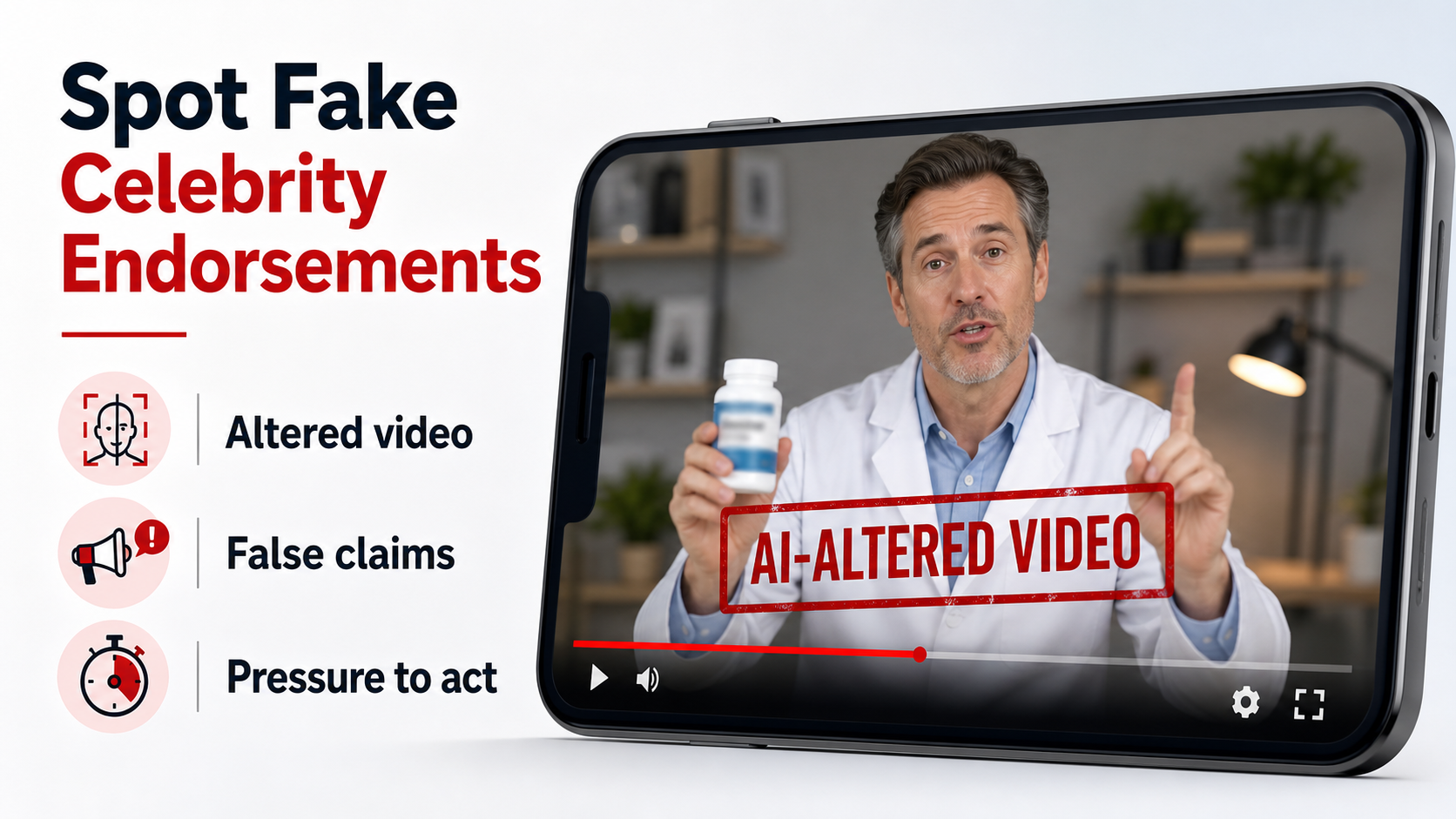
Step 2: A fake expert provides authority
The man identified as Tom Green speaks with the certainty of a clinician. The campaign does not provide verifiable licensing, employment, publications, or official contact details.
A white coat is a costume, not a credential. A professional title should be checked through licensing boards and the named institution.
The voice may be acted or synthetic, while supporting visuals may be generated, recycled, or unrelated to the product.
Real experts describe who they are, where they practice, what evidence supports the claim, and which patients should not use a product.
Step 3: The University of Düsseldorf is used as borrowed proof
The script names a respected institution because viewers may not pause to check whether the university published the claimed study.
Precise numbers such as 260 participants make invented research feel documented. Precision alone does not reveal recruitment, controls, measurements, or statistical significance.
Search the university’s official website and scientific databases for the exact product and study. A missing independent record is a serious warning.
Never contact unrelated departments angrily based only on an advertisement. Preserve the claim and report it through the institution’s official channel.
Step 4: The zombie-cell explanation creates a simple villain
Type 2 diabetes involves complex interactions among insulin resistance, pancreatic function, genetics, behavior, medications, and other health factors.
The video compresses that complexity into a toxic blanket that one formula supposedly clears. The metaphor is memorable because it makes one bottle sound decisive.
Animated cells and falling glucose charts demonstrate what the narrator wants viewers to imagine. They are not measurements from the person watching.
A genuine treatment claim requires regulated evidence, defined outcomes, safety monitoring, and qualified medical supervision.
Step 5: A promised natural solution becomes Sugar Defender
The product reveal is delayed until the viewer accepts the problem story. Sugar Defender then appears as the only convenient way to address the alleged cause.
Drops can look gentler than tablets or prescriptions, but format does not prove effectiveness. Natural ingredients can interact with diabetes medicines and cause harm.
A complete label should disclose exact amounts, warnings, lot details, manufacturer, and responsible distributor. Marketing adjectives cannot replace that information.
Do not reduce or stop prescribed treatment because a sales video predicts rapid improvement. Discuss any supplement with the clinician managing diabetes.
Step 6: Fake reviews and guarantees reduce hesitation
The page may display dramatic testimonials, star ratings, limited stock, and a long refund promise. The seller controls every element inside its own funnel.
Verify whether reviewers exist outside the sales network and describe consistent, documented experiences. Stock photography and generic names prove nothing.
Read refund exclusions, return postage, opened-bottle rules, and deadlines. A guarantee is weak when support does not answer or the legal seller remains unclear.
Capture the complete checkout before payment, including quantities, add-ons, renewal language, and the card statement descriptor.
Step 7: The first order can create continuing risks
Buyers may receive multiple bottles, repeat offers, or future charges they did not expect. Merchant names may differ from Sugar Defender.
Customer data can also feed new campaigns for blood pressure, neuropathy, weight loss, or memory products using similar presenters and scripts.
Medical harm can occur if the product replaces monitoring or prescribed treatment. Financial harm can continue through refills and difficult cancellation.
Contact the bank quickly, preserve the bottle and evidence, and tell a clinician what was taken if any doses were used.
What the Evidence Actually Shows
The expert identity is not established
The observed campaign offers no verifiable professional record connecting its Tom Green persona to Sugar Defender or a recognized diabetes research program.
A name spoken inside a video is not authentication. Licensing boards, institutional profiles, peer-reviewed work, and official contact channels provide stronger checks.
Do not confuse this persona with unrelated people who share the name. The responsibility lies with the seller and advertiser using it.
The research story lacks essential documentation
A legitimate study involving 260 patients would identify investigators, methods, oversight, inclusion criteria, outcomes, limitations, and publication details.
The campaign supplies a memorable zombie-cell narrative instead. It does not demonstrate that University of Düsseldorf researchers tested the exact Sugar Defender formula.
An institution’s reputation cannot be transferred to a product simply by mentioning the institution during a sales presentation.
The FDA treats diabetes cure claims seriously
FDA guidance warns that illegally marketed diabetes products can be ineffective, contain hidden ingredients, and delay proper treatment, increasing the risk of serious complications.
Products marketed to diagnose, cure, treat, mitigate, or prevent disease are subject to drug requirements even when labeled as dietary supplements.
No online testimonial should replace glucose monitoring, prescribed medication, or professional care tailored to the individual.
The checkout evidence deserves separate scrutiny
Even if a bottle arrives, buyers must evaluate the seller, refund process, billing authorization, and card descriptor separately from the health claims.
A processor may handle payment without endorsing the advertising. Likewise, a fulfillment warehouse may ship bottles without owning the brand or manufacturing them.
Save the label, receipt, policy pages, and communications. Those records matter if charges repeat or the product causes an adverse reaction.
Company, Address, and Fulfillment Checks
Sugar Defender does not identify the medical authority
A product name and white-coated presenter can create the appearance of a clinical organization without naming one.
Locate the legal seller on the order form, not inside the video script. It should match the receipt and charge descriptor.
If the responsible company changes between pages, buyers cannot know who made the diabetes promises or who must honor the refund.
A return address is not a research laboratory
Search any address printed on Sugar Defender packaging or policies. Determine whether it is an office, mailbox, warehouse, residence, or registered-agent location.
Fulfillment staff can pick and ship bottles while knowing nothing about formulation, clinical evidence, or the supposed Düsseldorf research.
Ask for the actual manufacturer and testing facility. A parcel origin does not establish where the liquid was blended or quality checked.
Support must answer diabetes-specific questions
Before buying, ask whether representatives are qualified to discuss medication interactions, hypoglycemia risk, adverse events, and the claimed disease reversal.
Request the full subscription schedule, cancellation method, refund deductions, and company name that will appear on the bank statement.
Unanswered emails and scripted calls are especially alarming when the advertisement encourages people to change how they manage a chronic illness.
Private-label drops can hide a distant supply chain
Liquid supplements can be mass produced, relabeled for many storefronts, and routed through fulfillment hubs far from the marketer.
Unknown sourcing raises questions about ingredient identity, concentration, microbes, contaminants, storage temperatures, and consistency between batches.
Do not assume the product was made in Germany because the story mentions a German university. Marketing geography is not manufacturing evidence.
What to Do if You Have Fallen Victim to This Scam
- Keep taking prescribed diabetes treatment
Do not stop insulin or other prescribed medicine because the Tom Green video promised that drops address a hidden root cause.
Contact the clinician managing your diabetes and explain what the advertisement claimed, what you ordered, and whether you consumed it.
Record glucose readings and symptoms as instructed. Urgent help may be needed for severe highs, lows, confusion, vomiting, or breathing changes.
- Set the Sugar Defender bottle aside
Preserve the container, dropper, Supplement Facts panel, lot code, shipping label, and receipt instead of discarding them.
A pharmacist can compare the ingredients with current medicines and identify substances that could alter glucose or create other risks.
Do not send the only bottle back until health concerns, evidence needs, and the authorized return procedure are clear.
- Describe the deception to your bank
Call through the official banking application or card number. Give the merchant descriptor, amount, date, and promised cure language.
Ask about disputing the sale and preventing repeat debits. Mention any bundle quantity that differed from what you believed you selected.
Continue checking statements because the operation may use another descriptor for an upsell, refill, or related product.
- Revoke future shipment authorization
Write to the seller using contacts verified on the receipt and governing terms. State clearly that all continuity enrollment is cancelled.
Ask for a case number and itemized explanation of any refund. Save replies, voicemail, chat transcripts, and call times.
If support delays until a refund period expires, provide that timeline to the issuer as part of the dispute.
- Archive the fabricated medical story
Save the Tom Green identity, University of Düsseldorf references, 260-person claim, zombie-cell animation, product reveal, and checkout.
Note whether the presenter told viewers that doctors, drug companies, or regulators concealed the supposed discovery.
Precise records show why the purchase involved alleged research and disease reversal, not simply ordinary supplement advertising.
- Clean any device used for the order
Use Malwarebytes after installing a file, coupon extension, health application, or remote-support utility from the campaign.
Review browser notification permissions and remove unfamiliar entries. Change reused passwords after the device scan finishes clean.
Pay particular attention to email security because receipts and password resets can expose additional financial information.
- Reduce contact with cloned cure funnels
AdGuard can block many malicious advertising routes and tracking domains that retarget buyers with renamed blood-sugar products.
Delete suspicious notification subscriptions and avoid clicking unsubscribe links inside unexpected health promotions. Mark them as spam instead.
Future videos may swap the doctor and bottle while repeating the same pancreas story. Verify the evidence, not the new packaging.
- Notify health and consumer authorities
Report deceptive diabetes treatment claims and adverse events to the FDA. Report the commercial scheme to the FTC and advertising platform.
Provide screenshots, web addresses, the product lot, seller names, and transaction records. Remove personal health identifiers from public reports.
Warn relatives privately if the advertisement targeted your household, since similar ads may be shown to people with matching interests.
Is Your Device Infected? Run a Free Malware Scan
Slow performance, constant pop-ups, or strange behavior? These are classic signs of a malware infection. A quick way to check is to scan your device with Malwarebytes Free, one of the most trusted malware removal tools available. If you only visited a scam page and didn’t download or install anything, this scan is optional.
The free version detects and removes the most common threats, including:
- Adware — the cause of those annoying pop-ups
- Browser hijackers — unwanted redirects and changed homepages
- Trojans and spyware — hidden programs stealing your data
- Potentially unwanted programs (PUPs) — software you never asked for
👉 Select your device below — Windows, Mac, or Android — then follow the simple steps to download Malwarebytes, scan your system, and remove any threats it finds. The scan usually takes 5 to 20 minutes.
Run a Malware Scan with Malwarebytes for Windows
Malwarebytes is one of the most popular and trusted anti-malware tools for Windows — and it’s completely free for removing infections. It catches threats that many antivirus programs miss, including adware, browser hijackers, and trojans. Follow the steps below to scan your PC and remove what Malwarebytes finds.
Download Malwarebytes
Click the button below to download the latest version of Malwarebytes for Windows from the official source. The free version is all you need — it will scan your computer and remove adware, browser hijackers, and other malicious software at no cost.
Download MalwarebytesOfficial installer for Windows 11 and 10. Your download starts right away.Want real-time protection? See Malwarebytes Premium Malwarebytes Free for WindowsScans and removes malware at no cost
-
Install Malwarebytes
When the download finishes, open your Downloads folder and double-click the MBSetup file. If Windows shows a User Account Control pop-up, click “Yes” to allow the installation.

Follow the On-Screen Prompts to Install Malwarebytes
The setup wizard will walk you through a few quick screens:
-
Choose where you’re installing the program — “Personal Computer” or “Work Computer” — then click Next.

-
Malwarebytes will now install on your device. This usually takes under a minute.

-
When installation is complete, the “Welcome to Malwarebytes” screen will open automatically.

-
On the final screen, click Open Malwarebytes to launch the program.

-
Optional: Check for rootkits with a Custom Scan
You don’t need to change any settings for a normal scan. The standard Threat Scan in the next step is enough for most problems, so you can go straight to it.
If you also want to check for rootkits, use a Custom Scan. In current versions of Malwarebytes, rootkit scanning is only available there:
- On the Scanner tile, click the three-dot menu and select Advanced Scan.
- Choose Custom Scan. In its options, check Scan for rootkits.
- Select your system drive (usually C:\) as the location to scan, then start the scan. It takes longer than a Threat Scan.
- When it finishes, review and quarantine the results as described in the steps below.
Rootkit scanning isn’t available on Windows devices with ARM processors.
Start the Scan
Click the blue Scan button. Malwarebytes will automatically update its virus database and start checking your computer for malware.

-
Wait for the Scan to Finish
The scan checks your entire system for browser hijackers and other malicious programs, so it can take 5 to 20 minutes depending on your computer. Feel free to do something else — just check back occasionally to see the progress.

-
Quarantine the Detected Threats
When the scan is done, you’ll see a list of everything Malwarebytes found — malware, adware, and potentially unwanted programs. Click the “Quarantine” button to remove all of them at once.

Malwarebytes will now remove the malicious files and registry entries and move them safely into quarantine.

-
Restart Your Computer
Some threats can only be fully removed after a reboot. If Malwarebytes asks you to restart, click Yes. Once you’re logged back in, Malwarebytes has finished removing the threats it found.

When the scan is done, check whether the problems you noticed have stopped. If they continue, see the options below.
If you are still having problems with your computer after completing these instructions, then please follow one of the steps:
- Run a computer scan with ESET Online Scanner
- Ask for help in our Windows Malware Removal Help & Support forum.
Run a Malware Scan with Malwarebytes for Mac
Malwarebytes for Mac is a free on-demand scanner that removes the malware other security software tends to miss — adware, browser hijackers, and unwanted programs included. Cleaning an infected Mac with Malwarebytes has always been completely free, and it’s our go-to recommendation. Follow the steps below to scan your Mac and remove what Malwarebytes finds.
-
Download Malwarebytes for Mac
Click the button below to download the latest version of Malwarebytes for Mac.
Download MalwarebytesOfficial installer for macOS. Your download starts right away.Want real-time protection? See Malwarebytes PremiumMalwarebytes Free for MacScans and removes malware at no cost -
Open the Malwarebytes setup file
When the download finishes, open your Downloads folder and double-click the setup file to begin the installation.

-
Follow the On-Screen Prompts to Install Malwarebytes
The Malwarebytes for Mac Installer will guide you through a few quick screens. Click “Continue” and keep following the prompts until the installation completes.



When the installation is complete, Malwarebytes opens to the Welcome to Malwarebytes screen. Click “Get started“.
Malwarebytes needs Full Disk Access to check your whole Mac. When it asks, open System Settings > Privacy & Security > Full Disk Access, turn on Malwarebytes (it may be listed as Malwarebytes Protection), and confirm with your password or Touch ID. Then return to Malwarebytes. On macOS Monterey and earlier, this setting is in System Preferences > Security & Privacy > Privacy.
-
Select “Personal Computer” or “Work Computer”
Malwarebytes will ask what type of computer you’re installing it on. Click either Personal Computer or Work Computer, whichever applies.

-
Start the Scan
Click the “Scan” button. Malwarebytes will automatically update its detection database and begin checking your Mac for malware.

-
Wait for the Scan to Finish
Malwarebytes will scan your Mac for adware, browser hijackers, and other malicious programs. This can take a few minutes, so feel free to do something else — just check back occasionally to see the progress.

-
Quarantine the Detected Threats
When the scan is done, you’ll see a list of everything Malwarebytes found. Click the “Quarantine” button to remove all the threats at once.

-
Restart Your Mac
Malwarebytes will now remove all the malicious files it found. Some threats can only be fully removed after a reboot — if Malwarebytes asks you to restart, allow it. Once you’re logged back in, check whether the problems you noticed have stopped. If they come back, save the scan report and ask for help in our forum.

If the problems you noticed continue after the scan, see the options below.
If you are still experiencing problems while trying to remove a malicious program from your computer, please ask for help in our Mac Malware Removal Help & Support forum.
Run a Malware Scan with Malwarebytes for Android
Malwarebytes for Android scans your phone or tablet for malware, adware, and potentially unwanted apps. The free version scans only when you start a scan. Real-time protection, which checks apps automatically, is part of the paid Premium version.
-
Download Malwarebytes for Android.
You can download Malwarebytes for Android by clicking the link below.
Get Malwarebytes for AndroidOpens Google Play in a new tab.Want real-time protection? See Malwarebytes Premium for AndroidMalwarebytes for AndroidScans your phone and removes malware at no cost -
Install Malwarebytes for Android on your phone.
In the Google Play Store, tap “Install” to install Malwarebytes for Android on your device.

When the installation process has finished, tap “Open” to begin using Malwarebytes for Android. You can also open Malwarebytes by tapping on its icon in your phone menu or home screen.

-
Follow the on-screen prompts to complete the setup process
When Malwarebytes opens, it walks you through a short setup. Tap Get started and follow the prompts. If you see an offer for a trial or a paid plan, read it before you accept. You can skip it and keep using the free scanner.
Malwarebytes will ask for permission to access the files on your phone so it can scan them. Tap Allow, or turn on the permission in the Android screen that opens, then return to Malwarebytes.
-
Run a scan with Malwarebytes for Android
On the main screen, tap Scan now. In some versions, you open the menu, tap Scanner, and then tap Run a scan.
-
Wait for the Malwarebytes scan to complete.
Malwarebytes will now start scanning your phone for adware and other malicious apps. This process can take a few minutes, so we suggest you do something else and periodically check on the status of the scan to see when it is finished.

-
Remove the detected apps.
When the scan has been completed, you will see a list of the threats that Malwarebytes for Android has detected. Next to each detected item, tap the menu icon (three dots), then choose to uninstall the app or delete the file. Android then asks you to confirm. Tap OK or Uninstall to remove the app.
-
Restart your phone.
When the detected apps are removed, restart your phone if Malwarebytes asks you to. Then check whether the problems you noticed have stopped.
If the problems you noticed continue after the scan, see the options below.
If you are still having problems with your phone after completing these instructions, then please follow one of the steps:
- Ask for help in our Mobile Malware Removal Help & Support forum.
- Only as a last resort, reset your phone to factory settings. Read the warning below first.
- Back up your photos, videos, files, and messages, for example to your Google account or a computer.
- Make sure you know your Google account email and password. The phone asks for them after the reset. If you changed the password recently, Google recommends waiting 24 hours before you reset.
- On a Samsung phone, also make sure you know your Samsung account password.
- If you use an authenticator app for two-step verification, move your accounts to another device or save your backup codes first.
Stay Protected: Block Ads and Malicious Sites
No scan can prove a device is completely clean, so it helps to block threats before they reach you. Most infections start with a malicious ad or a fake download button — so blocking them at the source is your best defense.
We recommend AdGuard, which blocks malicious ads, phishing pages, and dangerous redirects before they can reach you.
👉 Download AdGuard and browse safely
Frequently Asked Questions
Is Tom Green a verified diabetes specialist?
The campaign did not provide reliable licensing, employment, publications, or an institutional profile proving the presenter’s claimed role.
A white coat and confident narration establish appearance, not identity or medical authority.
Did the University of Düsseldorf test Sugar Defender?
No complete study linking that institution, the described 260 participants, and the exact Sugar Defender formula was presented.
A legitimate trial should identify authors, methods, dates, outcomes, limitations, ethics oversight, and the tested formulation.
Are zombie cells the proven cause of type 2 diabetes?
The phrase toxic blanket of zombie cells is a sales-friendly simplification, not a product-specific medical finding supplied with transparent evidence.
Type 2 diabetes is complex and requires individualized care based on real measurements, history, medicines, nutrition, and other factors.
Can blood-sugar drops replace prescribed medicine?
No advertisement should be used to discontinue treatment. Abrupt changes can lead to dangerous glucose levels or other complications.
Only the clinician managing the condition should recommend changes after reviewing readings, laboratory results, and the full supplement label.
How can recurring Sugar Defender charges be stopped?
Cancel in writing, save proof, and call the bank about both the merchant and possible account-updater billing.
A replacement card may not stop every authorized recurrence, so request the issuer’s specific merchant-blocking options.
Why do these campaigns change doctor or product names?
Rotating identities helps advertisers escape negative search results while preserving the same emotional script and checkout mechanics.
Search the disease promise and story details, not only the newest bottle name, before considering a purchase.
The Bottom Line
The fake Tom Green story uses medical clothing, a university name, and vivid biology to make Sugar Defender feel like the result of serious research.
The campaign does not provide the credentials, study records, or regulated evidence needed to support its type 2 diabetes reversal claims.
Do not replace medical care with the drops. Preserve the evidence, speak with a clinician, and challenge unexpected charges promptly.

Join the discussion
0 commentsShare your experience or ask a question about this article.
Discussion
Start the conversation
Have a question or something useful to share? Add the first comment.