


A cowboy entrepreneur faces a famous-looking investor panel and promises to predict lottery numbers with artificial intelligence. The studio reacts as though history just changed.
The demonstration is polished, the testimonials are enormous, and the price feels small beside a jackpot. Several details tell a very different story.

Overview
The campaign fabricates a television breakthrough
The advertorial claims an AI lottery engine appeared on a Shark Tank-style program and attracted a vast investment. Edited footage makes the exchange look spontaneous.
The presenter is based on unrelated television footage involving entrepreneur Ryan Ehmann, whose original appearance concerned fitness, not lottery prediction software.
The investor dialogue, offer, and lottery claims are altered. A real television setting is being used as visual scaffolding for a different product.
Invented experts and Tesla references expand the story
Another presentation credits a supposed Tesla engineer named Jay Montgomery with discovering a hidden numerical flaw in Powerball and Mega Millions.
Campaign variants have used different expert names, including Leonard Voss. Changing protagonists reveal a reusable script, not a documented technical discovery.
Elon Musk, Tesla, and lottery officials are invoked without verified authorization. Their names make an anonymous software box feel connected to major institutions.
Apollo AI is sold as a shortcut to repeated wins
The product claims artificial intelligence can match several numbers weekly and predict combinations with accuracy approaching 98%. Testimonials describe repeated jackpots and sudden wealth.
The observed checkout offered an Apollo AI powered lottery prediction engine for $147 and promoted guarantees beside a preselected acceptance of terms.
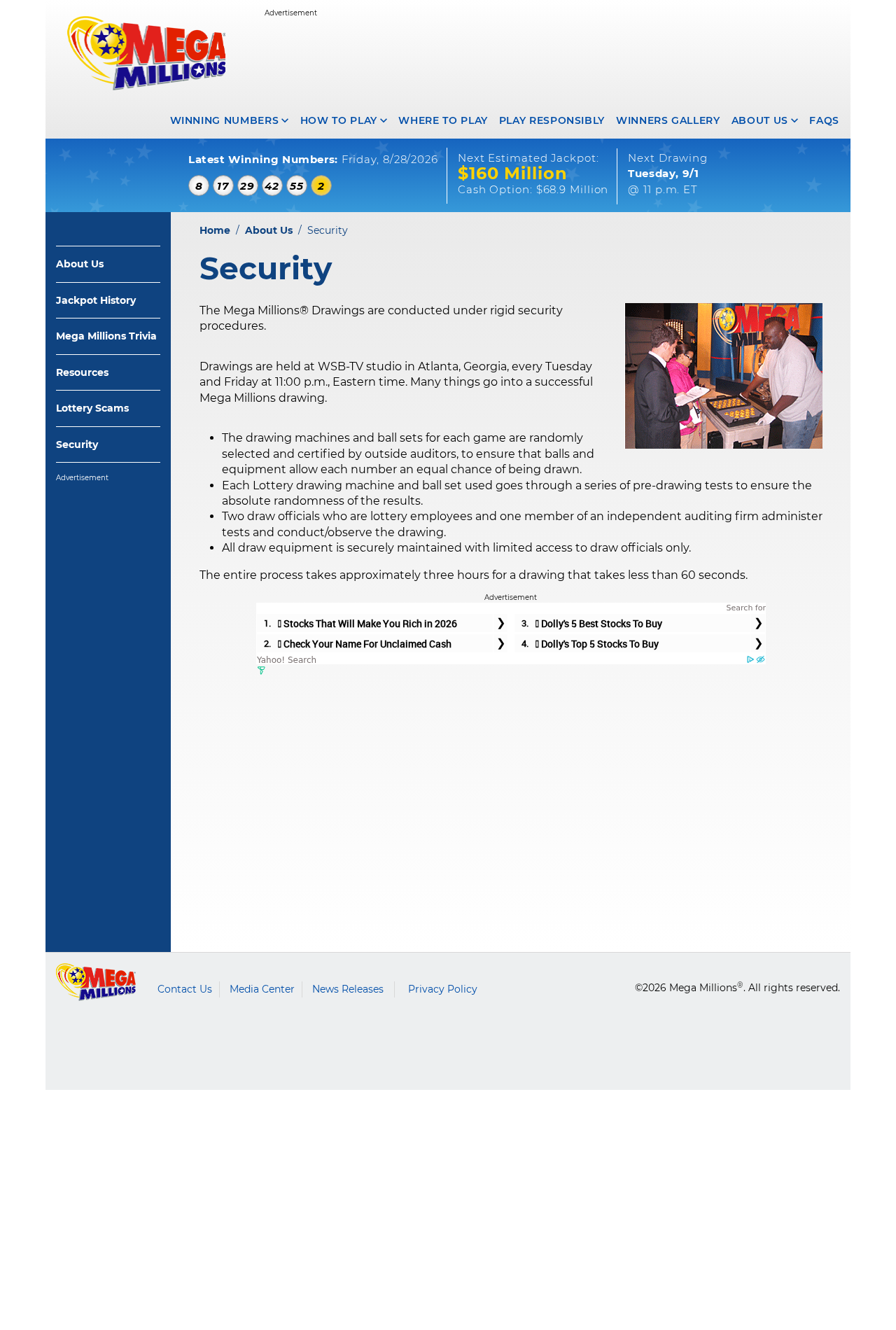
Mega Millions states its machines and ball sets are randomly selected and independently certified so each number has an equal chance. Historical patterns cannot reveal future random results.
- Fake television setting: altered Shark Tank-style footage
- Misused participant: Ryan Ehmann from an unrelated fitness pitch
- Invented expert names: Jay Montgomery and other rotating identities
- Borrowed brands: Tesla, Elon Musk, Powerball, and Mega Millions
- Claimed accuracy: up to 98% for future lottery drawings
- Observed price: $147 for Apollo AI access
- Core risk: payment loss, recurring charges, identity collection, and false gambling confidence
How The Scam Works
Step 1: A fake news page announces a lottery loophole
The first page resembles entertainment news and asks whether a viral AI system is legal. That framing treats existence as settled and focuses curiosity on controversy.
Headlines claim ordinary Americans are winning without luck. Images of checks, ranches, trucks, and smiling winners turn possibility into apparent social proof.
The page does not begin with verifiable technical documentation. It begins with wealth and the fear of missing a legal loophole.
Clicking or playing the video keeps viewers inside a funnel where every source supports the same seller.
Step 2: Altered television footage creates instant legitimacy
A presenter appears before an investor panel and claims his brother found hidden patterns after working with advanced technology.
The investors seem shocked and offer an enormous sum. Their words, facial movements, or sequence have been altered to discuss Apollo AI.
The real entrepreneur shown in some footage appeared on television for a different business. That appearance does not endorse lottery software.
Verify claimed television products through the network’s official episode records and reputable coverage, not clips uploaded by the advertiser.
Step 3: The script misrepresents randomness as a pattern
The narrator says lottery drawings contain hidden combinations that artificial intelligence can detect. AI can analyze history, but history does not expose future random ball selections.
A model can always find patterns in past data, including coincidences. Predictive value requires performance on unseen future drawings under controlled verification.
The campaign offers no independently audited sequence of predictions published before drawings and scored without selective omission.
If accuracy were near 98%, public lotteries, auditors, economists, and news organizations would observe results far beyond anonymous testimonials.
Step 4: Invented success stories raise the stakes
Testimonial characters describe dozens of wins, millions in accounts, and luxury purchases. Several checks and winner images contain inconsistent details or synthetic features.
A claim of winning Powerball 38 times should be easily verifiable through public records and extensive reporting. The campaign provides no credible confirmation.
Large numbers make the $147 price feel trivial. This comparison encourages buyers to evaluate cost against fantasy, not against evidence.
The testimonials also imply that skepticism caused previous financial hardship, pushing viewers to act before thinking.
Step 5: A Tesla whistleblower story replaces technical proof
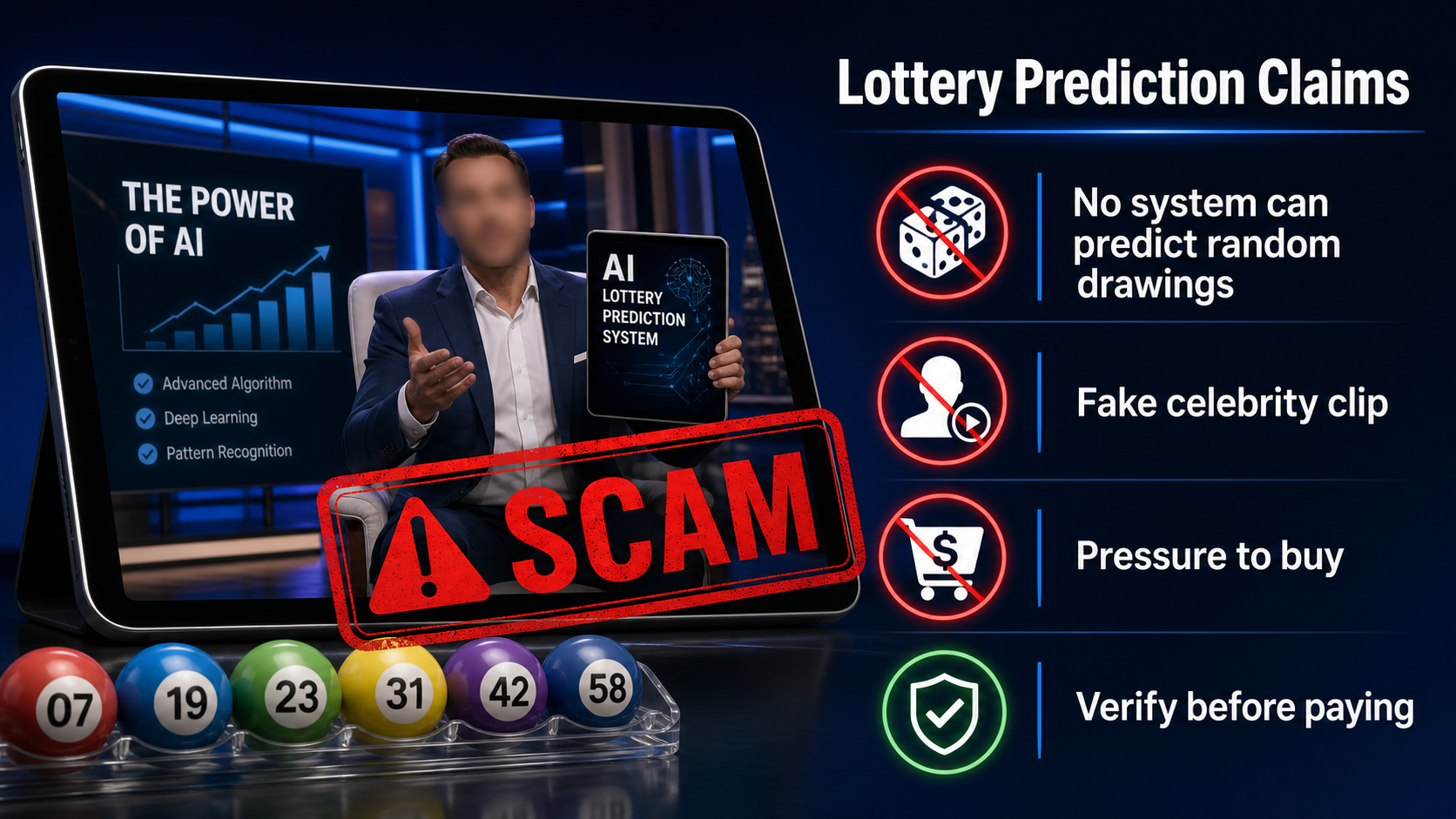
The campaign introduces Jay Montgomery as a senior Tesla AI engineer who supposedly discovered a non-patchable flaw and defied lottery officials.
No verified employment record, technical paper, code audit, patent, official complaint, or lottery response supports the story presented.
Other versions change the expert’s name while preserving the discovery. A genuine inventor’s identity would not rotate with the advertisement.
Tesla and Elon Musk are brand shortcuts. Their prominence cannot validate software they never officially announced.
Step 6: The checkout sells access and guarantees
The observed funnel led to a BuyGoods checkout offering Apollo AI for $147. Payment processing does not verify the truth of the advertising claims.
Mobile buyers could encounter accepted terms below the main order controls. Read every section before pressing the final purchase button.
Guarantee badges cannot substitute for a named developer, audited prediction record, clear software delivery, responsive support, and realistic limitations.
Capture the final total and billing frequency. Do not assume the spoken one-time price excludes upsells, memberships, or future offers.
Step 7: Losses can extend beyond the purchase price
Believing the engine may encourage repeated ticket purchases or larger gambling budgets. Small occasional matches can reinforce the illusion of prediction.
The seller may market upgrades, premium numbers, private groups, or recovery services after the initial order.
Payment and identity details can also support unauthorized charges or new scams promising investment, cryptocurrency, or prize recovery.
Treat gambling losses and seller charges separately. Stop using the system, contact the payment provider, and seek gambling support if spending became difficult to control.
What the Evidence Actually Shows
The television endorsement does not match the original appearance
The entrepreneur shown in the captured footage was associated with a fitness business during his real television appearance, not an AI lottery engine.
Synthetic speech, face replacement, and edited reactions can manufacture a new pitch from familiar studio footage.
Check official episode descriptions and full context. Short clips controlled by the advertiser cannot authenticate the advertised investment.
The expert identity changes across variants
Jay Montgomery is presented as the whistleblower in one version, while another campaign used a different name for the same role.
Rotating names allow affiliates to refresh the story when searches begin showing warnings. The underlying promise and checkout remain similar.
A legitimate developer would provide stable ownership, professional history, technical documentation, and accountable contact information.
Official lottery procedures emphasize randomness
Mega Millions states that drawing machines and ball sets are randomly selected and certified by outside auditors so each number has an equal chance.
That procedure directly conflicts with claims that a consumer model can repeatedly exploit a stable hidden sequence from past results.
No choice of favorite numbers, hot numbers, or AI-generated combinations changes the probability assigned to a valid random combination.
The marketing contains impossible-scale claims
Repeated Powerball wins and 98% prediction accuracy would produce an obvious public record, rapidly affect jackpot sharing, and trigger worldwide independent analysis.
The campaign instead relies on simulated checks, anonymous testimonials, and a private video. Those materials can be created without one successful prediction.
Buy software for documented functions, not promised jackpots. A lottery prediction guarantee is an especially strong reason to leave.
Company, Address, and Fulfillment Checks
Apollo AI needs a developer, not a television legend
The checkout sells a prediction engine, but the advertisement spends more time on investor reactions than on the company that built it.
Identify the software developer, legal seller, corporate registration, operating jurisdiction, and people responsible for technical support.
A processor handling $147 orders does not certify the claims. Payment infrastructure and product evidence are separate questions.
The rotating inventor story defeats accountability
One version names Jay Montgomery as a Tesla expert, while another assigns the same breakthrough role to Leonard Voss.
A legitimate system would have stable authorship, dated documentation, version history, published testing, and a verifiable professional record.
Changing the inventor allows marketers to refresh search results, but it makes ownership and responsibility harder for buyers to establish.
Support should produce predictions published in advance
Ask for a complete, timestamped prediction history covering every drawing, including failures, before considering the software.
Results selected after winning numbers are known have no evidentiary value. Neither do anonymous screenshots of checks or account balances.
Support should also explain refunds, updates, compatible devices, data handling, recurring fees, and what exactly arrives after payment.
Digital products can be mass marketed without real testing
A downloadable dashboard can be replicated across many names and affiliate funnels without manufacturing costs or independent quality review.
The buyer may receive generic number combinations, a random generator, recycled PDFs, or credentials for a site that later disappears.
Treat delivery as unproven until the described functions work. Even functioning software cannot predict properly random drawings without extraordinary verified evidence.
What to Do if You Have Fallen Victim to This Scam
- Stop using Apollo AI for ticket choices
Do not increase lottery spending to recover the $147 purchase or prove that the next prediction will work.
Separate tickets already bought from future decisions. Random occasional matches can feel persuasive while total spending continues to grow.
If gambling has become difficult to control, contact a recognized problem-gambling service and ask a trusted person to help restrict access.
- Reject upgrades and prize-release fees
Do not buy premium number sets, higher accuracy, private signals, tax clearance, or an activation supposedly required after a win.
A legitimate lottery never asks a software seller to collect fees for releasing an official prize.
Verify any winning ticket directly with the relevant state lottery using contact information printed on its official website.
- Dispute the software transaction promptly
Call the card issuer and describe the altered television endorsement, claimed 98% accuracy, purchase amount, and delivered material.
Ask whether any rebills, upsells, or account-updater authorizations remain active under the seller’s descriptor.
If BuyGoods or another processor appears on the receipt, use its formal refund channel while preserving every response for the issuer.
- Capture the fabricated Shark Tank sequence
Save the Ryan Ehmann footage, investor dialogue, Tesla references, named inventor, predictions, testimonials, price, guarantee, and checkout terms.
Record every variant seen because changing expert names helps show that the origin story is a reusable advertising script.
Keep the delivered files unchanged. Their metadata and contents may help distinguish generic material from what was promised.
- Secure information entered at checkout
Change reused passwords and monitor email for fake lottery notices, cryptocurrency offers, and recovery messages following the purchase.
Enable transaction alerts. Consider replacing the card when the issuer recommends it, while also requesting a block against recurring merchant tokens.
Do not upload identification to claim a simulated win. Contact the official lottery before sharing any personal document.
- Inspect downloaded lottery software
Scan installers, archives, browser extensions, and the entire device with Malwarebytes before opening banking or email accounts.
Quarantine detections, uninstall unknown programs, update the operating system, and repeat the scan after restarting.
If remote access was granted, tell the bank and consider professional device assistance because criminals may have observed credentials.
- Reduce the next wave of jackpot ads
AdGuard can block many malicious advertising networks and redirects promoting cloned AI lottery systems under fresh names.
Disable push notifications from unknown news pages and clear saved permissions connected to the Apollo funnel.
Advertising filters cannot verify probability claims. Check official lottery rules and independent evidence whenever a system promises repeatable wins.
- Report the impersonation and gambling claim
Report altered celebrity footage to the advertising platform and submit the deceptive sale to ReportFraud.ftc.gov.
Notify the relevant state lottery when its name, tickets, logos, or prize process were misrepresented.
Include URLs, screenshots, seller details, payment records, and software files. Do not post full ticket numbers or banking information publicly.
Is Your Device Infected? Run a Free Malware Scan
Slow performance, constant pop-ups, or strange behavior? These are classic signs of a malware infection. A quick way to check is to scan your device with Malwarebytes Free, one of the most trusted malware removal tools available. If you only visited a scam page and didn’t download or install anything, this scan is optional.
The free version detects and removes the most common threats, including:
- Adware — the cause of those annoying pop-ups
- Browser hijackers — unwanted redirects and changed homepages
- Trojans and spyware — hidden programs stealing your data
- Potentially unwanted programs (PUPs) — software you never asked for
👉 Select your device below — Windows, Mac, or Android — then follow the simple steps to download Malwarebytes, scan your system, and remove any threats it finds. The scan usually takes 5 to 20 minutes.
Run a Malware Scan with Malwarebytes for Windows
Malwarebytes is one of the most popular and trusted anti-malware tools for Windows — and it’s completely free for removing infections. It catches threats that many antivirus programs miss, including adware, browser hijackers, and trojans. Follow the steps below to scan your PC and remove what Malwarebytes finds.
Download Malwarebytes
Click the button below to download the latest version of Malwarebytes for Windows from the official source. The free version is all you need — it will scan your computer and remove adware, browser hijackers, and other malicious software at no cost.
Download MalwarebytesOfficial installer for Windows 11 and 10. Your download starts right away.Want real-time protection? See Malwarebytes Premium Malwarebytes Free for WindowsScans and removes malware at no cost
-
Install Malwarebytes
When the download finishes, open your Downloads folder and double-click the MBSetup file. If Windows shows a User Account Control pop-up, click “Yes” to allow the installation.

Follow the On-Screen Prompts to Install Malwarebytes
The setup wizard will walk you through a few quick screens:
-
Choose where you’re installing the program — “Personal Computer” or “Work Computer” — then click Next.

-
Malwarebytes will now install on your device. This usually takes under a minute.

-
When installation is complete, the “Welcome to Malwarebytes” screen will open automatically.

-
On the final screen, click Open Malwarebytes to launch the program.

-
Optional: Check for rootkits with a Custom Scan
You don’t need to change any settings for a normal scan. The standard Threat Scan in the next step is enough for most problems, so you can go straight to it.
If you also want to check for rootkits, use a Custom Scan. In current versions of Malwarebytes, rootkit scanning is only available there:
- On the Scanner tile, click the three-dot menu and select Advanced Scan.
- Choose Custom Scan. In its options, check Scan for rootkits.
- Select your system drive (usually C:\) as the location to scan, then start the scan. It takes longer than a Threat Scan.
- When it finishes, review and quarantine the results as described in the steps below.
Rootkit scanning isn’t available on Windows devices with ARM processors.
Start the Scan
Click the blue Scan button. Malwarebytes will automatically update its virus database and start checking your computer for malware.

-
Wait for the Scan to Finish
The scan checks your entire system for browser hijackers and other malicious programs, so it can take 5 to 20 minutes depending on your computer. Feel free to do something else — just check back occasionally to see the progress.

-
Quarantine the Detected Threats
When the scan is done, you’ll see a list of everything Malwarebytes found — malware, adware, and potentially unwanted programs. Click the “Quarantine” button to remove all of them at once.

Malwarebytes will now remove the malicious files and registry entries and move them safely into quarantine.

-
Restart Your Computer
Some threats can only be fully removed after a reboot. If Malwarebytes asks you to restart, click Yes. Once you’re logged back in, Malwarebytes has finished removing the threats it found.

When the scan is done, check whether the problems you noticed have stopped. If they continue, see the options below.
If you are still having problems with your computer after completing these instructions, then please follow one of the steps:
- Run a computer scan with ESET Online Scanner
- Ask for help in our Windows Malware Removal Help & Support forum.
Run a Malware Scan with Malwarebytes for Mac
Malwarebytes for Mac is a free on-demand scanner that removes the malware other security software tends to miss — adware, browser hijackers, and unwanted programs included. Cleaning an infected Mac with Malwarebytes has always been completely free, and it’s our go-to recommendation. Follow the steps below to scan your Mac and remove what Malwarebytes finds.
-
Download Malwarebytes for Mac
Click the button below to download the latest version of Malwarebytes for Mac.
Download MalwarebytesOfficial installer for macOS. Your download starts right away.Want real-time protection? See Malwarebytes PremiumMalwarebytes Free for MacScans and removes malware at no cost -
Open the Malwarebytes setup file
When the download finishes, open your Downloads folder and double-click the setup file to begin the installation.

-
Follow the On-Screen Prompts to Install Malwarebytes
The Malwarebytes for Mac Installer will guide you through a few quick screens. Click “Continue” and keep following the prompts until the installation completes.



When the installation is complete, Malwarebytes opens to the Welcome to Malwarebytes screen. Click “Get started“.
Malwarebytes needs Full Disk Access to check your whole Mac. When it asks, open System Settings > Privacy & Security > Full Disk Access, turn on Malwarebytes (it may be listed as Malwarebytes Protection), and confirm with your password or Touch ID. Then return to Malwarebytes. On macOS Monterey and earlier, this setting is in System Preferences > Security & Privacy > Privacy.
-
Select “Personal Computer” or “Work Computer”
Malwarebytes will ask what type of computer you’re installing it on. Click either Personal Computer or Work Computer, whichever applies.

-
Start the Scan
Click the “Scan” button. Malwarebytes will automatically update its detection database and begin checking your Mac for malware.

-
Wait for the Scan to Finish
Malwarebytes will scan your Mac for adware, browser hijackers, and other malicious programs. This can take a few minutes, so feel free to do something else — just check back occasionally to see the progress.

-
Quarantine the Detected Threats
When the scan is done, you’ll see a list of everything Malwarebytes found. Click the “Quarantine” button to remove all the threats at once.

-
Restart Your Mac
Malwarebytes will now remove all the malicious files it found. Some threats can only be fully removed after a reboot — if Malwarebytes asks you to restart, allow it. Once you’re logged back in, check whether the problems you noticed have stopped. If they come back, save the scan report and ask for help in our forum.

If the problems you noticed continue after the scan, see the options below.
If you are still experiencing problems while trying to remove a malicious program from your computer, please ask for help in our Mac Malware Removal Help & Support forum.
Run a Malware Scan with Malwarebytes for Android
Malwarebytes for Android scans your phone or tablet for malware, adware, and potentially unwanted apps. The free version scans only when you start a scan. Real-time protection, which checks apps automatically, is part of the paid Premium version.
-
Download Malwarebytes for Android.
You can download Malwarebytes for Android by clicking the link below.
Get Malwarebytes for AndroidOpens Google Play in a new tab.Want real-time protection? See Malwarebytes Premium for AndroidMalwarebytes for AndroidScans your phone and removes malware at no cost -
Install Malwarebytes for Android on your phone.
In the Google Play Store, tap “Install” to install Malwarebytes for Android on your device.

When the installation process has finished, tap “Open” to begin using Malwarebytes for Android. You can also open Malwarebytes by tapping on its icon in your phone menu or home screen.

-
Follow the on-screen prompts to complete the setup process
When Malwarebytes opens, it walks you through a short setup. Tap Get started and follow the prompts. If you see an offer for a trial or a paid plan, read it before you accept. You can skip it and keep using the free scanner.
Malwarebytes will ask for permission to access the files on your phone so it can scan them. Tap Allow, or turn on the permission in the Android screen that opens, then return to Malwarebytes.
-
Run a scan with Malwarebytes for Android
On the main screen, tap Scan now. In some versions, you open the menu, tap Scanner, and then tap Run a scan.
-
Wait for the Malwarebytes scan to complete.
Malwarebytes will now start scanning your phone for adware and other malicious apps. This process can take a few minutes, so we suggest you do something else and periodically check on the status of the scan to see when it is finished.

-
Remove the detected apps.
When the scan has been completed, you will see a list of the threats that Malwarebytes for Android has detected. Next to each detected item, tap the menu icon (three dots), then choose to uninstall the app or delete the file. Android then asks you to confirm. Tap OK or Uninstall to remove the app.
-
Restart your phone.
When the detected apps are removed, restart your phone if Malwarebytes asks you to. Then check whether the problems you noticed have stopped.
If the problems you noticed continue after the scan, see the options below.
If you are still having problems with your phone after completing these instructions, then please follow one of the steps:
- Ask for help in our Mobile Malware Removal Help & Support forum.
- Only as a last resort, reset your phone to factory settings. Read the warning below first.
- Back up your photos, videos, files, and messages, for example to your Google account or a computer.
- Make sure you know your Google account email and password. The phone asks for them after the reset. If you changed the password recently, Google recommends waiting 24 hours before you reset.
- On a Samsung phone, also make sure you know your Samsung account password.
- If you use an authenticator app for two-step verification, move your accounts to another device or save your backup codes first.
Stay Protected: Block Ads and Malicious Sites
No scan can prove a device is completely clean, so it helps to block threats before they reach you. Most infections start with a malicious ad or a fake download button — so blocking them at the source is your best defense.
We recommend AdGuard, which blocks malicious ads, phishing pages, and dangerous redirects before they can reach you.
👉 Download AdGuard and browse safely
Frequently Asked Questions
Was Apollo AI featured on Shark Tank?
The examined promotion reused television footage from an unrelated business and altered it into a lottery-software pitch.
Official episode records and full original context should be trusted over a short clip controlled by the advertiser.
Can AI find patterns in lottery history?
Software can summarize past drawings and identify coincidences, but that does not reveal the outcome of a properly random future drawing.
Prediction requires success on unseen results, published beforehand, without deleting failures or changing the method afterward.
Is 98% lottery accuracy plausible?
Accuracy near 98% would create an unmistakable public record and attract immediate scrutiny from lotteries, auditors, statisticians, and news organizations.
The campaign supplied no complete independent record demonstrating anything close to that performance.
Does a BuyGoods checkout prove Apollo AI works?
No. A checkout processor can handle payment and delivery without independently validating every marketing statement made by an affiliate.
Judge the offer by accountable ownership, documented functions, refund behavior, and audited predictions, not the payment page.
What if Apollo AI selected one winning number?
Random selections often match some numbers occasionally. One partial result cannot demonstrate forecasting ability or justify greater spending.
Evaluate every advance prediction across a long period and compare it with chance, including all unsuccessful drawings.
How can future AI lottery scams be recognized?
Watch for altered investor shows, famous technology brands, secret whistleblowers, impossible win rates, countdowns, and anonymous success stories.
A real analytical tool explains limitations. A page promising repeatable jackpots is selling certainty that random drawings do not provide.
The Bottom Line
Apollo AI turns unrelated television footage, invented Tesla experts, and synthetic winners into the illusion that random lottery drawings contain a purchasable secret.
No independently audited evidence supports repeated wins or 98% accuracy. Official drawing security is designed to give each valid number an equal chance.
Do not buy upgrades or send withdrawal fees. Contact the payment provider, preserve the funnel, and step away from any gambling decisions influenced by the software.

Join the discussion
0 commentsShare your experience or ask a question about this article.
Discussion
Start the conversation
Have a question or something useful to share? Add the first comment.