


An email headed “Annual Meeting Invitation” appears to come from the Village of Bensenville. It sounds like the sort of local notice you might open without much thought.
Before answering or following its instructions, inspect the sender. This invitation has a problem that the village has already warned residents about.
Overview
A village meeting invitation is being impersonated
The Bensenville annual meeting email scam uses the village’s identity to make a fraudulent invitation appear official. The subject line provides an ordinary reason to open it.
The warning comes from the Village of Bensenville itself. It identifies the suspicious sender and says the message is not affiliated with the village.
The displayed identity does not match the sender
The email uses a misleading display name and refers to event@bensenville, which the village says does not exist. Its actual sender is lebanon1@omantel.net.om.
That mismatch is part of this confirmed impersonation. It does not establish that the email provider or every user of the sender’s domain participates in fraud.
What recipients should recognize
- The subject is “Annual Meeting Invitation.”
- The message presents itself as connected to the Village of Bensenville.
- The actual sender differs from the village identity shown to the reader.
- The village tells recipients not to reply, click links, open attachments, or supply information.
- You can verify a genuine village notice independently at bensenville.gov or through Village Hall.
Why an Ordinary Invitation Can Be an Effective Disguise
Many suspicious emails announce a crisis or an unlikely reward. A meeting invitation can feel less demanding, which makes it easier to approach casually.
A resident might wonder whether attendance is expected. A local business might assume the notice concerns community affairs and pass it to another employee.
Neither reaction is evidence that the invitation is genuine. The sender benefits when the village name settles the question before anyone checks the details.
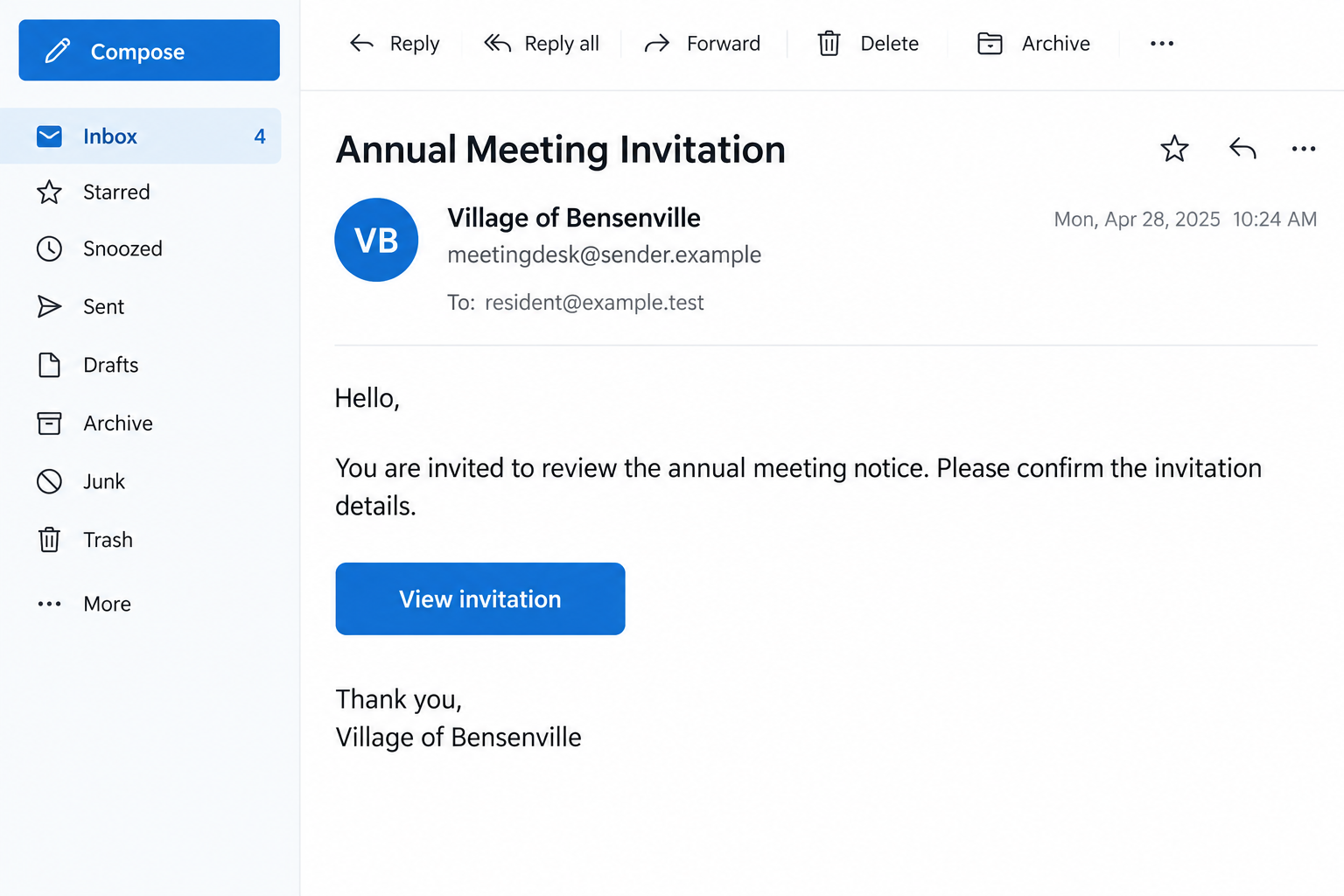
The illustration above is a fictional inbox example. It shows how a meeting subject and institutional display name can look routine; it is not the received email.
The village identifies the subject and sender without describing a complete path after a click. Your response should therefore follow what you actually did with the message.
There is no established payment amount, named attachment payload, or specific login page in the village’s notice. The confirmed finding is the false village identity.
That is enough reason to reject this invitation. You do not need to open its attachment or submit information to discover exactly what else it might request.
How the Bensenville Annual Meeting Email Scam Works
Step 1: The subject introduces a plausible local event
“Annual Meeting Invitation” gives the recipient a familiar task: read the notice and decide whether to attend. It does not announce itself as a security problem.
The wording can also invite curiosity. Someone who does not remember registering may open it to find out why the village would contact them.
A subject line cannot establish sponsorship. Genuine events and fraudulent invitations can use the same everyday words.
Step 2: The message borrows the village’s authority
The email presents a misleading display name and references an event address. These details encourage the reader to associate it with local government.
Display names are the readable labels shown beside messages. Their presence does not prove that the underlying address belongs to the organization named there.
Someone checking only the inbox list may never see the full address. Opening the sender details can reveal information hidden by that abbreviated presentation.
In this case, the village specifically rejects the supposed affiliation. There is no need to guess whether the unusual address might be an authorized event organizer.
Step 3: The actual address exposes a different source
The village identifies lebanon1@omantel.net.om as the sender. It also says the referenced event@bensenville address does not exist.
These are useful recognition details for this campaign. Do not contact those addresses to ask whether the invitation is safe.
A reply would keep the conversation inside the same untrusted channel. It would not independently verify the person claiming to represent the village.
Attackers can change addresses between messages. A future invitation should therefore be checked by its claimed purpose and genuine institutional contact, not one remembered sender alone.
Step 4: Trust in the invitation can lead to further interaction
The village warns against replying, following links, opening attachments, or supplying information. Those are the interactions recipients should avoid with this message.
The notice does not describe a password form or payment demand. If you encountered either, preserve that request and explain it clearly when reporting your own experience.
If you already interacted, explain the particular action when seeking help. A reply, an attachment download, and a password submission require different responses.
The safest exit is simple: stop using the message and contact the village through a route you choose independently.
How to Verify a Village Notice Without Using the Email
Open bensenville.gov yourself and look for the relevant announcement or department. Avoid relying on a link copied from the questionable invitation.
The village lists Village Hall at 630-766-8200. Use the contact information on its official website if you need someone to confirm the claimed meeting.
Ask a specific question: did the village send an invitation with this subject and sender? That is more useful than asking whether all municipal emails are safe.
If the event concerns a workplace, let the person handling community or government correspondence know. They may be able to verify it through an existing contact.
Do not ask a colleague to test the attachment. Forwarding the original without context can turn one suspicious message into several opportunities for someone to interact.
Where your organization has a reporting button or security mailbox, use that process. Include your concern rather than presenting the invitation as an event to attend.
A real village employee can help establish whether a meeting exists. They do not need your email password, a login code, or remote access to answer that question.
What the Sender Mismatch Does and Does Not Tell You
Here, the institution has confirmed that the email is unaffiliated. The mismatch supports that finding alongside the subject and misleading identity.
In other situations, a legitimate organization may use an external mailing service. An outside address alone should prompt verification rather than an unsupported accusation against a real business.
This distinction matters when sharing a warning. Tell others that Bensenville rejected this invitation, rather than claiming every message from an unfamiliar provider is malicious.
Likewise, a copied village name does not show that municipal systems were breached. The notice establishes impersonation, not how the sender obtained recipient addresses.
Do not assume the email proves your personal records were stolen. If you have concerns about a separate account event, check that event through its actual provider.
A convincing reply from the sender would not override the village’s warning. Explanations about outside contractors or changed accounts still need confirmation through Village Hall.
What to Do if You Have Fallen Victim to This Scam
- Stop interacting with the invitation. Do not reply again, open another attachment, or follow a replacement link offered as a correction.
- Preserve the original message. Keep its subject, sender details, time, and any actions you took. Workplace security staff may need the original email and headers.
- Report it through the appropriate channel. Use your email provider’s phishing option or your workplace reporting process. Verify village questions through bensenville.gov.
- Act on any information you disclosed. Tell the relevant provider what you supplied. Do not assume every account is affected because one message reached you.
- Secure an exposed login. If you entered a password elsewhere after following the invitation, change it at the genuine service and seek account recovery assistance.
- Contact your payment provider if money moved. Explain the impersonation and ask about stopping or disputing the transaction. Preserve the recipient details and receipt.
- Get technical help for installed software or access. Describe the file or permission involved. Opening an email alone does not establish a malware infection.
- Warn anyone you forwarded it to. Identify the invitation clearly and tell them not to interact. Share the official village warning as the reference.
If you only opened or read the message
Do not panic or assume someone now controls your accounts. Reading an email is different from supplying credentials, approving access, or running an attachment.
Report the message, avoid its interactive elements, and remove it from normal use after preserving anything needed for your report.
If your employer has instructions for suspicious mail, follow them. Its security team can assess the message without asking you to experiment with its contents.
If you entered work credentials
Contact your IT team promptly through a known route. Tell them which account you used and whether you approved a code or authentication notification.
A password change may need to be accompanied by session revocation and checks for altered recovery settings, inbox rules, forwarding, or application permissions.
Microsoft’s compromised account guidance explains these administrator checks. They apply when an account was exposed, not automatically to everyone receiving the invitation.
Check other accounts only where the same password was reused or additional exposure occurred. Give your administrator accurate details rather than guessing what the message did.
If you sent personal documents or sensitive information
Write down exactly what you sent. A name and phone number create different concerns from an identity document, financial account information, or a reusable password.
Contact the relevant issuing authority or provider for advice about that specific information. Keep a record of the report and the next steps they recommend.
Expect that a follow-up message could repeat details you supplied. Familiarity is not proof that the new caller or sender is helping you.
How to Share This Warning Clearly
Keep the warning focused on the fraudulent invitation. Include the subject, the claimed village connection, and the official notice rejecting the message.
Leave unrelated allegations out. The warning does not establish a municipal breach, an email provider conspiracy, or a payment scheme that every recipient encountered.
For a family member, explain where to find the full sender details. Then show them how to reach the village without using the email.
For coworkers, use a brief caution through the normal reporting process. Avoid distributing a live attachment or clickable suspicious link as a demonstration.
If someone has already answered, encourage an accurate account of what happened. Embarrassment can make people delay reporting a password or document they supplied.
The useful question is what action followed the message. That answer determines whether the response involves email reporting, an account, a financial provider, or technical assistance.
If the invitation appeared in a shared inbox
Ask the people who use that inbox whether anyone responded. Do not assume the person who first noticed the message was the only person who opened it.
Check whether a reply went out or an attachment was saved, using your normal workplace process. Avoid opening the file again to reconstruct the event.
Give the team one trusted reporting contact so accounts of the incident stay together. Several separate guesses can make it harder to establish the sequence.
If a colleague moved the message into an event folder, explain why it needs review. A filing decision made in good faith does not authenticate the sender.
Where a genuine meeting exists, obtain a fresh invitation directly from the village. Do not reuse links from the rejected message merely because the event name seems similar.
Keep passwords and codes out of internal warning messages. Security staff need to know what type of information was disclosed, without having the secret redistributed.
After reporting, follow the organization’s retention instructions for the original email. This preserves useful evidence while reducing the chance of another accidental interaction.
A short factual update is enough: who checked, what action occurred, and which trusted team is handling the response.
Frequently Asked Questions
Did Bensenville send the Annual Meeting Invitation email?
The village says the identified message is not affiliated with it. Verify any genuine meeting separately through bensenville.gov or Village Hall.
Which sender did the village identify?
The notice names lebanon1@omantel.net.om and a misleading reference to event@bensenville. The village says the latter address does not exist.
Does this mean the village’s email system was hacked?
The public warning does not establish that. A false display name and claimed affiliation show impersonation, without proving a breach of municipal systems.
What happens after clicking the invitation?
The notice does not document a complete landing page or payload. Do not test it. If you interacted, report what you actually opened, supplied, approved, or installed.
Should I change my password after reading it?
Reading alone does not establish credential exposure. Change an affected password if you submitted it, and contact workplace IT if you used an organizational account.
Where can I confirm a real village meeting?
Start at the official bensenville.gov website. Village Hall is listed at 630-766-8200; confirm contact information there before calling.
The Bottom Line
Bensenville has rejected the “Annual Meeting Invitation” message using its identity. Treat that invitation as fraudulent and avoid its links, attachments, replies, and information requests.
Verify any real meeting through the village itself. If you already interacted, address the specific information or access exposed rather than guessing at an undocumented next step.

Join the discussion
0 commentsShare your experience or ask a question about this article.
Discussion
Start the conversation
Have a question or something useful to share? Add the first comment.