


With Amazon Prime Day having just passed, consumers should remain vigilant regarding post-Prime Day scams aiming to take advantage of deal-seeking shoppers. Scammers send out phony texts and emails redirecting victims to fraudulent websites to steal personal information and money. This article will uncover common Amazon Prime Day scams to watch out for.
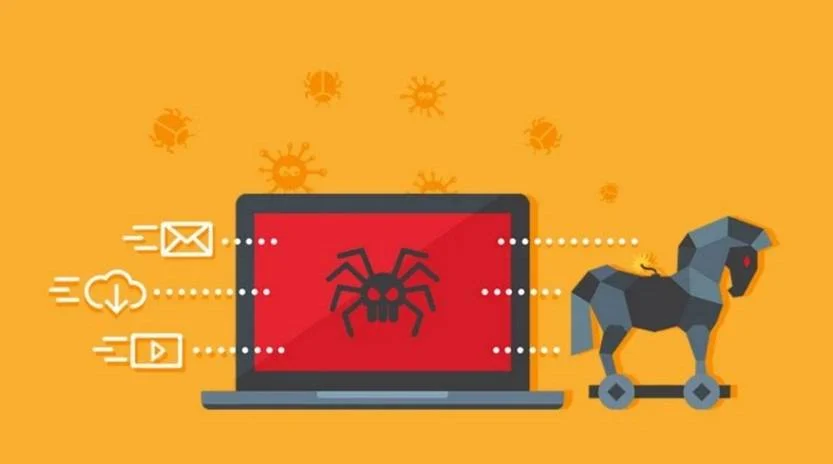
Understanding Post-Prime Day Scams
In the wake of huge shopping holidays like Amazon Prime Day, scammers take the opportunity to create new phishing attempts capitalizing on consumer anticipation.
They send out mass texts and emails pretending to offer exclusive post-Prime Day bargains, coupons, and contests to entice engagement. However, the links actually redirect to fake websites impersonating Amazon.
These scam websites then steal users’ Amazon login credentials if entered, or harvest personal and financial data under the guise of contests, surveys, or too-good-to-be-true deals. The scammers can then use the stolen info for identity theft and other frauds.
Phony Text Messages
One prevalent post-Prime Day scam involves phony text messages that state things like:
“Hi Josh. You’ve been selected for our annual Amazon Prime members survey regarding your recent Prime Day purchases. Please click here to begin the survey: [Malicious Link]”
“Amazon Exclusive! You have unclaimed Prime packages waiting! Please confirm delivery preferences here: [Malicious Link]”
However, the links in these texts redirect to fake Amazon contest or survey pages that phish for personal information or install malware. Amazon never sends unsolicited texts regarding account issues or prizes. Any such messages should be considered fraudulent phishing attempts.
Fake Amazon Emails
Another common Prime Day scam tactic is forged Amazon emails claiming you have unclaimed credits from Amazon Prime Day purchases or saying you qualified for an exclusive post-Prime Day deal.
Some examples include:
“Greetings Amy. Our records indicate you have $53.61 in unclaimed Amazon credits from your Prime Day orders. Please submit your banking information here to redeem your credit: [Malicious Link]”
“Congratulations Margaret! You’ve been selected for our Prime members 90% off post-Prime Day blowout sale. Act now before this exclusive offer expires! [Malicious Link]”
However, the claim of unspent credits is false, and the special sale doesn’t exist. The links lead to phishing sites aiming to steal account credentials or payment information from victims. Amazon sends account notices through your account portal or app only.
Red Flags of Amazon Scams
Here are some red flags to help identify fraudulent post-Prime Day Amazon scams:
- You receive unsolicited texts, calls, or emails regarding surveys, unclaimed credits, or special deals. Amazon contacts existing customers through their account instead.
- The messages create a false sense of urgency or exclusivity to get you to act quickly. Limited time offers can be a scam tactic.
- The links go to odd URLs not affiliated with or redirecting to Amazon’s real website, like “amazon-customerservice.com.”
- The messages come from random phone numbers or email addresses not tied to official Amazon contacts.
- Spelling, grammar, or formatting seems off compared to professional Amazon communications.
- Requests come for you to enter credit card or other sensitive information to claim supposed offers or credits.
Being wary of any too-good-to-be-true offers requiring quick action protects you from post-Prime Day phishing scams aiming to take advantage of deal-seeking shoppers.
How to Report Amazon Scams
If you receive a suspicious text, email, or call pretending to be from Amazon, report it:
- Forward scam emails to stop-spoofing@amazon.com and then delete it without opening any links.
- Report scam phone numbers to Amazon customer service so they can be blocked.
- File complaints about scam texts with the FTC and your cell phone carrier.
- Warn others about current Amazon phishing attempts on social media and forums.
The more scam messages that get identified and shut down, the more protected other shoppers will be.
Avoiding Post-Prime Day Scams
Here are some tips for avoiding Prime Day and online shopping scams:
- Never click links in unsolicited texts/emails. Manually open Amazon in your browser if you want to check account notices.
- Verify special offers or sales independently before believing questionable texts or emails.
- Check sender addresses and links carefully for any deviations from Amazon’s real website.
- Do not enter personal or payment information on unfamiliar third-party websites.
- If a deal seems too good to be true, it probably is. Stick to Amazon’s real website for purchases.
- Use unique complex passwords for all shopping accounts. Enable two-factor authentication for added security.
Staying vigilant against phishing attempts can keep you safe from scammers hoping to capitalize on the high volumes of shoppers around holidays like Amazon Prime Day.
What to Do If You Already Clicked a Suspicious Link
If you already clicked a link in a questionable Amazon-themed text or email, take these steps right away:
- Log in to your real Amazon account and closely review your recent orders, payment methods, and account settings for any signs of unauthorized changes.
- Change your Amazon password immediately and enable two-factor authentication if available.
- Contact Amazon customer support to report the phishing attempt against your account.
- Watch for suspicious charges to your payment methods on file with Amazon. Report any unknown transactions to your bank or credit card company.
- Run a Malwarebytes Free scan to check if clicking the link downloaded any malware onto your device.
Conclusion
In summary, consumers should watch out for shady texts, calls, and emails impersonating Amazon in the wake of major shopping days. Scammers create sophisticated post-Prime Day phishing scams to steal account credentials and sensitive information from eager deal seekers. Verify legitimacy directly through your Amazon account rather than trusting unsolicited messages. With caution, you can identify fraudulent offers and protect your personal information from shopping scams.

Join the discussion
0 commentsShare your experience or ask a question about this article.
Discussion
Start the conversation
Have a question or something useful to share? Add the first comment.