

The BOA View Remittance Receipt Email Scam is a deceptive phishing campaign that uses trusted-looking delivery methods to make a fake financial document seem legitimate.
Victims are typically sent an email that appears to provide access to a secure Bank of America remittance receipt. After clicking through and opening the attached or hosted file, they are redirected to a phishing page designed to steal sensitive personal or account information.
Because the scam can involve real file-sharing or secure message platforms, it often looks more credible than a typical phishing email. That added layer of legitimacy makes it especially dangerous.
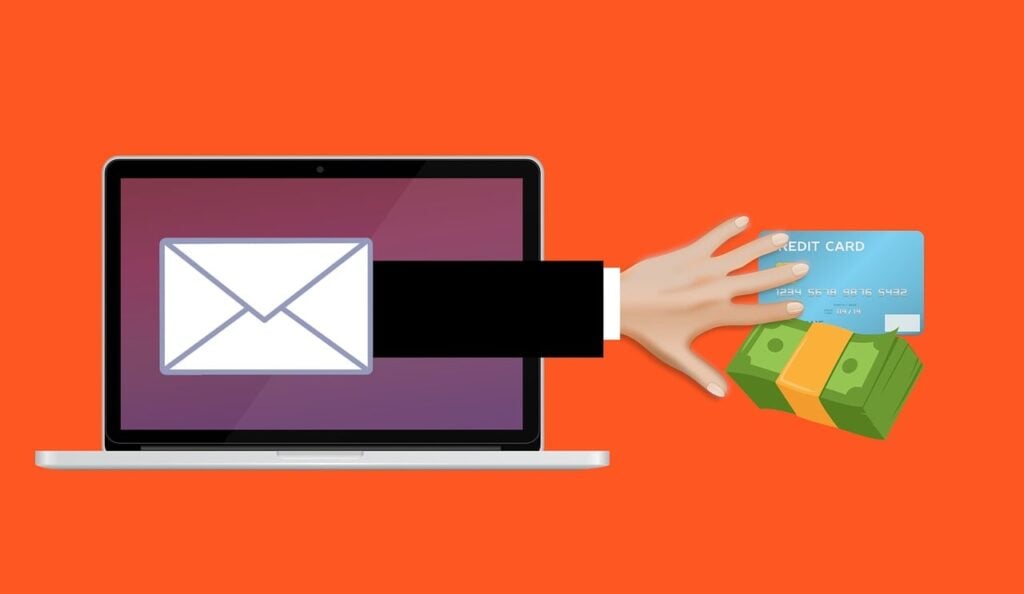
Scam Overview
The BOA View Remittance Receipt Email Scam is a phishing operation that combines several layers of deception into one smooth, convincing attack.
The core idea is simple. Criminals impersonate Bank of America and present the recipient with what looks like a secure notification to view a remittance receipt. A remittance receipt sounds official, financial, and time-sensitive. Many people do not want to ignore that kind of message, especially if they run a business, work in accounting, handle invoices, or regularly receive payments from clients, vendors, or partners.
What makes this campaign especially effective is that the initial delivery often does not rely on a shady, obviously fake email server. Instead, the message may be sent through a legitimate secure mail, document-sharing, or hosted delivery system. That means the email can inherit some of the trust associated with the real platform carrying it.
This is a major psychological advantage for the scammers.
Most people have learned to be suspicious of random attachments and poorly written emails. But when a message appears to come from a recognized file-sharing or secure communication service, it immediately lowers the recipient’s guard. The branding looks familiar. The delivery process feels normal. The page may be hosted on a real service. The links may not immediately trigger browser or antivirus warnings. Even spam filters may let it through because the delivery mechanism itself is not inherently malicious.
That is where the trap begins.
In the version described here, the victim receives a message that appears to be from Bank of America and includes a call to action such as “View Remittance Receipt.” The layout is designed to look official and secure. The wording suggests a protected message or document delivery flow, sometimes referencing SecureMail, receipt preview details, and language about confidentiality, privacy, or secure communications.
All of that is intentional.
The scammer wants the recipient to think, “This looks like a protected bank document, so of course I need to click through a secure portal to view it.”
Once the user clicks, they may be taken to a legitimate hosting site or file-sharing page. That detail is important. The scam often does not immediately throw the victim onto a fake domain at the first click. Instead, it uses an authentic intermediate step to reinforce trust.
This is a classic trust-stacking tactic.
Each layer looks just credible enough to push the recipient further along:
- The email resembles a real banking notification
- The platform used to deliver it may be legitimate
- The hosted file can appear accessible through a genuine service
- The downloaded document looks official enough to keep the victim engaged
- The final click leads to the phishing page
By the time the victim reaches the actual phishing site, they have already passed through several steps that felt real. That makes them much more likely to continue.
In this scam, the downloaded file is often a PDF that appears to contain a Bank of America remittance receipt or payment notice. The PDF itself may not contain much useful information. Instead, it may include an image or a button-like graphic that the recipient is encouraged to click in order to “view,” “verify,” “release,” or “open” the document.
That clickable image is the real weapon.
When the victim clicks it, they are redirected to a phishing page crafted to steal information. Depending on the attacker’s setup, the page may ask for:
- Email login credentials
- Bank login details
- Full name and address
- Phone number
- Credit or debit card information
- Social Security number
- One-time passcodes
- Multi-factor authentication codes
Not every phishing page asks for all of these at once. Some are more targeted than others. But the goal is always the same: collect enough data to hijack accounts, commit fraud, or sell the stolen information to other criminals.
One reason this scam works so well is that it plays on a believable business scenario.
A remittance receipt is not as flashy as a fake prize or too-good-to-be-true offer. It is routine. It sounds like something a real bank or corporate finance department might send. That makes the email more dangerous because it blends into normal office communication.
This is especially risky for:
- Small business owners
- Bookkeepers
- Accounts payable staff
- Accounts receivable teams
- Freelancers and contractors
- Remote workers
- People who expect wire transfers or payment confirmations
In a busy workday, an employee might see the message, assume it relates to a transaction, and click before thinking twice.
The scam also benefits from the fact that many people judge safety by appearance alone. If the email looks polished and the platform seems real, they assume the message must be legitimate. But phishing attacks have evolved far beyond broken grammar and obvious fake logos. Modern scams are often visually convincing, carefully timed, and routed through systems that do not immediately look malicious.
That is why appearance alone is no longer a reliable test.
Another important part of this scam is the use of branding cues associated with security. Terms like “SecureMail,” “personalized receipt preview,” “verify your email address,” “privacy statement,” and “terms and conditions” all suggest a formal, protected communication channel. The average user sees these phrases and thinks the sender is serious about security.
In reality, that language is being used as camouflage.
Scammers know that users are more likely to comply when a message feels secure and procedural. Instead of pressuring the victim with crude threats, they wrap the scam in the language of compliance, privacy, and banking process.
The mention of a personalized security image is also a strong manipulation tactic. It mimics the kind of anti-fraud feature some banks used in the past, where users chose a personal image to confirm they were on the correct login page or viewing a legitimate secure message. Even if the user does not fully understand it, the presence of such language creates an illusion of authenticity.
This is not accidental. Every line is there to reduce doubt.
There is also a technical reason this scam can evade defenses. If the initial message uses a real platform to deliver the content, then the sender can bypass some of the warning signs that email gateways look for. Security tools may inspect the sender reputation, links, and attachments differently when the message originates from a recognized service. That does not mean the email is safe. It just means the malicious content is hidden deeper in the workflow.
This layered approach makes detection harder for both humans and machines.
The emotional trigger is subtle but powerful. The recipient may feel curiosity, responsibility, and urgency all at once:
- Curiosity because they want to know what the receipt is about
- Responsibility because it could be related to a payment or business matter
- Urgency because financial documents are often time-sensitive
That combination drives clicks.
Unlike dramatic scams that scream for attention, this one succeeds by sounding normal. It is less about panic and more about compliance. The victim is not being told they won something. They are being nudged into following what appears to be a standard secure banking process.
That is why this scam should not be underestimated.
It is also worth noting that even if a victim does not enter bank login details, the theft of an email account alone can cause serious damage. Once scammers gain access to email, they can:
- Reset passwords for other accounts
- Search for financial records or invoices
- Intercept ongoing business conversations
- Launch business email compromise attacks
- Impersonate the victim to coworkers, clients, or vendors
- Harvest contacts for future phishing campaigns
In many cases, the stolen email account becomes the real prize.
This is what makes the BOA View Remittance Receipt Email Scam more than just a fake message. It is a gateway attack. The phony remittance receipt is simply the bait used to move the victim toward deeper compromise.
And because it uses recognizable branding, a legitimate-looking delivery path, and a professional appearance, it can fool even people who usually consider themselves careful online.
How The Scam Works
The BOA View Remittance Receipt Email Scam is not a one-click trick in the usual sense. It is a staged operation.
Each step is designed to build trust, reduce suspicion, and keep the victim moving forward until the actual phishing theft takes place.
Step 1: The victim receives a realistic notification
The attack begins with an email that appears to notify the recipient that a secure Bank of America remittance receipt is available to view.
The subject line and body text are usually written to sound official and transactional. The scammer is not trying to be flashy. They want the message to look like normal business correspondence.
Common features may include:
- Bank of America branding
- A “View Remittance Receipt” button
- Language about secure email delivery
- References to verifying an email address
- Privacy and disclaimer text
- Mentions of a receipt preview or secure access process
This structure matters because it mimics the kind of language recipients expect from financial institutions and document delivery systems.
The more ordinary it looks, the better it performs.
Step 2: Trust is boosted through familiar formatting and security language
Once the victim opens the email, the scam relies heavily on visual trust signals.
The message may contain:
- Professional-looking logos
- A clean, corporate layout
- Formal disclaimers
- References to secure communications technology
- Links labeled as help pages, privacy statements, or learn more sections
This creates a false sense of legitimacy.
A user may think, “This has branding, security wording, and legal disclaimers. It must be real.” But scammers know that most people associate polished formatting with authenticity, even though anyone can imitate these design elements.
The text does not need to be perfect. It only needs to feel plausible long enough to get the click.
Step 3: The victim clicks the button or document link
The next stage is the first critical decision point.
The email urges the recipient to click a prominent button such as “View Remittance Receipt.” This click may not immediately take the victim to a fake phishing page. That is what makes the scam more deceptive.
Instead, the link may open:
- A real file-sharing platform
- A legitimate cloud-hosted document page
- A secure email delivery service
- A hosted content page controlled through a trusted provider
This is a key part of the attack chain.
If the victim lands on a real service after clicking, their confidence rises. They think the email has been validated by the fact that it led to a recognizable platform rather than a sketchy website.
That confidence is exactly what the scammer wants.
Step 4: A hosted file is presented as the “receipt”
The victim is then shown a downloadable file, often presented as the remittance receipt itself.
At this stage, several mental shortcuts kick in:
- The email looked official
- The link worked
- The file is hosted in a normal-looking place
- Nothing triggered a dramatic browser warning
- The user assumes they are just following standard procedure
So they download the file.
The file is often a PDF because PDFs are widely used for invoices, receipts, payment confirmations, and banking documents. People expect financial records to be shared in PDF format. That makes the file type feel routine and safe.
But the PDF is not the end document. It is just another stepping stone.
Step 5: The PDF contains the real lure
When the victim opens the PDF, they may see what appears to be a Bank of America remittance receipt or a branded message preview.
However, the document may not behave like a normal receipt. It may have limited details, blurred content, or a large image or button prompting the user to click again to access the full document.
This is where the scam becomes especially sneaky.
The PDF acts as a bridge between the legitimate-looking delivery channel and the final phishing page. Since the user already downloaded and opened a file that appears official, they are even less suspicious of clicking inside it.
They think they are still inside the same secure workflow.
Typical prompts in the PDF might imply that the user needs to:
- View the secure receipt
- Confirm identity
- Open the protected message
- Access the full payment details
- Review the remittance document online
The goal is to make the next click feel necessary.
Step 6: The victim is redirected to a phishing site
After clicking the embedded image or link inside the PDF, the user is taken to the real destination: a phishing page.
This page may impersonate:
- Bank of America
- A Microsoft 365 login page
- An email provider login screen
- A document access portal
- A generic secure verification page
Which page appears depends on what the attackers want most.
Sometimes they go after email credentials because compromising email can lead to broader access and more profitable fraud. Other times they may directly imitate a banking login or a secure document portal to collect financial information.
The page is designed to feel like a continuation of the prior process.
That continuity is critical. The victim has already clicked multiple times without obvious danger. They may no longer be evaluating each screen from scratch. Instead, they are simply following the path laid out in front of them.
Step 7: The phishing form collects credentials or personal data
Now the scam reaches its real objective.
The fake page prompts the victim to enter information. The requested data may vary, but common targets include:
- Email address
- Email password
- Bank username
- Bank password
- Phone number
- Account number
- One-time verification code
- Multi-factor authentication code
- Full identity details
Sometimes the site even displays fake error messages to trick the victim into re-entering their credentials if they type them incorrectly the first time. In other cases, the stolen information is captured silently and the victim is redirected to a harmless page to reduce suspicion.
By the time the victim realizes something is wrong, the attackers may already have what they need.
Step 8: Stolen information is used or sold
Once the credentials are captured, the scammers move quickly.
If they obtained email credentials, they may:
- Log into the inbox
- Search for banking or payroll messages
- Intercept invoices
- Send phishing emails from the compromised account
- Reset passwords for other services
If they obtained banking or identity details, they may:
- Attempt account takeover
- Initiate fraudulent transfers
- Commit identity theft
- Use the information in future social engineering attacks
- Sell the data to other criminals
This is where the damage expands beyond the original email.
A single phishing click can lead to multiple downstream problems that unfold over days, weeks, or even months.
Why the scam feels so convincing
The BOA View Remittance Receipt Email Scam works because it avoids the weak spots of older phishing campaigns.
Instead of relying on one fake email and one fake site, it uses a chain of believable actions. Each step feels only slightly more committed than the last.
Here is why that matters:
It uses routine business language
“Remittance receipt” sounds normal in a financial or business setting.
It does not sound sensational, which is why people are less likely to view it as suspicious.
It may route through legitimate infrastructure
This is one of the strongest features of the scam.
A trusted file-sharing or secure delivery platform can make the entire process feel validated, even though the final destination is malicious.
It separates the scam into layers
The email is one layer.
The hosted file page is another.
The PDF is another.
The phishing site is the final layer.
Breaking the attack into stages helps the scammers avoid instant detection and gives the victim multiple points where trust can build.
It mimics real banking security practices
References to secure messaging, protected access, privacy statements, and personalized security cues make the user feel like they are inside a controlled environment.
In reality, those cues are being weaponized.
Common warning signs at each stage
Although this scam is polished, there are still signs that something is off.
In the email
Watch for:
- Unexpected financial notifications
- Messages about payments you were not expecting
- Slightly odd wording or formatting
- A sender that does not align cleanly with Bank of America
- Pressure to click a secure receipt without prior context
On the hosting page
Watch for:
- A document shared with no explanation
- A file name that feels generic or oddly formatted
- A delivery method you did not expect
- No clear connection to a known transaction
In the PDF
Watch for:
- A receipt with very little real data
- Large images acting like buttons
- Instructions to click inside the file to access the actual document
- Branding that looks good at a glance but feels vague on closer inspection
On the final page
Watch for:
- Requests for login credentials unrelated to what you expected
- Generic sign-in screens with no clear domain trust
- Pages asking for personal information before showing the document
- Strange redirects or repeated login prompts
How victims get trapped psychologically
Understanding the psychology behind the scam helps explain why smart people still fall for it.
The attack leverages several mental patterns:
Familiarity
People trust what looks familiar.
A known bank name, formal email layout, and document delivery page all reduce skepticism.
Momentum
Each completed step makes the next one easier.
Once the victim has opened the email, clicked the button, downloaded the PDF, and opened it, stopping feels less natural than continuing.
Professional context
People are more likely to comply with business-style requests because they feel responsible for handling them properly.
A financial receipt sounds like something that should not be ignored.
Fragmented suspicion
Because the malicious intent is spread across multiple steps, no single moment may feel alarming enough to stop the victim.
The warning signs are distributed, not concentrated.
That is why layered phishing attacks like this can be so effective.
Why businesses should take this scam seriously
This is not just an individual consumer problem.
If one employee enters credentials into a phishing page after opening a fake remittance receipt, the attackers may gain access to a business email account. From there, they can escalate into more serious fraud, including invoice manipulation and internal impersonation.
This can lead to:
- Financial loss
- Data exposure
- Customer trust damage
- Disrupted operations
- Legal and compliance issues
A single fake receipt can become the starting point for a much larger breach.
That is why training employees to recognize modern phishing tactics matters just as much as technical defenses.
The BOA View Remittance Receipt Email Scam is dangerous precisely because it hides behind normal workflows. It looks like business. It feels like process. And that is what makes it work.
What To Do If You Have Fallen Victim to This Scam
If you clicked the email, downloaded the PDF, or entered information into the phishing site, do not panic.
You still have options, and fast action can reduce the damage significantly.
1. Stop interacting with the message immediately
Do not click anything else in the email, PDF, or website.
Close the browser tab, close the PDF, and do not reply to the message. If you are still on the phishing page, leave it right away.
The priority is to stop giving the attacker more information.
2. Disconnect if you downloaded or opened suspicious files and something seems wrong
If the file behaved strangely, triggered unusual downloads, or you noticed pop-ups, redirects, or system changes, disconnect the device from the internet.
That means turning off Wi-Fi or unplugging the network connection temporarily until you can scan the system.
This is especially important on work computers.
3. Change your email password immediately if you entered it
If you typed your email address and password into the phishing page, change that password right away from the real website, not from any link in the suspicious email.
Also change passwords for any other accounts that use the same or similar login.
Use a unique, strong password for each account.
4. Change your banking password if you entered bank login details
If you entered Bank of America credentials or any financial login information, go directly to the official bank website by typing the address manually or using your trusted banking app.
Change your password immediately.
Then review recent account activity for anything unfamiliar.
5. Enable multi-factor authentication on affected accounts
If multi-factor authentication is not already enabled, turn it on for your email, banking, and other sensitive accounts.
If it is already enabled, review the settings and make sure the recovery methods have not been changed by an attacker.
MFA adds an important barrier even after credentials are exposed.
6. Contact your bank if financial information was submitted
If you provided banking details, card information, or anything that could be used to access your finances, contact your bank or card issuer immediately.
Explain that you may have responded to a phishing scam.
Ask them to:
- Review your account for suspicious activity
- Place fraud monitoring on the account
- Freeze or restrict activity if needed
- Replace compromised cards
- Advise you on next protective steps
Do not wait to “see what happens.”
7. Scan your device for malware
Even though this scam often centers on phishing, some campaigns also deliver malicious files or attempt additional compromise.
Run a full security scan using reputable antivirus or anti-malware software.
If the device belongs to your workplace, report it to your IT team before making major changes. They may want to preserve logs, isolate the system, or inspect it centrally.
8. Review your email account for signs of takeover
If your email account may have been compromised, check for changes such as:
- New forwarding rules
- Auto-reply messages you did not create
- Login alerts from unfamiliar locations
- Deleted or missing messages
- Password reset emails for other services
- Unknown recovery email addresses or phone numbers
Attackers often create hidden forwarding rules so they can continue receiving copies of your messages even after you change the password.
That step is commonly missed, so inspect carefully.
9. Check other sensitive accounts
If your email was compromised, criminals may try to use it as a stepping stone into other services.
Review:
- Banking accounts
- Payment apps
- Shopping accounts
- Cloud storage
- Payroll portals
- Tax services
- Social media
- Business platforms
Look for unrecognized logins, changed settings, or actions you did not authorize.
10. Monitor financial statements and credit reports
If identity or financial information was exposed, keep a close watch on your statements and credit activity.
Look for:
- Small unauthorized charges
- New accounts you did not open
- Password reset attempts
- Debt collection notices
- Address changes
- Unfamiliar transactions
In serious cases, consider placing a fraud alert or credit freeze where appropriate in your country.
11. Report the phishing email
Report the message through your email provider’s phishing or spam tools.
If it targeted your workplace, send it to your internal security or IT team as well. Reporting helps protect others and may allow defenders to block similar messages in the future.
If the scam impersonated a bank, you can also report it to the bank’s fraud or abuse contact channels.
12. Warn anyone who may be affected through your account
If you believe your email account was compromised, tell your contacts, coworkers, or clients that your inbox may have been accessed.
This is uncomfortable, but it matters.
Attackers who control an email account often use it to send more believable phishing messages to the victim’s contacts. A quick warning can prevent further damage.
13. Preserve evidence
Do not delete everything immediately.
Save:
- The original email
- Screenshots of the phishing page
- The PDF file
- The sender details
- URLs, if safely documented
- Any suspicious account alerts or transaction records
This information may help your bank, employer, security team, or law enforcement understand what happened.
14. Report identity theft if necessary
If the scam led to identity theft or financial fraud, make formal reports through the appropriate agencies in your jurisdiction.
This can help create a record of the incident and support disputes involving unauthorized charges, fraudulent accounts, or stolen identity information.
15. Learn the pattern so it does not happen again
Victims often blame themselves, but that is not productive.
This scam is carefully designed to look real. The useful question is not “How could I fall for that?” It is “What pattern should I recognize next time?”
The answer is this: trust the process less than the source.
Even if a message uses a legitimate platform or polished branding, you should still pause when:
- You were not expecting the document
- The financial context is unclear
- The file requires extra clicks to view
- You are asked to log in before seeing the content
- The message creates urgency without prior explanation
That shift in mindset can prevent repeat attacks.
The Bottom Line
The BOA View Remittance Receipt Email Scam is a sophisticated phishing attack that uses trust, routine business language, and legitimate-looking delivery channels to trick people into giving up sensitive information.
Its strength lies in how normal it appears. The email looks professional, the file-sharing step may be real, the PDF looks official enough, and the final phishing page feels like a continuation of a secure banking process.
That is exactly why it is dangerous.
If you receive an unexpected remittance receipt or secure banking document, do not rely on appearances alone. Verify independently, avoid clicking through layered document workflows you did not expect, and never enter credentials just to view a file unless you are certain you are on the genuine site.
A careful pause at the start of the process can stop the entire scam before it begins.








