


An email provider rarely has your full attention. It gets it the moment a notice hints that tomorrow’s messages might not arrive.
The wording in this inbox notice is worth a closer look before you act.
Overview
A deadline for a service you rely on
The email software update scam tells recipients that their mail service needs a software change. A headline about changes to domain software gives it the feel of maintenance.
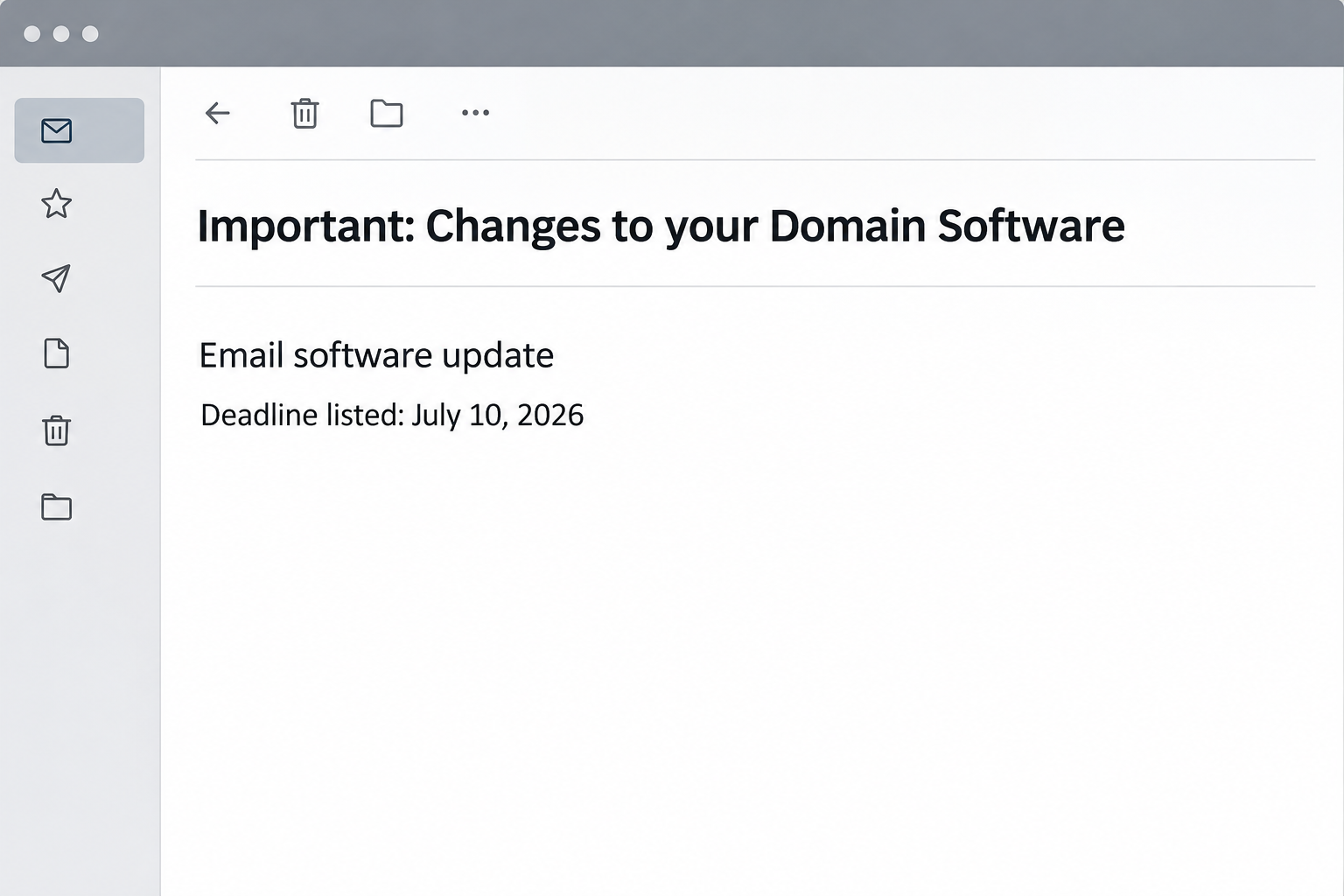
The reported message specified July 10, 2026. The date matters as a way to recognize this version, not as a service deadline anyone still needs to meet.
Notice how broadly the warning can apply. It sounds like something your mail provider would handle, but it does not give a reliable way to confirm who owns the decision.
“Domain software” also blurs a few different jobs. Updating an Outlook installation, renewing a domain and changing a hosted mailbox policy are not interchangeable tasks.
The reconstruction above shows the wording and date without an actionable destination. It is not an actual notice from a provider.
Why the familiar sign-in is the important part
The “Confirm Update” action did not lead to a trusted maintenance screen in the reported case. It reached an outside page hosted on a cloud storage service.
In the Gmail example documented with the email, the next screen resembled a Google sign-in and already showed the recipient’s email address. That small detail can calm the wrong doubts.
An address already present is no assurance that Google has authenticated anyone. It may look personal without saying anything reliable about who controls the screen.
The page asked the recipient to sign in. No evidence in the report shows that the notice actually updated a mailbox or that an account was successfully taken over.
This is not an attached installer masquerading as an update. For this sample, the documented danger was exposing a working email password to a fake login.
Real updates have a different place to check
Employees rarely need to know how their mail service is upgraded. Your IT team should be able to tell you whether you need to act.
Owners of a small business can have three different companies involved: a registrar for the domain, a host or reseller for mailbox service, and a vendor for the mail app.
Before doing anything, identify which kind of change the notice claims to describe. One generic deadline does not make it an instruction from all three.
- An app update normally belongs in the app’s built-in update process or the store you normally use.
- An account change can be checked in your real account or with the organization’s administrator.
- A domain change can be checked with the registrar or responsible provider you already know.
- None of those checks requires returning to a suspicious link whose destination has not been verified.
Keep using your usual mail client if it works. Mail still flowing is useful context, though it does not settle whether a notice is genuine.
How the Scam Works
Step 1: The message makes a vague announcement sound personal
At first glance, “your domain” seems like the sender knows which service you use. A closer read shows why those words can fit more than one kind of mailbox.
The framing encourages people to supply facts the message itself never establishes. Someone working at a small business may assume it came from the same company that sends the bills.
Personal users can make a different assumption, taking it for a routine message from the provider whose name they see every day. The text need not resolve the difference.
This is why checking only whether the general subject sounds plausible is weak. Legitimate maintenance exists. That does not make every email claiming to announce it legitimate.
Step 2: A date turns a confusing notice into a task
The deadline in this version is July 10. The threatened consequence is loss of mail access. That combination creates a mundane but effective pressure to cross something off the list.
Think of the number of things a missed email can disrupt: client orders, password recovery, travel details and job applications. The warning relies on that ordinary dependence.
A deadline can be legitimate, but a genuine service change remains verifiable through the person or company responsible. An unfamiliar sign-in is not the only way to find out.
Do not infer that your mail stopped because the date passed. If mail actually stopped, look for an outage or speak to your provider through the regular support route.
Step 3: The apparent update leaves the normal account pathway
There is a meaningful gap between clicking an update notice and knowing you are signed in to the right provider. The screen after the click is where that gap matters.
The reported destination used cloud storage. Buying service from a cloud host does not confer permission to speak for unrelated mail providers.
A business may use several providers, making the unfamiliar address harder to judge. An approved entry point is more useful than a list of plausible addresses.
If you arrive at an unexpected password screen, close it and enter from your usual app or bookmark. If that route works, you have not needed to trust the notice.
Step 4: The copied provider page makes the transition feel normal
The documented Gmail-style screen greeted the recipient with an address already in place. It resembles the moment after you pick your account in an ordinary sign-in.
The familiar detail is not proof of identity. An unrelated page can display an email address as easily as someone can print it on a mailing label.
Some readers notice the logo and think the page must be real. Others notice that they recognize their address. Neither observation checks the page against the account provider itself.
Consider what changed without your involvement: you started with a note about an update and ended up at a web form that wanted a reusable secret.
Account providers give you an independent route to passwords and security prompts. The suspicious page does not get to choose where you type them.
Step 5: An exposed mailbox can become a recovery route into other accounts
The initial screen concerns email, but the cost of a working password can extend beyond the inbox. Messages can reveal which other services use that address for account recovery.
An unauthorized session may expose correspondence or let someone send messages as you. If a friend receives a strange link in an existing conversation, they may assume it belongs there.
A forwarding rule can expose future mail without visible changes to the inbox. That is one reason a password reset should not end the review.
These are possible effects of credential exposure, not outcomes established by the investigated sample. Check the account’s own security and session records for signs that they happened.
What To Do If You Fell Victim
-
Figure out whether the incident ended at the inbox.
Reading the mail is different from entering information. Write down whether you clicked, typed a password, shared a code or approved a prompt.
Watching an address appear on a page does not mean you disclosed the password. If you closed the tab without typing or approving anything, tell support exactly that.
Note any unexpected file or browser permission separately. Do not open a download or return to the site simply to check its name.
-
Get back into the account from your known route.
Use the official app or a trusted bookmark, preferably on another device if the original one behaved strangely. Do not ask the sender for a fresh update link.
Microsoft customers can start with its compromised account recovery instructions. Employees should tell their own administrator before trying personal account recovery.
If a password was entered, replace it with one used nowhere else. Do not spend time testing whether the old password was really received.
-
Look for changes that would survive a reset.
See which devices or sessions are signed in. Remove unknown entries or ask your provider to end the sessions according to its recovery instructions.
Check automatic forwarding, delegates, recovery addresses and phone numbers. Record suspicious changes with your administrator if the account belongs to a business.
Review sent mail and deleted folders for actions you do not recognize. If something went out in your name, warn those recipients using another route that you control.
-
Take account prompts and reused passwords seriously.
If you approved a sign-in or passed on a code, report that along with the password exposure. Tell support when it happened and which account the prompt named.
If you used the same password elsewhere, change it there too. Begin with services that hold money, identification or the ability to recover more accounts.
Once the mailbox is under your control, enable stronger sign-in protection supported by your provider. Keep recovery details current and accessible to you alone.
-
Find the real owner of the alleged update.
In a company, forward the concern through the phishing reporting tool or your help desk. Ask whether there was a planned maintenance announcement, not whether the button looks convincing.
If you manage your own domain, look at the registrar and mail hosting accounts separately. A registrar name in an old invoice does not automatically identify today’s mailbox provider.
For an app upgrade, check the official update channel after the phishing response. You can maintain the app without touching the email’s outside page.
-
Watch for a second conversation.
Someone may send a follow-up claiming the confirmation failed or that support needs a recovery code. Do not let the previous email turn that new message into a trusted one.
If contacts received unusual requests from your account, say what happened without copying the fraudulent link. Include a clean way to check any instructions you actually sent.
Keep the original message available privately until your provider or IT team no longer needs it. Delete or quarantine it on their advice once the record has been preserved.
When the Change Is Real
A small company sometimes moves email platforms or changes who hosts the mailbox. That can make a surprise notice feel especially credible if staff already expect something to change.
Find the last announcement your administrator made through an established channel. Real migration instructions often identify which mail client or sign-in routine will change and who will answer questions.
If a legitimate announcement is hard to find, call the help desk. Ask whether the update needs anything from each user, or whether administrators are doing the work centrally.
When working from a mail app rather than webmail, save any troubleshooting information without sharing your password. An error code and the time mail stopped are useful to support.
A company can also update a web interface without requiring every user to type their old password through a notice. Ask for the documented path before following any new directions.
Frequently Asked Questions
Is the July 10 email software update notice real?
The reported example is phishing. Its date was part of the warning, while the button led to a fake sign-in rather than a verified update.
For real questions about the status of your mailbox, use your administrator or the normal provider dashboard. You do not need to let the suspicious email mediate that conversation.
Why did the next page already know my address?
Showing an email address requires less access than signing into an account. The displayed value is not evidence the page knew your password or controlled the mailbox.
A familiar screen and a familiar address reinforce one another visually. The genuine app or independent sign-in route is what helps distinguish them from a copied screen.
Does the email mean my domain is expiring?
Not on the evidence of this message. Mail software, domain registration and hosted accounts have separate responsibilities even if your provider bundles them on one bill.
Check renewal in your normal registrar dashboard. If the genuine record says something different, resolve that issue directly, without using the email’s button.
Should I worry if I clicked but did not sign in?
In the documented case the aim was to show a fraudulent login. A visit alone does not establish account takeover. Report the visit if your workplace requires it.
An actual download, permission grant or unexplained login needs separate attention. Tell support which of those, if any, happened rather than treating all clicks alike.
Could a genuine company email ask for an update?
Real organizations do communicate about updates. Their staff should still be able to confirm plans through established routes that are independent of an email’s embedded links.
If you own the account, start inside the provider or app you already use. If you do not own it, ask the person who manages it.
Is checking sent messages enough after a password disclosure?
No. Sent mail is one useful place to look, but it does not show all active sessions, recovery edits or delivery rules.
A security review should cover changes that affect future messages as well as messages already sent. Ask your provider or administrator to help if you cannot see all settings.
The Bottom Line
A warning about mail maintenance can sound routine while sending you somewhere that has no role in maintaining your mailbox. The date is a reason to verify, not rush.
Treat an unfamiliar sign-in as a separate request. Check updates with the provider you already use, and secure the account if you entered anything on the copied page.

Join the discussion
0 commentsShare your experience or ask a question about this article.
Community experiences
Did this happen to you?
Your experience could help someone recognize the same scam. Submit a private report for our team to review.
I experienced this tooReports are reviewed before publication. Sharing publicly is always your choice.
Discussion
Start the conversation
Have a question or something useful to share? Add the first comment.