


You’ve decided to opt out of Equifax, then run into a form that doesn’t mention the offers or the credit report you’re trying to deal with.
Equifax provides separate controls for different purposes in the United States. The request that cuts down on mail won’t do the job of a freeze or a dispute.
Overview
The privacy form changes a particular use of personal information
Equifax’s privacy statement distinguishes relevant privacy requests from the handling of data in consumer reporting. The two subjects may appear under the same company name.
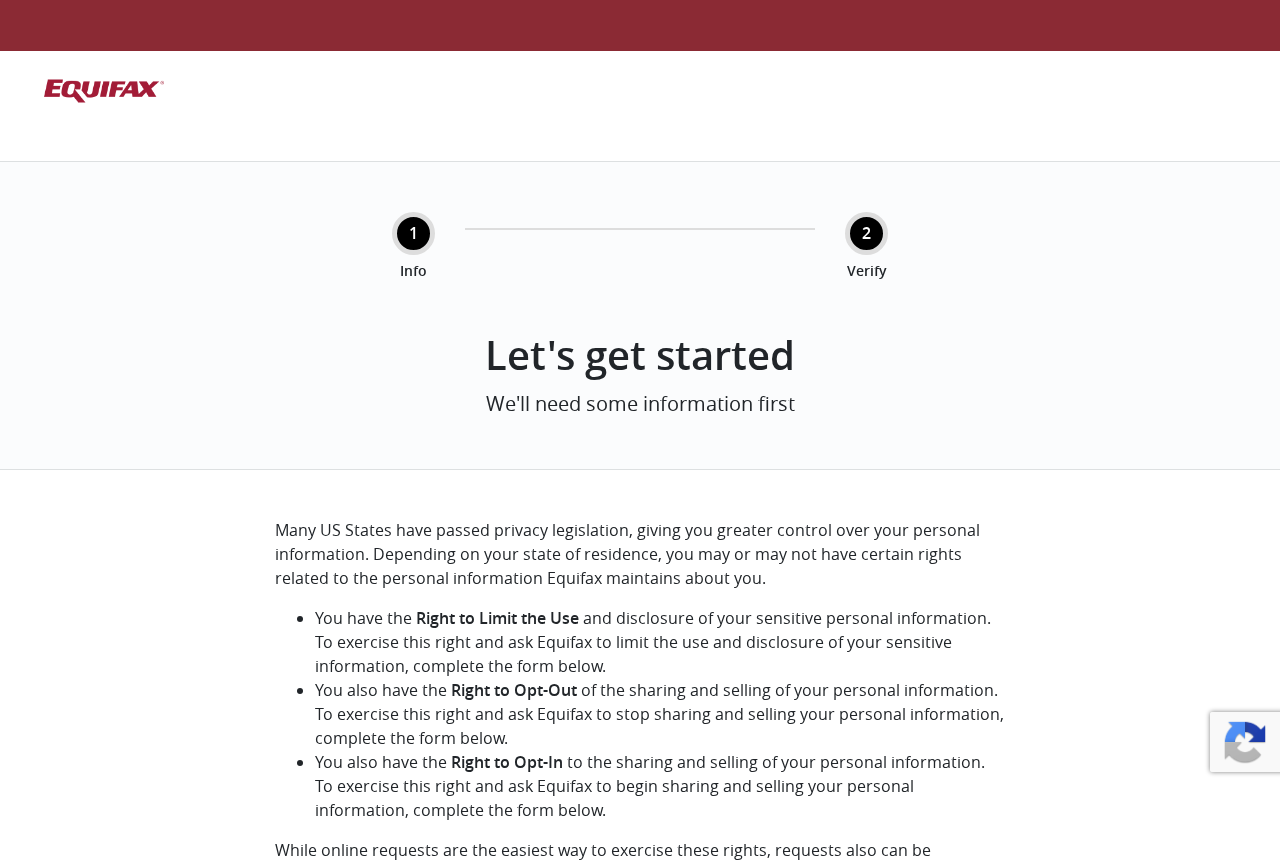
The company’s Your Privacy Choices route lists an opt-out of selling or sharing personal information and a separate request to limit the use of sensitive information.
Its broader myPrivacy entry also describes other requests, such as access, deletion and correction, depending on your state. Read the purpose on the actual screen before you submit anything.
Prescreened offers have a separate industry route
The FTC’s prescreened offer guide explains how to stop credit and insurance offers based on prescreening through participating consumer reporting companies.
The route can stop uses of those lists for offers without closing a card, ending all mail, or treating information on your report as an error.
An Equifax promotional email is different again. Equifax says its marketing-email preference doesn’t stop non-marketing notices about a product you already use.
A credit problem needs the tool that addresses it
An Equifax opt-out doesn’t restrict access the way a security freeze does. It won’t correct an account that belongs to someone else.
Those problems call for choices made separately from marketing preferences. Begin with the outcome you need, not the first form that asks for your name and address.
- Use the privacy choice for the type of data use it actually names.
- Use the prescreen route for offers based on participating credit bureau lists.
- Keep account and monitoring alerts separate from promotional email.
- Use a credit freeze or report dispute when that’s the problem.
Why Two Equifax Privacy Screens Ask Different Questions
Start with the choice that says what it changes
Equifax links to its consumer privacy preferences for requests about sharing, selling, and sensitive information. Open that route through the company if you’re unsure where to start.
The Right to Opt-Out describes stopping selling and sharing personal information under that choice. Right to Limit the Use describes limiting use and disclosure of sensitive information.
These options are named separately because requesting one doesn’t tell the company you meant the other. Review the selection before completing the form.
The same screen describes an opt-in option for someone seeking to change that preference in the other direction. Read the action verb carefully before continuing.
If you start elsewhere in myPrivacy, you may see a screen for access, deletion or correction instead. Looking for every setting on the first form can send you off course.
Equifax explains that the rights available may depend on where you live. Don’t select an old address to make another state’s menu appear.
Sensitive information deserves care even on a real privacy form
Some requests include identity matching or verification. Use the verified domain and read what each field needs so you don’t send more information than necessary.
A reminder arriving by text with a link to a lookalike form isn’t an acceptable substitute. Return to Equifax through a route you already verified.
If you’re uncertain which details are required or a record can’t be matched, use the company’s privacy contact page. Ask which route fits your request before sending documents.
Keep the date, type of request and any confirmation where you can find them later. Don’t paste private form contents into a review or public complaint.
Requesting deletion of data in one context doesn’t mean information held for another purpose will disappear. Equifax explains its treatment of credit reporting and other regulated data separately.
Check that the consent applies to the right person and purpose
When your household gets a letter for someone else, don’t treat it as proof that Equifax matched an offer to you. Start by reading the addressee and notice.
Several requests can ask for the same basic identification information without affecting the same data. Keep the destination and stated purpose, not only the date you filled it in.
If you only wanted marketing choices and reached a consumer-report dispute form, don’t submit it to find out where it goes. Return to the route that matches your goal.
Equifax also discusses affiliate sharing choices in its privacy materials. If that’s your concern, read the section that describes which affiliates, information and purpose the request covers.
If you moved, check how the official route identifies the relevant record. Don’t give a current or prior address to an unsolicited caller promising to finish it.
How to Opt Out of Prescreened Credit and Insurance Offers
A credit offer can arrive because a company used a list created from credit-file criteria. It can also arrive because you already do business with the sender.
The FTC’s guidance applies to prescreened offers. It does not describe a way to prevent companies from mailing you using every other list they have.
Read the actual notice on the envelope or letter. Look for an explanation that a consumer report was used to make the offer and how prescreen opt-out works.
Then use the channel independently linked by the FTC or Equifax’s prescreen guidance. Don’t follow a personalized QR code simply to reduce mail.
Pick five years or a permanent election
The FTC describes an online or phone route for a five-year opt-out. Its permanent route requires signing and returning the election form; initiating it online isn’t the last step.
Make a note of which option you chose. A confirmation for a five-year request doesn’t show that a permanent form was returned and processed.
Equifax says the service covers offers based on lists from Equifax, Experian, TransUnion and Innovis. You don’t need to submit an identical prescreen request once for each company.
The FTC says requests are processed within five days, but mailings can continue for weeks. One letter already in transit doesn’t require a new request.
If offers continue much later, check whether they’re based on prescreening at all. A mailing from an existing bank can have a different source and need another preference.
Why one email still shows up after you unsubscribe
Equifax’s marketing email instructions say you can unsubscribe from promotional messages and still receive non-marketing notices, including some credit monitoring alerts.
If you still want product or security notices, check the subject and purpose before marking an entire sender as junk. A marketing preference isn’t account closure.
If the email asks you to log in or verify sensitive information, open your account independently. Don’t assume that an unfamiliar message is genuine just because you recently changed preferences.
If several people get mail at one address, check the intended recipient. One person’s prescreen preference is not a way to apply somebody else’s privacy choice.
What to Do If Your Real Concern Is a Credit Report
- Identify the problem before selecting a tool. Unwanted ads, a suspicious new account and inaccurate report information call for different actions.
- For Equifax marketing uses, open the correct privacy preference and record exactly which option you submit. For prescreened offers, use the separate industry procedure described by the FTC.
- To restrict access for new credit, review the FTC’s freeze and fraud alert guidance. Arrange a free credit freeze separately with each of the three nationwide bureaus.
- If a report contains something inaccurate, use the CFPB’s dispute instructions. Identify the exact item and keep copies of your communications with the reporting company and data furnisher.
- Keep your choices and dates together. Check that the outcome matches what you requested rather than waiting for an unrelated change to your score, inbox, or account activity.
A freeze helps with new credit, not every form of fraud
The FTC describes restrictions from a freeze for opening new credit. That doesn’t mean every institution loses access to your report for every purpose.
A freeze doesn’t remove an existing false item. Dispute inaccurate information through the process for the relevant report, even if you’ve also frozen your credit.
A freeze also doesn’t protect you from unauthorized transactions on an existing card. If an actual charge is wrong, contact that card issuer through a known number or app.
If you expect to apply for credit soon, check what a freeze means for the application before you need it. Read the official instructions for managing access.
A fraud alert serves another purpose. The FTC says it asks businesses to verify your identity before extending new credit, rather than blocking access to the report.
The procedure for an initial fraud alert differs from freezing reports. One bureau passes an initial alert to the other two, while you request a freeze with each separately.
Decide whether an offer is merely a solicitation or evidence of an account you didn’t open. Use the appropriate identity theft response if actual misuse appears.
A dispute is about a specific record
Point out the account, balance, identity match, status or other information you think is wrong. Explain why it’s wrong and keep any evidence that supports your description.
A message demanding payment to erase every credit record isn’t a replacement for the bureau’s dispute process. Correct information and inaccurate information are not treated alike.
Keep dates and replies so you can follow up on the specific item. A marketing request receipt doesn’t tell the dispute team which entry to investigate.
If you sent the wrong privacy request, you can still use the route that addresses your problem. Don’t assume another team received that first request.
Verify the outcome using the right kind of evidence
For a mail preference, keep a sample of the kind of offer you wanted to stop. If another arrives, compare its wording rather than counting every envelope as a failure.
For an email preference, check whether the next message promotes a product or concerns a product you already have. It may be a legitimate notice that wasn’t covered.
For a freeze, use the bureau’s own confirmation. A quieter mailbox won’t tell you whether a lender’s access is restricted when you apply for a new account.
For a report error, check the relevant entry after the dispute result. Look at the corrected information and where it was furnished, not just the wording of an email.
If someone says your dispute is solved, ask what it fixed. Removing a duplicated entry and confirming an unfamiliar account are different outcomes with different next actions.
Don’t send a new request because a price, score or mailing changed for reasons you haven’t identified. Check whether the change can be connected to the exact preference you chose.
If you want a simple record, keep the company, route, decision and follow-up date together. Avoid saving the verification answers in the same unprotected note.
Frequently Asked Questions
Does opting out of Equifax freeze my credit?
No, Equifax’s marketing and privacy preferences aren’t a credit freeze. Use the separate freeze process if you want to restrict access used to open new credit.
A freeze doesn’t erase the underlying report. If something is inaccurate, identify the information and use the dispute process as well.
Is Equifax’s sharing opt-out the same as the prescreen list request?
No, the two routes address different uses of data. Follow the FTC’s prescreen instructions if you want fewer credit and insurance offers based on participating bureau lists.
If you also want Equifax to limit a marketing-related use covered by its form, submit that preference separately. Keep a record of both decisions.
Can I stop prescreened offers permanently?
Yes, the FTC describes a permanent election that includes signing and returning a form. The five-year option can be completed online or by phone.
Don’t assume starting the permanent election was enough. Follow its written instructions and keep a private copy of what you sent.
Why are ordinary offers still arriving after I opted out?
The prescreen opt-out doesn’t stop mail from unrelated sources such as existing merchants or other mailing lists. Previously prepared prescreened offers can also take time to stop.
Check which category the notice actually belongs to. Opting out of a bank’s newsletter and declining prescreened offers are different requests.
Will Equifax stop sending credit monitoring messages?
Equifax says opting out of its marketing emails does not stop non-marketing messages about an Equifax product. Read the email’s actual purpose in the context of your account.
Use the verified account or app for unexpected alerts. Don’t click an unfamiliar message merely because the company name matches a service you use.
Can I improve a score by removing marketing data?
Choosing a marketing preference isn’t an instruction to change the information used in a credit report. Don’t expect that choice to fix a balance, missed payment or wrong account.
If a report includes an error, work on that specific item. Use the reporting company’s process rather than relying on an unrelated unsubscribe or privacy choice.
The Bottom Line
Use Equifax’s privacy choice for the data use it names and the separate prescreen service for offers based on credit bureau lists. Neither substitutes for a freeze or a dispute.
If you already submitted a request, check its confirmation and compare it with the outcome you wanted. For an actual credit-report problem, move directly to the appropriate service.

Join the discussion
0 commentsShare your experience or ask a question about this article.
Community experiences
Did this happen to you?
Your experience could help someone recognize the same scam. Submit a private report for our team to review.
I experienced this tooReports are reviewed before publication. Sharing publicly is always your choice.
Discussion
Start the conversation
Have a question or something useful to share? Add the first comment.