

A polished AI tool promises to edit video, make art, or write faster. Its homepage looks familiar, and the sign-in button even opens Google.
That can feel reassuring. Yet the important questions begin after the attractive page: whose service is this, what will it cost, and where will your work go?
Overview
Lookalike brands in a much larger network
Malwarebytes researchers found more than 100 related subscription websites built with the same software kit and closely connected developer details.
Some borrowed names associated with existing products, including DaVinci Resolve, PixAI, and OpenCut. Others presented unfamiliar AI brands without a readily verifiable operator.
That distinction matters. A copycat using a recognizable name can mislead people about affiliation. An unfamiliar service may simply be unproven, not automatically fraudulent.
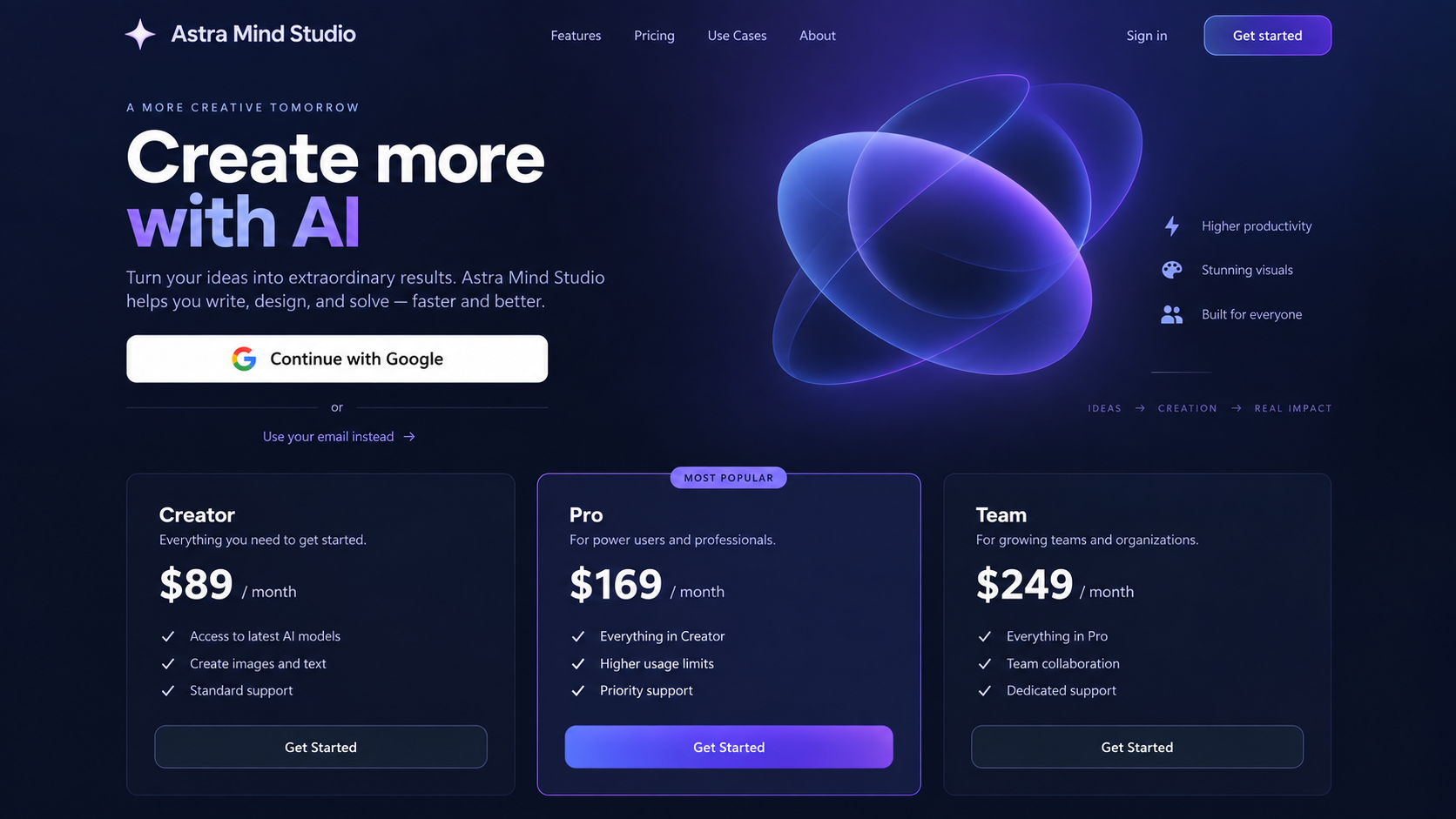
The first image is a reconstruction of the marketing pattern, not a capture of one investigated domain. We used an invented name to avoid suggesting a real company operated it.
- Professional landing pages can imitate the design language of established software.
- Some sites use product names that visitors may associate with other companies.
- Many route sign-in through a genuine Google login page.
- Paid plans appear before researchers could test the advertised tools.
- Company identity and independent evidence of the service can be difficult to find.
Real Google sign-in does not certify the seller
The sites Malwarebytes examined did not use a fake Google password page. They opened Google’s genuine authentication flow and requested basic profile information.
That is an important correction to a common assumption. A legitimate Google login protects your password from the website, but it does not validate its marketing claims.
Google’s consent screen may share your name, email address, and profile picture with the application. The developer details still deserve scrutiny.
Malwarebytes found related free webmail contacts behind several applications. A free address alone proves nothing, but it clashes with grand claims of an established enterprise.
The financial and privacy exposure
Plans in the investigated network ranged from less than $10 monthly to more than $2,000 for annual access. The price depended on the particular site.
Some tools invited users to upload documents, audio, video, or other material. That can expose private work even if the payment itself uses a reputable processor.
The researchers reported no working trial on the sites they tested. Buttons led through login to pricing rather than to a usable preview.
Paid-only software can be legitimate. Here, the concern is paying an unidentified operator for a product you cannot independently verify or test.
Why the Pages Feel Credible
A secure padlock is the easiest trust signal to misread. It means traffic to the domain is encrypted, not that the domain belongs to the company in its logo.
The same is true of a smooth interface. A commercial starter kit can supply account pages, billing, file storage, and polished layouts to anyone who buys it.
Malwarebytes traced identical underlying files across many sites. Shared files alone could mean separate customers bought the same kit.
The closely related developer contacts were a stronger connection. Those are supplied when the operator registers the applications, not automatically created by the template.
Some investigated pages displayed ratings, user counts, corporate logos, or testimonials without independent support. A website can publish those claims without verifying them.
One site still contained a term from the starter kit in a subscription-plan name. Another reused demonstration material as apparent customer proof.
These details do not tell us that every paid user received nothing. They tell us to question who is behind the offer and what the advertised product actually does.
The network’s economics also matter. A $249 kit and inexpensive design templates can make it cheap to launch many brands with minimal original engineering.
A visitor sees a separate company on each domain. Underneath, the same checkout and account machinery may be doing much of the work.
How the Fake AI Tool Site Funnel Works
Step 1: A familiar product name gets the click
Someone searches for a video editor, voice tool, study assistant, or image generator. A result with familiar wording can look like the official product.
The easiest mistake is to judge by the heading. Check the exact domain against a link from the real company, established app store, or official documentation.
Malwarebytes documented examples invoking recognized names. We are describing that observed network, not claiming every similarly named website is run by it.
Step 2: The landing page supplies social proof
The visitor encounters clean design, feature lists, testimonials, and sometimes impressive user numbers. These elements lower the instinct to verify ownership.
A company logo in a testimonial block is not evidence of a customer relationship. Search for confirmation outside the seller’s own page.
If the page claims millions of users but has no accountable company name, independent coverage, or working product demonstration, the mismatch deserves attention.
Step 3: Google handles authentication
Clicking “Get started” may open a real Google sign-in screen. That is different from a classic phishing form that captures a password directly.
Read the consent screen before approving it. Compare the application’s name, domain, developer, and requested data with the tool you intended to use.
The network Malwarebytes examined requested basic profile information. That does not mean any future copycat will request only the same permissions.
Do not treat a verified Google URL as a recommendation for the site that sent you there. Authentication and seller legitimacy are separate questions.
Step 4: The promised tool becomes a paid plan
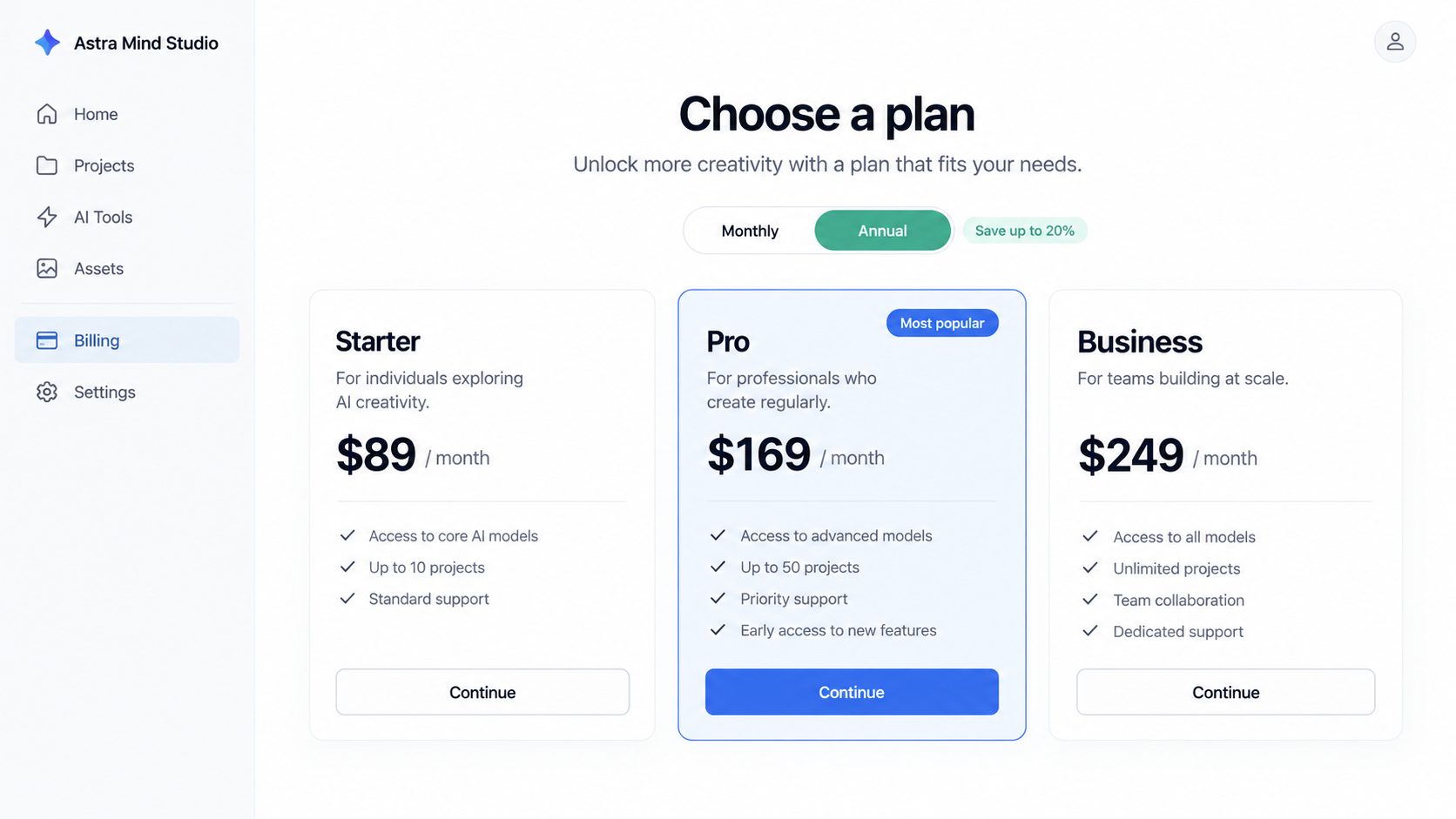
Researchers found that controls on several landing pages did not provide a usable preview. After login, the meaningful next stop was a pricing screen.
Monthly pricing may look modest beside a large annual plan. Compare the full charge, renewal interval, included credits, and expiration rules.
One plan in the network exceeded $2,000 annually. That is not a universal charge, but it shows why casual clicking can become an expensive mistake.
Before paying, ask what you can inspect without a card. Screenshots are marketing; a documented, independent product listing is stronger evidence.
Step 5: Uploaded work can create a second loss
AI tools often need the material they process. A voice-cloning tool asks for recordings; an editor asks for video; a study tool asks for documents.
When the operator is unclear, that upload may matter more than the subscription fee. Files can contain private conversations, client data, or unpublished work.
A genuine Google sign-in does not control how the outside service stores, reuses, or deletes uploaded material. Read its privacy policy and retention language.
Do not test a questionable service with tax forms, identity documents, medical notes, work secrets, or a recording you cannot afford to lose.
Step 6: Renewal and support become the test
Once payment is made, the practical questions are simple: does the tool work, can you reach support, and can you cancel without friction?
A generic email address is not proof of wrongdoing, but it offers little accountability if a charge, refund, or data request goes unanswered.
Keep the initial checkout page, receipt, plan name, and cancellation policy. They define the promise made at the time of purchase.
Check the next card statement rather than assuming an account deletion ends billing. Subscription cancellation and data deletion may be different workflows.
What the Investigation Does and Does Not Prove
Malwarebytes identified connected sites and documented imitator branding, shared website files, related Google developer contacts, prices, and thin operator details.
That evidence supports a warning about mistaken identity and subscription risk. It does not prove that every individual page stole passwords or installed malware.
In fact, the investigated sites used genuine Google authentication. Saying they displayed fake Google login screens would be inaccurate.
Nor does paying before a trial automatically make a software service a scam. Many legitimate applications are subscription-only.
The problem is the combination: an established name used without clear affiliation, a slick but untestable product, large fees, and little verifiable ownership.
One case may involve a clear impersonation. Another may be a weakly documented new business. Write down which facts apply to the specific URL you saw.
Company, Contact, and Product Checks
Make the legal operator visible
Find a legal entity in the terms, privacy policy, invoice, and payment receipt. A brand name alone is not enough to identify who owes you support.
Compare the entity with the Google consent-screen developer. A mismatch may have an innocent explanation, but it should not be ignored.
If a site uses a famous software name, follow the genuine vendor’s own links to confirm whether the domain is authorized.
Test the address, not just the map pin
Look for a real business address and an identifiable company registration. A generic contact form does not provide the same accountability.
A listed address might be a registered agent or mailbox rather than the team operating the service. Verify the role before describing it as headquarters.
Malwarebytes reported that many investigated sites lacked registered company names and business addresses. That is a finding about the reviewed pages, not every AI startup.
Ask support what your plan buys
Before paying, ask whether you can test core features, what credits include, when they expire, and how to request a refund.
Use a contact channel from the formal policy, not only a button inside an ad. Keep the reply, including the sender’s domain and date.
A response that repeats marketing claims without answering billing details is not a useful answer. You need clear terms you can compare with checkout.
Trace the actual software and your files
For a digital product, trace functionality instead of a physical supply chain. Is there documentation, an official listing, a working interface, and a named data controller?
Check where uploaded files are processed and how long they remain available. A vague promise of privacy cannot replace an understandable retention policy.
If the service claims affiliation with another vendor, look for confirmation from that vendor. A borrowed logo or product name is not sufficient.
How to Verify an AI Tool Before Paying
Start from the product’s official website rather than an ad. If you know a company by name, navigate from its verified documentation or app listing.
Look closely at the domain. Extra words, swapped letters, unusual country-code endings, and appended “official” labels can signal a lookalike.
Search the legal company separately. A new service can be small, but a costly annual plan deserves more than an anonymous landing page.
Try the core workflow without sensitive material. If every button funnels you to payment and no independent demonstration exists, understand the risk you are taking.
Read the payment screen aloud: amount today, billing interval, renewal date, credit limits, and cancellation route. Screenshot it before confirmation.
Review Google’s consent panel as its own decision. The site may ask only for profile data now and seek more permissions in a later version.
Do not upload a private file merely to see if a feature works. Use disposable sample content until the operator and policy check out.
Search for an independent review that tested the product, not an affiliate page repeating the seller’s claims. A trail of templated testimonials is weak evidence.
If you still choose to buy, consider the smallest reversible commitment. An annual plan before seeing the product creates an avoidable exposure.
Keep your receipt and calendar the renewal date. Good records make a dispute much easier if the service disappoints or differs from what was advertised.
What to Do if You Paid a Lookalike AI Site
- Identify the exact site and plan. Save the URL, account page, payment confirmation, advertised features, price, and renewal terms. Similar brand names can hide different operators.
- Stop renewal through the billing account. Follow the site’s cancellation instructions and keep a dated confirmation. Check whether payment came from a separate app store or processor.
- Request a refund with specifics. Describe the affiliation you believed existed or the missing function you encountered. Ask for a written explanation of the charge and policy.
- Review Google connections. In your Google Account, remove an outside app you no longer trust. This prevents further authorized access but does not erase data already shared.
- Protect uploaded information. List files or recordings you provided. Ask the operator to delete them, and notify an employer or affected person if confidential material was exposed.
- Dispute unauthorized or misleading charges promptly. Show your card issuer the original page, invoice, cancellation proof, and support correspondence. Ask about recurring-payment controls.
- Check the device only when warranted. The researched sites did not require malware downloads, but a separate suspicious file deserves a Malwarebytes scan. AdGuard can reduce exposure to malicious ads.
- Report impersonation. Tell the genuine product vendor and the platform where you found the link. Share the exact domain without sending private documents publicly.
Frequently Asked Questions
Are all AI subscription sites in this network fake products?
No universal conclusion follows from shared website code. Some pages impersonated existing brands; others were unfamiliar services with weakly verifiable ownership.
Does a real Google sign-in page make the site safe?
No. Google authenticates the account and shows requested permissions. It does not certify the outside service’s identity, claims, pricing, or data handling.
Did the investigated sites steal Google passwords?
Malwarebytes did not describe fake Google password forms on the pages it tested. The risk concerned misleading affiliation, expensive plans, and information shared with the operator.
Why do different AI brands have similar account pages?
A commercial starter kit supplied reusable login, billing, and storage features. Related developer contacts suggested a closer connection among many sites.
Is the $2,000 plan a standard charge on every site?
No. Pricing varied considerably. The amount shows the possible scale of an annual commitment, not a price every visitor would see.
Should I change my Google password after using sign-in?
If you signed in on Google’s real page, the outside site should not have received that password. Review connected-app permissions and change it if you entered it elsewhere.
The Bottom Line
A slick AI homepage can be assembled quickly. Verify the domain, the operator, and the product before a familiar name or genuine Google button earns your trust.
For lookalike AI tool sites, the money is only part of the exposure. Protect the files you upload and keep clear records of any recurring plan.

Join the discussion
0 commentsShare your experience or ask a question about this article.
Discussion
Start the conversation
Have a question or something useful to share? Add the first comment.