


An invoice with an old reply thread beneath it can feel like something a colleague already checked. You may only need to find the account it belongs to.
This email never really makes that clear. The first thing to verify is the transaction, not the way the document asks you to open it.
Overview
The sender sounds like a department, not a vendor
The fake electronics invoice arrives under a financial department name and describes an advance payment. It asks the recipient to review the material and take action if it looks right.
The visible label is NDS Financial Dept in the reported email. That is the identity the sender claims, not evidence that an organization with those initials sent it.
A short reply-thread fragment makes the message feel like a continuation. Start from your real records instead of treating a line beginning with Re as proof of earlier correspondence.
A supposed document viewer asks for a mailbox password
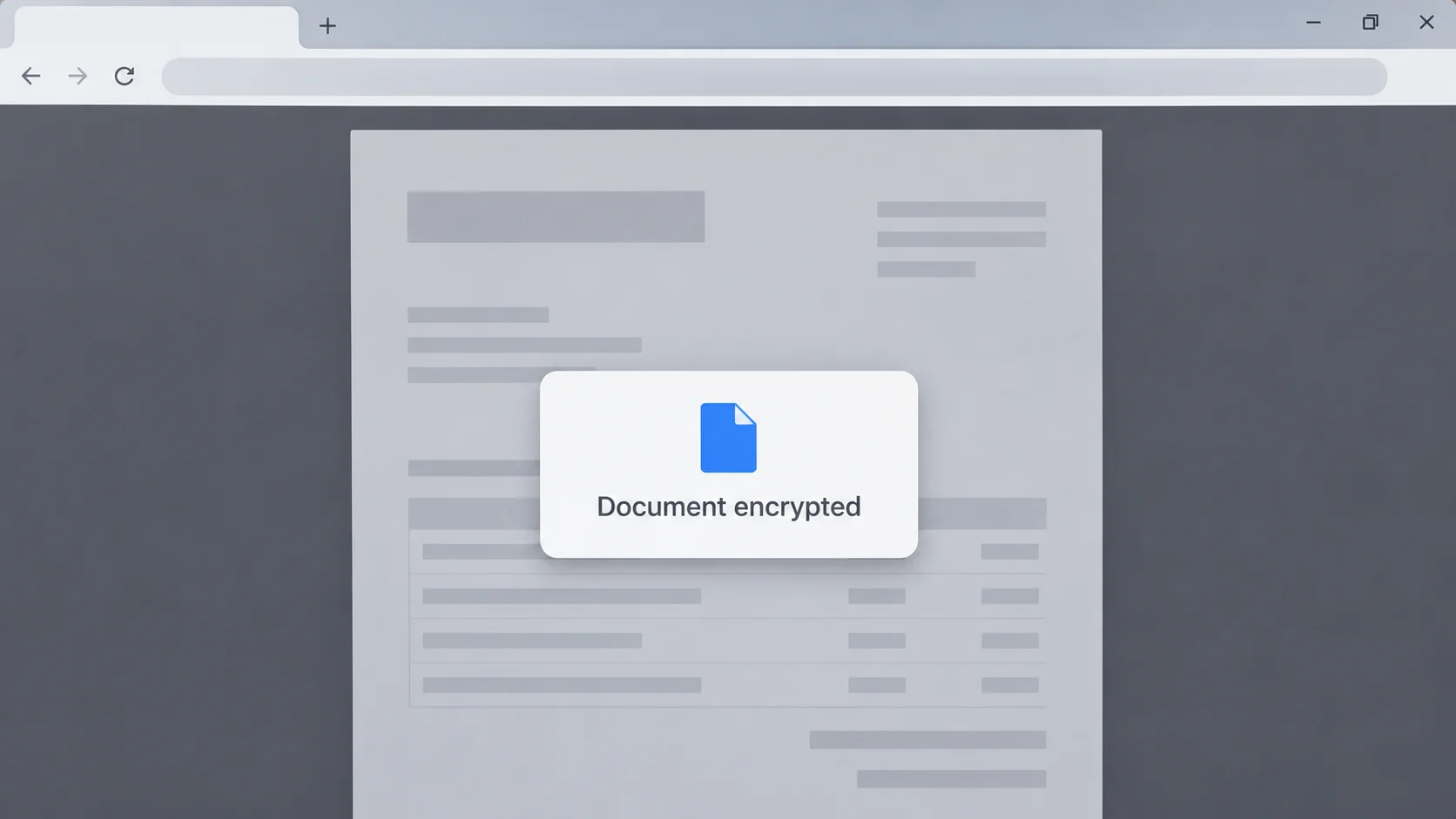
The reported destination displays a blurred invoice behind an encrypted-document prompt. The form presents the recipient’s email address and asks for a password to reveal the invoice.
The word encrypted doesn’t explain why a website would need your mailbox password. A genuine encrypted attachment and a counterfeit sign-in are different things.
The image above recreates the document theme without reproducing the form, invoice data, or address. It shows how a reader might mistake the overlay for part of the document.
The result that matters depends on what you did
This example was built to collect credentials. It did not establish a specific software installation or show that the claimed order or advance payment ever happened.
- An invoice shown behind a blur is not proof of a purchase.
- A prefilled address isn’t proof the sender can access your mailbox.
- Entering a password calls for account recovery, even if the page then displayed an error.
- A real payment or change of banking details needs its own investigation.
If you handle payments for other people, check whether others received similar messages. Don’t forward the active link just to see whether a coworker’s mail filter catches it.
How the Fake Electronics Invoice Scam Works
Step 1: A financial follow-up sounds like a routine task
The message says an invoice for an advance payment is available. That narrows the apparent task to reviewing something, not deciding whether you are doing business with the sender.
The invoice label repeats the payment theme and includes a file size in the reported example. A size printed beside a document label doesn’t verify what that item contains.
Look for a purchase order or actual supplier conversation in the tools you normally use. If there’s no matching material, don’t let the email supply the missing story.
Step 2: The reply markers hint that a decision was already made
The thread fragment makes it look as if somebody submitted a request earlier. An employee in a shared mailbox might presume that a different person handled the first exchange.
In a real thread, you can find the earlier messages and confirm who participated using records the sender didn’t supply. The displayed reply line doesn’t establish that history.
Open your mail client separately and search the known vendor’s name or real order number. If nothing comes up, ask the person responsible for the purchase.
Step 3: The viewer shows enough invoice to keep you going
The reported site leaves an invoice-like sheet in view but obscures its contents. The prompt explains the obstruction in terms that sound like document security.
What matters is the change in action requested. You started by looking for a document and are now being asked to give an unrelated page a mailbox secret.
The reported destination was hosted outside the expected supplier or mailbox provider. A publishing service’s name can explain where a page lives without making the page an authentic login.
Step 4: The inbox becomes the next target
If working credentials are disclosed, someone may be able to read later messages or attempt to access linked services. For a finance address, that can include genuine invoice discussions.
A second payment request can look more believable if it reflects an actual order. That is a potential follow-up, not evidence that every recipient’s mailbox was used that way.
Tell your administrator if anyone received unusual replies after your submission. A legitimate invoice conversation and an impersonator’s reply can appear to involve the same people.
How to Verify an Electronics Invoice Independently
Find the purchase that should have created it
Open your own purchasing system, vendor account, or accounting records. Find the order using details you already knew, rather than using the figure or reference in the suspicious message.
Compare the item, supplier, date, and approved payment schedule. A supposed advance payment should make sense against the purchase order and the person authorized to approve it.
If you are in a small business without a purchasing system, use whatever independent record you do have. A previous quote, signed agreement, or known contact can narrow the check.
Confirm changes through a different channel
Call the supplier using details you already verified, or return to an established account portal. Ask whether they issued the invoice and whether the agreed payment instructions still apply.
Never get the callback number from the same email that needs verification. If you don’t have a number, locate the supplier independently and ask how to reach its billing team.
If the bank account in a real invoice changes, follow your organization’s separate approval process. The person asking for the change shouldn’t also be the only person confirming it.
Ask for a usable invoice rather than its password prompt
Ask the confirmed supplier to send the invoice through its approved system or another trusted method. Do not provide an email password to make a file available.
If there’s supposed to be document protection, ask what the expected process is through the known contact. They can explain an agreed access method without needing your account credentials.
Keep the verified invoice separate from the original email. Renaming a suspicious item or forwarding it to another person doesn’t make it safer to investigate.
What to Do After the Fake Electronics Invoice
-
If you only got the email, report it before deleting it. Use your mail client’s phishing control or send it through the approved process for work.
Keep the subject and approximate delivery time. Don’t call a number printed in the notice to find out who requested the advance payment.
-
If you saw the viewer, close it without submitting anything else. Record whether you used a link or opened an item and what the browser showed.
If a download was blocked or saved, retain the alert details for IT. Don’t reopen a suspicious file to decide whether it was a webpage or a document.
-
If you entered credentials, secure the account through its normal service. Change the password from a trusted device and replace it elsewhere if you reused it.
For a business mailbox, call the administrator promptly. Ask them to revoke relevant sessions and review account activity, rather than treating a password reset as the entire response.
-
Check for mailbox changes and suspicious replies. Examine forwarding, rules, delegates, and sent mail as appropriate to the provider. Save findings privately before changing evidence.
If your company uses Microsoft 365, give its response team the address and time so it can follow the compromised mailbox procedure.
-
Confirm any payment request that followed the message. Tell the accounts payable team not to use new banking details from the questionable thread.
If a payment already moved, contact the bank or payment provider through its established route. Have the amount, time, and actual transaction reference available.
-
Warn affected colleagues using a separate message. Explain that the subject was used in a credential request and give them enough information to recognize it.
If a device ran a separate installer or showed an endpoint alert, report that specifically. It is a different problem from entering a password on the reported page.
What to Review in a Shared Finance Mailbox
Verify who can see and send messages
Start with the team members who should have access. An administrator can compare current delegates and application access to the organization’s actual approval records.
Don’t assume that an unfamiliar display name belongs to an intruder. There may be a service account or former staff member whose access needs checking separately.
If access was unauthorized, record what was changed and when it was removed. Billing contacts need a clear timeline if they saw messages during the same period.
Put a hold on the disputed workflow, not every invoice
Flag the suspicious transaction for review and ask the usual approver to check it. If the team can verify other invoices normally, those don’t need to follow the suspect thread.
When you reach the supplier, confirm the purchase order and the prior bank instruction. Limit the discussion to identifying the payment, not exchanging private login details.
Keep the fraud report and vendor verification in separate records. The vendor can tell you whether it issued anything, while the administrator can assess the mailbox.
Recheck the mailbox after the first recovery action
Look at the account’s recent sign-ins from a trusted device and follow the provider’s options for unfamiliar sessions. Verify that unauthorized forwarding hasn’t returned.
Review old threads about payments that were due during the likely exposure window. If a vendor received an instruction you can’t confirm, pause its effect and contact it independently.
How to Preserve the Records a Finance Team Can Use
Keep the purchase record separate from the suspect message
Treat the fake email as evidence, not a record of what you owe. Save it through the mail reporting workflow rather than attaching it to a payment ticket.
If the same department processes other invoices under a similar subject, flag the specific sender and received time. A broad subject-only rule can affect genuine correspondence.
Keep the purchase approval, expected bank details, and delivered message in their appropriate systems. Later, the team should be able to explain the differences without opening any suspicious file.
Ask whether the mailbox served more than one role
Some finance addresses are used for vendor onboarding as well as invoices. Tell the administrator which functions were available to someone who could sign in.
If the mailbox also handled reset emails for other services, review those accounts separately. Don’t assume securing this address automatically signs the user out everywhere else.
Record any real notice that disappeared or reached an unfamiliar address. An administrator can compare the reported time with message or sign-in logs without guessing from the invoice.
Route vendor notices through an already trusted person
If a supplier may have received false instructions, call its usual number first. Give the supplier a verified alternative to the potentially affected mailbox.
When nobody made a transfer, don’t tell the bank an unverified payment succeeded. Provide the facts if you have a real authorization, pending item, or posted transaction to discuss.
Once the team verifies an invoice, issue a new approval in the regular system. Don’t reuse the original link just because the legitimate payment has been confirmed.
If your company has a dual approval rule, apply it to any later changes as well. A genuine purchase doesn’t authorize bank details supplied in a new message.
Ask the billing contact if an invoice already had a trusted delivery route. A second copy can be checked against that route without answering the unsolicited email.
Frequently Asked Questions
Does a message from NDS Financial Dept prove it’s a known vendor?
The visible sender label is a claim in the email. Verify the order against your purchase records before attributing the message to any real company.
Why does it say the invoice is encrypted?
That wording makes the password prompt sound like part of a document viewer. It doesn’t authorize an unrelated page to accept your mailbox password.
Does the Re line prove this came from an earlier conversation?
The text can be added to a new message. Find the earlier exchange in your own records or ask its participants through an established channel.
Is the invoice website safe if my address is already entered?
The sender could already know your address from sending you the email. A prefilled field is not proof that the page belongs to your mail service.
Should I replace my card if I only disclosed my mailbox password?
Focus immediately on the exposed mailbox and linked accounts. Contact the financial provider if card data was also exposed, money moved, or you see unauthorized activity.
Does reading the email require a malware scan?
Reading the message alone doesn’t establish infection. If the browser saved a file you then ran, or a security product reported a detection, report that separate exposure.
The Bottom Line
Don’t enter an email password to unlock the invoice. Verify the purchase with your own records and get a fresh document through a supplier you know.
If you gave the fake viewer a working password, secure the account and warn whoever handles payments. The inbox may be more valuable than the invoice it pretended to contain.

Join the discussion
0 commentsShare your experience or ask a question about this article.
Community experiences
Did this happen to you?
Your experience could help someone recognize the same scam. Submit a private report for our team to review.
I experienced this tooReports are reviewed before publication. Sharing publicly is always your choice.
Discussion
Start the conversation
Have a question or something useful to share? Add the first comment.