


A token claim page looks like a media site you’ve read before. You choose your wallet, and a small panel tells you there’s an update waiting.
At first, that seems like the sort of interruption you can deal with and forget. It’s worth stopping to see which part of the screen made the request.
Overview
The page borrows a publication’s name to offer $NOW
The fake NFT Now airdrop offers a token called $NOW under the banner of nft now, a publication that covers digital art and Web3.
The page looks like the publication at first glance. It copies familiar navigation labels and a banner referring readers to Now Media, while inserting a token claim into the body.
The real nft now website does point readers toward Now Media. The fact that a detail is true doesn’t mean the website displaying it is controlled by the publisher.
The sample was on a separate address, gateway-art[.]pro. That name may sound like an event site to someone who knows the publication’s work, but it’s not the publisher’s domain.
The supposed update ends with a request to import your wallet
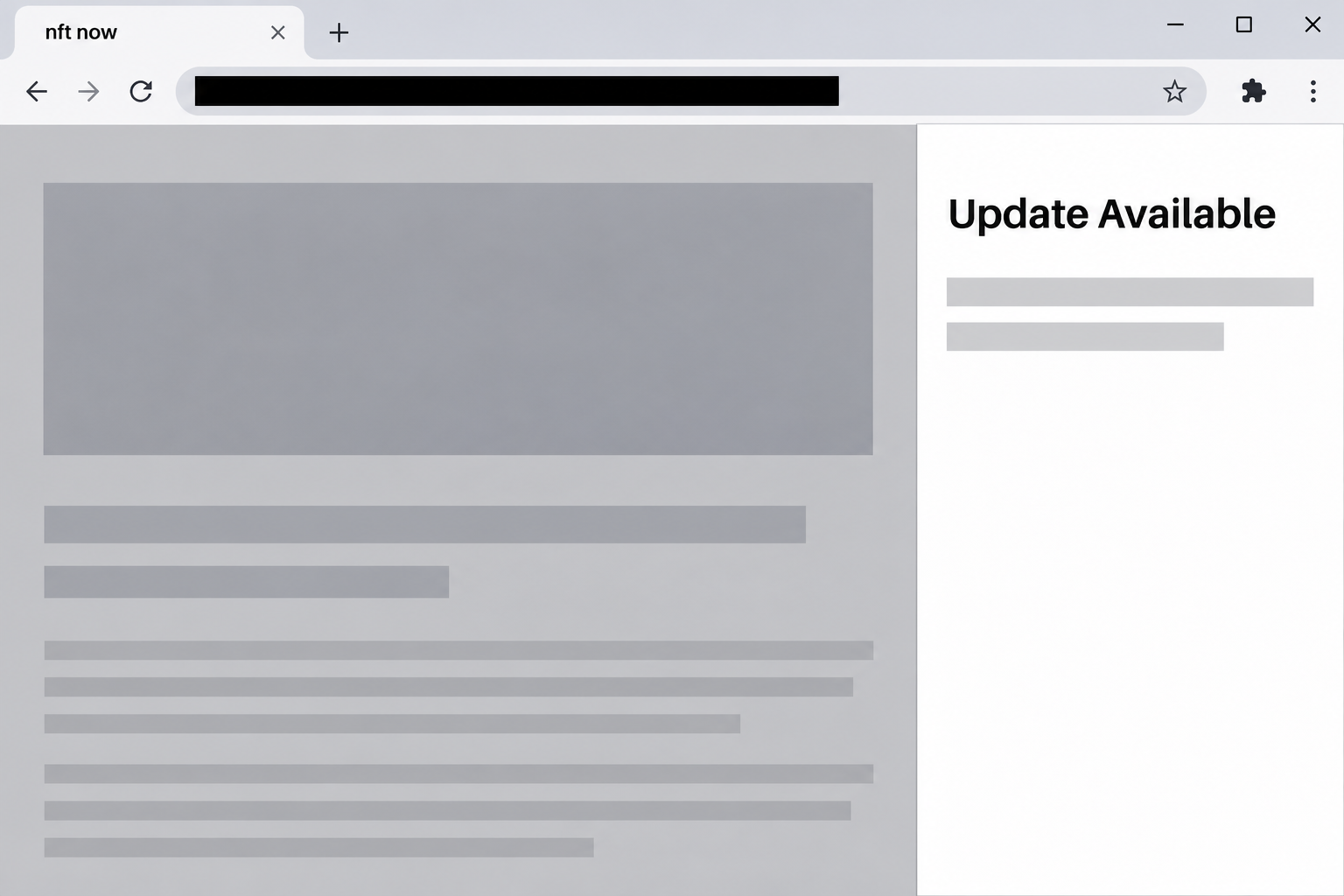
After the visitor selects a wallet, an update panel appears. The image recreates part of that panel without including any usable form.
In the captured example, a browser-side panel announced a wallet update. The page then presented an import screen asking for either a recovery phrase or a private key.
That request is where the imitation gives itself away. Updating and restoring a wallet are separate operations. Neither belongs in an unsolicited token claim.
The example shows a simulated update in the page, not a verified download or install. If you did install something from a different version, handle that as separate device exposure.
The security decision depends on what you actually entered
A site can imitate the shape of a wallet panel without being part of the real wallet. Before trusting its contents, confirm you opened the wallet yourself.
Coinbase’s wallet security guidance warns that phishing sites can seek secret information to take control of a wallet. Recovery words should not go into the claim page.
Keep these distinctions in mind when deciding what needs attention:
- Seeing an update notice does not mean that an update was installed.
- An app connection is not the same as typing a recovery phrase into a website.
- A private key can control the corresponding account from another wallet.
- A recovery phrase may recreate multiple accounts derived from the same secret.
- An actual program or extension installation is a separate risk that needs device checks.
Why the Media Branding Makes the Story Plausible
A reader who follows digital art may have seen nft now cover actual releases or publish information about its own community. A rewards page can fit that mental picture.
For example, the publisher’s Now Network guide describes the Now Pass and past community collectibles. That is not the same claim as the $NOW offer in this case.
The lookalike’s use of familiar navigation also makes the token promotion seem like a small addition to a bigger site. The recognizable parts do not verify the new claim.
A real publisher can change its name, move to a different site, or announce a promotion. The move should be independently documented by the publisher, not proved by its repetition.
Checking that distinction is more useful than comparing fonts. If a promotion cannot be found from the publication or a separately verified announcement, leave the unfamiliar wallet request alone.
How the Fake NFT Now Airdrop Scam Works
Step 1: A familiar reading site turns into an apparent claim page
The page presents a short pitch about the future of Web3 media and offers $NOW to visitors. It uses the promise of a limited supply to encourage quick action.
The airdrop sits inside something that looks like a real publication. Someone who knows the brand may concentrate on whether they qualify rather than where they are.
The name of the host is a better starting point than the headline. Open the brand’s real website in another tab without using a shortcut offered by the clone.
Step 2: A wallet selector makes the flow look normal
The visitor encounters a list of wallet names instead of an immediate request for a secret. This makes the transition feel similar to an ordinary Web3 site.
The available names show what the page claims to support. They do not show that those wallet publishers issued or reviewed the next prompt.
If a genuine wallet opens, it should tell you which origin is requesting access. Don’t infer that origin from a mock screen rendered inside the webpage itself.
Step 3: The page presents a security update as a prerequisite
In the documented sequence, a panel claimed an update was available and showed a version number. It framed the update as a routine security and compatibility improvement.
The number and progress display are not installation records. A webpage can draw those elements, and you don’t need to finish the process merely because it looks like software maintenance.
If you think your wallet is actually out of date, go directly to the installed app, extension listing, or wallet maker’s support instructions. Keep that check separate from the claim.
Step 4: The fake update turns into a wallet import
The next screen doesn’t confirm that a payment arrived or that software was installed. It asks the visitor to import an existing wallet with private material.
A genuine self-custody wallet may provide a restore option when you intentionally recover access. It does not follow that every browser panel using the word “import” belongs to that wallet.
This is where you should stop. You don’t have to enter a real phrase, a single word, or a private key to test whether the screen is legitimate.
Step 5: Exposed wallet secrets can outlast the original page
If someone copies a usable secret, removing the original site from a list of connected apps won’t invalidate the copy. The old wallet can remain at risk afterward.
An apparent error is not reassurance. It only tells you what the page chose to display, not whether it retained the text you entered.
Even if you haven’t seen unexpected transfers yet, seek guidance for compromised recovery material. Check the actual accounts rather than waiting for the page to show a result.
How to Tell an Actual Extension From a Webpage Panel
Begin by closing the tab that requested the update. Launch the wallet the way you normally do from your browser or device, instead of clicking another element the page supplies.
An authentic extension has an installed listing in the browser’s own extension manager. Open that manager independently to see what’s installed, who publishes it, and whether anything changed.
A well-designed imitation can look like a browser side panel. Position, color, and a progress animation do not prove that a panel belongs to the extension.
Your browser or device may keep a history of downloads and installations. Those records matter if you clicked a fake update and aren’t sure whether anything was actually added.
If you don’t see an installation, describe the event accurately. For example, a simulated update and a recovery phrase disclosure require different decisions from a malicious browser extension.
A work device may have centrally managed browser policies. If you’re unsure what changed, ask the team that manages the device before you uninstall items or sign into new accounts.
What to Do if You Have Fallen Victim to This Scam
-
If you saw the update panel and stopped, close the claim page. You can verify whether your real wallet needs maintenance through its own provider.
Don’t return to the site to check the version number again. The displayed number is evidence of the pitch, not proof that your wallet changed.
-
If you connected a wallet, check the connection from the wallet side. Remove the unfamiliar site and examine activity for the address you used.
If you approved another prompt, look for the type of approval or transaction. Report any unexpected action through your provider’s actual support route.
-
If you entered a phrase or private key, prioritize remaining assets. Coinbase’s secure wallet guidance explains why key exposure requires a different response from a password change.
Use official instructions for creating a fresh wallet and securing what remains. Re-importing the same recovery phrase will not make the accounts it controls safe.
-
If you really downloaded or installed something, investigate the device separately. Stop using the affected browser for sensitive tasks until you can identify what was added.
Tell the person helping you whether it was a file, an extension, or an unfamiliar app. On a managed device, use the organization’s approved incident and cleanup process.
-
Preserve only the information useful for a report. Save the site address, approximate time, and your public transaction details, if any exist.
Never include the old or new recovery phrase in a message to a provider. A clear description of what you entered is enough to start.
-
Contact the operators that can help without trusting a recovery offer. A verified wallet provider can explain the next step, and the publisher can receive an impersonation report.
In the US, the FBI’s cryptocurrency reporting guide says what evidence can help. Elsewhere, use the corresponding local fraud reporting service.
What to Check if You Entered Only Part of a Secret
If you began typing and stopped, tell verified support exactly what kind of information you entered. Don’t use the fraudulent page’s error message to assess exposure.
A webpage may react to input before a visitor formally submits a form. That possibility doesn’t prove what a specific page recorded, but it makes a blank confirmation unreliable.
If the material belonged to an address you use for multiple activities, record which ones are involved before trying to resume them. An old address might still receive new deposits.
Use care when notifying people who regularly send assets to that address. Share a replacement address only through a trusted channel, after verifying that it belongs to the new wallet.
A follow-up pretending to be wallet support can arrive when you’re already worried. Nobody needs the exposed phrase back from you to establish what went wrong.
Which Wallet Is Actually Affected?
A recovery phrase can restore multiple accounts derived from it. A private key generally controls the particular account associated with that key. Start by identifying what information you disclosed.
An account you imported separately may use a different key from the accounts created by the wallet. Check a trusted device or backup for records of its setup.
Multiple apps may show the same address because they’re displaying the same wallet. Two app names don’t mean two separate sets of funds.
That distinction matters when you open a fresh wallet. Importing the old phrase into a different app doesn’t replace that secret.
Check for assets you don’t see on the main screen. You might also hold a collectible on another network or have funds committed to a service you used months ago.
If an asset is locked or tied to a service, use that service’s known support channel. Don’t enter the compromised phrase into another page promising to make the asset transferable.
After moving funds to a newly secured address, update saved receive addresses you use. Otherwise you might accidentally send new funds to the old wallet.
Keep an incident note that names the affected accounts without recording the recovery words in the note. If you share details with support, use public addresses and transaction identifiers.
Frequently Asked Questions
Is nft now a fraudulent publication?
No, nft now is a real Web3 media brand. This warning concerns a separate page using its name to promote a supposed token claim and request sensitive wallet information.
Is the Now Pass the same thing as the $NOW claim?
The publisher documents the Now Pass as a separate collectible project. A reference to the pass or other community activities does not authenticate this page.
Does the image show a genuine wallet update?
It recreates part of the update notice that appeared during the fake claim. It is not a picture of verified software maintenance by a wallet provider.
Why would a wallet update ask for recovery words?
This page uses an update as a reason to present an import form. The site has no legitimate need for the secret that can recreate your wallet.
Can I fix a leaked recovery phrase by uninstalling my wallet?
Uninstalling software does not invalidate a copied secret. Use a trustworthy device and follow the real provider’s instructions for securing remaining assets in a fresh wallet.
What if I only clicked the update prompt?
Check whether an actual file or extension was added. If the page only ran its fake update sequence and you provided nothing, the observed action is different from key exposure.
The Bottom Line
Do not use the fake NFT Now claim or its wallet update. There is no legitimate reason to enter a recovery phrase or private key into that offer.
If you shared a secret, secure remaining assets using the real wallet provider’s guidance. If you installed something too, keep the device issue separate and have it checked.

Join the discussion
0 commentsShare your experience or ask a question about this article.
Community experiences
Did this happen to you?
Your experience could help someone recognize the same scam. Submit a private report for our team to review.
I experienced this tooReports are reviewed before publication. Sharing publicly is always your choice.
Discussion
Start the conversation
Have a question or something useful to share? Add the first comment.