


HunnyMe.com promises free money online, starting with a $100 bonus for opening an account and more every time a friend joins.
Its sister sites HunnyLink and HunnyVine have expired, but hunnyme.com still asks for sign-ups in November 2026. Here is what it shows and why the $100 never pays.
Overview
A free $100 for a 30-second sign-up
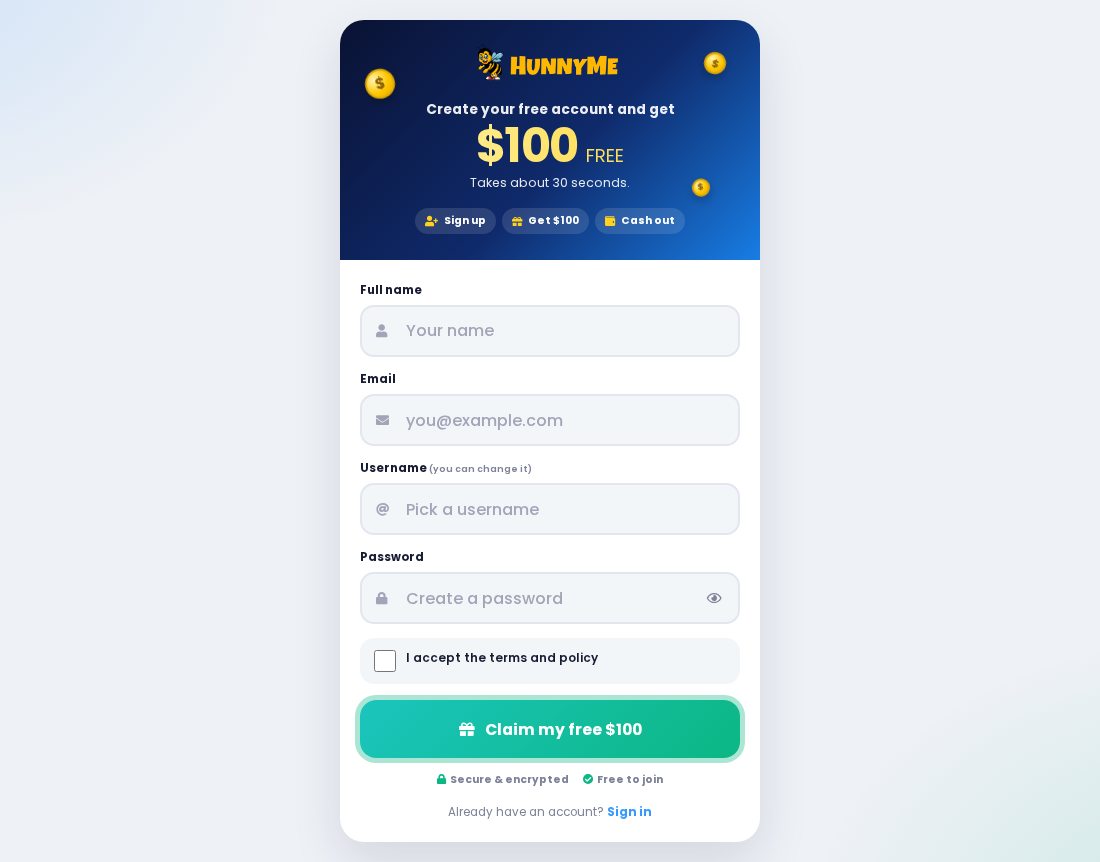
The HunnyMe sign-up page reads “Create your free account and get $100 FREE.” It asks for a full name, an email address, a username and a password.
HunnyLink and HunnyVine ran the same site
Archived 2026 copies of hunnylink.com and hunnyvine.com match HunnyMe’s spring 2026 homepage line for line once the brand name is swapped, down to the testimonials and member counts.
Still online after its siblings expired
HunnyVine and HunnyLink now show Namecheap’s expired-domain page. HunnyMe, registered first in July 2025, is the one still asking people to join.
- Don’t sign up for HunnyMe or share a HunnyMe referral link.
- Never pay a fee, in crypto or any other form, to release a HunnyMe balance.
- Change any password you reused when you registered.
- Tell friends who joined through your link that the payout isn’t real.
Is HunnyMe.com Legit?
No. HunnyMe names no person responsible for its payouts and gives no business registration details, so there is no way to verify who receives your data.
The site says earnings can be withdrawn through PayPal, Cash App, Venmo and Zelle.
Their logos appear on the homepage, but none of those companies is named as a partner anywhere.
The footer claims a copyright from 2016 to 2026. Domain records show hunnyme.com was registered through NameCheap on July 26, 2025.
One homepage section still holds Lorem ipsum placeholder text under the heading THE EASIEST WAY, a sign the template was never finished.
The About page says advertisers pay HunnyMe to reach influencers like you, then calls you the advertiser who receives dividends. No advertiser is ever named.
A business that promises $100 for a free sign-up, with no product and no named sponsor, shows no source of money to cover those payouts.
The balance is a number on a screen.
Even the Contact Us item in the menu doesn’t open a contact page. It links straight to the registration form on dash.hunnyme.com.
What HunnyMe.com Shows in November 2026
The homepage title changed during 2026. Archived copies from March and May 2026 call it HunnyMe.com, Earning Network. The live page calls it HunnyMe.com, Make Money Online.
The older description put the free $100 up front. The homepage now never mentions it; the $100 appears only on the sign-up and login pages.
Three numbered cards lay out the plan, from Easy Sign Up to cashing out. The middle card, Earn From Home, mentions completing offers on your own schedule.
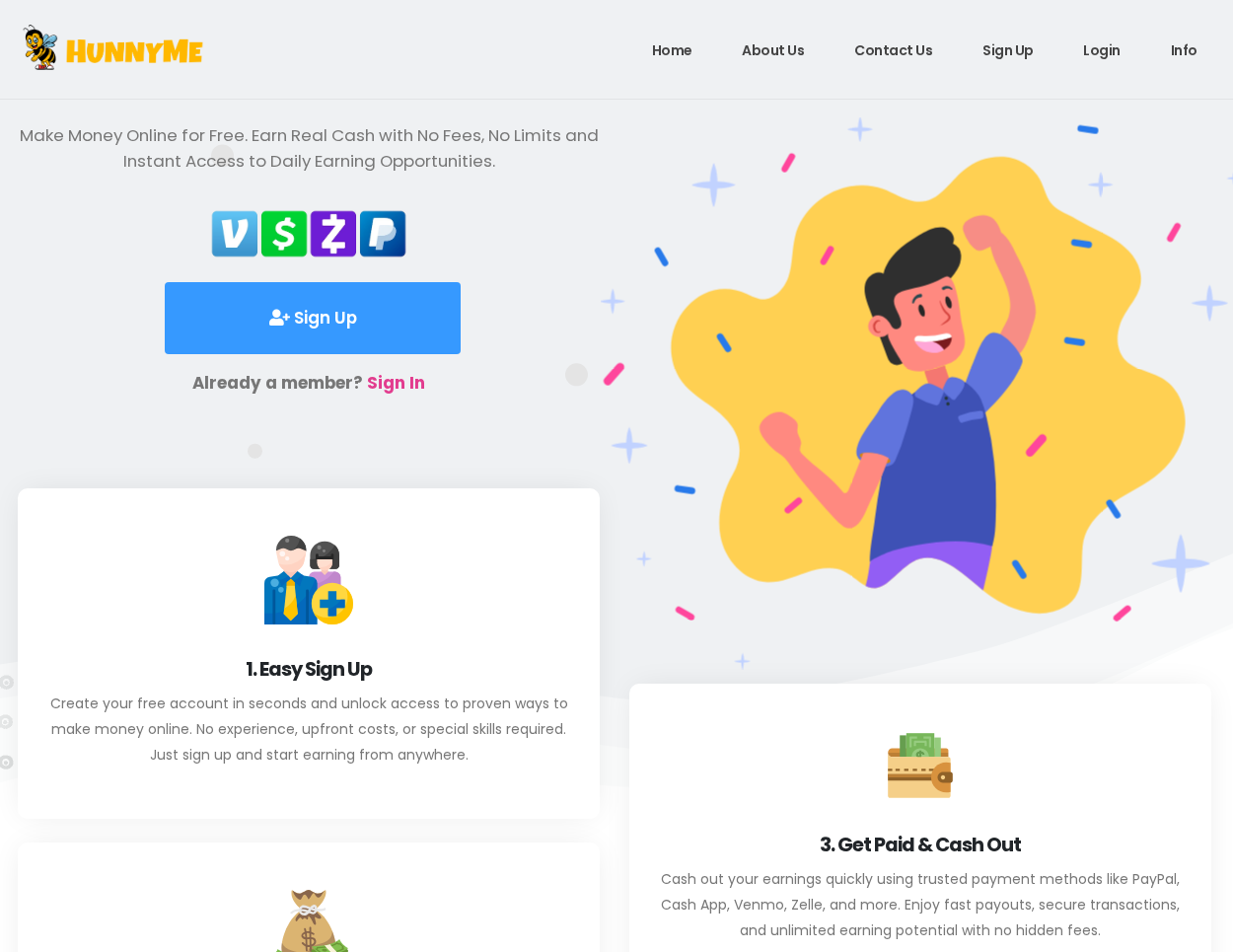
Every Sign Up button leads to a registration form on dash.hunnyme.com. The form promises the $100 takes about 30 seconds and shows a Claim my free $100 button.
The login page repeats the offer with FREE $100 under a Sign in to see your earnings heading.
The registration form adds badges saying Secure and encrypted and Free to join.
The homepage also loads a Facebook tracking pixel and a Google Analytics tag. Those tools measure how many visitors arrive from shared links and ads.
Trustpilot lists hunnyme.com with a single review. That is far too few to support the site’s claim of hundreds of thousands of paid members.
That lone one-star review, posted the day after the domain was registered, asks whether the $100 referral link is real or just a scam.
The HunnyMe Numbers That Never Change
A We’re Global section on the homepage claims 300,543 members, $9,764,893 paid and 500,949 payments made.
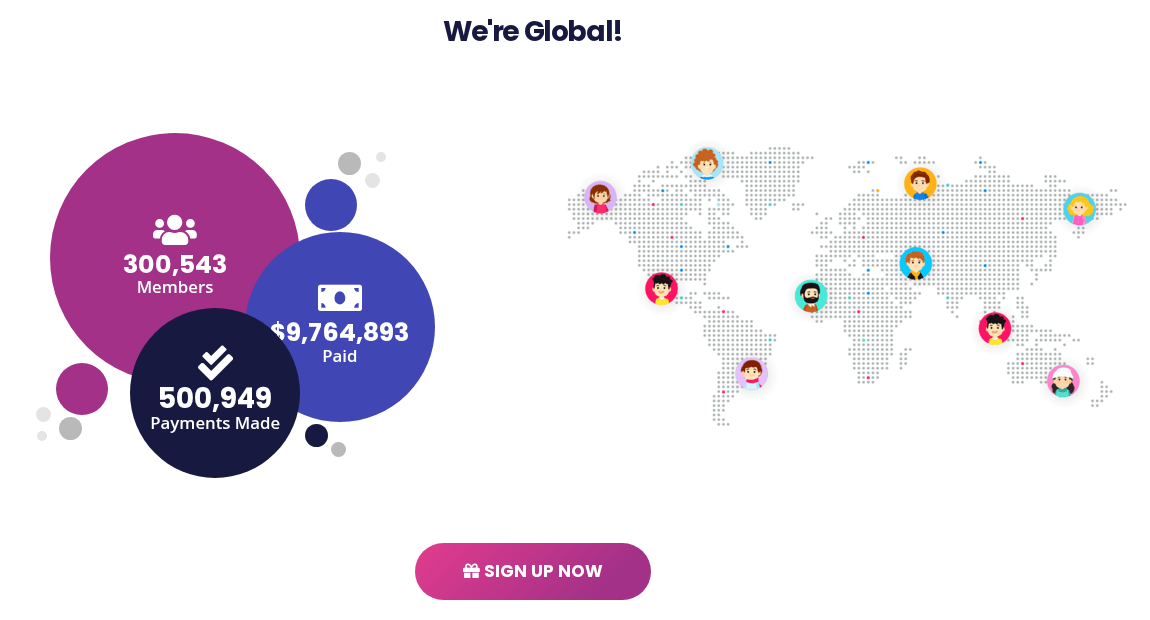
An archived HunnyVine homepage from October 16, 2025 shows exactly the same three figures. So do archived copies of HunnyLink.
A real payout counter would grow as members cashed out. These numbers stayed frozen for more than a year and moved between three brands untouched.
The About page counts up to the same 300,543 members, but to $9,748,953 paid and 500,948 payments.
Even the two pages of one site can’t agree on the payout figure.
The five testimonials tell the same story. Each one is stamped 9h ago, and four of the five include a hashtag of the current brand name.
On HunnyVine, the same people praised HunnyVine.com in the same words.
One testimonial still mentions quarantine and stimulus checks, which points to text written around 2020, years before these domains existed.
The Math Behind the Free $100
HunnyMe’s own figures don’t add up. At $100 per sign-up, 300,543 members would be owed $30,054,300 in welcome bonuses alone.
That is more than three times the $9,764,893 the homepage says it has paid out in total, before counting a single referral reward.
Even if all of the reported payouts went to welcome bonuses, they would cover fewer than 97,650 of them. About two-thirds of members would still be waiting.
The site sells nothing and names no advertiser, so there is no income that could cover bonuses on that scale.
What a referral site like this can earn from is traffic, the offers it pushes and any fee a member is talked into paying.
What HunnyMe’s Privacy Policy Reveals
The privacy policy calls the operator HunnyMe.com, Corp in most places and HunnyMe.com, LLC in others. It gives no registration number or state of incorporation for either.
It sends visitors outside the US and Canada to an international policy at www.HunnyMe.com.com, a doubled address that looks like a find-and-replace leftover.
The policy says cookies are used to identify and track visitors, and that the site may publish or share statistics about visitor behavior.
It says the site is run from the United States. Its only address is a P.O. box in Manhattan Beach, California, for privacy requests, and no phone number appears.
It also requires binding individual arbitration of disputes. For a member owed money by a company that can’t be verified, that clause adds one more obstacle.
How HunnyMe Connects to HunnyLink and HunnyVine
HunnyMe was registered on July 26, 2025. HunnyVine followed on September 26, 2025, and HunnyLink on October 3, 2025, all through the same registrar, NameCheap.
The three moved in step. Earlier archived copies of HunnyVine and HunnyLink were titled Referral Network; by spring 2026, all three used the same Earning Network title and $100 line.
Each site sends sign-ups to the same kind of address: dash plus the brand name, then register.php or login.php.
All three loaded the same Google Analytics ID, which normally means one account counted their visitors. Their 2026 copies also shared one Facebook pixel.
Our HunnyLink report and HunnyVine report trace that network in detail, including the other Hunny names still using the same tags.
Before the Hunny names, the same pitch ran on Bumble-numbered domains. An archived Bumble9.com homepage uses the same pixel and analytics IDs. Our Bumble9 report covers that earlier brand.
Shared tracking codes show common management of the sites’ marketing. They don’t identify the people behind them.
How the HunnyMe Scheme Works
Step 1: A friend’s link promises free money
The About page pitches earning through Facebook, Instagram, Snapchat, TikTok and X. New members typically arrive through a link a friend posted to raise their own balance.
Step 2: The account opens with a balance already in it
The sign-up form promises $100 on joining. Our 2025 report described an earlier version whose dashboard opened at $300, with $2 per click and $50 per referral.
Step 3: Sharing becomes the job
Our 2025 report said a Copy Your Referral Link widget sat right below the balance. Today’s sign-up page code still includes a copy-link script that urges members to share.
Every post you make brings in new sign-ups, which is what the site needs from you.
Step 4: Withdrawal rules move
Our 2025 report said a cash-out first required three referrals, then the target rose to five or ten.
Members of sister sites such as HunnyTank say their referrals were declared fake on payday.
Step 5: A fee appears, then the brand changes
Our 2025 report said support then asked for a verification fee paid in cryptocurrency. After paying it, people still received nothing, and the site later moved to a new name.
What HunnyMe’s Fraud Policy Is For
HunnyMe’s Terms and Fraud Policy warns that accounts producing fake stats will be terminated and permanently banned.
It treats everyday behavior as fraud, such as opening your own link on a second device or through a VPN, or signing up under it from another device.
The same policy bans buying traffic and using automation software. Few members would do either, but the wording makes every referral open to question.
Rules that broad give the site a ready reason to cancel any balance. The site alone decides what counts as fake, and the policy describes no way to appeal.
Its opening line says the rules exist to stop users from cashing out on fake stats. Every cash-out becomes a review the member can’t win.
What to Do if You Signed Up for HunnyMe
- Stop posting your HunnyMe link, and delete the posts you already shared.
- Message the friends who joined through you, so they don’t pay any fee either.
- Take screenshots of your dashboard balance and any support messages before the site changes its name again.
- Change the HunnyMe password anywhere else you use it, starting with your email account.
- Don’t send a verification, tax or unlock fee. No legitimate payout service charges one first.
- If you already paid in crypto, keep the wallet address and transaction ID. Crypto transfers are rarely reversed, but the records help any report.
- If you paid by card, ask the card issuer about a dispute. PayPal disputes must be opened within 180 days of the payment.
- Report the site to the FTC at ReportFraud.ftc.gov and to the FBI’s IC3 if you sent money.
- If a HunnyMe offer had you install an app or extension, or allow notifications, use the cleanup steps below.
Be wary of anyone who contacts you afterward promising to recover HunnyMe losses for a fee. Those offers come from the same kind of scammer.
Expect more spam to the email address you registered with. Mark it as spam, and don’t open links that promise your HunnyMe balance is ready.
What to Tell Friends Who Joined Through Your Link
People who signed up through your link may still believe their balance is growing. A short, direct message helps them stop before they pay anything.
- Say plainly that HunnyMe doesn’t pay out, and that its sister sites have already disappeared.
- Ask them not to pay any fee that support requests, whatever it is called.
- Suggest they change any password they reused on the sign-up form.
- Ask them to delete their own posts so the link stops spreading.
Cleaning Up After HunnyMe Offers and Tasks
Signing up for HunnyMe installs nothing. Step 1 is for everyone who registered; the rest only matters if an offer had you add an app, extension or notification permission.
- Change your HunnyMe password on every account that shares it, starting with email. Turn on two-step verification there and review recent sign-ins.
- Delete any app you installed for a task. On Android, use Settings, Apps; on an iPhone, hold the icon, pick Remove App, then Delete App.
- On a Windows 11 PC, open Settings, Apps, Installed apps, and uninstall programs that arrived with an offer.
- In Chrome, go to Extensions, Manage Extensions, and remove anything you don’t remember choosing.
- Stop leftover pop-ups by blocking the site under Chrome Settings, Privacy and security, Site settings, Notifications.
- If you want a free second look on Windows, Malwarebytes Free can scan the PC. No scan can guarantee a device is fully clean.
- Android owners can run the free scan in Malwarebytes for Android. On an iPhone, removing the apps is the fix.
A referral site doesn’t justify buying protection software or resetting a phone. Changing reused passwords and removing what the tasks added are the steps that matter.
Signs You Have Found the Next HunnyMe
- A short brand name plus a number or a cute word, such as Hunny, Bumble or Bread.
- A free $100 or more just for opening an account.
- Sign-up and login pages on a dash subdomain with register.php and login.php.
- Payment app logos with no partner named anywhere.
- Member and payout counters that never change from one visit to the next.
- Testimonials stamped hours ago that repeat word for word on other sites.
Frequently Asked Questions
Is HunnyMe legit?
No. It promises $100 for signing up and more for referrals, names no advertiser or verifiable company, and shows the same frozen member counts as its sister sites.
Is HunnyMe the same as HunnyLink?
Yes, as far as its pages show. HunnyLink used the same template, testimonials, counters and tracking IDs. Its domain has since expired, while HunnyMe is still online.
What do HunnyVine reviews say?
Trustpilot has no page for hunnyvine.com, and its on-site testimonials are the same five posts HunnyMe uses. Our HunnyVine report covers what members of its sister sites say.
Will HunnyMe pay the free $100?
There is no sign it pays anyone.
The $100 is a starting balance meant to keep you sharing your link, and the fraud policy gives the site reasons to cancel it.
Why does HunnyMe ask for a fee before a payout?
A fee is the scheme’s second way to earn from you. Our 2025 report said people who paid a crypto verification fee still received no withdrawal.
Is hunnyme.com still online?
Yes. As of November 2026, its homepage, sign-up and login pages are live, with the homepage now titled HunnyMe.com, Make Money Online.
The Bottom Line
HunnyMe is a referral scheme dressed up as an earning network. Its free $100, member counts and testimonials match what HunnyLink and HunnyVine showed before they expired.
Don’t join, don’t share the link and never pay to unlock a balance. If you already signed up, change reused passwords and warn the people who joined through you.
If you paid a fee, report it to the FTC and IC3 and dispute any card charge. If offers installed apps, remove them with the cleanup steps above.

Reviews & discussion
0 commentsShare a firsthand experience, or ask a question.
Community reviews
hunnyme.com
Moderated reader experiences, not an editorial verdict.
Start the conversation
Have a question or something useful to share? Add the first comment.