

You finish a language lesson, close the app, and later notice a charge you were not expecting. Suddenly, learning Spanish is not your most urgent question.
If that brought you to Jumpspeak’s billing pages, the answer depends on a detail that is easy to overlook: exactly which plan you purchased, and where.
Overview
Jumpspeak is a real service, not a fake language app
Jumpspeak offers language-learning software, including conversation practice and paid subscription plans. Its terms identify the operator as Rype, Inc.
An unwanted renewal does not establish that the entire service is a scam. It does mean the purchase route, cancellation record, and refund policy need checking.
Your receipt can explain a charge that the headline does not. Start there, especially if you bought an additional feature during the initial signup.
There are genuine billing distinctions to understand. Premium, Premium AI, family plans, tutoring, add-ons, and subscription renewals do not all share the same refund window.
The 100-day promise is narrower than it first sounds
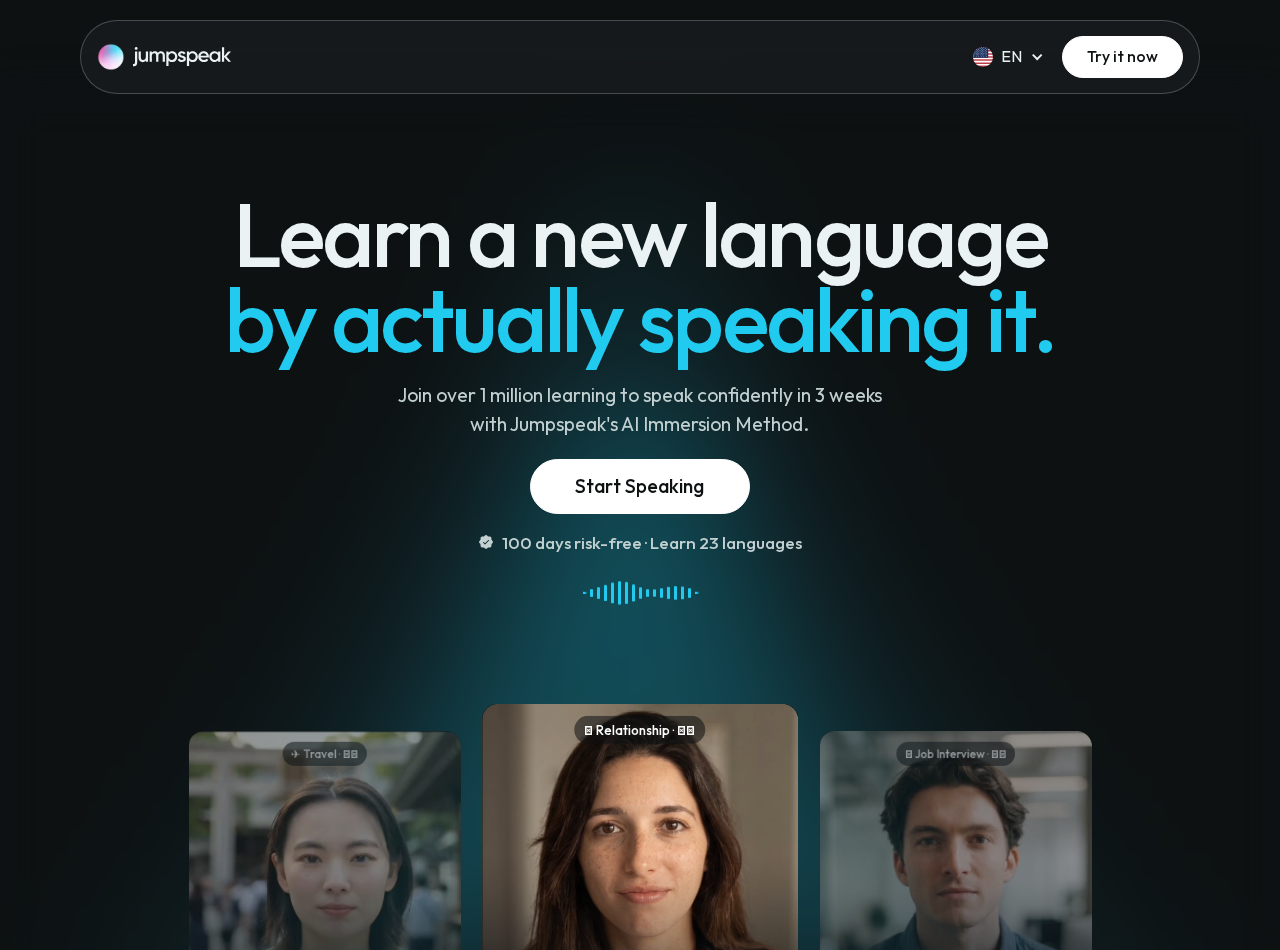
The main website promotes 100 days to try the service. Its explanation limits that guarantee to the main Premium subscription purchased through the website.
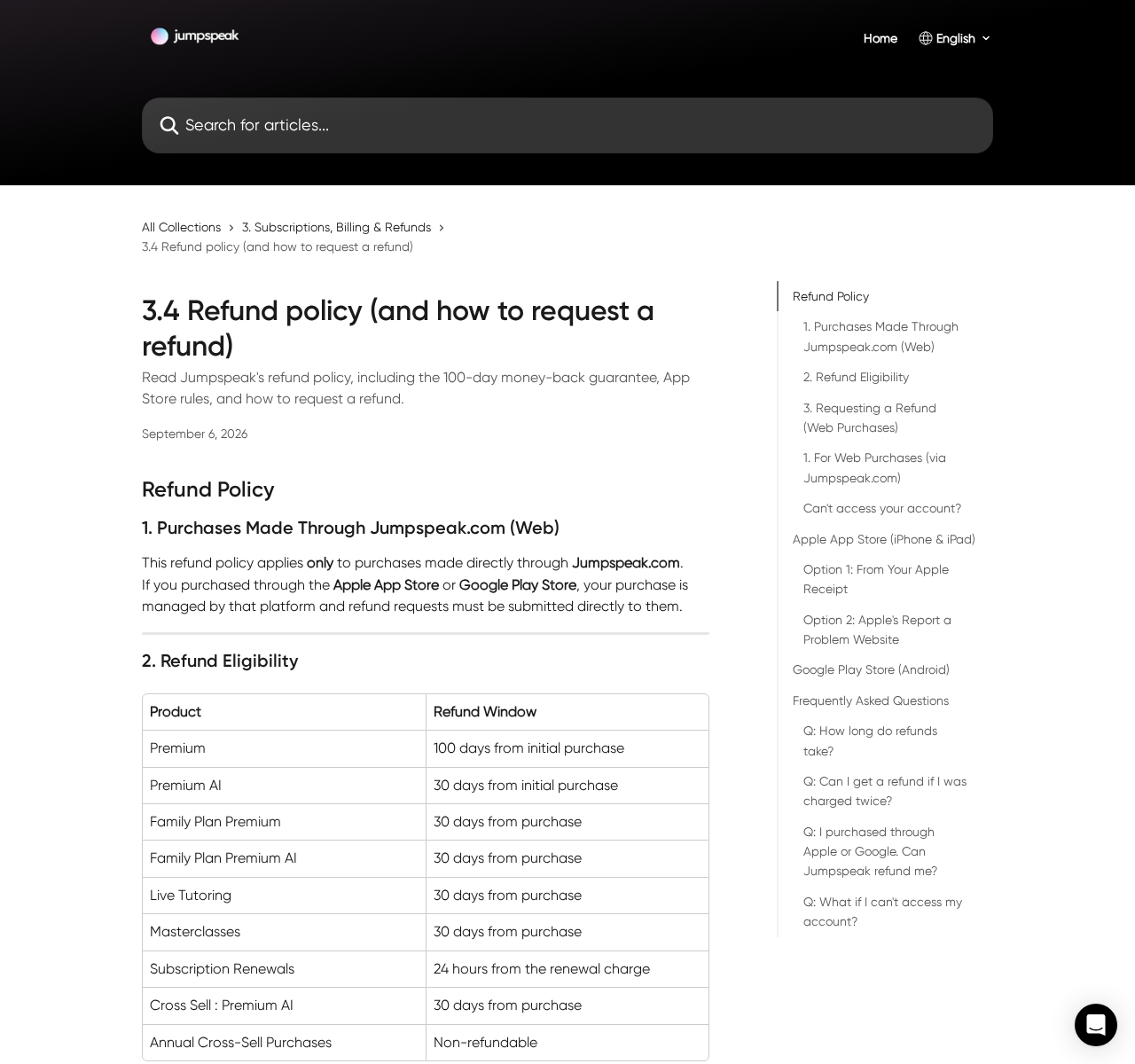
The current refund chart gives ordinary Premium purchases 100 days, Premium AI and several other products 30 days, and renewal charges only 24 hours.
It also lists annual cross-sell purchases as non-refundable. Find the entry matching your receipt before relying on the longer promise attached to the main subscription.
- Identify the exact plan name on your receipt.
- Distinguish a trial from an upfront purchase with a refund promise.
- Cancel through the company that actually bills you.
- Request a refund separately from stopping renewal.
- Act immediately after an unexpected renewal because the stated window is short.
Cancellation stops another cycle, not necessarily the current payment
Jumpspeak says subscriptions renew automatically unless canceled. Its cancellation guidance also says ending renewal does not automatically provide a refund for unused time.
That distinction explains why deleting an app or pressing a cancellation button can leave someone waiting for money that has not actually been requested.
The right response is precise: establish the billing channel, stop unwanted renewal, and submit the applicable refund request before its deadline.
A Trial and a Money-Back Guarantee Are Different Purchases
A free trial postpones the initial subscription charge, subject to its conditions. A money-back guarantee normally involves paying first and asking for reimbursement later.
Confusing them changes what you expect to happen to your account. The phrase risk-free does not necessarily mean no payment will be taken today.
Jumpspeak’s billing guide says the standard Premium subscription has an upfront payment with a 100-day guarantee rather than a universal free trial.
A separate seven-day trial article describes promotional and platform-specific availability. It says eligible users will see the trial during checkout, before completing the purchase.
These pages should not be combined into a promise that every visitor gets seven free days plus the same refund rights on every product.
Your final offer screen matters. Save whether it says trial, immediate payment, annual access, monthly billing, or an additional AI subscription.
If you cannot find a definite amount and next charge date, do not finish the purchase hoping that the broader marketing headline will explain them later.
How the Jumpspeak Subscription Process Works
Step 1: The language offer leads to a particular plan
The website promotes speaking practice and a learning routine. Visitors can arrive through different offers rather than a single universal price and subscription.
Do not treat a monthly-equivalent figure as the amount charged today. An annual plan can display a smaller monthly comparison while collecting a longer period upfront.
This article does not assign one price to every route. The receipt and final checkout establish the amount and term of an individual order.
Step 2: Extra features can become separate commitments
Jumpspeak’s help pages distinguish the core Premium product from Premium AI, family subscriptions, live tutoring, and additional course purchases.
That distinction matters when an optional feature has its own trial, payment, or renewal cycle. Canceling one plan should not be assumed to close another.
Check the account’s subscription list and the confirmation emails. If two products appear, request a separate explanation of each charge and its next renewal.
Step 3: A trial can convert into paid access
The billing guide says eligible free trials for add-ons and Premium AI convert to paid subscriptions when the trial expires unless canceled beforehand.
It also warns that an automatic reminder may not arrive. Set your own reminder using the date in the actual offer, not a date guessed from an advertisement.
A trial charge is not necessarily unauthorized merely because you forgot the deadline. Conversely, a posted policy does not prove consent for a disputed transaction.
Step 4: Renewal continues until properly canceled
The official cancellation guide explains how to stop renewal. The customer portal displays the next billing date for a web subscription.
Stopping lessons does not send a cancellation instruction to the payment system. Neither does removing the app from a phone.
Complete the cancellation through the relevant billing channel and retain the confirmation. Look for an expiry date or explicit statement that another payment will not occur.
Step 5: A refund follows a different route and clock
Web purchases use Jumpspeak’s refund process. Purchases managed by Apple or Google require refund requests through those platforms instead.
For web renewals, the policy lists a 24-hour request window. Waiting several days for a cancellation to generate an automatic refund could therefore be costly.
Submit the refund request immediately if that is the resolution you want. Explain the purchase and charge accurately, and keep its submission time.
Billing Identity and Support Routes
Rype is the operator named in the terms
The terms identify Rype, Inc. as the company behind Jumpspeak. A company name on a receipt should be assessed in that context, not automatically treated as unfamiliar fraud.
Match the amount, purchase date, account email, and receipt reference. If the transaction remains unrecognizable, ask support or your payment provider to identify it.
A statement descriptor alone cannot tell you whether you bought through the web, an app store, or a separate feature offer.
The purchase channel controls cancellation
For website purchases, the guidance directs users through Profile, Settings, and Manage Subscription. The billing portal then provides the cancellation option.
Apple purchases are managed under the Apple account’s subscriptions. Google Play purchases are managed through Payments & subscriptions in the relevant Google account.
Check the original receipt rather than guessing from the phone you currently use. Installing an iPhone app does not convert a web purchase into Apple billing.
Account recovery is available when login fails
The help center describes password recovery and a support-chat account-recovery process. It also refers customers who know their purchase email to a membership portal.
Use routes reached from the genuine help center. Do not give an unsolicited caller remote access to your device to cancel a language subscription.
If recovery is taking time, preserve the original request date and make the cancellation or refund request explicit in the conversation.
A family plan needs the owner’s billing record
The billing guidance says only the Family Plan owner is charged. Family members should not each be paying separately merely because they participate in that plan.
If a family sees multiple charges, compare the accounts and receipts. There may be separate purchases rather than one family subscription.
Ask the company to reconcile those records before assuming that everyone sharing a device is covered by the same payment.
The Refund Chart Deserves More Attention Than the Headline
The current web refund policy lists 100 days from the initial Premium purchase. That wording distinguishes the original purchase from a later renewal.
Premium AI, both family-plan categories, live tutoring, masterclasses, and the listed Premium AI cross-sell have 30-day entries.
Subscription renewals receive a separate 24-hour entry. Annual cross-sell purchases are marked non-refundable, which deserves attention before accepting an additional annual offer.
The policy states that approved refunds are full refunds rather than partial or prorated repayments. Canceling halfway through a term does not create a published automatic half-refund.
These conditions do not mean every complaint is valid or invalid. They identify what the company currently says, which should be compared with your purchase evidence.
If the screen that took your payment promised something different, include that screen in your request. A later help article should not replace your record of the offer.
For Apple and Google purchases, follow the platform’s process and eligibility rules. Do not assume the website’s 100-day guarantee transfers automatically to an app-store transaction.
What to Do If You Were Charged by Jumpspeak
-
Locate the receipt before opening a dispute. Identify whether Jumpspeak, Apple, or Google processed the payment, and which email address was used.
Record the charge time, amount, plan name, and whether it was an initial purchase or renewal. Those details determine the next steps.
-
Stop future billing through the correct channel. For web access, use Profile, Settings, and Manage Subscription, then complete the cancellation in the portal.
For Apple or Google billing, cancel in that account’s subscription settings. Save the final confirmation rather than stopping at an intermediate screen.
-
Request a refund separately if you want the current charge reversed. Web customers should use the self-refund route linked from Jumpspeak’s refund help article.
Check the correct deadline immediately. A renewal has a much shorter published window than the initial main Premium purchase.
-
If the login fails, try account recovery with the purchase email. Then use the official help-center chat if access still cannot be restored.
Keep screenshots of errors and the time you contacted support. Do not create another paid account merely to reach a cancellation screen.
-
Review any extra AI, family, tutoring, or course purchases. Confirm which commitments remain active instead of assuming that canceling Premium closes the entire account.
Ask for an itemized explanation when the statement contains more than one charge. Duplicate charges are addressed separately in the published refund guidance.
-
If billing continues after cancellation or a genuinely unauthorized payment remains unresolved, contact the payment provider with your receipt and cancellation record.
State the actual dispute reason. Dissatisfaction with a lesson is different from a duplicate charge, canceled renewal, or transaction you never approved.
-
After the request, check both the subscription status and the eventual statement credit. A refund acknowledgment and money reaching the account are separate events.
Keep correspondence until the process finishes. You should not need to pay a third party a recovery fee to pursue a subscription refund.
A Better Way to Decide Whether to Keep the App
Separate the learning decision from the billing deadline. You can evaluate whether the practice helps without leaving unwanted renewal active through uncertainty.
If you like the service, compare the actual term with your likely usage. A cheaper monthly equivalent is not a saving if the longer commitment goes unused.
If you do not want it, stop renewal promptly and use the applicable refund process. Continuing lessons while waiting should not substitute for a clear request.
The service’s existence does not excuse a poorly explained offer. Equally, an ordinary disclosed renewal should not be described as criminal fraud without evidence.
Check for Two Accounts Before Assuming a Duplicate Charge
A household can accidentally buy web access under one email and app-store access under another. That creates two subscriptions even if only one person uses the lessons.
Compare the receipt identifiers, account emails, and billing periods. Two similar amounts on the same day do not explain themselves.
If the records show genuinely separate plans, ask about canceling and refunding the unwanted purchase under its applicable terms.
If both receipts refer to the same purchase, report the suspected duplicate with both references. Do not send full card numbers in a support message.
Make sure any cancellation names the correct account. Closing the plan you intended to keep while leaving the unwanted one active would create another avoidable problem.
Frequently Asked Questions
Is Jumpspeak a scam?
Jumpspeak is a real language-learning service. This investigation identifies subscription and refund distinctions, not proof that the app or every renewal is fraudulent.
Does every Jumpspeak purchase include a free trial?
No. The help pages describe eligibility-dependent trials, while standard Premium billing is described as an upfront payment with a guarantee. Check your actual checkout.
Does the 100-day guarantee cover Premium AI?
The current web refund chart gives Premium AI 30 days, not 100. The longer guarantee belongs to the initial main Premium purchase through the website.
Will deleting Jumpspeak cancel the subscription?
No. Complete cancellation through Jumpspeak’s billing portal, Apple, or Google, depending on who processed the purchase, and retain confirmation.
How long do I have to request a renewal refund?
The published web policy lists 24 hours from a renewal charge. Submit promptly and include any evidence of earlier cancellation or different promised terms.
Can Jumpspeak refund an Apple purchase directly?
Its guidance sends App Store purchases to Apple’s refund process. The same separation applies to Google Play transactions and Google’s refund channel.
The Bottom Line
Do not treat Jumpspeak’s broad guarantee as a universal free trial or a promise covering every purchase. The plan, payment channel, and refund clock matter.
If you do not want another charge, cancel renewal now. If you want money returned, submit the separate refund request immediately and preserve the confirmation.

Join the discussion
0 commentsShare your experience or ask a question about this article.
Discussion
Start the conversation
Have a question or something useful to share? Add the first comment.