

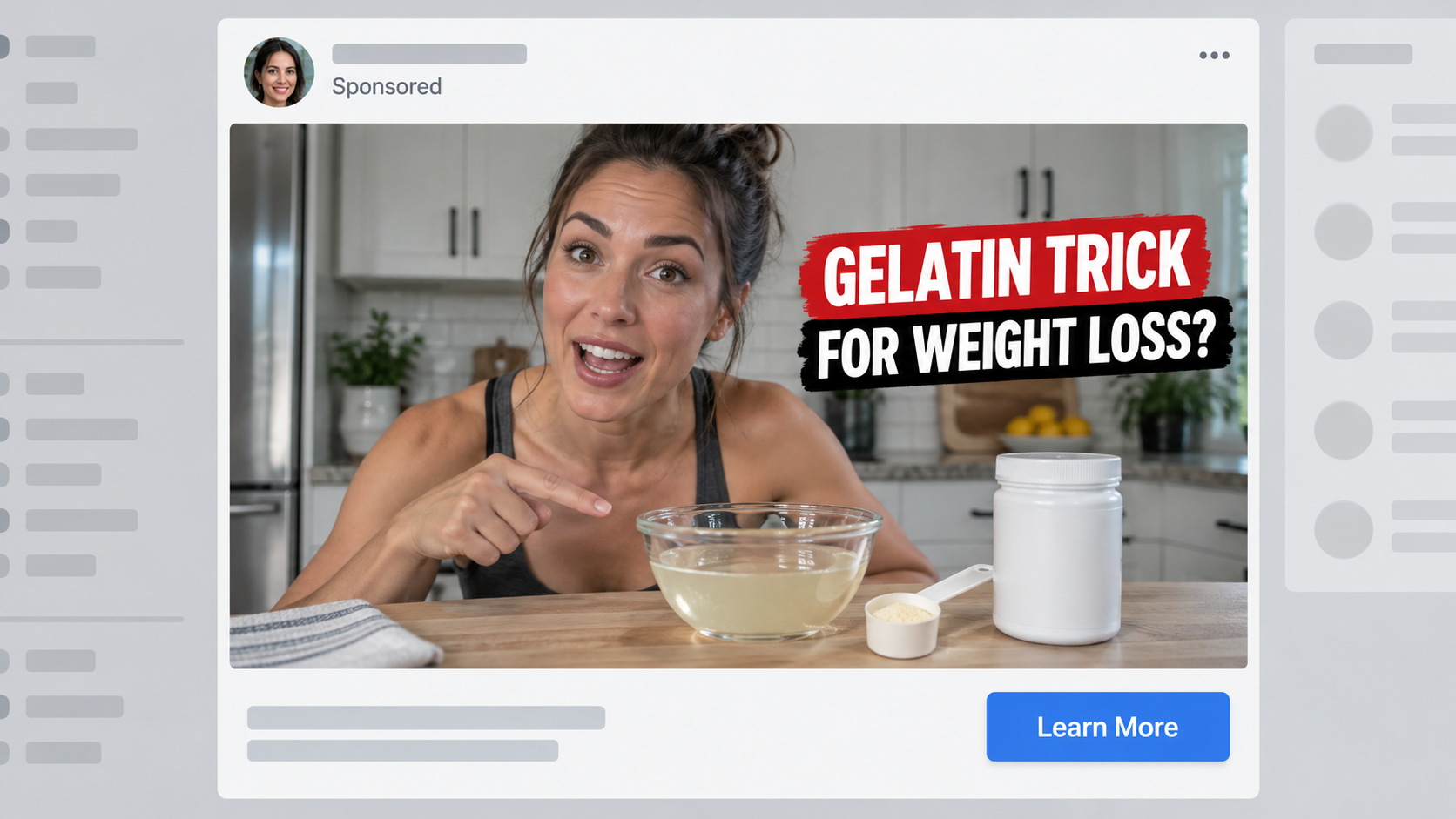
Michelle Obama seems to share a modest kitchen ritual that changed everything about her weight. A famous doctor then appears to explain why it supposedly works.
The presentation feels less like an advertisement than an overheard confession. Its polished details deserve a closer look before anyone follows the advice or buys anything.
Overview
A personal transformation story opens the door
The promotion uses Michelle Obama’s image to introduce a gelatin trick presented as the overlooked reason behind dramatic weight loss.
Her public recognition allows the story to feel established before the advertiser identifies itself.
Some versions add Dr. Sanjay Gupta, a talk-show setting, or another recognizable media figure.
The combined cast suggests that a personal experience, medical explanation, and televised revelation all support one discovery.
We found no verified record showing that Michelle Obama authorized this sales campaign.
Gelatin is the hook, not the final transaction
A common pantry ingredient keeps the initial promise accessible and memorable.
Viewers hear about a spoonful, breakfast timing, temperature, or ritual supposedly missed by ordinary diet advice.
The narrative rarely ends with plain gelatin. It gradually introduces a proprietary formula that allegedly recreates or amplifies the effect.
That late product reveal matters because many viewers clicked for a recipe, not a bottle.
The sales page has already shaped their expectations before price, seller identity, or return conditions become visible.
The recognizable footage does not validate the claim
Artificially generated speech can be placed over genuine interviews or carefully selected public clips.
A believable face and voice cannot substitute for an original broadcast, authenticated statement, or clinical trial.
The campaign displays several recurring warning signals:
- The social account publishing the clip has no official connection to the featured people.
- The supposed interview cannot be found on the broadcaster’s real website.
- The story promises effortless loss without a credible discussion of individual health.
- A secret recipe becomes a branded purchase near the end.
- News graphics appear without a working link to the claimed report.
- Dramatic testimonials provide no independently verifiable participants.
- Discount counters create pressure before the merchant becomes clear.
- Terms may connect the order to recurring delivery or costly bundles.
The Difference Between Gelatin and the Advertised Story
Gelatin is a protein ingredient used in foods, desserts, capsules, and some recipes.
Its ordinary existence makes the promotion sound more plausible than a completely unknown substance.
That does not establish that a particular gelatin drink causes large, rapid, or permanent weight loss.
Meaningful weight change depends on energy intake, activity, health conditions, medicines, sleep, genetics, and many personal circumstances.
A single ingredient can affect fullness or meal composition without producing the extraordinary transformation promised in an advertisement.
Marketing frequently stretches a limited observation into a universal conclusion.
For example, a study about protein and appetite does not prove that the promoted mixture burns fat while someone sleeps.
It also does not validate an undisclosed supplement placed behind the recipe video.
The finished product needs evidence of its own, including the tested formula, dose, participants, duration, and adverse effects.
A sales page may mention Harvard, a medical journal, or a university without linking to a relevant finished-product trial.
Footage of laboratory glassware and animated fat cells adds atmosphere, not verification.
Before believing a number, ask what was measured and whether the comparison involved real people.
Weight can fluctuate from water, food, hormones, and measurement timing. A short testimonial offers no controlled comparison.
Likewise, before-and-after photographs can be edited, reversed, relabeled, or licensed from unrelated material.
The strongest evidence should remain understandable after every celebrity face and dramatic graphic is removed.
How Celebrity Likenesses Are Turned Into Sales Tools
Public figures generate vast libraries of clean video, speeches, interviews, and photographs.
That material gives impersonators enough examples to imitate expressions, movement, and vocal patterns.
A promoter can cut an authentic sentence before its meaning becomes clear, then follow it with synthetic narration.
Other campaigns replace the entire audio track while keeping familiar television footage underneath.
The result may include a slightly soft jawline or uneven lip movement, yet remain persuasive during casual viewing.
Vertical cropping removes station graphics that could reveal the original program.
Large captions keep attention on the invented words and cover portions of the face.
Reaction shots from an audience or host make the fabricated statement feel socially confirmed.
Some advertisements imitate subtitles or breaking-news tickers to give urgency an institutional appearance.
A small “sponsored” label is often the only honest clue that the clip entered through advertising.
Even that label identifies the placement, not the truthfulness of its contents.
Check whether the account has years of authentic posts, a verified link, and consistent subject matter.
A newly created page with a generic inspirational name should not speak for a former first lady or physician.
Search a distinctive sentence in quotation marks. Fabricated quotes often appear only on sales domains and copied advertorials.
Reverse-image searching a frame may locate the real interview and reveal completely different words.
How the Michelle Obama Gelatin Trick Scam Works
Step 1: The advertisement selects a trusted face
The creator chooses someone associated with public service, wellness, medicine, or personal discipline.
Michelle Obama’s recognizable appearance supplies instant familiarity to strangers scrolling Facebook, Instagram, or another feed.
The opening usually addresses people tired of dieting or embarrassed by repeated attempts.
That sympathetic tone feels supportive, even though the message leads into a commercial funnel.
Step 2: AI manufactures a confession or interview
A synthetic voice attributes a weight-loss account to the featured person.
Edited mouth movement can make the borrowed footage appear to deliver the invented script.
A second celebrity or doctor may confirm the claim, creating false agreement between independent authorities.
No cooperation from either individual is required to build the scene.
Step 3: The recipe creates curiosity without giving a complete answer
The narrator describes gelatin, warm water, a morning routine, or another simple beginning.
Crucial details remain delayed so the viewer continues watching.
Repeated promises replace immediate instructions, while a progress bar makes leaving feel like abandoning the solution.
The unfinished recipe becomes a psychological commitment rather than useful health guidance.
Step 4: A fake editorial page extends the illusion
The click can open a page styled like a respected news network, lifestyle magazine, or physician interview.
Familiar colors and typography imply editorial review that never occurred.
Buttons and menus often circle back to the same presentation or order page.
Checking the address bar usually exposes a domain unrelated to the organization shown on screen.
Step 5: The promised kitchen method becomes proprietary
After a lengthy explanation, the pitch says ordinary gelatin lacks a crucial compound or correct ratio.
A named supplement then appears as the convenient finished version.
Product names can change while the Michelle Obama footage and gelatin narrative remain substantially identical.
This separation lets the advertiser reuse a successful emotional hook across many bottles.
Step 6: The checkout favors volume and continuity
The smallest-looking price may represent each bottle inside a multi-bottle selection.
A recurring plan can be attached to the best discount, sometimes through a preselected option or nearby disclosure.
Upsells appear after payment details, making another purchase feel like part of the original confirmation.
Buyers should read the final quantity and total before authorizing anything.
Step 7: Complaints become difficult to resolve
The support operator may claim that shipped merchandise cannot be canceled.
Return instructions can require unopened bottles, tracking, authorization numbers, foreign postage, or deductions.
Some customers receive partial-refund proposals intended to prevent a card dispute.
Meanwhile, the original advertisement may vanish, leaving the buyer to prove what was promised.
What Safe Weight-Loss Guidance Looks Like
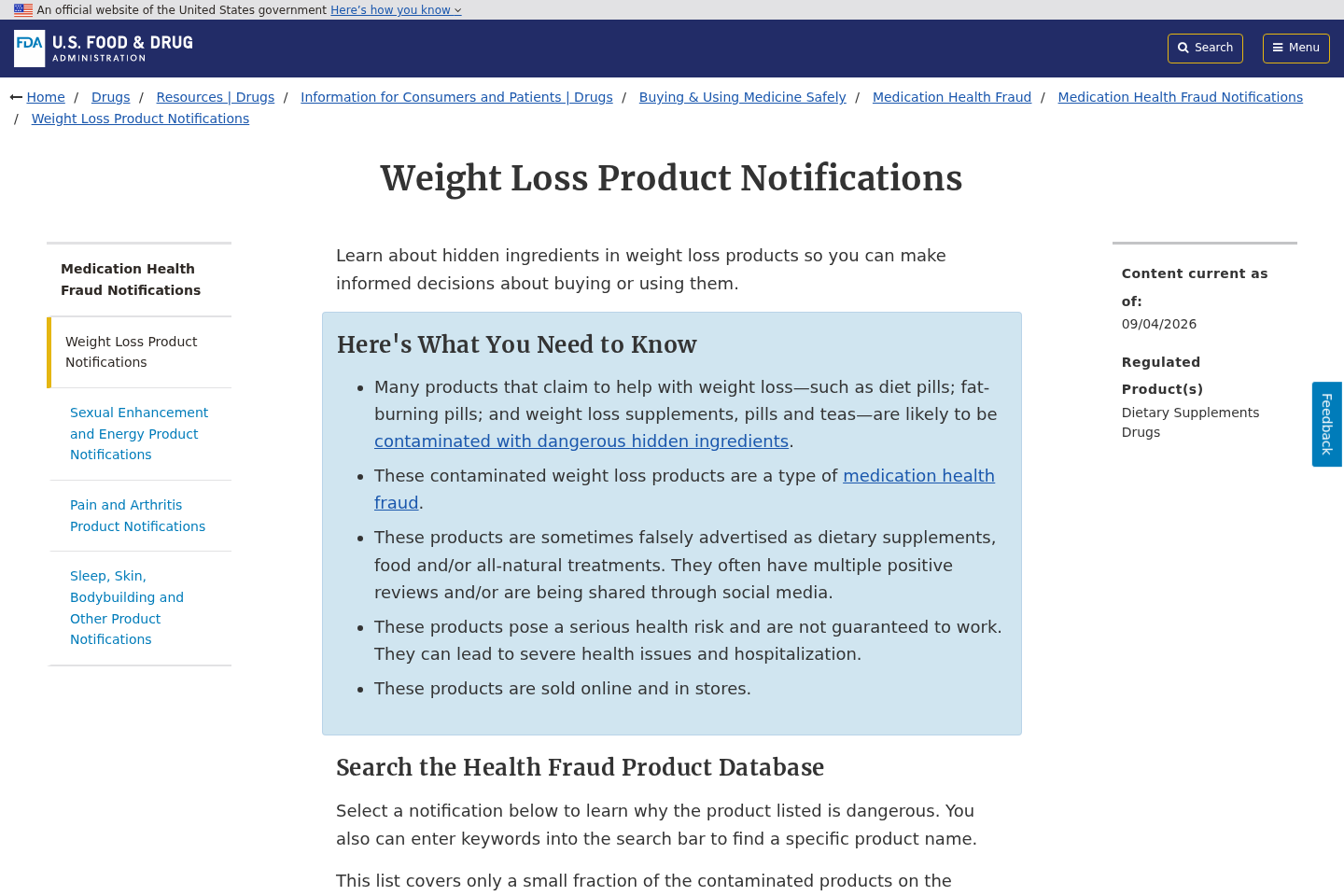
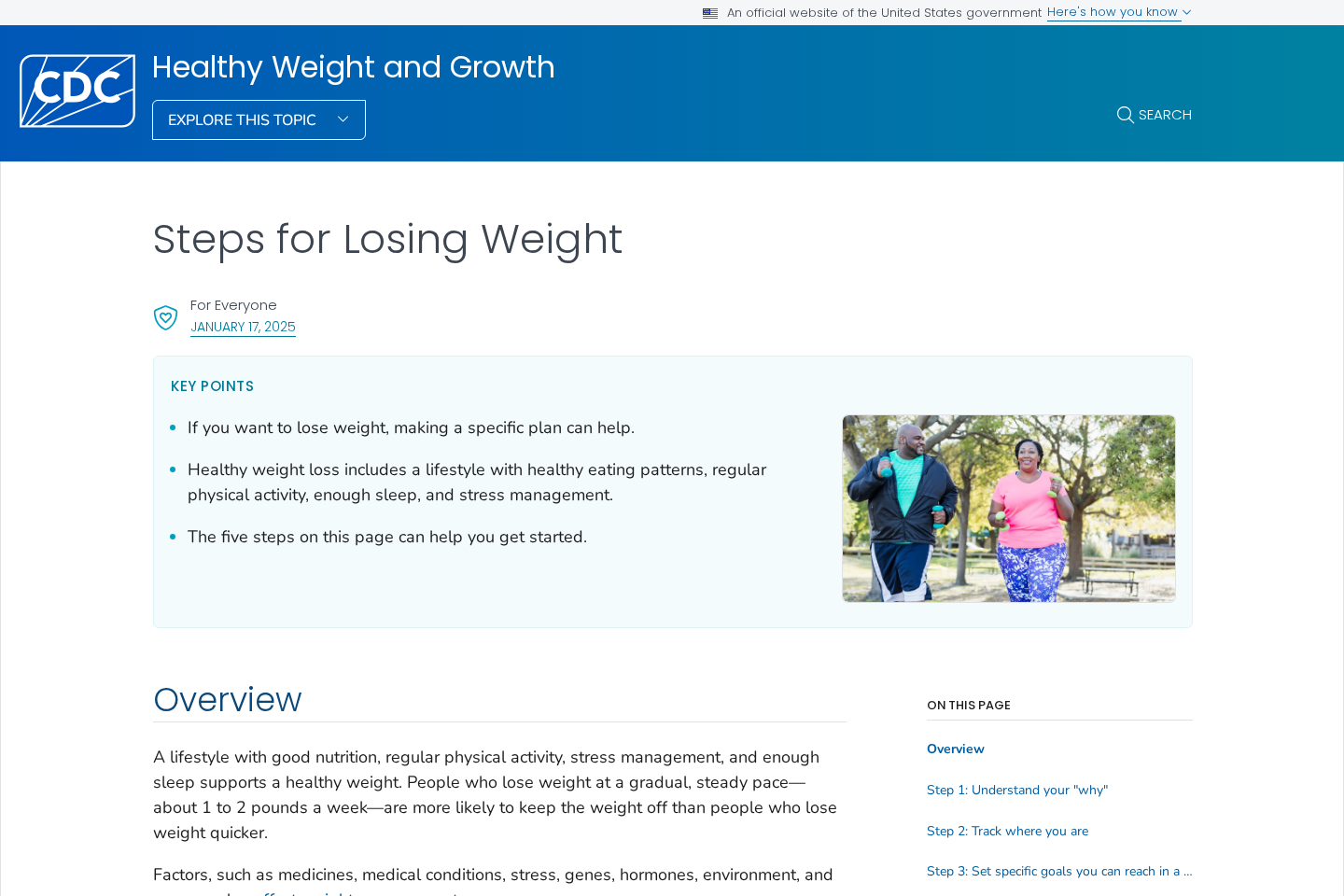
Responsible guidance begins with realistic expectations and individual health, not a celebrity secret.
A qualified clinician considers current weight, medical history, eating patterns, medicines, and possible causes of unexplained change.
Evidence-based plans may include nutrition, movement, behavioral support, approved medication, or surgery for appropriate candidates.
Each option has benefits, limits, costs, and risks that deserve a complete conversation.
Rapid promises can be especially dangerous for pregnant people, teenagers, older adults, and anyone with an eating disorder.
They can also interact with diabetes, blood-pressure, thyroid, or psychiatric treatment.
Seek medical advice for unexpected weight loss, persistent fatigue, fainting, vomiting, or symptoms that disrupt daily life.
A supplement seller cannot safely determine suitability from a quiz designed primarily to complete a sale.
Read the complete ingredient panel and record the serving size.
Proprietary blends can conceal how much of each component a buyer actually consumes.
Check for stimulants, allergens, laxative ingredients, and compounds that may affect prescribed medicine.
Claims such as “doctor formulated” do not identify who formulated the product or prove that person reviewed your condition.
Likewise, a facility registration statement is not government approval of the supplement’s effectiveness.
Authentic health information explains uncertainty and identifies who should avoid a method.
The fake gelatin story does the opposite. It removes complexity until a purchase seems like the only remaining decision.
Company, Address, and Fulfillment Checks
Identify the operator behind the checkout
Ignore the bottle front initially. Find the company named in the terms, privacy notice, payment page, and confirmation email.
If those records disagree, save each version and ask which entity holds the customer contract.
A brand can disappear quickly, while the payment operator continues using another product label.
No clear legal name means no obvious party accepting responsibility.
Test the location before trusting it
Paste the street address into maps, corporate registries, and ordinary search results.
It may lead to a forwarding mailbox, residence, unrelated tenant, or logistics warehouse.
Return processors frequently serve dozens of brands and are not necessarily the merchant’s headquarters.
An overseas return destination hidden until after delivery can make a small refund uneconomical.
Ask support difficult questions before ordering
Request the renewal interval, cancellation method, return deadline, restocking deduction, and precise destination in writing.
Call from a number that protects your privacy and ask the agent to repeat the full company name.
Silence, scripted deflection, or conflicting answers provide a useful preview of future service.
An email form without a visible address offers little evidence that messages reach an accountable team.
Demand traceability for anything swallowed
Cheaply mass-produced formulas can be relabeled for many online campaigns, including goods imported from China or another manufacturing hub.
That origin alone proves nothing, but secrecy about manufacturing, testing, and lot control creates unnecessary risk.
Check for ingredient amounts, expiration details, allergen warnings, batch coding, manufacturer identity, and tamper protection.
Computer-rendered bottle pictures cannot confirm what arrives or whether its contents match the label.
How to Examine the Offer Before Paying
Pause the video and write down the exact names, claims, dosage, promised timeline, and price.
If the presentation prevents pausing or rewinding, that design makes informed comparison harder.
Open the policies in separate tabs before entering an email address.
Search within them for “subscription,” “recurring,” “continuity,” “rebill,” “return,” and “restocking.”
Inspect each bundle quantity and multiply the per-unit figure yourself.
Add shipping and any after-checkout offers before deciding whether the purchase matches your budget.
Use an independent search to locate complaints about the merchant and card descriptor.
Do not treat testimonials hosted by the seller as independent reviews.
Look for reviewers describing delivery, cancellation, refunds, and product labeling rather than only claimed health results.
Check when the web domain appeared and whether its history matches stories about years of customer service.
A young domain is not automatic fraud, but it cannot support an invented decade-long history.
Ask whether the offer would remain convincing without Michelle Obama, television graphics, or a countdown.
If the evidence disappears with those props, the purchase is driven by theater rather than substance.
Consider using a credit card with dispute rights instead of debit, wire transfer, cryptocurrency, or payment applications.
Better still, discuss the goal with a clinician and compare established options before buying from an unsolicited advertisement.
Why the Gelatin Story Keeps Changing
A successful advertising hook can survive after the original product name attracts warnings and negative search results.
Promoters replace the bottle, domain, narrator, or supposed recipe ingredient while preserving the emotional structure.
One version may mention breakfast gelatin, while another describes a nighttime jelly ritual or pink dessert mixture.
Michelle Obama can be replaced by another familiar woman whose public image fits health and lifestyle content.
The physician role can also rotate without changing the promised biological explanation.
This adaptability makes story-based searches more useful than searching one supplement name alone.
Record memorable phrases, celebrity pairings, promised timelines, and checkout company details.
Those elements can reveal connected campaigns even when packaging and web addresses look new.
What to Do if You Have Fallen Victim to This Scam
- Stop further orders. Send a dated cancellation message and revoke any recurring plan shown in the receipt or account portal.
- Build a clean evidence folder. Save the AI clip, web address, advertised total, checkout selections, policies, invoice, package, and correspondence.
- Request the promised remedy. Quote the seller’s own guarantee and demand written return authorization before sending merchandise anywhere.
- Contact the card company quickly. Explain unauthorized rebilling, deceptive endorsement, incorrect quantity, or refused refund using precise facts.
- Protect your health. Stop using the supplement if concerning symptoms appear and show its label to a physician or pharmacist.
- Secure exposed accounts. Change reused passwords and enable multifactor authentication if the checkout or follow-up messages seemed suspicious.
- Inspect the device. Use Malwarebytes when the seller directed you to a download, remote session, extension, or questionable attachment.
- Limit repeat promotions. AdGuard can reduce access to hazardous ad networks while platform reporting helps remove the specific campaign.
- Report false impersonation. Notify the advertising platform, FTC, and official representatives of the people whose likenesses were misused.
- Track every shipment. Refuse nothing blindly, photograph packages, and preserve return tracking until all credits become final.
Is Your Device Infected? Run a Free Malware Scan
Slow performance, constant pop-ups, or strange behavior? These are classic signs of a malware infection. The fastest way to find out is to scan your device with Malwarebytes Free — one of the most trusted malware removal tools available.
The free version detects and removes the most common threats, including:
- Adware — the cause of those annoying pop-ups
- Browser hijackers — unwanted redirects and changed homepages
- Trojans and spyware — hidden programs stealing your data
- Potentially unwanted programs (PUPs) — software you never asked for
👉 Select your device below — Windows, Mac, or Android — then follow the simple steps to download Malwarebytes, scan your system, and remove any threats it finds. The scan usually takes 5 to 20 minutes.
Run a Malware Scan with Malwarebytes for Windows
Malwarebytes is one of the most popular and trusted anti-malware tools for Windows — and it’s completely free for removing infections. It catches threats that many antivirus programs miss, including adware, browser hijackers, and trojans. Follow the steps below to scan and clean your PC in just a few minutes.
Download Malwarebytes
Click the button below to download the latest version of Malwarebytes for Windows from the official source. The free version is all you need — it will scan your computer and remove adware, browser hijackers, and other malicious software at no cost.
Download MalwarebytesOfficial installer for Windows 11 and 10. Your download starts right away.Want real-time protection? See Malwarebytes Premium Malwarebytes Free for WindowsScans and removes malware at no cost
-
Install Malwarebytes
When the download finishes, open your Downloads folder and double-click the MBSetup file. If Windows shows a User Account Control pop-up, click “Yes” to allow the installation.

Follow the On-Screen Prompts to Install Malwarebytes
The setup wizard will walk you through a few quick screens:
-
Choose where you’re installing the program — “Personal Computer” or “Work Computer” — then click Next.

-
Malwarebytes will now install on your device. This usually takes under a minute.

-
When installation is complete, the “Welcome to Malwarebytes” screen will open automatically.

-
On the final screen, click Open Malwarebytes to launch the program.

-
Enable “Scan for Rootkits”
Before scanning, turn on rootkit detection so Malwarebytes can find even the most hidden threats. Click the Settings gear icon on the left side of the screen.

In the settings menu, find “Scan for rootkits” and click the toggle so it turns blue.

Done? Click “Dashboard” in the left pane to return to the main screen.
Start the Scan
Click the blue Scan button. Malwarebytes will automatically update its virus database and start checking your computer for malware.

-
Wait for the Scan to Finish
The scan checks your entire system for browser hijackers and other malicious programs, so it can take 5 to 20 minutes depending on your computer. Feel free to do something else — just check back occasionally to see the progress.

-
Quarantine the Detected Threats
When the scan is done, you’ll see a list of everything Malwarebytes found — malware, adware, and potentially unwanted programs. Click the “Quarantine” button to remove all of them at once.

Malwarebytes will now remove the malicious files and registry entries and move them safely into quarantine.

-
Restart Your Computer
Some threats can only be fully removed after a reboot. If Malwarebytes asks you to restart, click Yes. Once you’re logged back in, Malwarebytes has finished removing the threats it found.

That’s it — your Windows PC is now clean of trojans, adware, and other malware, and should be back to running smoothly.
If you are still having problems with your computer after completing these instructions, then please follow one of the steps:
- Run a computer scan with ESET Online Scanner
- Ask for help in our Windows Malware Removal Help & Support forum.
Run a Malware Scan with Malwarebytes for Mac
Malwarebytes for Mac is a free on-demand scanner that removes the malware other security software tends to miss — adware, browser hijackers, and unwanted programs included. Cleaning an infected Mac with Malwarebytes has always been completely free, and it’s our go-to recommendation. Follow the steps below to scan and clean your Mac in just a few minutes.
-
Download Malwarebytes for Mac
Click the button below to download the latest version of Malwarebytes for Mac.
Download MalwarebytesOfficial installer for macOS. Your download starts right away.Want real-time protection? See Malwarebytes PremiumMalwarebytes Free for MacScans and removes malware at no cost -
Open the Malwarebytes setup file
When the download finishes, open your Downloads folder and double-click the setup file to begin the installation.

-
Follow the On-Screen Prompts to Install Malwarebytes
The Malwarebytes for Mac Installer will guide you through a few quick screens. Click “Continue” and keep following the prompts until the installation completes.



When the installation is complete, Malwarebytes opens to the Welcome to Malwarebytes screen. Click “Get started“.
-
Select “Personal Computer” or “Work Computer”
Malwarebytes will ask what type of computer you’re installing it on. Click either Personal Computer or Work Computer, whichever applies.

-
Start the Scan
Click the “Scan” button. Malwarebytes will automatically update its detection database and begin checking your Mac for malware.

-
Wait for the Scan to Finish
Malwarebytes will scan your Mac for adware, browser hijackers, and other malicious programs. This can take a few minutes, so feel free to do something else — just check back occasionally to see the progress.

-
Quarantine the Detected Threats
When the scan is done, you’ll see a list of everything Malwarebytes found. Click the “Quarantine” button to remove all the threats at once.

-
Restart Your Mac
Malwarebytes will now remove all the malicious files it found. Some threats can only be fully removed after a reboot — if Malwarebytes asks you to restart, allow it. Once you’re logged back in, your Mac is clean.

That’s it — your Mac is now free of adware, rogue browser extensions, and other potentially harmful software.
If you are still experiencing problems while trying to remove a malicious program from your computer, please ask for help in our Mac Malware Removal Help & Support forum.
Run a Malware Scan with Malwarebytes for Android
Malwarebytes for Android automatically detects and removes dangerous threats like malware and ransomware so you don’t have to worry about your most-used device being compromised. Aggressive detection of adware and potentially unwanted programs keeps your Android phone or tablet running smooth.
-
Download Malwarebytes for Android.
You can download Malwarebytes for Android by clicking the link below.
Get Malwarebytes for AndroidOpens Google Play in a new tab.Want real-time protection? See Malwarebytes Premium for AndroidMalwarebytes for AndroidScans your phone and removes malware at no cost -
Install Malwarebytes for Android on your phone.
In the Google Play Store, tap “Install” to install Malwarebytes for Android on your device.

When the installation process has finished, tap “Open” to begin using Malwarebytes for Android. You can also open Malwarebytes by tapping on its icon in your phone menu or home screen.

-
Follow the on-screen prompts to complete the setup process
When Malwarebytes will open, you will see the Malwarebytes Setup Wizard which will guide you through a series of permissions and other setup options.
This is the first of two screens that explain the difference between the Premium and Free versions. Swipe this screen to continue.
Tap on “Got it” to proceed to the next step.
Malwarebytes for Android will now ask for a set of permissions that are required to scan your device and protect it from malware. Tap on “Give permission” to continue.
Tap on “Allow” to permit Malwarebytes to access the files on your phone.
-
Update database and run a scan with Malwarebytes for Android
You will now be prompted to update the Malwarebytes database and run a full system scan.

Click on “Update database” to update the Malwarebytes for Android definitions to the latest version, then click on “Run full scan” to perform a system scan.

-
Wait for the Malwarebytes scan to complete.
Malwarebytes will now start scanning your phone for adware and other malicious apps. This process can take a few minutes, so we suggest you do something else and periodically check on the status of the scan to see when it is finished.

-
Click on “Remove Selected”.
When the scan has been completed, you will be presented with a screen showing the malware infections that Malwarebytes for Android has detected. To remove the malicious apps that Malwarebytes has found, tap on the “Remove Selected” button.

-
Restart your phone.
Malwarebytes for Android will now remove all the malicious apps that it has found. To complete the malware removal process, Malwarebytes may ask you to restart your device.
That’s it — your Android phone is now clean — no more malicious apps, adware, or browser redirects.
If you are still having problems with your phone after completing these instructions, then please follow one of the steps:
- Restore your phone to factory settings by going to Settings > General management > Reset > Factory data reset.
- Ask for help in our Mobile Malware Removal Help & Support forum.
Stay Protected: Block Ads and Malicious Sites
Now that your device is clean, keep it that way. Most infections start with a malicious ad or a fake download button — so blocking them at the source is your best defense.
We recommend AdGuard, which blocks malicious ads, phishing pages, and dangerous redirects before they can reach you.
👉 Download AdGuard and browse safely
Frequently Asked Questions
Did Michelle Obama promote this gelatin weight-loss trick?
No authenticated campaign or original interview supports that conclusion. The circulating material shows the hallmarks of manufactured celebrity media.
Is eating gelatin automatically unsafe?
Gelatin is a common food ingredient. The problem is the unsupported transformation claim and the undisclosed commercial funnel built around it.
Why is Dr. Sanjay Gupta sometimes included?
Adding a recognized physician gives the invented story a second layer of borrowed authority and makes the supposed explanation sound clinical.
Will the same advertisement always sell one brand?
No. Promotional operators can substitute another supplement while retaining the footage, script, recipe theme, and checkout tactics.
Can customer reviews prove the formula works?
Seller-controlled testimonials cannot establish effectiveness. Reliable conclusions require transparent research on the exact formula under meaningful conditions.
What should I do before trying any weight-loss supplement?
Read the complete label, investigate the merchant, check renewal terms, and ask a qualified professional whether the ingredients suit your health.
The Bottom Line
The Michelle Obama gelatin trick campaign transforms recognizable people and an ordinary ingredient into an unauthorized weight-loss sales story.
Do not let realistic AI footage make the medical or commercial claims feel proven. Verify independently, read every payment term, and protect your health first.

Reviews & discussion
0 commentsShare a firsthand experience, or ask a question.
Community reviews
Michelle Obama Gelatin Trick
Moderated reader experiences, not an editorial verdict.
Start the conversation
Have a question or something useful to share? Add the first comment.