

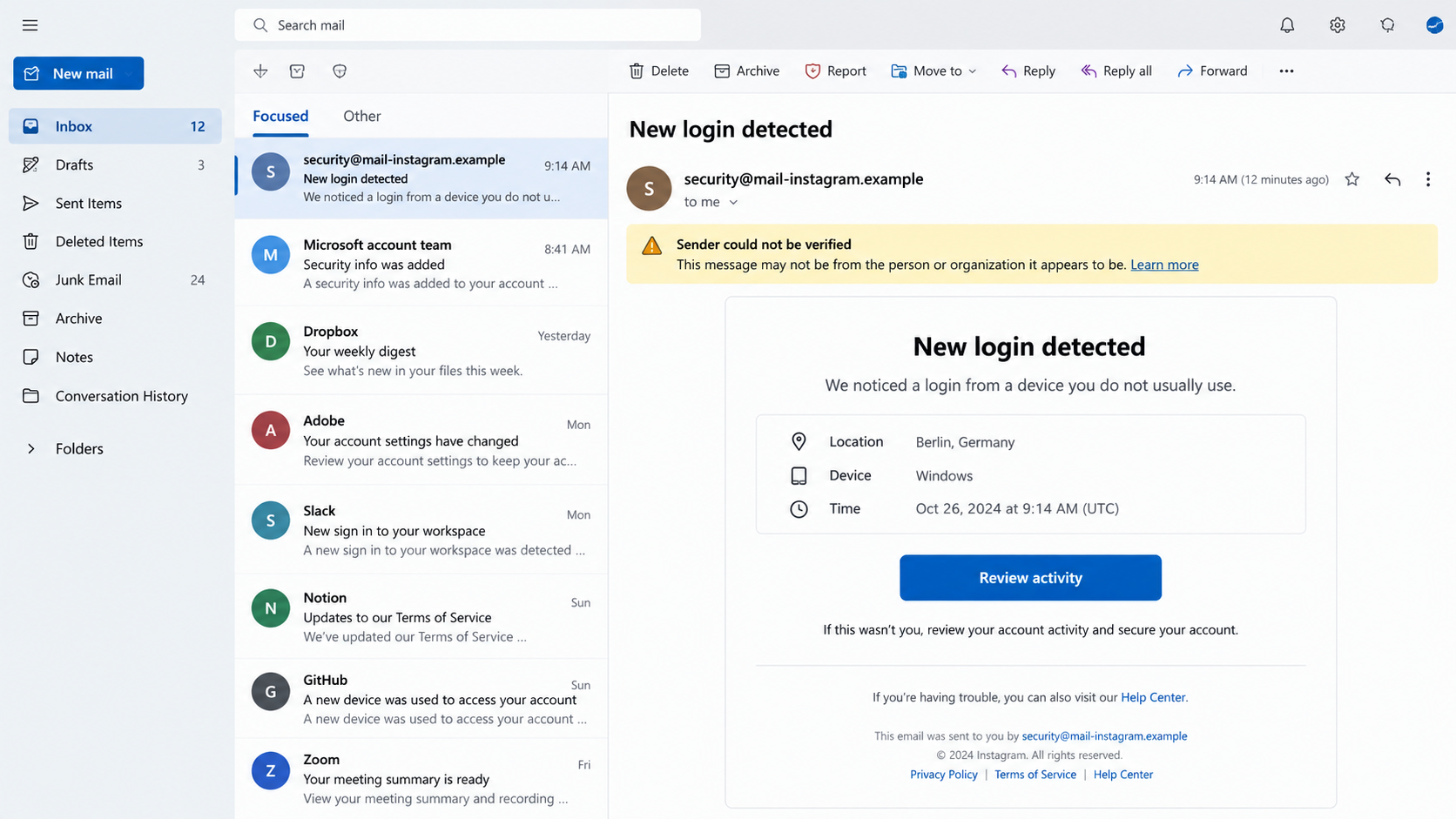
An alarming Instagram security email can make even a careful person react quickly. The sender may look official, the warning may feel urgent, and the button may seem helpful.
The address security@mail.instagram.com adds another complication. It is associated with legitimate Instagram messages, yet the address displayed on screen cannot settle the question by itself.
Overview
The short answer
Security@mail.instagram.com can be a genuine Instagram sender. However, criminals can imitate the visible address, forge display information, or use a nearly identical domain.
A message is not trustworthy merely because its From line looks correct. The safest confirmation happens inside Instagram, not through the email’s button.
What genuine security emails normally do
Real alerts may report a login, password change, email change, or recovery request. They direct attention to account activity and established security controls.
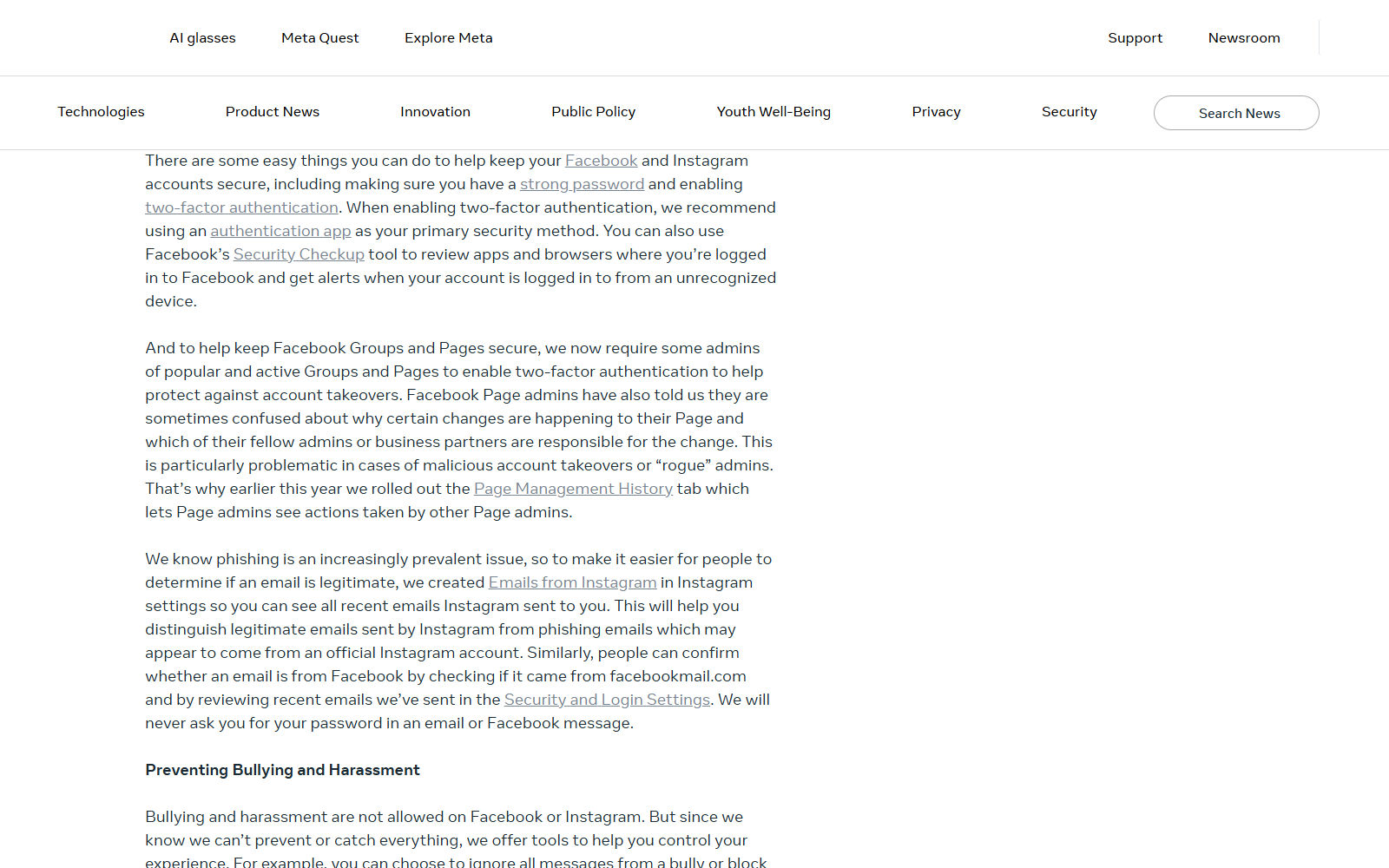
Instagram provides an in-app record of recent messages. That record gives users an independent way to compare an unexpected email with communication Instagram actually sent.
What phishing messages try to accomplish
The imitation usually creates fear about suspension, copyright complaints, account deletion, or an unfamiliar login. Its real destination is a credential-stealing page.
Depending on the campaign, the attacker may seek:
- Your Instagram username and password
- A two-factor authentication code
- Access to the email account connected to Instagram
- Business Manager or advertising permissions
- Payment information for a fabricated verification fee
- A recovery code that can bypass normal protections
The important distinction is simple. A real sender address is possible, but a convincing appearance is not proof that this particular message is genuine.
Why the Sender Address Can Be Misleading
Email was not originally designed to prove identity through the text shown beside “From.” That field can differ from the technical path used to deliver a message.
Some mail providers detect obvious forgery and move it to spam. Others may still display a familiar name or address prominently before showing a smaller warning.
Attackers also register lookalike domains. A hyphen, extra word, changed letter, or unrelated ending can disappear at a glance on a small screen.
Examples include mail-instagram.example, instagram-security.example, and support-instagram.example. None is Instagram, even though each sounds plausible during a stressful moment.
A compromised legitimate mailbox creates another possibility. The message may pass some technical checks while its links still lead somewhere dangerous.
That is why a single clue should never carry the entire decision. Examine the message, destination, context, and independent account record together.
Warning Signs Inside the Message
Urgency is the most dependable emotional clue. Phishers want a click before the recipient pauses, opens Instagram separately, or asks someone else.
Watch for language claiming that action must occur within minutes. Genuine services may warn about security, but artificial countdowns are designed to narrow your thinking.
Unexpected appeals, copyright notices, and verification demands deserve extra care. A scammer may mention a real post or username copied from your public profile.
Other common warning signs include:
- A button whose destination does not belong to instagram.com
- An attachment presented as a violation report or evidence file
- A request to reply with a password, recovery code, or authentication code
- Threats that the account will disappear immediately
- Grammar that shifts between formal policy language and casual pressure
- A sign-in page opened through a shortened or redirecting link
Do not treat polished design as reassurance. Criminal kits reproduce colors, spacing, buttons, and footers with enough accuracy to fool hurried readers.
How the Instagram Security Email Scam Works
Step 1: A believable problem arrives
The recipient receives an email about an unfamiliar login, changed password, disabled account, copyright complaint, or expiring verification review.
The story often matches normal Instagram concerns. Creators fear losing audiences, businesses fear losing advertising access, and ordinary users fear losing photographs and messages.
The attacker may include the correct username, profile picture, or approximate location. Those details can be collected publicly and do not prove internal access.
Step 2: The sender is made to look official
The visible From field may say Instagram or security@mail.instagram.com. A lookalike address can be hidden behind a friendly display name.
In other cases, sender information is forged. Whether forgery reaches the inbox depends on authentication results and how the recipient’s mail provider presents them.
The message may copy a real footer, legal notice, or help-center wording. These fragments are easy to reproduce and carry no independent assurance.
Step 3: A button creates the shortcut
The email offers a prominent action such as “Review activity,” “Appeal decision,” or “Secure account.” The safest-looking element becomes the attacker’s doorway.
On desktop, hovering may reveal the destination. On mobile, a long press can preview it, but opening Instagram directly remains safer.
Redirect services can conceal the final address. The first URL may look harmless while forwarding through advertising trackers to a newly registered phishing site.
Step 4: The imitation page collects credentials
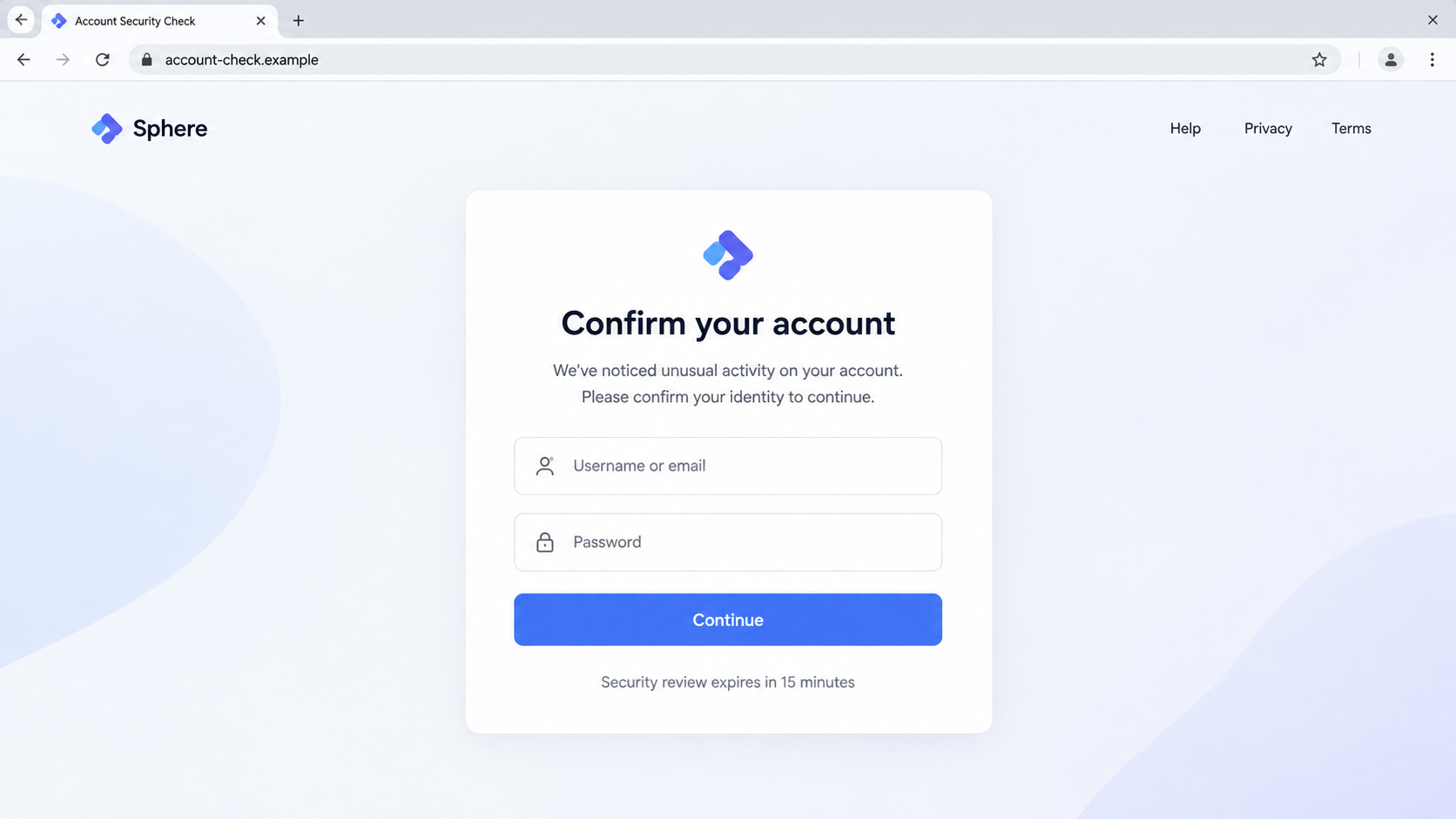
The linked page resembles a social-media login screen. It asks for the username and password, then may claim the first attempt was incorrect.
That deliberate error helps the criminal collect multiple password variations. It also makes the page feel like a functioning authentication system.
Afterward, the site requests a two-factor code. The attacker may enter the stolen password on Instagram simultaneously and use the fresh code before it expires.
Step 5: The attacker takes over the account
Once inside, the criminal changes recovery details, creates backup codes, removes trusted devices, or connects an authenticator controlled by the attacker.
Business and creator accounts carry additional value. They may provide advertising budgets, linked pages, customer conversations, or a trusted audience for further fraud.
The hijacked profile can then promote cryptocurrency schemes, fake giveaways, counterfeit stores, or another credential trap to existing followers.
Step 6: Recovery becomes another scam opportunity
Victims searching for help may encounter fake recovery specialists. These strangers demand advance payment, identity documents, or remote access while promising impossible results.
A genuine recovery path does not require paying an anonymous person through cryptocurrency, gift cards, or peer-to-peer transfers.
Use Instagram’s official recovery features, your email provider, and established support channels. Treat unsolicited recovery offers as a second attack.
How to Verify an Instagram Email Safely
Do not click the message first. Open the Instagram app or type instagram.com yourself, then review security information from the account settings.
Look for the area showing recent emails from Instagram. Wording and menu placement can change, but the purpose remains independent verification.
If the suspicious message is absent from that record, do not follow it. Report it as phishing and remove it from the inbox.
If a matching message appears, still inspect what it requests. Instagram does not need your password delivered by email or through an unrelated domain.
Review recent login activity and connected devices. End sessions you do not recognize, then change the password through the app.
Enable two-factor authentication with an authenticator application when available. Save recovery codes somewhere separate from the phone and never share them.
Technical Checks for Careful Readers
Advanced users can inspect full message headers. Authentication results for SPF, DKIM, and DMARC help show whether the delivering system was authorized.
A passing result is useful, but interpretation matters. It should align with a domain controlled by the expected sender, not merely an unrelated forwarding service.
Inspect the Reply-To field separately. A mismatch does not automatically prove fraud, yet an unrelated domain deserves an explanation before any response.
Examine every redirect in a safe analysis environment. Ordinary users should not investigate suspicious links by opening them in the same browser holding active sessions.
Virus scanners can detect known malicious pages or attachments. They cannot prove that a new page is trustworthy, especially during a short-lived phishing campaign.
The strongest check remains contextual. Compare the email with activity visible in the independently opened Instagram account.
Common Versions of the Instagram Email Trap
Account-suspension emails claim a policy violation will close the profile. The button supposedly submits an appeal but actually opens a credential form.
Copyright variants accuse the recipient of using protected music or photographs. An attached “case file” may contain malware or link to a fake evidence portal.
Blue-badge offers promise verification after completing a short application. The form collects identity documents, payment details, and login credentials.
Business-support messages target advertisers. They warn that campaigns or pages will be disabled unless an administrator completes an urgent review.
Influencer-collaboration emails begin with a plausible sponsorship. A later document or media kit leads to a password-stealing login screen.
Recovery-code messages exploit people already locked out. They ask for the code Instagram just sent, allowing the attacker to finish a takeover.
Some attacks avoid links entirely. The sender asks the victim to reply, then moves the conversation to WhatsApp, Telegram, or another private channel.
A compromised friend’s account may send the approach through direct messages. Familiar identity lowers suspicion, especially when the story references shared interests.
Each version changes its story, but the requested shortcut stays recognizable. The victim is pushed away from independent navigation and toward attacker-controlled instructions.
Legitimate security action should survive a pause. If the problem is real, it will remain visible after you open the service through a trusted route.
Organizations managing several accounts should document a response procedure. Staff need a known person and known channel for confirming unexpected platform notices.
Password managers add another useful warning. They normally refuse to autofill credentials on an unrelated phishing domain, exposing the mismatch before submission.
Do not override that warning casually. Manually typing a saved password into an unfamiliar page removes one of the password manager’s strongest protections.
Finally, assume public profile details are available to attackers. Personalization proves research, not access to Instagram’s private systems.
Company, Address, and Fulfillment Checks
Separate Meta from the sender shown
Instagram is a Meta service, but scammers can place its name in display fields. Identify the organization controlling the actual delivery and destination domains.
Read the complete destination address
Ignore familiar words inside a longer URL. The controlling domain appears immediately before its public suffix, and anything earlier may be a deceptive subdomain.
Check technical ownership, not page decoration
A copied logo, privacy link, or copyright line proves nothing. Registration history, certificate details, and domain age can expose temporary infrastructure.
Recognize that there is no legitimate fulfillment
This scheme delivers no physical product. Its “support” contact may be another collection point for credentials, identity documents, or recovery payments.
What to Do if You Have Fallen Victim to This Scam
- Change the Instagram password from a clean route. Open the official app or type the site address yourself. Choose a new password never used elsewhere.
- Secure the connected email account. Change that password too, review forwarding rules, remove unknown recovery options, and end unfamiliar sessions.
- Turn on strong two-factor authentication. Prefer an authenticator application. Regenerate recovery codes if the phishing page requested or displayed them.
- Inspect Instagram login activity. Sign out unknown devices, remove unfamiliar linked accounts, and confirm your email address and phone number remain correct.
- Review business assets. Check page roles, advertising accounts, payment methods, active campaigns, and Business Manager permissions for unauthorized changes.
- Preserve evidence. Save the email headers, destination address, screenshots, login alerts, and transaction records before deleting anything.
- Report the message. Use your mail provider’s phishing option and Instagram’s official reporting or recovery process. Do not negotiate with the sender.
- Contact your bank if money moved. Explain that the payment followed an account-takeover scam. Ask about card replacement, disputes, and transfer-recall options.
- Scan the affected device. Run Malwarebytes if you downloaded an attachment or installed anything. Remove unknown browser extensions and applications.
- Reduce future exposure. AdGuard can block many known phishing and tracking destinations, although no blocker replaces checking links and account activity.
- Warn contacts. Tell followers or colleagues not to trust recent messages from the compromised profile, especially requests involving money or login links.
Frequently Asked Questions
Is security@mail.instagram.com a real Instagram address?
It can be used for legitimate Instagram communication. The visible address alone is insufficient because display information can be forged or imitated.
How can I confirm an Instagram security email?
Open Instagram independently and review recent official emails and login activity in settings. Do not use the email’s button to perform the check.
Will Instagram ask for my password by email?
No legitimate security process requires replying with your password. Enter credentials only after independently reaching Instagram’s official app or website.
What if the link opens instagram.com?
Read the complete address and watch for redirects. A lookalike domain can contain “instagram” without being controlled by Meta.
Can two-factor authentication stop this attack?
It helps substantially, but real-time phishing pages may also request the code. Never submit a code after following an unexpected link.
Should I pay someone to recover my account?
Avoid anonymous recovery services. Use official recovery options and trusted professionals who can verify their identity, scope, and fees.
The Bottom Line
Security@mail.instagram.com may appear in genuine messages, but that fact cannot authenticate every email displaying it. Verify the event inside Instagram before taking action.
If a message creates panic, asks for credentials, or sends you to another domain, stop. Independent navigation turns the attacker’s urgency into a checkable claim.

Join the discussion
0 commentsShare your experience or ask a question about this article.
Discussion
Start the conversation
Have a question or something useful to share? Add the first comment.