


You remember the little shop with the good candles and decide to order from it for the holidays. Its name looks familiar when you type it into search.
The harder part is working out whether the business you remember is the one on the other end of the order.
Overview
Impersonators can borrow the reputation of a shop you already know
The FTC’s Small Business Saturday warning describes people impersonating real businesses to collect payments. They can advertise under a familiar name while replacing the business’s contact information with their own.
The actual business may still be open and serving customers. Its existence does not establish that a particular listing, website or person taking payment belongs to it.
A similar store name is not enough to call something fraud. The issue is whether the listing claims to come from a shop that never placed it.
It is not just a fake version of a national chain
The FTC cites websites mimicking local dealerships and people posing as farm equipment sellers. A regional name can work for a scammer because customers recognize it.
The bait does not require a spectacular discount. Shoppers who already like a business may trust its name without checking who placed the listing.
This guide is about checking that connection before paying. It is not a finding that any particular local business is involved in setting up the fake offer.
Verify the path to the shop before comparing the deal
What matters is who will accept the payment and be able to look up the order. A picture of the right building or a few favorable reviews cannot answer that.
- Start with a shop website, receipt or directory entry you already trust.
- Ask the shop to confirm the exact store address or invoice you were given.
- Check which recipient name appears before you approve any payment.
- Decline an offer that only accepts irreversible payment through an unverified account.
When a business confirms the correct page, start there from a fresh tab. Do not return to the advertisement that first gave you the wrong destination.
How the Small Business Saturday Impersonation Scam Works
Step 1: A familiar name makes an unfamiliar listing feel safe
You search the name of a shop, perhaps with its town or the name of something you remember seeing. A sponsored listing may be the first result.
The FTC warns that a paid result can give you contact information for an impersonator. The fact that a search service placed it above other results is not a verification.
Read past the title before opening anything. Compare the site’s address with one from a receipt, previous order, shop sign or another channel already linked to the business.
Scrolling past ads helps reduce this particular risk, but an ordinary search result can also be wrong. Use the unpaid results as leads, not labels of authenticity.
Step 2: The wrong contact can keep you inside the wrong story
The page may have the right business name and the wrong callback number. If you use that number to verify the page, you are asking the same source twice.
Likewise, a storefront photo does not confirm that the account that posted it controls the shop. Compare the contact information with what the actual business has used before.
Some makers use a marketplace instead of their own site. Ask the shop which account it runs and check the exact spelling before placing an order.
If the shop is open, call a number you already trust. A genuine employee should be able to tell you where the business takes orders.
Step 3: The impersonator asks you to pay away from the normal checkout
Someone may ask you to complete the purchase through a payment app, wire or gift card. The FTC advises stopping when those are the only payment methods offered.
A business you know may legitimately accept an alternative method. That is not a reason to send money to an account you only learned about from the dubious listing.
If you see one name in the shop’s materials and another in the payment app, stop before confirming. Ask the actual shop who will appear as the recipient and why.
A familiar-looking invoice can still direct your money elsewhere. Verify a payment change with the real business, especially when someone says the usual checkout is not working.
Step 4: The purchase never reaches a shop that can fulfill it
A fake seller can send a confirmation that looks like an order number. The store being imitated may have no record of you ordering anything from it.
Contact the real shop independently if an order cannot be located. Tell it which listing you opened and how you paid, without sharing your full card details or account password.
A missing sale in the store’s system does not always mean fraud. Check which shop accepted the order first, then describe what went wrong to your payment provider.
Do not pay another amount to activate or release a purchase the real shop never received. Preserve the request so it can be reported separately.
How to Check a Local Shop, Listing and Payment Recipient
Confirm who offers the item before you discuss a price
Open a previous confirmation, a recent printed receipt or the store’s established page. Find the public address or marketplace profile it uses for new orders.
Give the shop the address or account name you were sent, not just the display name. Ask whether this exact seller will show up in its order records.
If you cannot reach the shop because it is busy, wait. There is no need to settle the question inside the advertisement’s chat window to keep a discount.
For a shop you have never used, start with the directory for a market or event where it appears. Compare the shop’s stated profile with the organizer’s current listing.
A fair organizer may list a business but not handle its payments. Treat that listing as a way to reach the maker, then confirm where online orders actually go.
For an established shop, you can ask which account will send the receipt and how it numbers pickups. Match the answer to the process you see before paying.
Match the business to its physical details
If there is a walk-in location, confirm its address and public hours separately. Someone can copy a genuine street address without operating anything at that address.
If it is online-only, ask where pickup or customer service is actually handled. A legitimate small shop does not need a downtown storefront, but it should explain its sales route.
For a dealership or equipment seller, verify the specific stock with an employee reached through the business. Do this before paying a deposit to reserve anything.
If someone promises curbside pickup, ask the store to confirm the date and pickup instructions. A street address alone cannot tell you whether a paid order will be waiting there.
For a custom gift, find out who will approve the design, send the invoice and take returns if something is wrong. Each answer should fit one coherent order process.
Ask the real store how it resolves a problem
Find out where returns, pickup changes or custom orders are managed. If the original conversation suddenly points you to a new number, confirm that number from the genuine shop first.
For an online order, note whether the policy starts at purchase or delivery and whether it applies to custom items. Keep a copy with your receipt.
When the shop says a listing is not theirs, do not ask the listing for proof. Give the real business the URL and preserve the page for a platform report.
When a genuine shop opens a new marketplace page, it may not have many reviews there. Ask about the new listing through a channel you already know.
Read reviews for the exact account rather than a general business name. A search can pull in years of feedback for the real store while showing an unrelated seller.
Check exactly who will get the payment and send the order
Before accepting, compare the expected merchant, item, price, pickup or delivery details and payment account. Ask for a written quote if anything was agreed only over the phone.
A card through a verified checkout usually gives you more useful payment records than mailing cash. It does not make a seller genuine, so do the identity check first.
For a purchase that must be shipped, keep the seller’s stated date as well as any tracking number. A carrier number does not replace evidence about the person you paid.
If the item is sold through a marketplace, keep the payment and messages inside that marketplace. Confirm that your receipt and dispute options show up under the same order.
Do not assume a payment app’s buyer protection applies to any account or transfer. Look at the transaction type before approving it, especially if a seller asks you to switch.
What to Check When Two Listings Look Right
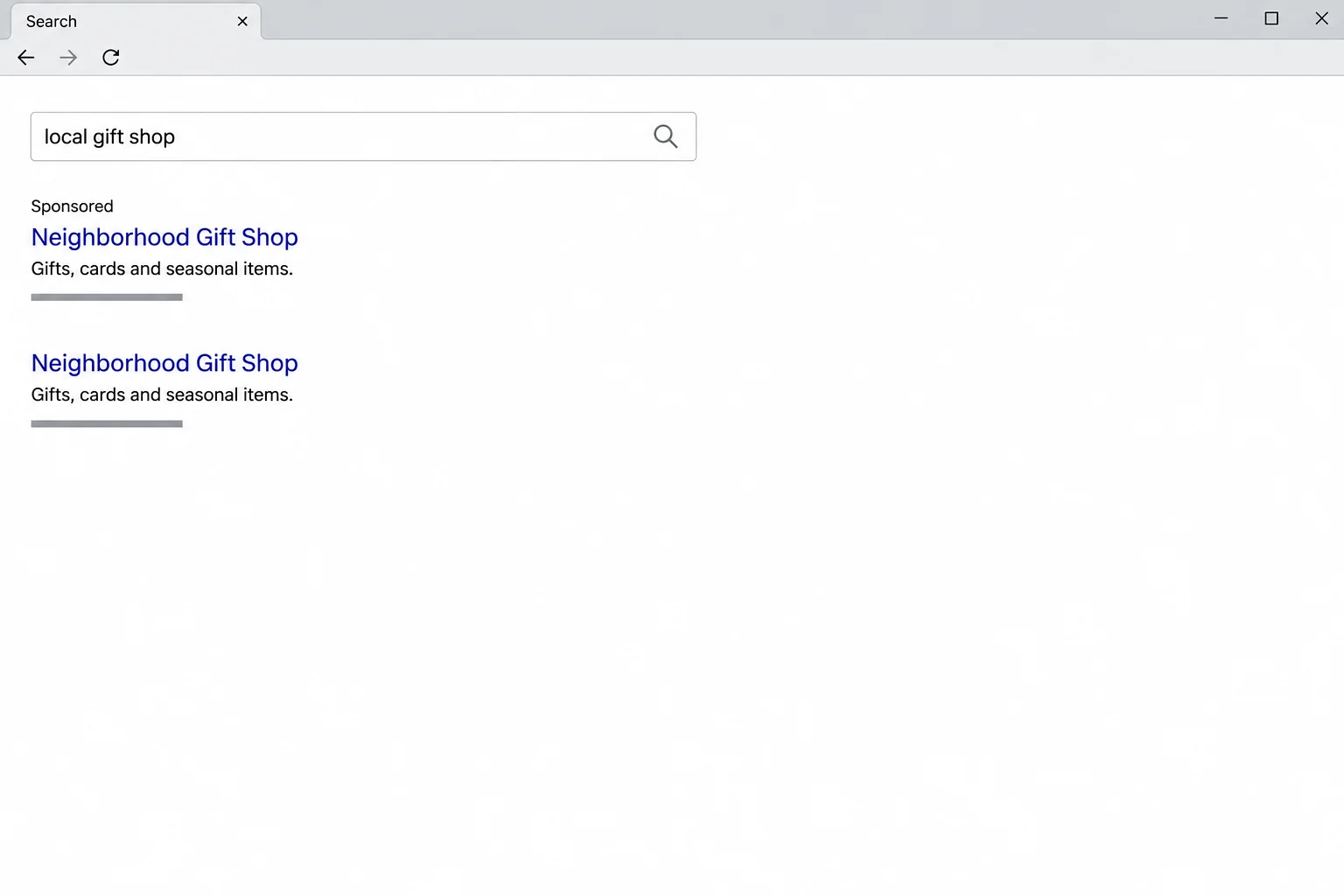
The opening image is an illustration, not a record of a real shop. It shows why two results can sound identical while the purchase path still needs checking.
First, ignore the result titles and compare the full account names or website addresses. Then contact the shop through a previous receipt or another channel it has already confirmed.
If only one listing is recognized, go through the verified channel from the beginning. If neither is recognized, ask the shop to tell you exactly where it takes orders.
If both are recognized, ask whether the inventory and terms differ. The real business might run a direct site and a marketplace account, but each has its own order record.
What to Do If You Paid an Impersonator
-
Stop any follow-up payments and verify the real shop. Call a number from a prior receipt or an independently located official page, and ask if it has your purchase.
If it confirms the listing is not theirs, keep that answer. Do not send a second payment to the impersonator to cover shipping, insurance or a corrected invoice.
-
Contact the original payment provider as soon as you can. Return to the official app or use the number on your card or statement.
Tell the provider whether you authorized a payment to someone misrepresenting the business or do not recognize the charge at all. The distinction helps the provider route your complaint.
For gift cards, contact the company that issued the card and save the physical card and purchase receipt. Do not send the code to anyone offering to recover it.
-
Save the listing and the records that identify the payee. Keep the page address, screenshots, order messages, receipt and any person or account named as the recipient.
Keep the original payment reference privately and note what the genuine business told you. Do not post your order number or personal information on a public complaint.
Where a platform hosts the listing, use its reporting control and identify the real business being impersonated. A removal request is separate from your bank claim.
-
Protect any account or card details you entered. If you gave a reused password, change it on the genuine account and on other services where it was reused.
Use each service’s own security settings to sign out unfamiliar sessions and enable two-step verification. Tell the issuer if you entered full card details on the fake checkout.
If you used a marketplace account, open your own order and address history. Save any unrecognized changes and report them through the platform’s own support route.
-
File a report using a channel not provided by the seller. The FTC’s scam response page covers steps for different payment methods and links to the official reporting site.
Describe the actual charge, where you found the listing and how the real shop responded. Save confirmation for your records, without treating a report as a refund.
Frequently Asked Questions
Can a familiar neighborhood business be impersonated?
Yes, someone can use the name and photos of a real small shop without its involvement. Verify the exact listing and ordering route with the business.
How do Small Business Saturday scams use sponsored search results?
An impersonator may pay for visibility while showing the shop’s name and their own contact details. Confirm that the real business recognizes the listing before paying.
Does a real street address prove a website belongs to the shop?
A page can copy the address of an actual business. Ask a verified employee whether the store operates that specific website or sales account.
Should I use the callback number from the listing?
Use the number from a separate, already trusted route. Calling the number in the listing can simply put you back in touch with the person who placed it.
What if the real store says it never received the order?
Save that reply and contact the company that processed your payment. Provide the charge and listing details rather than asking the real shop to refund money it never took.
Can my complaint stop another person from seeing the ad?
The platform can consider a report about the listing, but removal is not guaranteed. Send the exact address to the real business so it can make a separate report.
The Bottom Line
Do not pay through a listing the actual shop cannot confirm. Verify the merchant and payee independently, and let the deal pass if those details do not match.
If you already sent money, make a record of who received it and contact the payment provider now. Send the platform a separate report about the impersonating listing.

Join the discussion
0 commentsShare your experience or ask a question about this article.
Community experiences
Did this happen to you?
Your experience could help someone recognize the same scam. Submit a private report for our team to review.
I experienced this tooReports are reviewed before publication. Sharing publicly is always your choice.
Discussion
Start the conversation
Have a question or something useful to share? Add the first comment.