


The message includes a number and a city, followed by a claim that someone knows where you live. Accuracy can make the threat feel personal.
What matters is how much the number really establishes, and whether anything else in the message points to a risk that needs your attention.
Overview
A public IP identifies a connection, not necessarily a person
The websites and services you contact usually see the address your traffic reaches them from. That may belong to a home connection, a mobile network, or an intermediary.
The public address a site sees can differ from the address your device shows in settings. At home, several devices often share one public IPv4 address through the router.
Some networks also share addresses across customers. With IPv6, a device can have a public-facing address of its own, but the address still doesn’t identify the person using it.
A location match tells you less than it seems
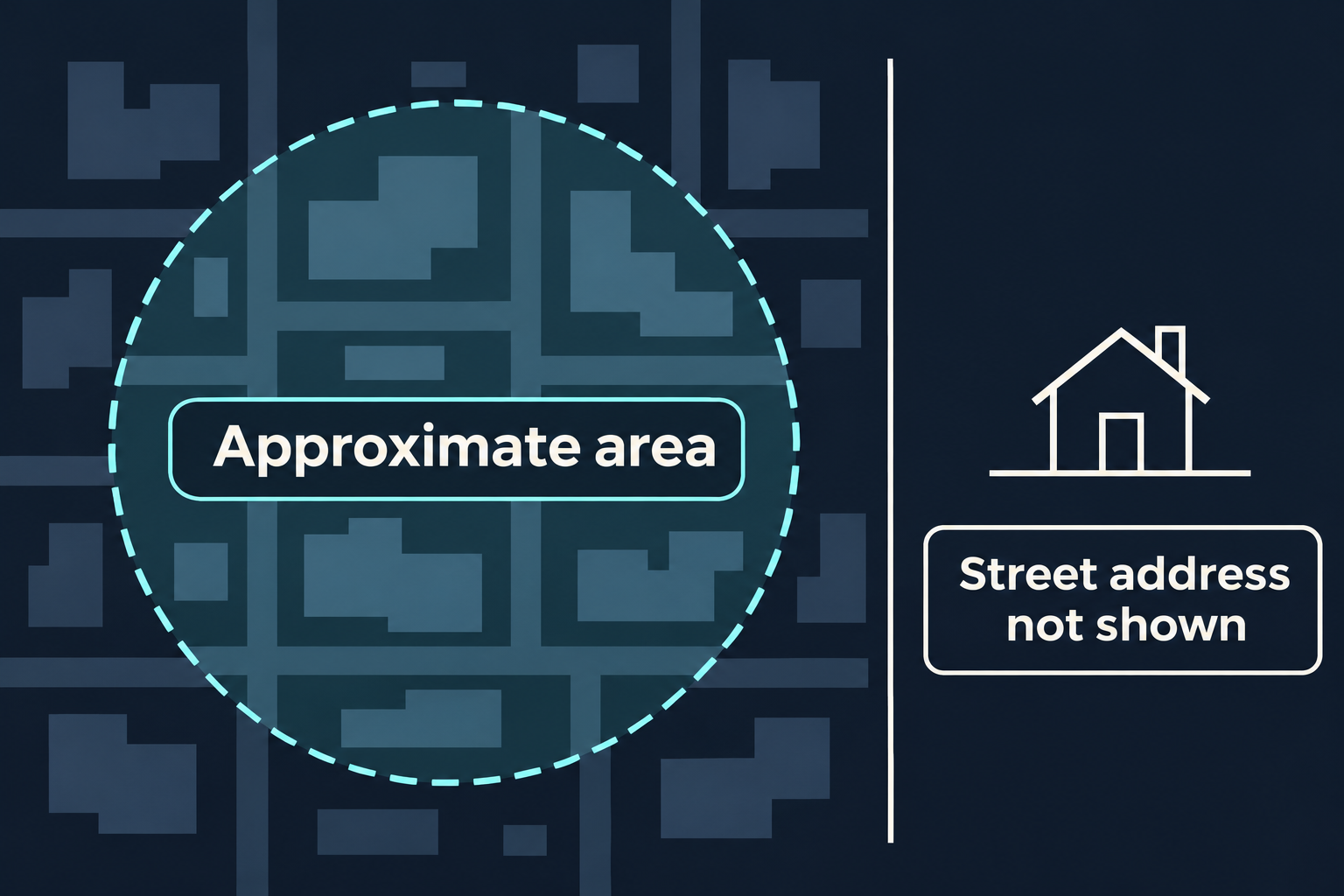
A location database can associate a public IP with a country, a network, or an approximate geographic area. It isn’t receiving live coordinates from your phone.
MaxMind explains why accuracy varies across connections and locations. Its estimates can cover a wide area, and a displayed location may differ from the user’s actual city.
A map can still place a dot on one spot. The dot’s exact placement isn’t evidence that someone has identified a particular apartment, house, or person.
Respond to the part you can independently verify
An IP in a message doesn’t establish a break-in. An account alert, exposed password, or threat naming your actual address deserves its own investigation.
- Only a number or approximate city: Preserve threatening messages and use the platform’s reporting tools. There’s no reason to reset your accounts on that evidence alone.
- An accurate private detail: Work out what it reveals and whether it could come from somewhere besides the IP. Take credible threats seriously regardless of how details were found.
- Repeated service interruptions: Note the times and ask your provider to investigate. A connection that goes down during a dispute isn’t enough to establish why.
How Someone Can See an IP Without Hacking Anything
Servers need to know where to send a response
Opening a site usually means its systems receive a connection from your network or from an intermediary you use. An address can appear in routine logs for that reason.
The person who sends a link doesn’t automatically get those logs. They would need access to the destination or information shared by the service that receives the visit.
The browser isn’t sending the contents of your computer along with the address. A file, message or account becomes exposed through a different permission, mistake, or security problem.
That distinction explains why checking an address on an unknown site is unhelpful. You could give another service information without learning anything about the original sender.
Home, work, and mobile connections don’t look alike
On many home networks, the router connects devices to the internet under a shared public IPv4 address. A web service seeing that address can’t tell which household member opened it.
A mobile service may put many customers behind common network infrastructure. An estimated location could reflect the carrier’s routing rather than the location of the person using the device.
At work or school, traffic may leave through a network that serves people in multiple buildings. A city associated with the organization doesn’t establish where any employee was sitting.
Your address can also change over time. Whether a provider assigns the same one again depends on the connection, so restarting a router isn’t a reliable way to change it.
A private address in settings tells a different story
A number like 192.168.1.10 is an example of an address used inside many local networks. Thousands of unrelated devices can use the same number in different homes.
Someone citing a private address isn’t showing that they can reach your laptop from the internet. A common default number could have been guessed or copied from a screenshot.
Check which kind of information was actually shown. Make that distinction before you interpret a string of numbers as evidence someone accessed your router.
Don’t post a screenshot with network names, device IDs or other account details to get an answer. Remove unrelated private information before asking a technician or community for help.
What an Address Can Reveal and What It Leaves Out
A plausible location isn’t a reliable street address
An IP lookup can identify the network organization and provide a geographic estimate. The location may be imprecise even when the provider name is right.
Imagine a chat message that correctly names the largest town nearby. It might have a regional estimate, your public profile, or a guess based on the time you post.
If the message names a street and house number, treat that as a separate fact. Someone could have combined other records with your display name or reused username.
Providers can have subscriber records that public lookup sites don’t have. A stranger’s map screenshot isn’t a copy of those records and doesn’t show how information was obtained.
IP information isn’t precisely worthless, either. Combined with a sign-in time and an account name, it can help a legitimate service investigate activity, without proving who was at the keyboard.
Flooding a connection is different from signing in
A denial-of-service incident can make internet service difficult to use. It isn’t the same as someone reading your messages, viewing your files, or logging into your social accounts.
Slowdowns have many ordinary causes, from overloaded Wi-Fi to a provider outage. If interruptions are severe or repeated, log their timing and ask the provider whether the connection is affected.
If one app is unavailable but other devices and services connect normally, include that detail. It helps separate a failing app or game server from your entire connection going offline.
Don’t pay someone who offers to stop a threatened outage. Preserve the message, report the sender where it occurred, and talk to the provider using a contact route you trust.
Internet-facing access creates separate responsibilities
If you deliberately run a service reachable from home, an IP can tell someone where that service is. Its actual security still depends on how it is configured and maintained.
Check the router’s own documentation for software updates and external management options. If you don’t need to administer it from the internet, ask your provider how to keep management local.
Note what you intentionally use before changing a setting such as port forwarding. A workplace connection, camera system or home server may depend on an arrangement you shouldn’t change blindly.
When you’re unsure who set up remote access, ask them to explain it. Don’t run a test suggested by the person making threats, and don’t give them access to check.
Know Which Privacy Tool Solves Which Problem
A VPN changes the connection address some services see
When traffic goes through a VPN, the site sees the exit address. That can help if you don’t want the site to see your usual connection address.
The VPN provider becomes another party you rely on. It doesn’t stop a site from recognizing you when you sign in, and it can’t make an unsafe checkout trustworthy.
Check coverage if your concern involves a game or an app rather than an ordinary web page. A browser extension and a device-wide VPN don’t necessarily route the same traffic.
A VPN won’t erase a screenshot, remove your name from a public profile, or undo an earlier disclosure. It addresses a connection detail, not everything that could identify you.
A browser privacy feature may cover only certain traffic
Apple’s Private Relay guidance describes how eligible iCloud+ users can protect Safari browsing. It isn’t a guarantee about the traffic from every app on the phone.
A privacy mode in a browser can also keep some local history from being saved. It doesn’t, by itself, prevent websites from seeing the address your connection uses.
If the actual concern is a stalker or abusive partner, network privacy alone may not solve it. Consider location sharing, account access, and a safety plan before changing anything visible.
Information can follow you without a stable address
A signed-in website recognizes your account whether you connect from home or a hotel. Cookies and account identifiers can do more to connect visits than the IP address alone.
If you want to separate a public profile from your day-to-day identity, review the details you’ve posted. A name, photograph or schedule can be more revealing than a regional estimate.
Set a goal before adding another service. Hiding your home network from a site, preventing account takeover, and keeping your location away from another person all require different measures.
Two Checks That Prevent the Most Expensive Mistakes
Compare an unfamiliar login with your own timeline
Suppose a security email says there was a login from a city you’ve never visited. Check the same event inside the account rather than comparing unfamiliar locations across lookup websites.
Note whether you were traveling, on mobile data, or using a work network at the recorded time. Now check which device and application the service associates with the event.
A familiar device and action matter more than an unfamiliar city. If the action isn’t yours, secure the account even when the location looks familiar.
After removing an unfamiliar session, review recovery methods and recent settings changes. Those checks deal with account control, which looking up the IP again cannot tell you.
Distinguish a service interruption from a single app failure
During an outage, see whether a second device on your own network can reach an unrelated service. Write down what happened rather than testing an address someone supplied.
If your computer can browse but a game cannot connect, check the game’s official service status. If several household devices lose internet together, contact the provider with that detail.
If a threat names your location, save the original message and identifying details privately. Don’t reply in a way that confirms your address or routine.
The goal in each case is a useful next decision. Collecting more location pins in a lookup tool won’t tell you whether the platform or provider confirmed actual misuse.
What to Do If Someone Sends You Your IP Address
- Save the original message without answering the threat. Record the sender, timestamp and platform, while keeping any private details out of public reposts.
- Separate claims from information you recognize. Note whether the sender showed only a number, an approximate area, a private fact, or a genuine account notice.
- Report harassment through the service where it happened. Keep any report confirmation and don’t use links the sender calls proof of their access.
- Ask your provider to investigate persistent connectivity problems. Share the times, which devices were affected, and whether the issue continued on a known-good connection.
- Secure an account if there is actual exposure. Open it independently, change a disclosed password, and check active sessions or devices when the platform offers that control.
- Take a credible physical threat seriously even if the technical claim is wrong. If danger is immediate, contact local emergency services and don’t try to verify the sender yourself.
Compare a suspicious sign-in from inside the account, not from a screenshot someone sent. Check the time, device and whether you used a mobile connection or privacy service then.
If you’ve shared a verification code or approved a sign-in, respond to that exposure now. Don’t wait to solve how the sender learned the number in the message.
If no device, account, or connection problem is present, blocking and reporting the person may be enough. You can preserve evidence without treating the message as a system compromise.
Frequently Asked Questions
Can someone get into my accounts with only my IP address?
An address doesn’t give anyone your password or approve a sign-in. If an account shows activity you didn’t authorize, investigate that activity through the real service instead.
Can a lookup show my exact house?
A commercial IP location lookup estimates an area, not the address of your residence. Treat any actual address in a threatening message as separately obtained information that deserves attention.
Does a city in a security alert tell me who logged in?
No, it is one clue about a connection. Compare the login’s time and device with your activity before you decide whether someone else used the account.
Should I restart my router to get a different IP?
A restart doesn’t guarantee a change, and it doesn’t fix an exposed password. If someone appears to be disrupting your connection, ask your provider what it can investigate.
Does a VPN make me anonymous?
It can mask your connection address from a site when traffic goes through it. That site can still recognize your account, and other identifying information doesn’t disappear.
Is a number starting with 192.168 proof someone is on my Wi-Fi?
No, these addresses are routinely reused on separate local networks. Look for actual evidence in your router’s device list or ask the provider to help interpret it.
The Bottom Line
A stranger who knows your IP hasn’t demonstrated access to your device, accounts, or exact location. Don’t pay for protection or switch services solely because they sent you a number.
Preserve harassment evidence and act on the part you can verify. A compromised account, a persistent outage, and a credible physical threat each need a different response.

Join the discussion
0 commentsShare your experience or ask a question about this article.
Community experiences
Did this happen to you?
Your experience could help someone recognize the same scam. Submit a private report for our team to review.
I experienced this tooReports are reviewed before publication. Sharing publicly is always your choice.
Discussion
Start the conversation
Have a question or something useful to share? Add the first comment.