


You open your inbox and see that your bank access may be locked. The first thought tends to be practical: can that payment you scheduled still go through?
Take a minute before you try the remedy in the message.
Overview
The two things the warning tries to make you believe
The Truist online banking access locked scam is a fake bank notice. It tells the recipient that digital access is temporarily restricted while the bank reviews the account.
It then suggests the review can interfere with transactions unless the recipient verifies their identity. An apparent reference ID makes the notice feel tied to an existing case.
The shock is not an unfamiliar purchase. It is the thought that your own bank may stop you from seeing or using your account.
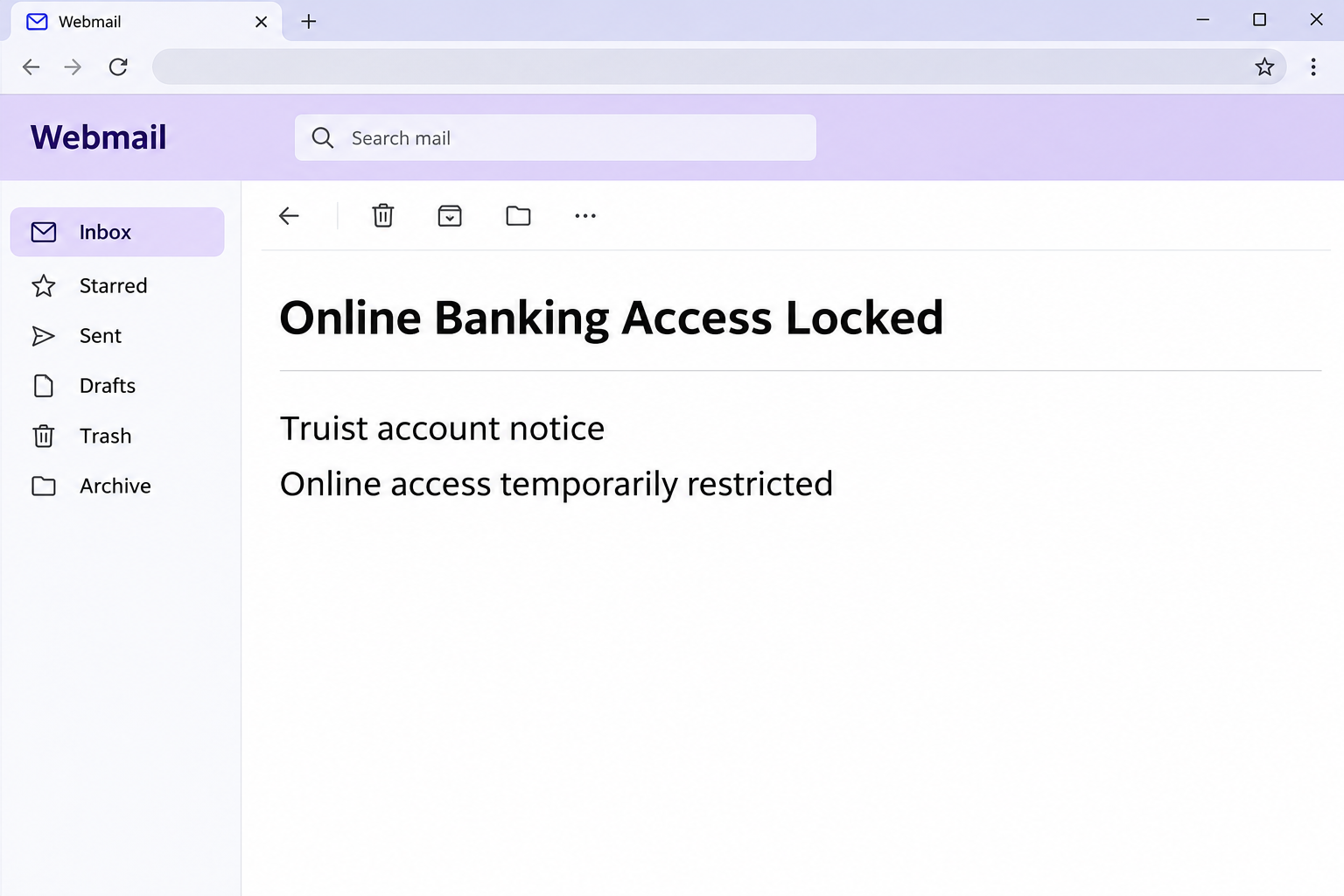
The image restates the core claim without representing a real Truist account. The original notice did not establish any actual freeze.
A genuine restriction is possible in banking. The important point is to confirm one with the bank directly, not with the screen to which the email directs you.
A code promise leads to a password form
The notice tells readers to log in to receive a one-time verification code. It sounds like an ordinary safety measure, especially if you already use codes to sign in.
In the reported case, the link opened a copied Truist sign-in page. The observed form asked for a user ID and password.
The report does not establish that an actual Truist code was sent by this page, nor that a victim lost money after using it. It shows the credential request.
The sequence is revealing. The sender invokes the security of a one-time code and gets the recipient to disclose the regular sign-in information before any verified interaction with the bank.
If a real code arrives around the same time, do not treat that as validation. An unsolicited code is a reason to stop and ask the bank what is happening.
What to compare against the real bank
A logo, a polite greeting and a case number are easy to present in a message. They can help you recognize the bank’s name without authenticating the sender.
Your installed banking app and the phone number printed on your card are better places to check. They are not supplied by the party trying to direct your next move.
A real branch can also help verify whether certain restrictions exist. You should not have to hand a password to a person or send an unrequested code in an email.
- An apparent reference ID is not proof Truist created a case.
- A warning about suspended transactions is not a bank record of a hold.
- A page that resembles Truist can still be collecting information for someone else.
- An unexpected code can accompany a genuine attempt to sign in. It does not make the email that prompted you genuine.
Truist’s fraud reporting page explains how to reach the bank and report a suspicious message. Keep that separate from any contact in the notice.
How the Scam Works
Step 1: The email makes time feel expensive
Online banking is how many people check rent, payroll or an automatic payment. An alleged restriction carries an immediate inconvenience even if the message names no suspicious transaction.
The notice presents the restriction as a routine review with one step to restore access. That framing makes acting on it feel safer than waiting.
A reference ID reinforces the impression that the decision is already in a system. It is a label in the email, not confirmation you can verify through that email alone.
If you do not bank with Truist, leave the reference alone. A sender can copy a recognizable bank name without knowing whether you have an account.
Step 2: The verification code sounds like a safe next step
People are often taught that a code protects an account. The wording takes advantage of that expectation by putting a code at the center of the proposed remedy.
What the reader is actually being asked to do first is follow a link and provide normal banking credentials. Those credentials are valuable regardless of what the page shows afterward.
A necessary code can be part of a session you started on the verified bank site or app. That is different from trusting an unexpected link to start the session.
If a call follows and someone asks you to read a code, stop. The sequence can feel coordinated without being authorized by the bank.
Step 3: The page copies the familiar banking entrance
Readers arriving from the alert can find a page that resembles the bank’s usual sign-in. The documented form requests two recognizable things: a user ID and password.
The copied page does not have to show a convincing account balance. If it obtains what the user types, some damage may already be possible.
A real bank login window is not established by its font, color or button. Check where you went independently rather than comparing a suspicious screen to memory.
Your own app has a safety advantage here: you can open it without letting the email choose a destination. If the app also reports a problem, call Truist directly.
Step 4: Follow-up prompts can extend the request
The case documents the copied credentials form. It does not show an actual follow-up code prompt, a phone call or a confirmed session takeover.
In banking impersonation attempts more broadly, someone may try to follow up for a code or approval. Sometimes the first form makes that new request feel expected.
If a prompt came from your real app at that point, read what it is authorizing. Refuse approvals you did not initiate, including ones described to you by a caller.
Do not transfer money to an account a caller describes as safe. A bank can discuss locks and disputed transfers without asking you to move the balance to an outsider.
Step 5: Captured credentials matter before losses are visible
A working user ID and password do not guarantee that someone can enter the bank account. Additional verification and fraud controls may get in the way.
You do not need to wait to learn which protections worked. The fact that a transaction list still looks normal is not a reason to leave an exposed password active.
Your bank can look beyond the recent transactions you see. Ask about new recipients, profile changes, transfer instructions and other activity that might be pending.
If the password was reused elsewhere, those other services need attention too. Secure the bank first, then look at the email address that receives its notices and your reused logins.
What To Do If You Fell Victim
-
Close the page before doing any more verification.
Do not enter a second password, approve a request or read a code to someone who says they can finish the review.
If somebody is on the phone when a prompt arrives, hang up. A real fraud team can be called back through the number printed on your card.
If you only read the email, keep that distinction. Seeing an alarming notice does not make it necessary to unlock an account through the sender.
-
Ask Truist whether the account was actually restricted.
Reach the bank through your installed app, the number already on the card or its independently opened official fraud page. Do not use a number supplied in the suspect message.
Explain that you received a notice about locked online access and were sent to a copied sign-in. State whether you entered a user ID, password or code.
Ask whether a genuine restriction appears in the bank’s records. If you really cannot sign in, the bank can explain the official recovery options after verifying you.
-
Treat submitted banking credentials as exposed.
If you entered a valid password, use the bank’s trusted reset route. Ask whether the bank should also change your user ID or disable other active sessions.
Tell support about any approval you accepted, code you shared or unexpected prompt you received. Those details can matter even if your password is already changed.
Use a different device if you have separate reason to doubt the device you used. Any download or unexpected browser behavior should be reported as a separate fact.
-
Make a short list of what moved or changed.
Compare recent transactions against receipts and scheduled payments. Look past the posted balance and ask about items that are pending, attempted or newly scheduled.
The fraud team can tell you how to report activity you did not authorize. Ask for a case number from that trusted contact, and keep it with any timestamps.
If you also exposed card details, say which ones. A card lock and an online banking password reset solve different problems.
-
Protect other accounts that could help someone get back in.
Change a reused password on other services. Start with any email address tied to financial records or account recovery.
Review relevant account notices in the genuine app or provider dashboard. If something reached you by SMS right after the email, do not assume both came from one confirmed sender.
Keep the codes and passwords themselves out of any report. Support needs to know what kind of information was disclosed, not the secret values.
-
Save the message and report it through the proper channel.
Preserve the original subject, arrival date and displayed reference for the fraud review. Record time and action without copying bank secrets into an unsecured note.
Follow the bank’s current instructions for forwarding suspicious mail. Then use your email service’s report phishing control if doing so will not remove information the bank still needs.
If a follow-up comes from a supposed investigator, start over with a known bank number. Do not trust the new contact simply because they repeat the first warning.
If You Were Waiting for an Important Payment
When you hear that access is locked, your mind may jump to a mortgage payment or incoming paycheck. That concern is understandable, but the claims describe two different things.
Digital access controls whether you can see or manage the account online. Whether a payment is posted, held or scheduled is something the bank can confirm separately.
If you have a due date that day, tell the bank when you call. Ask what records you can use to check status without sending a second payment.
If you contact a payee, verify that contact too. Explain that you are checking the status of a transfer, not requesting that they change the account that receives it.
Keep the suspect notice separate from the real payment records. That makes it easier to give a fraud representative a clear timeline without accidentally trusting the original warning.
Frequently Asked Questions
Is the Truist online banking access locked email real?
The version described here is phishing. The notice claims an account review, then directs people to a copied login that asks for their user ID and password.
Real access issues are possible. Use a known Truist channel to check whether any restriction actually applies to your account.
Does the reference ID prove the bank opened a case?
No. It can be text placed in a message to make the warning look more specific.
A verified bank representative can tell you whether the bank recognizes the issue. Do not assume a number you got from the email connects you to the bank.
Why would the scam mention a one-time code?
It borrows a familiar sign of account protection. The reported page used the code promise to get people to a form that asked for ordinary credentials.
If an unexpected code arrives, do not read it to a caller. Reach the bank using its established contact and tell them you did not start a sign-in.
I clicked but did not type. Does the bank have to replace my account?
A click with no disclosure is not evidence that anyone got your password. Close the page and open your bank independently to address the actual question about access.
If you did submit a password, approve a prompt or receive a concerning follow-up, tell the bank exactly what happened. It can advise on the appropriate containment.
What if my real Truist app will not let me sign in?
There could be a genuine problem unrelated to the fraudulent message. Call from the number on your card or visit a branch rather than retrying through the email.
Do not let a real inconvenience make the email’s remedy trustworthy. Confirm the recovery process with the bank itself.
Can I trust a call that knows the same reference number?
Knowing what was printed in the notice is not evidence the caller represents Truist. End the contact and get a fresh connection using a number you already trust.
Explain the sequence rather than giving the caller a code to confirm your identity. The bank can look up its own events and tell you what it needs.
The Bottom Line
The fake Truist notice uses a supposed account lock and an offer of a security code to make a copied sign-in feel like a normal step.
Check for actual restrictions with the bank directly. If you supplied your credentials or allowed a login, call the bank promptly even if no money has moved.

Join the discussion
0 commentsShare your experience or ask a question about this article.
Community experiences
Did this happen to you?
Your experience could help someone recognize the same scam. Submit a private report for our team to review.
I experienced this tooReports are reviewed before publication. Sharing publicly is always your choice.
Discussion
Start the conversation
Have a question or something useful to share? Add the first comment.