


A page says you were selected for a Solana event. The offer sounds complete enough to understand, but one word still needs an explanation: unlock.
Before you open a wallet, find out whether there is anything in your own account that actually needs to be unlocked.
Overview
A year-end offer that treated selection as a given
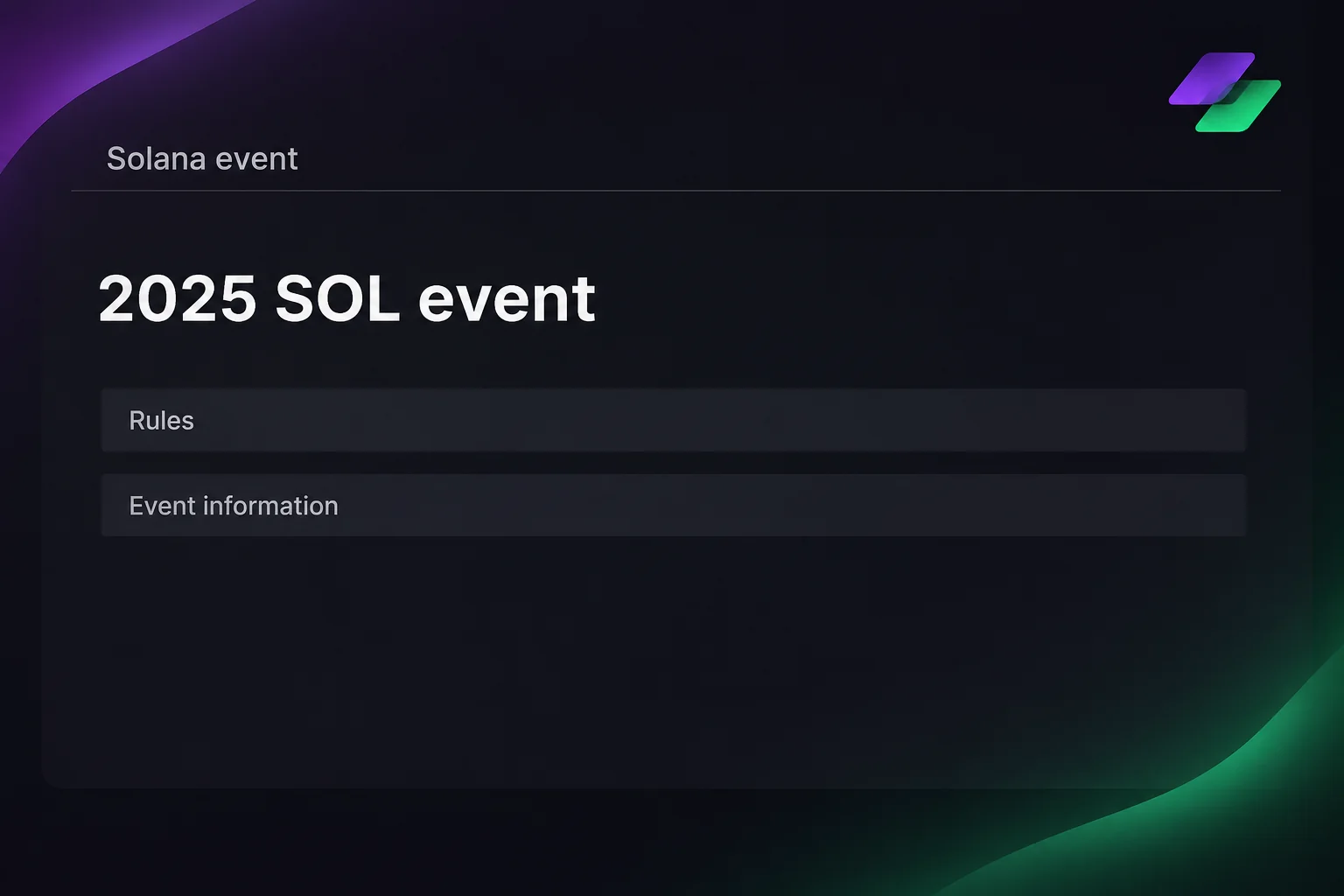
The archived “Unlock Solana” page at 2025-event[.]xyz presented itself as an official 2025 event. It told visitors they had already become participants in a token giveaway.
The page used Solana branding, event navigation, and small graphics showing positive SOL amounts. None of those elements established that a particular visitor had won or owned those tokens.
The page starts in the middle of the story. Instead of asking you to apply, it treats eligibility as settled and offers a way to finish.
That is a meaningful warning sign. The page did not establish a prior registration, verified announcement, or actual record linking the visitor to a distribution.
Unlocking is a real word with a different meaning in staking
Some people use “unlock” when talking about funds subject to a restriction. That makes it sound like a normal step in getting access to crypto they already own.
Solana’s official stake-account documentation explains that a stake account can have a lockup. It also distinguishes deactivation and cooldown from a restriction on withdrawals.
Those are properties of specific accounts, not a promotional event. Being told you were selected does not create a balance or an account restriction.
This reported site was offering a purported giveaway. There is no indication in the archived flow that it knew a visitor’s stake account or could release funds from it.
The event page led into a wallet chooser
The captured path showed an unlock control followed by wallet selection. It did not show a confirmed payout or a transaction proving that a visitor received assets.
When an unfamiliar promotion uses this wording, check what each claim would actually require:
- Being selected requires an independently verifiable campaign and eligibility record.
- Unstaking involves a real position you already manage through trusted tools.
- A wallet request needs inspection before you agree to it.
- Images of balances and token amounts are not records for your account.
This is a warning about the outside event page, not an allegation against the Solana network or any wallet whose name appeared in the chooser.
How the Unlock Solana Event Scam Works
Step 1: The page creates the impression that a decision has already been made
The introductory message congratulates the visitor for becoming a participant. That phrasing encourages people to think of the reward as something already assigned to them.
The captured screen did not show how anyone was chosen. There was no account context, entry history, or verified issuer record tied to the person reading it.
That matters because a claim page is not a substitute for a real selection process. The person making the offer should be able to explain why the recipient qualifies.
If you had not entered an event, do not let the congratulations serve as proof of entry. Start with what you independently know about your own activity.
Step 2: The year and event navigation make the site look established
A year in the headline can make a promotion sound like an annual event. The surrounding menu can resemble a separate site set up for a real campaign.
The fact that a page has sections labeled rules and information does not identify who wrote them. Compare claimed events with dated announcements from sources you recognize.
The reported address was an outside event domain. Its connection to the Solana name came from the content it displayed, not a genuine Solana route established by the capture.
Older links can continue to circulate after the year in the title has passed. Changing the year in a similar notice would not fix the missing proof of eligibility.
Step 3: The word “unlock” reduces a complicated choice to one action
People expect an unlock control to reveal something. They may not expect it to open a decision about sharing access with an unfamiliar website.
The page’s surrounding token graphics add to that impression. A pictured increase in SOL does not establish that the account you are using will receive anything.
A real stake account gives you a place to verify your position and its status. The outside event page provided no verified connection to such an account.
Before using a control that says it will unlock something, identify the actual asset or restriction through a trusted app. If you cannot find it, do not continue.
Step 4: Familiar wallet brands make the next screen seem routine
The recorded unlock path opened a chooser with wallet options. Choosing software you know does not establish that the site asking to connect is legitimate.
A routine connection is different from signing a message or approving a transaction. Be clear about what appears in the wallet, not just what the website calls the action.
If a request describes a transfer or a change in authority you do not recognize, stop. You do not need to approve it to discover what the promised reward is.
The archived pages show the path to wallet selection, not a signed request from an identified victim. What happened in your case must be determined from your own records.
Step 5: The offer may leave you looking for a reward instead of reviewing an authorization
If a promised balance does not appear, someone might blame a delay and try again. That puts the focus on an unverified reward instead of on what was already approved.
Use your wallet’s activity history to check transactions and permissions. Look at the exact address you used rather than comparing a total shown on a website.
If you discover a transfer, save the details and report it without opening a new claim. Ignore private offers to fix the problem by using another wallet connection.
What to Do if You Have Fallen Victim to This Scam
-
Leave the event page and keep the information you already have. Save the message or referral, the reported site name, and the approximate time, without revisiting the page.
When warning others, describe what the suspicious page asked for. Do not forward the live invitation as a way for friends to confirm the details.
-
If you saw the page but took no wallet action, stop there. Receiving the offer or seeing its interface is not evidence that Solana assets were transferred.
A download or installation in a different encounter needs a separate assessment. The captured event flow does not establish that software ran on a visitor’s device.
-
If you connected, remove the event site from your wallet’s connected sites. Use the settings in the app you already trust.
Review the address and activity associated with the visit. If you own several wallets, make sure you are checking the one you selected.
-
If you signed, check what was authorized on the network. Read the details in your wallet or use a recognized explorer you reached independently.
For an unfamiliar transfer or change to an account, save the transaction reference. Use trusted help to determine whether any authority remains in effect and whether it can be removed.
Phantom’s scam support guidance explains steps to consider. Use the official provider’s equivalent instructions if you did not interact through Phantom.
-
If you exposed a recovery phrase, use a wallet with new recovery information. Start from a trustworthy device and seek provider guidance about moving remaining assets safely.
Changing a local password does not make exposed keys private again. Do not send a stranger a copy of your phrase to ask whether someone used it.
-
If SOL or other assets moved without permission, report the transfer. Keep the amount, time, network, destination, and transaction identifier together.
Notify the relevant service and your local fraud-reporting channel. A confirmed transfer generally cannot be reversed by the company that made your wallet.
How to Check a Real Solana Lockup Without Using an Event Link
Start with an asset you can actually identify
If you believe SOL is staked, locate the actual stake position through an app or explorer you already trust. Look for an account, not a promotion.
A genuine position can exist even if an unrelated event page mentions the same asset. That overlap does not give the page any role in managing your stake.
If you are using a liquid staking product rather than a native stake account, verify the particular provider and its instructions. Rules can differ depending on what you hold.
Read the account status before deciding what to do
Staking status and withdrawal restrictions answer different questions. An account may be in the process of deactivating, or it may have a separate lockup that limits when funds can move.
That is why a page claiming one generic unlock can be misleading. A real change depends on the account and the permission you are being asked to grant.
You do not need to use an unverified invitation to see whether a stake position exists. Check its status through your usual wallet or the project’s documented viewing tools.
Confirm a promotion on its own evidence
Even if you were discussing SOL in a community, that does not prove you entered a giveaway. Look for official rules, an identifiable organizer, and a verifiable basis for eligibility.
The year and sequence in an old warning can help you recognize a copy. They are not instructions to revisit the address or try a similar offer elsewhere.
The FTC’s cryptocurrency scam guidance has more information for U.S. readers. Start with trustworthy reporting channels if an offer resulted in a loss.
A real restriction has a reason you can identify
Solana’s documentation describes lockups set for a date or epoch. You can check whether a stake account has a restriction without accepting an advertisement’s description of it.
Staking instructions may use terms such as delegated, active, or deactivating. Those words describe an account’s state, not a competition you are entitled to enter.
A wallet with an ordinary SOL balance is also not necessarily a stake account. Locate the asset and position you meant to check before deciding whether any restriction matters.
Some staking accounts have different authorities for managing stake and withdrawing funds. Verify the authority involved through the tools you already use before approving changes.
An event page may tell you that an account is eligible before seeing an address. That does not establish anything specific about who owns a stake position.
A number printed on the page is not a transaction
The captured promotion included small images with positive SOL figures. Those visuals are better read as advertising than as balances associated with an individual visitor.
An actual record would connect a specific account to a real transaction or position. Check whether you can find that evidence before trusting a number on an unfamiliar site.
If a friend shows you a screenshot of a larger displayed number, ask which record it corresponds to. Another image of the same event does not answer the question.
Do not pay a private contact for proof that an allocation exists. If the event cannot be verified through its genuine organizer, there is nothing to settle through a payment.
Keep the warning useful even after the event date
When reporting a copy in a community, mention the supposed selection and unlock wording together. That explains the particular lure without depending on a logo that may change.
If you know someone clicked, first ask whether they merely saw the selector. It is more useful to reconstruct the order of events than to assume a balance disappeared.
An old date in a headline can help someone recognize the example. It should never be your only test for deciding whether a different offer is genuine.
Frequently Asked Questions
Did Solana run the reported 2025 unlock page?
The recorded site used Solana’s identity from a different domain. It did not establish that the genuine network or project organized the offer.
Did the displayed SOL amounts show what I was entitled to?
They were part of the page’s graphics. They did not identify your wallet address or show a verified transfer or allocation for you.
Is unstaking SOL the same as accepting a giveaway?
No, a genuine stake operation concerns an account or position you already control. The event page presented a gift rather than an authenticated request about such an account.
Did opening the wallet chooser transfer anything?
Seeing a chooser does not establish that a transaction occurred. Look for any request you actually signed and verify whether funds or account permissions changed.
Does the event’s 2025 label mean all copies are gone?
The year identifies the captured pitch, not the lifespan of every related link. A later page can repeat the same claim with another year or address.
Can a support agent reverse a confirmed SOL transfer?
Wallet providers generally cannot reverse a confirmed transfer. Save the transaction evidence anyway, and do not trust recovery promises that ask for money or wallet access.
The Bottom Line
Do not use the reported event page to unlock SOL. Check real stake positions through trusted tools, and verify any giveaway separately through its genuine organizer.
If you used the site, review exactly what the wallet granted or recorded. That check matters more than anything the page said you were selected to receive.

Join the discussion
0 commentsShare your experience or ask a question about this article.
Community experiences
Did this happen to you?
Your experience could help someone recognize the same scam. Submit a private report for our team to review.
I experienced this tooReports are reviewed before publication. Sharing publicly is always your choice.
Discussion
Start the conversation
Have a question or something useful to share? Add the first comment.