

Your phone lights up with verification texts you never requested. Another arrives before you can read the first, then another.
It is tempting to mute the conversation and wait for the noise to stop. First, look for the message that does not belong with the rest.
Overview
A flood of codes can become a smokescreen
SMS bombing means triggering many messages to one number in a short period. Some attacks use verification forms to generate legitimate service texts.
The messages may be individually real, even though the requests behind them were not made by the phone owner.
Security researchers describe a malicious use of this noise: hiding one important bank or account notification among dozens of distractions.
A reported case shows why the inbox matters
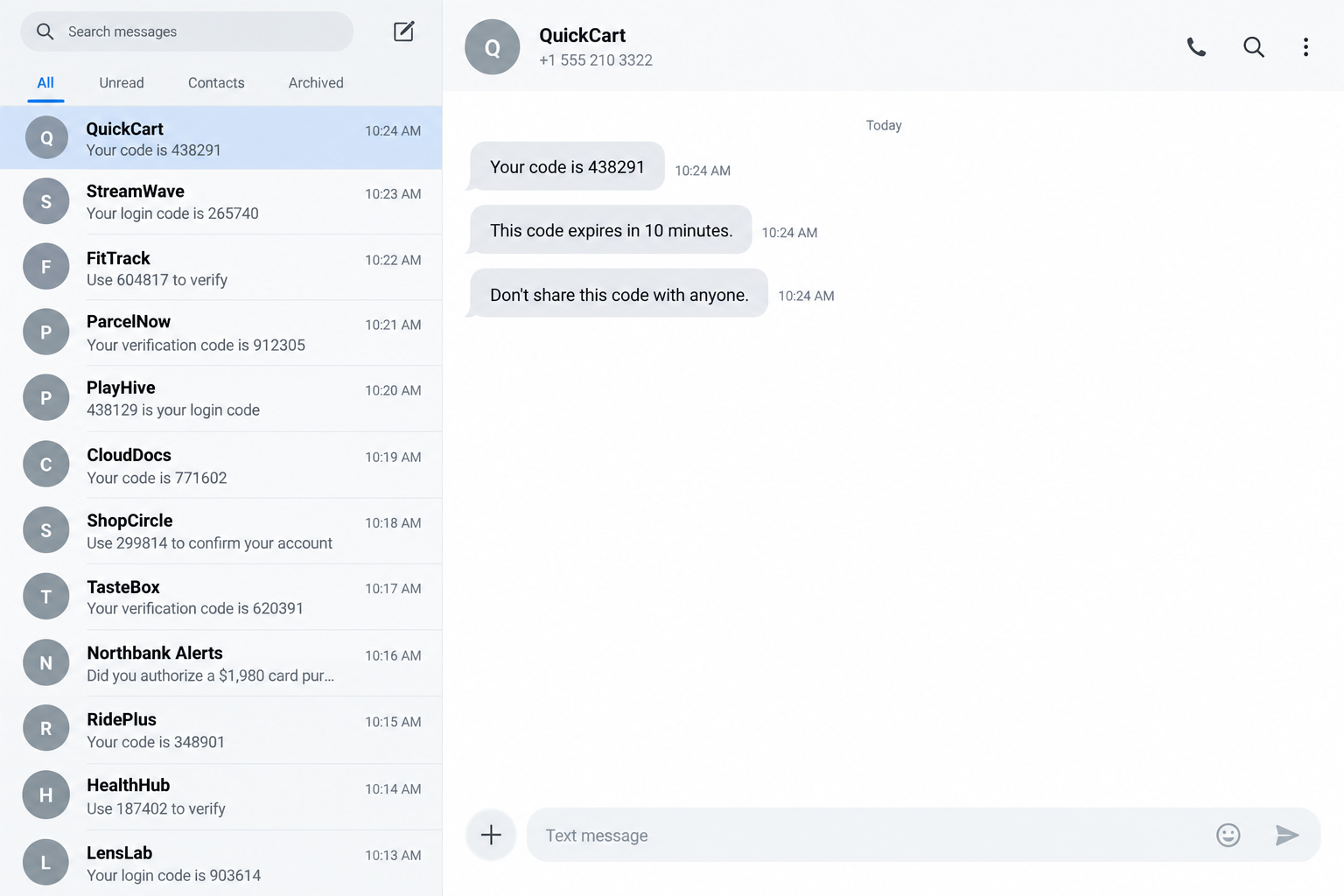
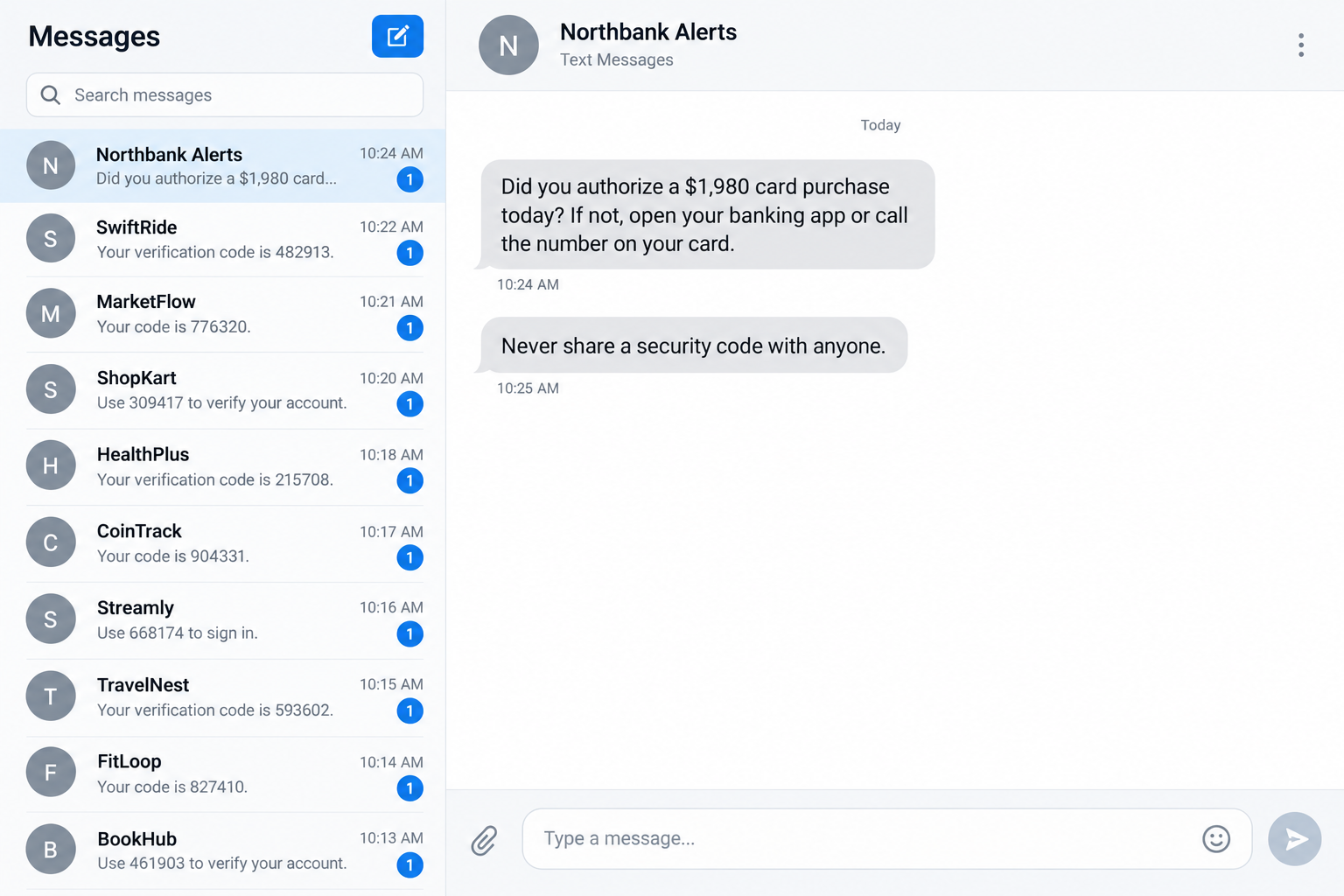
One person described more than 50 verification texts arriving alongside an attempted card purchase. They found a bank alert buried in the burst.
The timing warrants investigation, but does not prove that one person caused both events.
Adaptive Security explains that message floods can distract people from security alerts while other account activity happens.
Do not respond to the whole pile as one event
- Look for a real bank, payment, or account-change alert in the burst.
- Open the relevant service through its app or typed website.
- Contact your bank through the number on your card if an unauthorized transaction appears.
- Never read a verification code to someone calling about the flood.
The two message screens here are fictional reconstructions. Their bank name and purchase amount are illustrative.
A burst of codes can also result from mistakes, prank abuse, or automated testing. It is not proof that money has been stolen.
Why the Ordinary Advice to Ignore Codes Is Not Enough
Usually, an unexpected one-time code means you should not share it. That remains good advice.
A sudden flood creates a second problem. The important notification may not be a code at all.
It may say a card was used, a new device signed in, an address changed, or a withdrawal was attempted.
When dozens of messages arrive, people naturally skim, silence notifications, or assume every text is part of the same nuisance.
A criminal using the flood as cover benefits from that assumption. The real warning gets less attention precisely when it matters most.
That experience shows why the inbox deserves a careful look. It does not establish that the same person sent the texts and attempted the purchase.
A sensible response is to separate the two questions: why are codes arriving, and has any account actually changed?
You may not be able to answer the first quickly. You can often check the second by opening banking and email accounts independently.
Do not let the sheer number of texts force an all-or-nothing response. A short targeted review is more useful than reading every code aloud.
If the service named in a code is unfamiliar, do not create an account there just to investigate the text. Focus on accounts you actually use.
How a Verification Text Flood Scam Works
Step 1: Someone targets a phone number
An attacker may enter the number into many sign-up, login, or verification forms. Those services then send automated codes to the phone owner.
The attacker does not necessarily need access to the phone. They only need forms that accept the number and trigger messages.
Some services limit repeated requests, but a flood can involve numerous unrelated systems. That is why blocking one sender may not stop it.
Not every flood has a theft objective. The malicious smokescreen pattern is one documented reason to investigate the timing.
Step 2: The inbox becomes hard to scan
New messages push older ones down the list. Alerts from familiar financial services can be surrounded by irrelevant sign-in codes.
On a busy day, a recipient may swipe away notifications without reading them. A stream of similar previews encourages that reflex.
The volume can also make the phone feel unreliable. Some people silence all notifications, missing later messages from the same bank.
The distraction is the point when a criminal deliberately coordinates the flood with another account action.
Step 3: One account event may occur at the same time
The event could be an attempted purchase, a password reset, or a change to account settings. The exact action varies by case.
Security researchers describe SMS bombing as cover for other account activity. In the reported case, a card purchase was attempted during the flood.
No public evidence ties the two events to one actor. Check the account activity instead of assuming a connection.
What matters for the reader is practical: check for an unauthorized action instead of assuming the messages are merely annoying.
Step 4: The genuine warning gets lost
Financial institutions send alerts to help customers respond quickly. A notification that goes unread loses much of its value.
Attackers may hope the victim overlooks a decline, an approval request, or the first indication that a card is being tested.
Even if the suspicious transaction fails, repeated attempts may follow. The bank can explain what it observed on the account.
The flood itself does not authorize a charge. Its effect is to delay recognition of another event.
Step 5: A follow-up caller may exploit the confusion
A separate fraudster might call claiming to help stop the texts. They may ask for one of the codes or direct you to a supposed support page.
A follow-up caller is another risk, but not something reported in this particular case. Do not assume every flood includes a phone call.
A genuine bank does not need you to disclose an unsolicited login or wallet code to a stranger who called you.
End the call and contact the institution through the official app or number printed on your card.
How to Find the Alert That Matters
Start by looking for services you actually use: your bank, card issuer, email provider, and major payment accounts.
Read messages about transactions, new devices, account recovery, and contact-detail changes before dealing with unfamiliar sign-up codes.
Do not click an embedded link to inspect the account. Open the app yourself so a forged alert cannot steer you to a phishing page.
Check pending card authorizations as well as posted charges. A failed or pending attempt may never appear as a final statement line.
Review recent security activity in your primary email account. Access to email can let someone reset other accounts.
If you see an unfamiliar change, take a screenshot and report it through the service’s own fraud channel.
Keep the sequence of messages. The timing may help a bank or investigator compare the flood with attempted transactions.
Do not reply “STOP” to every unknown sender. Some are legitimate automated code services; others may be spoofed or may confirm your number is active.
Use your phone’s report-junk controls where appropriate. The FTC recommends forwarding unwanted texts to 7726 in the United States.
Filtering helps with noise, but do not silence your bank’s real alerts before checking account activity.
A Code Flood Does Not Automatically Mean an Account Was Hacked
Receiving a code proves a request reached a service that knows your number. It does not prove the requester completed a login.
The attacker may know only the number. Many systems send a code before confirming whether an account exists.
That is why panic-driven password changes across dozens of unfamiliar sites are not always useful.
Prioritize accounts with evidence of change or attempted access. Your primary email, banking, and payment services usually deserve the first look.
Check each through its own app or typed website. If the account is secure and shows no unusual activity, document the text and move on.
If you see a login or recovery attempt you did not make, change the password and review sessions from within that account.
Use a unique password and a strong second factor where available. An authenticator app or security key can reduce reliance on text codes.
Do not turn off all fraud alerts permanently because a flood was unpleasant. Adjust notification settings with your provider after the immediate review.
A Bank-Looking Text Still Needs Independent Confirmation
The message that stands out may itself be fake. Criminals send counterfeit fraud warnings that lead to phishing pages or fraudulent support calls.
That is why finding a bank-looking text is only the first step. The next step is checking the event in your real account.
Do not call a number included in an unexpected warning. A scammer can place their own number in the message and impersonate fraud support.
Do not enter your password through its link, even if the text mentions your card’s last four digits.
Open the banking app already installed on your device, or use the number printed on the physical card.
Ask whether the bank sees an attempted purchase, a new wallet, a declined transaction, or a change to account information.
If the bank sees no matching activity, the warning may have been another lure inside the noise. Preserve it and report it anyway.
If the bank confirms an attempt, ask what it has already blocked and what additional action you must take.
The important distinction is not “text versus no text.” It is a verified account event versus a claim made by an untrusted sender.
After the Immediate Account Check, Reduce the Noise Safely
Once urgent financial activity is ruled out or handled, you can address the flood as a separate nuisance.
Use built-in message filters or your carrier’s spam reporting tools. They can reduce repeated alerts without requiring you to respond to strangers.
Avoid mass-blocking every sender during the first minutes. A real institution’s alert may be mixed with the unwanted traffic.
Make a short list of services you actually use and check their security pages. You do not need to register with every unfamiliar sender.
If one known account shows repeated login requests, change its password and review whether its recovery phone number is still yours.
If a number is being abused persistently, ask your carrier what filtering and account-protection options it offers. Keep bank alerts enabled where practical.
Tell household members not to share codes if a caller claims the flood is a technical problem requiring their help.
Document when the messages began and ended. That timeline can help distinguish a single burst from repeated attempts over several days.
What to Do if You Have Fallen Victim to This Scam
- Do not share or enter the codes. Ignore requests from callers or websites that ask you to relay messages you did not initiate.
- Inspect the burst for real alerts. Look for bank transactions, wallet additions, new-device sign-ins, password resets, and contact-detail changes.
- Open important accounts independently. Use official apps or typed addresses, not links inside the messages.
- Call the issuer if money is involved. Use the number on your card. Ask it to review attempted and pending transactions and protect the account.
- Secure any account showing unusual activity. Change its password, revoke unfamiliar sessions, and check recovery options.
- Preserve the timeline. Save screenshots showing the flood and any genuine alert, plus transaction times and support case numbers.
- Report nuisance messages. Use carrier spam tools and report fraud to the relevant consumer or law-enforcement authority.
- Reject recovery pitches. No stranger calling during the flood should receive a code, remote access, or payment to “stop” the messages.
A text flood alone does not mean malware is installed on the phone. Do not buy security software solely because codes arrived.
If you followed a suspicious link or installed an app during the event, a trusted scan such as Malwarebytes may be helpful.
AdGuard can reduce exposure to known malicious links, but it cannot identify which bank alert in your inbox is genuine.
If a bank confirms an attempted purchase, follow its card-replacement and dispute instructions. The bank can see details the text preview cannot.
Frequently Asked Questions
Why am I receiving codes from services I never joined?
Someone may be entering your number into verification forms. A code does not automatically mean an account was created or accessed.
Does a flood of texts prove my bank account was compromised?
No. It is a reason to check, especially for a real alert hidden among the messages. Confirm account activity through your bank.
Can the texts themselves withdraw money?
No. Their possible role is distraction. A separate unauthorized transaction or account action needs its own investigation.
Should I block every sender immediately?
First inspect the burst for important alerts. Then use carrier filters carefully so you do not miss future bank messages.
Was the reported attempted purchase caused by the same person?
The available account does not prove that. Contact the issuer so it can investigate the attempted purchase, and preserve the messages.
What should I say when I call my bank?
Explain the message flood, identify any suspicious transaction or alert, and ask the bank to review pending attempts and secure the card.
The Bottom Line
A verification text flood can be a deliberate smokescreen. The urgent task is not to answer every code, but to find any real account alert.
The timing of one reported card attempt does not prove who sent the texts. Check your accounts independently and let the issuer investigate the transaction.
Keep your codes private, preserve the message timeline, and act quickly if a bank confirms unauthorized activity.

Join the discussion
0 commentsShare your experience or ask a question about this article.
Discussion
Start the conversation
Have a question or something useful to share? Add the first comment.