


A week of short lessons sounds like a reasonable way to see if a self-help app fits your routine.
With Wellverse, the important date may come before that week ends. And if you’re returning to the site to find your subscription, the branding may look different.
Overview
A seven-day plan and a renewal deadline are different things
In a ScamAdviser purchase review, the reviewer described a seven-day Wellverse plan with a cutoff at least 24 hours before the end to avoid monthly billing.
The current terms at wellverse.app also specify an at-least-24-hour cutoff for web trials and subscriptions. They say renewal uses the standard price after an introductory period unless canceled.
That doesn’t tell us what every buyer pays. The reviewer’s price and plan are not a current universal offer.
The useful thing to confirm is your next charge and cancellation deadline.
It also matters when you bought. If your receipt predates the current terms, keep the conditions from the purchase instead of assuming a newer page controls your original order.
The name on the site can change before the name on your statement does
The Wellverse domain currently shows a discipline landing page. The page still displays Wellverse branding at the top in the captured version, but its public FAQ uses the name Selfony.
That’s evidence of overlapping names on that site. It doesn’t establish that every subscription was moved or that any one of those names will appear on your card statement.
If you purchased an older plan, open the confirmation you received. That is a better starting point for account support than searching the newest tagline and picking the first result.
What the app offers, and what it doesn’t
- Self-help tools: The reviewer found brief lessons, mood tracking, journaling and guided exercises. Those features can be useful without being clinical treatment.
- No diagnosis: The current terms say the app’s quizzes are for reflection and aren’t validated diagnostic instruments. A score is not an assessment for ADHD.
- Adults only under the current terms: A promotion discussing families or parenting doesn’t mean children are eligible to use it. The terms specify age 18 or older.
- Two decisions: You can decide not to share a journal entry and separately decide not to continue paying. Privacy and billing each have their own controls.
How the Wellverse Web Subscription Works
Step 1: A personal challenge leads into a short program
The source review described a product pitched around problems such as procrastination and anxiety. The reviewer used an assessment, then tried brief lessons and written reflections about their own habits.
The current landing page leans into planning and discipline. It describes choosing goals, breaking them down and tracking daily actions. That’s a different promise from getting medical care.
The paid product could bring those tools together conveniently. Before paying, ask whether you need a subscription for that convenience or whether tools you already use meet the same need.
Don’t enter a child’s or another person’s private details simply to see how a quiz is scored. The current service terms set an adult age requirement for users.
Step 2: An introductory price doesn’t tell you the next payment
The terms describe plans, possible discounts and a change to standard pricing after an introductory period. A short first payment doesn’t tell you the amount or interval that follows.
If a plan shows a daily equivalent, copy the actual amount the seller will collect.
Find the total for the introductory term and the full amount for each later billing period.
The current terms also describe a possible lifetime upgrade. Don’t assume an extra payment is required to stop renewal.
First confirm what plan you already bought and what the upgrade replaces.
Save the checkout once it displays the billing period and total.
Without that record, it is harder to distinguish what you agreed to from a price on a later landing page.
Step 3: The last day may not be a usable cancellation day
The current terms specify that a web customer should cancel at least 24 hours before the trial or billing period ends. Waiting until its final evening can be too late.
For a seven-day plan like the one reported in the video, that can mean acting before the seventh day. Check the actual end timestamp and don’t round it to midnight.
Say your receipt lists Friday at 3 p.m. as the renewal time. The published cutoff would be Thursday at 3 p.m., using the same time zone.
If the account doesn’t show a time zone, don’t wait to find out on Thursday afternoon. Set an earlier reminder or cancel once you’ve decided the app isn’t for you.
Save the time you submit the request. If confirmation comes later, you want a record of when you acted, not just when someone replied.
The reviewer described email cancellation for their web purchase. The current terms also list a cancel option in settings. Neither description proves those paths appear in every older account.
That difference is another reason to return to the receipt.
If you bought from a different billing channel, use its support route rather than waiting for a reply from another party.
Step 4: Access remaining after cancellation can be normal
The web terms say cancellation takes effect at the end of the current billing cycle. Retaining access temporarily isn’t necessarily a sign that renewal is still enabled.
Look for wording that says the next charge has been canceled or that access expires on a date.
A page that says you can still log in doesn’t answer either question.
A refund is separate. If the next charge already posted, a successful cancellation can stop the following billing cycle without reversing the one you want back.
Treat it as two requests: stop future renewals, and review the payment already charged. Get an answer to each one if both matter to you.
Operator, Billing, and Refund Checks
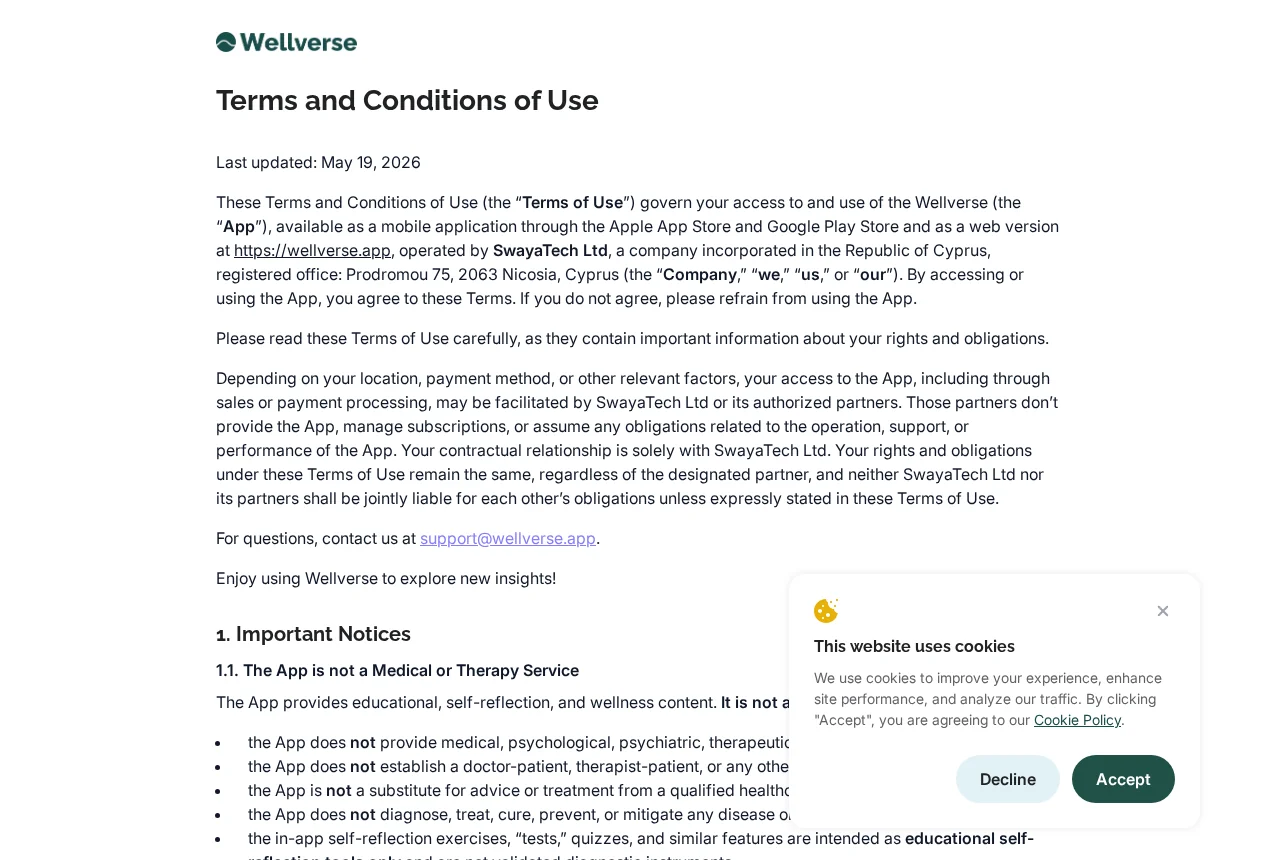
The Terms Identify SwayaTech Ltd
The terms identify SwayaTech Ltd as the operator and give a registered office in Nicosia, Cyprus. They say authorized partners can help facilitate payment without operating the app.
That’s the operator’s own identification. For your particular charge, check who issued the receipt, whether the purchase went through a store and which party can manage renewal.
The name Selfony on a questionnaire or FAQ does not tell you whether a charge came from a different company.
Match your account to your own order before opening a dispute.
Web Accounts and Store Billing Need Different Instructions
The terms describe separate cancellation routes for web, Apple and Google billing. They don’t say every payment is processed through a mobile app marketplace.
Paying with a wallet in a browser does not alone tell you where the subscription is managed. Look for who sent the subscription receipt and where its manage link points.
If you are sure you bought on the web and the app does not show a cancel button, write through the contact in your purchase confirmation and keep the timestamp.
The General Refund Criteria Aren’t the Same as Cancelling a Trial
The terms discuss refund requests case by case. Their general eligibility section for initial non-trial purchases sets a 30-day request period and asks for evidence of seven consecutive days’ participation.
That clause does not mean you should let a trial renew in order to meet the participation requirement. If you don’t want the plan, cancel before the renewal cutoff.
The content of a journal isn’t necessary to demonstrate all types of activity. Before sending evidence, ask if progress dates or a redacted screenshot will satisfy the request.
A dated list of completed sessions is a better first thing to send than a page about your mental health. Keep your full journal out of an ordinary support email.
Include the invoice identifier, charge date and amount. Leave out your full card number, account password and any one-time sign-in code, even if a reply asks for more detail.
If the problem is a renewal you don’t recognize, explain that separately from any dissatisfaction with the course. Ask for the plan name, billing period and renewal notice.
On Wellverse’s Trustpilot page, one reviewer said they discovered a three-month charge despite not using the service. Others described difficulty finding a cancellation control.
A different reviewer reported receiving a refund after escalating. These are individual accounts. They don’t prove what other customers saw or what the company will decide about your request.
Not using the app and canceling it are two different things under subscription billing. If you didn’t knowingly authorize a renewal, tell support what the offer showed you.
Look for the plan you actually bought rather than comparing your bill with an amount in a review. An older trial may have had a different price or billing period.
Write down the advertised trial length and the first renewal date side by side. That can reveal a misunderstanding a bank statement alone can’t explain.
If there’s no settings control, take a screenshot of what you see. Include the date and account email in your notes, but hide the email in anything you share publicly.
When a refund is offered, ask which payment it covers. Confirmation of a refund for one month isn’t a cancellation receipt and doesn’t necessarily reverse a different payment.
A Privacy Notice Isn’t a Promise of Confidential Therapy
The privacy policy describes handling mood answers, journal entries and chats. It says AI Assistant messages are sent to a service provider for generating a response.
Don’t give the service private information about another person because the interaction looks conversational. Read what is retained and how you can delete it before you use the chat.
Save billing records first if you plan to close the account. Deleting a journal or profile and stopping a recurring payment are distinct tasks. Get confirmation for both.
What to Do If You Were Charged for Wellverse
-
Find the receipt and confirm where you bought it. Search your email for the date and amount. Note the billing entity, account address and whether a marketplace processed it.
Don’t enter card details in a new page that offers to locate the payment. Use the account or the verified purchase email you already have.
-
Cancel web renewal before the cutoff. Use the subscription setting if it is available. If not, use the original support contact and request an effective date in writing.
If it was billed through an app store instead, use that store’s subscription settings on the account that paid. Don’t assume closing a browser profile cancels it.
-
Keep a dated record of the cancellation attempt. A screenshot of the cancellation result or support message is more useful than showing only the app’s homepage.
If the manage link doesn’t work, record what it shows and contact support before the deadline. Keep any time zone mentioned in the receipt.
-
Request a refund if a payment already went through. Explain whether the issue was an unclear renewal, a failed cancellation or a charge you don’t recognize.
Include the confirmation and dates.
Ask what evidence the seller needs. Don’t share medical history, private journal text or a full card number to explain a billing problem.
-
Escalate through the party that handled the charge. If the seller can’t resolve it, ask the marketplace or issuer about dispute options and deadlines for your transaction.
Cancellation and a dispute are not interchangeable. Use the process that fits the payment and keep the record of what the seller already promised.
Frequently Asked Questions
Is Wellverse the same name I see on the current site?
The Wellverse domain currently presents a discipline app, and its FAQ uses Selfony. Check the account and receipt before assuming a change in branding also changed your subscription.
Can the Wellverse quiz diagnose ADHD?
No. The current terms describe quizzes as self-reflection tools, not validated diagnostic instruments. Ask a qualified healthcare professional if you’re concerned about symptoms.
When should I cancel a Wellverse web trial?
The current web terms require at least 24 hours before the end of the trial or billing period. Check your exact end time and act before the cutoff.
Is removing a shortcut or deleting an account enough?
Don’t assume so. Confirm cancellation through the billed account or official support first. Removing access from a device doesn’t prove the merchant switched off renewal.
Does canceling get back the money I was already charged?
Not automatically. Ask separately about refund eligibility. Send the order number, amount and a dated record of what happened rather than just asking how to cancel.
What if my receipt says Apple or Google instead of the website?
Start with the platform identified on the receipt and the account that paid. The seller’s web terms describe those routes separately from shopping directly on the site.
The Bottom Line
Don’t start Wellverse as an ADHD treatment or enter a trial without knowing its next price and cutoff.
The web terms give you less time to cancel than the headline duration.
If you already paid and want out, cancel through the channel that billed you, save the confirmation and request a refund separately if a charge has already posted.

Join the discussion
0 commentsShare your experience or ask a question about this article.
Community experiences
Did this happen to you?
Your experience could help someone recognize the same scam. Submit a private report for our team to review.
I experienced this tooReports are reviewed before publication. Sharing publicly is always your choice.
Discussion
Start the conversation
Have a question or something useful to share? Add the first comment.