

A message arrives with news a teacher has been waiting to hear: a permanent school post may finally be theirs. It even names people and places that sound familiar.
Before celebrating or gathering documents, there is one part of the conversation that deserves a much closer look.
Overview
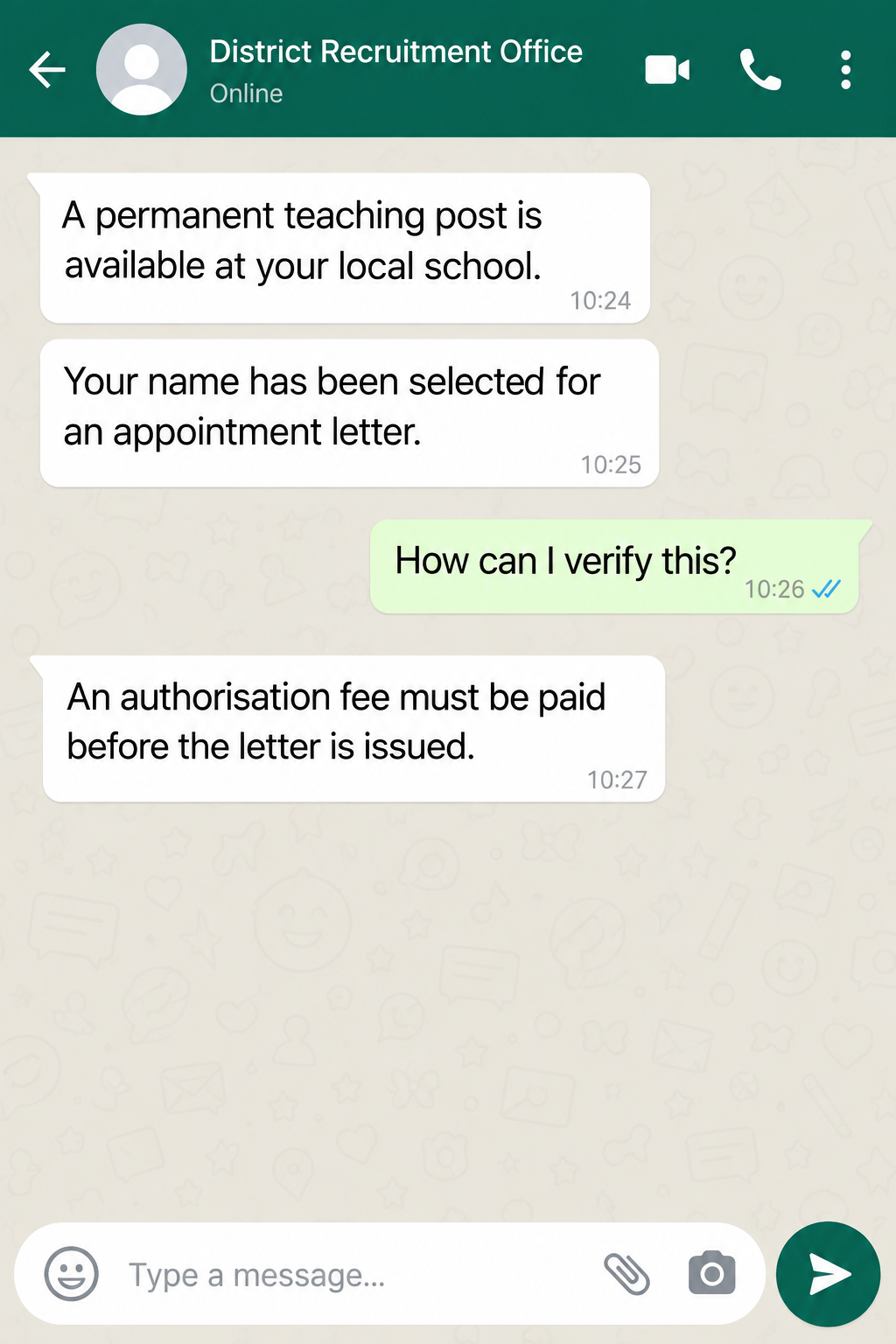
The offer appearing on WhatsApp
Scammers have been messaging teachers in South Africa’s Western Cape, claiming a permanent post has opened at a school and that the recipient is preferred.
The sender may present itself as a district official or principal. A real person’s name or photograph can appear in the message without that person being involved.
The approach particularly affects new, unemployed, and substitute teachers. For someone seeking stable work, a direct offer can feel like a rare break.
What the education department confirmed
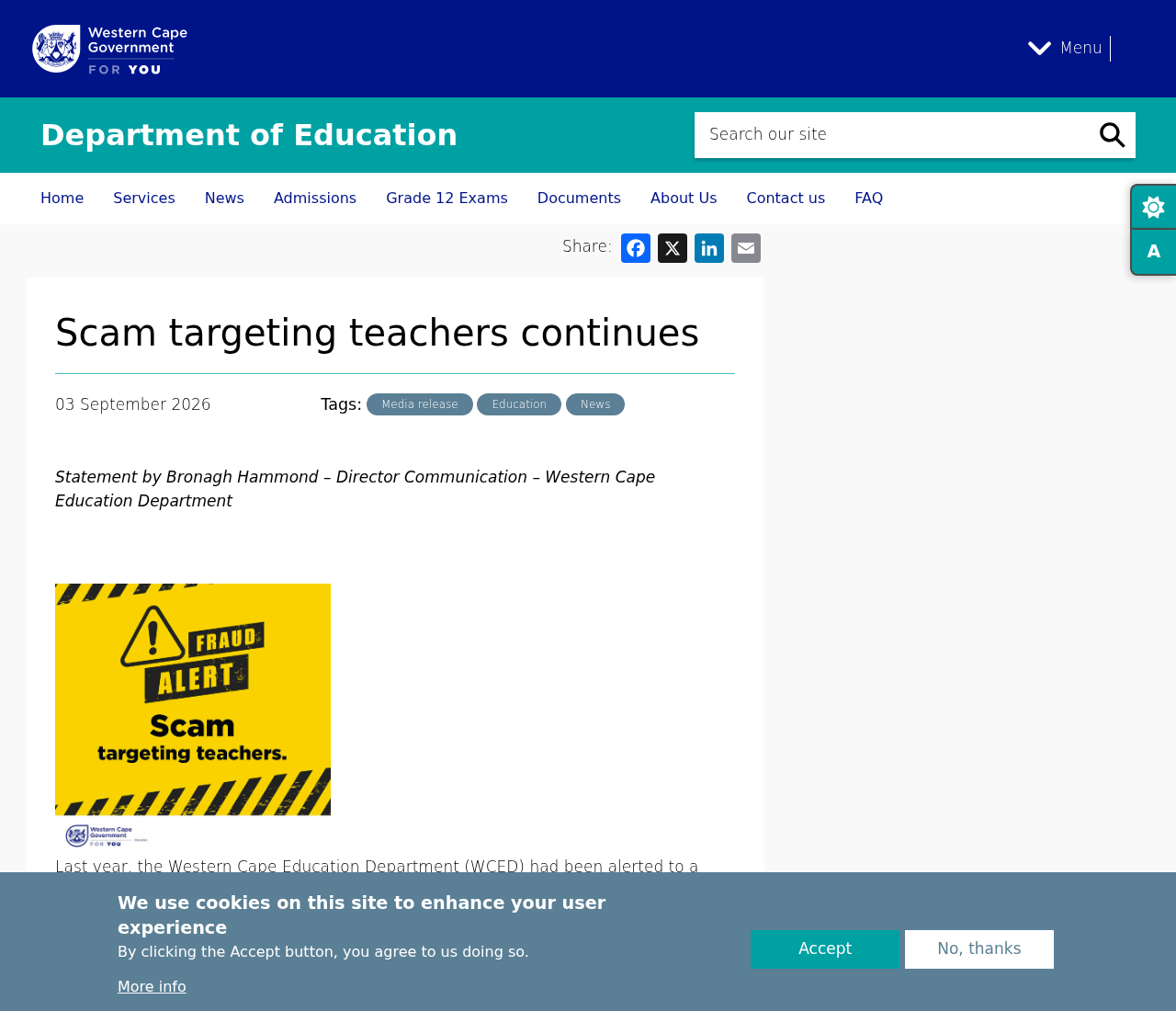
The Western Cape Education Department warned in September 2026 that these WhatsApp offers are fraudulent.
Messages ask for a one-time fee to authorize an appointment letter. They include bank details, turning a supposed employment opportunity into a payment request.
The department says some people paid and arrived at schools, only to learn that the promised post did not exist.
The rule that settles the question
The WCED says neither its head office, district offices, nor schools charge for job applications or appointments. A demand for an appointment fee is not policy.
- Permanent posts are advertised through the WCED Directorate: Recruitment and Selection.
- Applicants should use the department’s official E-Recruitment System.
- Temporary school appointments should still be verified directly with the school.
- A WhatsApp photo, principal’s name, or bank account does not validate an offer.
The scam is the impersonation and fee request. The WCED, the school, and any named principal are not the perpetrators merely because their identities appear.
Why a Fake Teaching Offer Can Be So Effective
Applying for teaching jobs often means waiting through formal recruitment periods, short-term contracts, and uncertain school budgets. Scammers exploit that uncertainty.
A permanent offer sounds different from a generic prize message. It speaks directly to a person’s training, professional hopes, and need for a dependable income.
The sender may know a school name or district. Those details feel personal, but public education information and social media profiles can provide them.
The message may also use a principal’s photograph. A picture establishes that someone copied an image, not that the person sent the message.
The offer then creates a reason to move quickly. If the appointment letter is “almost ready,” paying a small administrative charge may seem less risky.
In September 2026, the reported local-currency amount was roughly equivalent to $171. The actual demand could change, so the fee itself matters more than its size.
A person who has spent months applying may be especially reluctant to question a message that calls them the preferred candidate. That reaction is understandable.
The scammers also make the offer feel tangible by telling recipients to report to a specific school with documents. That instruction can sound like onboarding.
Yet the department says some who followed it found no appointment waiting. The school visit became the moment the deception was exposed.
There is no need to blame the recipient. The scheme is designed to turn a real career goal into a rushed payment decision.
How the Western Cape Teacher Job Scam Works
Step 1: A teacher receives an unexpected message
The contact usually arrives through WhatsApp, according to the WCED. It claims to speak for a school principal or district official.
Unlike a normal vacancy announcement, the message tells the recipient they are already selected or preferred. That shortcut should prompt verification.
The account may use an official-looking name and photograph. WhatsApp display details can be changed by the account holder and are not staff credentials.
Step 2: The message describes a permanent post
A permanent appointment is the hook. It is more valuable than a short substitute assignment, so the target may overlook an unusual recruitment channel.
The WCED says permanent teaching posts are advertised only through its Directorate: Recruitment and Selection. A private message is not a substitute for that process.
Ask for the official vacancy reference and locate it yourself on the E-Recruitment System. Do not accept a screenshot as the only evidence.
Step 3: Familiar names and locations supply credibility
The sender may identify a real school, district, or principal. This is impersonation, not proof that a real staff member approved the contact.
Some messages direct teachers to bring specific documents to a school. A detailed list can make the job feel more advanced than it is.
Call the school using a number from an official directory, not the number in the message. Ask whether the post exists and who is handling recruitment.
Step 4: The appointment letter becomes a payment gate
The message says a once-off payment is needed to authorize the appointment letter at district offices. It provides bank details for the transfer.
This is where the story conflicts with WCED policy. The department says no payment is required for any appointment within it.
A request to send money to a personal or unfamiliar account is especially concerning. Even an official-looking account name should be checked independently.
Step 5: The promised job fails to appear
The department reports that some teachers paid and then visited schools. They discovered there was no such position waiting for them.
That outcome shows why a printed message or payment receipt cannot validate employment. The real school has to confirm the appointment through its own process.
Once money has moved, the sender may become unreachable. The WCED has not said every target experienced the same follow-up, so do not assume a fixed script.
How Real Western Cape Teacher Recruitment Differs
The WCED’s official E-Recruitment System is the starting point for advertised permanent posts. The application process has a traceable vacancy, not an anonymous chat promise.
An applicant can register and apply through the system. That creates a record they control rather than depending on a private conversation.
Temporary appointments are different. The WCED says schools manage them directly, but applicants should verify the legitimacy of the advertised post.
That distinction matters because a teacher may hear directly from a school about short-term work. Direct contact alone is not proof of fraud.
The decisive red flags here are the false permanent-post claim and the demand for payment. The WCED says schools and district offices do not charge for appointments.
If a message names a principal, call the school and ask to be connected through its normal switchboard. Do not use a callback number supplied by the sender.
Also ask whether the school has an authorized vacancy and whether your application is recorded. A real administrator should be able to explain the recruitment route.
Do not email identity documents to a chat contact while you investigate. A teacher’s qualification records, identity number, and address are valuable to an impersonator.
A legitimate hiring process should not require a private bank transfer to produce an appointment letter. If one is requested, pause and report it.
What the Scam Can Cost Beyond the Fee
The direct loss is the transfer. For a job seeker, even a modest amount can compete with rent, transport, or application expenses.
There is also the emotional cost of arriving at a school expecting a new role and hearing that no offer was made.
The WCED says the impersonation can harm the reputations of principals and schools. Staff may have to reassure applicants about messages they never sent.
Documents shared during the approach can create further risk. An identity copy or teaching certificate could be reused in another fake application or impersonation.
That is why recovery should include both the bank transfer and the information trail. Keep a list of what you sent, when, and to which account.
If the person asks for a second fee, do not treat it as a way to rescue the first. The claimed job has not been independently verified.
Tell a trusted colleague or union representative. Another teacher may have received the same message, and the school may need to warn applicants.
When you report the scam, include the profile photo and exact chat account details. Those identifiers can change, but they still help investigators connect cases.
Questions to Ask Before Acting on Any Teaching Offer
Begin with the vacancy reference. A real permanent post should be traceable through the official recruitment system, not exist only inside a chat.
Ask which school is hiring and who authorized the contact. Then call that school through a number on an official education directory.
Do not ask the chat sender to transfer your call. A transfer would keep the verification inside the very channel you are trying to test.
Ask whether a formal application was received under your name. A claim that you were “selected” without applying deserves an explanation.
Find out who conducts interviews and issues appointment letters. The sender should not be the only person able to confirm the purported offer.
Check whether the position is permanent or temporary. The WCED describes different recruitment routes, and a scammer may blur that distinction.
Ask whether the school expects any document delivery before an interview. Send sensitive files only through an independently verified official process.
Look closely at urgency. If the offer disappears unless you pay today, you are being pressured to skip the checks a genuine employer should welcome.
Do not confuse a bank account name with employer verification. A payment beneficiary can look plausible while being unrelated to the school.
If the sender quotes a district policy requiring payment, request the public policy page. The WCED’s warning says no such appointment fee applies.
Be skeptical of a message that forbids you from contacting the school. A teacher must be able to speak with a prospective employer independently.
Ask yourself what the payment supposedly buys. An appointment letter records a hiring decision; it is not a product unlocked by a private transfer.
Keep screenshots of the offer while checking it. If the sender deletes a message, your record can still help the school and investigators.
Use the official E-Recruitment System yourself. Do not follow a shortened link from the chat if you can reach the service directly.
Talk to another teacher who knows the school. Colleagues can sometimes spot a fictional vacancy or a principal’s name used out of context.
These questions are not obstacles to employment. They protect the application and give a genuine school the chance to confirm its own offer.
Most importantly, they shift the decision away from a stranger’s timetable and back to the school responsible for hiring.
What to Do if You Have Fallen Victim to This Scam
- Contact your bank immediately. Give the transaction time, recipient account, amount, and reference. Ask whether the transfer can be recalled or the receiving bank alerted.
- Keep the complete WhatsApp conversation. Export or screenshot the chat, profile, images, payment instructions, and any claim about the school or principal.
- Verify the school directly. Use its publicly listed number and ask whether the vacancy, sender, and appointment letter are real.
- Report the incident to WCED and SAPS. The department specifically asks affected teachers to report the fraud for investigation.
- Protect documents you shared. Note whether the sender received an ID, qualification certificate, address, or bank statement, then watch for misuse.
- Warn other applicants carefully. Share the fraudulent account details and official warning without reposting your own identity documents or bank records.
If you only read or replied, this case provides no evidence of phone infection. A malware scan cannot replace reporting a payment.
If you did install an app or open a downloaded file at the sender’s direction, scan the device with Malwarebytes and review its permissions.
Frequently Asked Questions
Does the Western Cape Education Department charge for appointment letters?
No. The WCED says no payment is required for a job application or appointment at its head office, district offices, or schools.
Can a real principal contact me on WhatsApp?
A name or photograph in WhatsApp does not prove identity. Verify any claimed appointment through the school and the official recruitment channel.
Where should I look for permanent teaching posts?
The WCED says permanent posts are advertised through its Directorate: Recruitment and Selection and the official E-Recruitment System.
What about temporary teaching jobs?
Schools can manage temporary appointments directly. Confirm the vacancy with the school through a number you found independently and do not pay an appointment fee.
What if I already sent my documents?
Keep copies of what you sent, inform the school and police, and monitor for identity misuse. A document alone does not prove the job existed.
Can I recover the fee after paying it?
Ask your bank promptly whether a transfer recall is possible and file a police report. Recovery is not guaranteed, but speed can improve available options.
The Bottom Line
The Western Cape teacher job scam turns a hoped-for permanent appointment into a bank-transfer demand. The department says the fee is not part of real recruitment.
Verify the vacancy with the school and official E-Recruitment System before sending documents or money. A message that promises a job cannot create one.

Join the discussion
0 commentsShare your experience or ask a question about this article.
Discussion
Start the conversation
Have a question or something useful to share? Add the first comment.