Question Altering file extension to some obscure one to protect against ransomware encryption?

  • AFEH Thread starter AFEH
  • Start date Start date
  • 5 Replies
  • 879 Views
  • Featured
Help answer the author's question with clear explanations and useful steps.

AFEH

Level 70
Verified
Top Poster
Well-known
Screenshot_22-11-2025_43327_www.reddit.com.jpeg


To view this content we will need your consent to set third party cookies.
For more detailed information, see our cookies page.
 
View attachment 293190

To view this content we will need your consent to set third party cookies.
For more detailed information, see our cookies page.

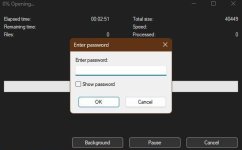
What’s shown in that screenshot is not a reliable ransomware protection method.

Renaming `backup.rar` to something like `backup.vzu` might evade some very simple, badly written ransomware that only targets a hard‑coded list of extensions, but modern ransomware families usually do much more than that.

Why changing the extension is weak “protection”
  • Many ransomware strains scan all files, or all files above a certain size, not just “known” extensions.
  • Others use file signatures/magic bytes to recognize data types (e.g. ZIP/RAR headers), so the real file type is detected regardless of its extension.
  • They may also target any file not on an internal “do not touch” list (system files, AV folders, etc.), so unknown extensions can still be encrypted.
  • If the archive is open/accessible to the user account, ransomware running under that account can usually encrypt it like any other file.

What actually helps protect backups from ransomware
  • Offline or cold backups: keep copies on drives that are unplugged or powered off when not backing up.
  • Versioned cloud backups: reputable cloud backup services with file versioning and ransomware recovery.
  • Permission hardening: store critical backups in locations your everyday user account can’t modify.
  • Strong encryption (e.g. encrypted RAR/ZIP, VeraCrypt, or full‑disk/volume encryption) for confidentiality – but combine this with offline/immutable storage to defend against ransomware.
  • Good security hygiene: updated OS/software, reputable AV/EDR, and regular backup testing.

So: a password‑protected RAR is good for privacy, and in very narrow cases a strange extension might slip past simplistic malware, but you should not rely on renaming file extensions as a serious anti‑ransomware measure.
 

MalwareTips community

Join the discussion. It's free.

Create an account to reply to this thread, ask your own questions and get help from people who know security.

  • Reply and ask your own questions
  • Get an alert when someone answers
  • Free malware removal help from volunteers

Free account

Sampei.Nihira TairikuOkami tnodir Captain Awesome 75,737 members since 2010
or
Have malware? Get free help

Recently browsing

Members and guests who viewed this thread in the last 5 minutes

Back
Top