Open MalwareTips in Safari and tap Share. You may need to open the Page Menu first.
Choose Add to Home Screen. If it is not listed, use Edit Actions to add it.
Keep Open as Web App enabled if shown, then tap Add.
Android
Open MalwareTips in Chrome or another browser that supports app installation.
Open the browser menu and look for Install app, Install and create shortcut, or Add to Home screen.
Choose Install and confirm. Wording varies by browser.
Desktop
Chrome: use the install icon in the address bar, or the menu under Cast, save and share.
Edge: open the menu, then More tools, Apps and Install this site as an app.
Safari on Mac: choose Share or File, then Add to Dock. Firefox on Windows: look for the web apps button in the address bar.
If you cannot find an install option, update your browser or use its bookmark option to keep MalwareTips close.
Keep up with your conversations
After installation, open the app and sign in. Enable push notifications in Preferences if you want alerts. On iPhone and iPad, push requires a Home Screen web app and iOS or iPadOS 16.4 or later.
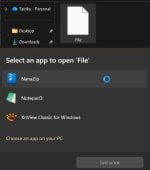
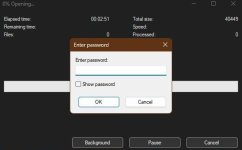
What’s shown in that screenshot is not a reliable ransomware protection method.
Renaming `backup.rar` to something like `backup.vzu` might evade some very simple, badly written ransomware that only targets a hard‑coded list of extensions, but modern ransomware families usually do much more than that.
Why changing the extension is weak “protection”
Many ransomware strains scan all files, or all files above a certain size, not just “known” extensions.
Others use file signatures/magic bytes to recognize data types (e.g. ZIP/RAR headers), so the real file type is detected regardless of its extension.
They may also target any file not on an internal “do not touch” list (system files, AV folders, etc.), so unknown extensions can still be encrypted.
If the archive is open/accessible to the user account, ransomware running under that account can usually encrypt it like any other file.
What actually helps protect backups from ransomware
Offline or cold backups: keep copies on drives that are unplugged or powered off when not backing up.
Versioned cloud backups: reputable cloud backup services with file versioning and ransomware recovery.
Permission hardening: store critical backups in locations your everyday user account can’t modify.
Strong encryption (e.g. encrypted RAR/ZIP, VeraCrypt, or full‑disk/volume encryption) for confidentiality – but combine this with offline/immutable storage to defend against ransomware.
Good security hygiene: updated OS/software, reputable AV/EDR, and regular backup testing.
So: a password‑protected RAR is good for privacy, and in very narrow cases a strange extension might slip past simplistic malware, but you should not rely on renaming file extensions as a serious anti‑ransomware measure.
Some infostealers' descriptions also include this feature: specifically uploading files of certain extensions or names only. Changing the name or extension might protect against some, but probably not all.
Some testers could try it out. I do it to protect the file, if a random person would steal it, he would not know what to do with it, it contains my passwords and personal info.
Recently browsing
Members who viewed this thread in the last 5 minutes