APIVoid SFTP Terminal - Free SSH, SFTP, FTP, WebDAV and S3 client

NoVirusThanks

From NoVirusThanks
Thread author
Verified
Developer
Well-known
Forum Veteran
Aug 23, 2012
359
3,627
679
Italy
We've released a new free software for Windows:

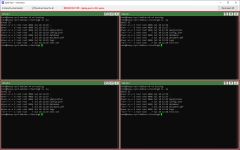
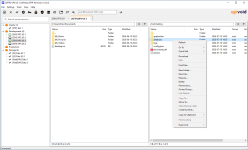
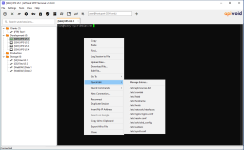
APIVoid SFTP Terminal is a fast Windows client for SSH, SFTP, FTP/FTPS, WebDAV, and Amazon S3. Its key features include tabbed sessions in a dual-pane interface, a built-in text editor (with the option to convert files to Unix LF line endings), split view with SSH terminals, and an optional broadcast mode for sending keystrokes to all connected servers simultaneously. Configure and manage SSH keys, jump hosts, proxies, and known hosts, then easily assign them to saved sessions. Protect your credentials with Windows DPAPI and an optional master password. Generate RSA, Ed25519, and ECDSA SSH keys, and export them in OpenSSH or PPK format. The SSH terminal includes a feature-rich right-click menu for copy/paste, uploading files, editing files with the built-in text editor, downloading files, and running quick commands (snippets). You can also execute commands and bash scripts on multiple servers with a single click.

You can find more details, FAQs, and the full list of features on the product page:

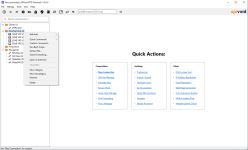
Here is a screenshot of the main program window with some options in the context menu:

image1.png


Some other screenshots:

image6-rmb-saved-sessions.png image4-split-view.png image3-dual-panel.png image2-ssh-terminal.png
 
We've released a new free software for Windows:

APIVoid SFTP Terminal is a fast Windows client for SSH, SFTP, FTP/FTPS, WebDAV, and Amazon S3. Its key features include tabbed sessions in a dual-pane interface, a built-in text editor (with the option to convert files to Unix LF line endings), split view with SSH terminals, and an optional broadcast mode for sending keystrokes to all connected servers simultaneously. Configure and manage SSH keys, jump hosts, proxies, and known hosts, then easily assign them to saved sessions. Protect your credentials with Windows DPAPI and an optional master password. Generate RSA, Ed25519, and ECDSA SSH keys, and export them in OpenSSH or PPK format. The SSH terminal includes a feature-rich right-click menu for copy/paste, uploading files, editing files with the built-in text editor, downloading files, and running quick commands (snippets). You can also execute commands and bash scripts on multiple servers with a single click.

You can find more details, FAQs, and the full list of features on the product page:

Here is a screenshot of the main program window with some options in the context menu:
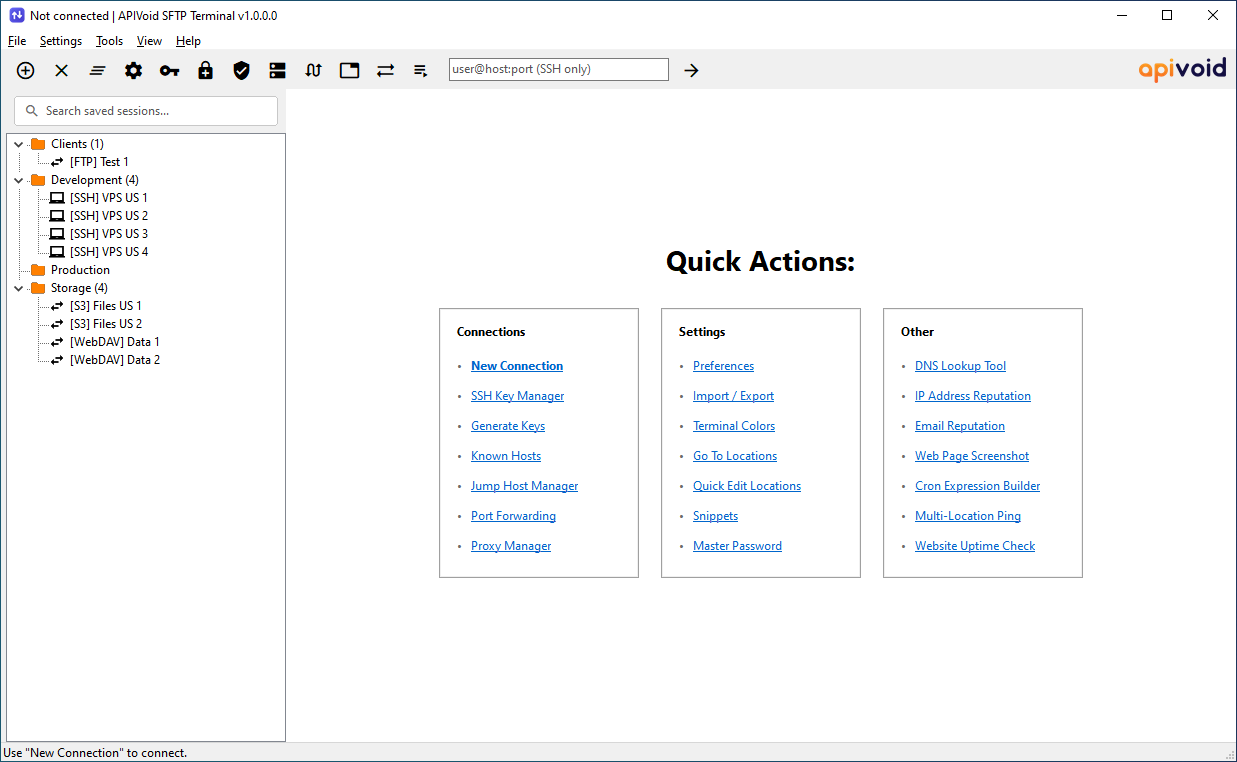
View attachment 298727

Some other screenshots:

View attachment 298729 View attachment 298731 View attachment 298732 View attachment 298733
APIVoid SFTP Terminal - Overview

Thank you for sharing this release. For members considering new networking or file-transfer utilities like this, a few general security-related points are worth keeping in mind before deployment, especially since this tool handles credentials and remote server connections.

General Safety Recommendations for New Tools
  • Always download directly from the official product page linked in the announcement rather than third-party mirrors.
  • Before installing on a production or work machine, it's good practice to scan the installer with a reputable antivirus and optionally check it on VirusTotal, since even legitimate new tools can occasionally trigger false positives from heuristic engines.
  • Since credentials are involved (SSH keys, SFTP, S3, WebDAV logins), verify that the option to use Windows DPAPI and a master password is enabled, as mentioned in the description, this reduces the risk of credential exposure if the system is compromised.
  • For SSH key generation features (RSA, Ed25519, ECDSA), Ed25519 is generally considered a strong modern default by many in the security community due to its smaller key size and resistance to certain implementation flaws, though RSA and ECDSA remain widely supported for compatibility with older systems.

Feature Notes

The broadcast mode for sending keystrokes to multiple connected servers and the ability to run scripts across multiple servers simultaneously are convenient for sysadmins managing fleets of servers, but this type of feature also increases the blast radius of a mistake (e.g., an incorrect command sent to all sessions at once). Users working with production systems may want to test such features in a lab or staging environment first.

For anyone evaluating this tool further, the official product page linked in the original post is the best source for full feature details and FAQs.
 
We've released a new free software for Windows:

APIVoid SFTP Terminal is a fast Windows client for SSH, SFTP, FTP/FTPS, WebDAV, and Amazon S3. Its key features include tabbed sessions in a dual-pane interface, a built-in text editor (with the option to convert files to Unix LF line endings), split view with SSH terminals, and an optional broadcast mode for sending keystrokes to all connected servers simultaneously. Configure and manage SSH keys, jump hosts, proxies, and known hosts, then easily assign them to saved sessions. Protect your credentials with Windows DPAPI and an optional master password. Generate RSA, Ed25519, and ECDSA SSH keys, and export them in OpenSSH or PPK format. The SSH terminal includes a feature-rich right-click menu for copy/paste, uploading files, editing files with the built-in text editor, downloading files, and running quick commands (snippets). You can also execute commands and bash scripts on multiple servers with a single click.

You can find more details, FAQs, and the full list of features on the product page:

Here is a screenshot of the main program window with some options in the context menu:

View attachment 298727

Some other screenshots:

View attachment 298729 View attachment 298731 View attachment 298732 View attachment 298733
I am using Cyberduck now, but I'll give this a try.
 
  • Like
Reactions: NoVirusThanks
We've released a new version v1.1:

Changelog:

[12-Jul-2026] v1.1.0.0

+ Fixed SSH terminal output truncated on minimize
+ Fixed a paint-order glitch when closing an SSH tab
+ Preserve file ownership and permissions on overwrite
+ Minor bug fixes
 
We've released a new version v1.2:

Changelog:

[17-Jul-2026] v1.2.0.0

+ Fixed "File in Use" error in the text editor
+ Added a reconnect option to the SFTP and FTP tab captions
+ Added support for HTTP CONNECT proxies
+ Added clickable paths to the left and right panels
+ Minor bug fixes
 
We've released a new version v1.3:

Changelog:

[21-Jul-2026] v1.3.0.0

+ Added find and replace to the text editor
+ Added Connect button to the Edit Saved Session window
+ Added sort-direction arrows to list-view column headers
+ Added Reconnect All option in the popup menu of tab captions
+ Added sort of entries in the Category menu on Save Sessions
+ Added automatic retry of a failed background transfer
+ Added remember of SSH terminal output on reconnect
+ Minor bug fixes
 
Version 1.5 has been released:

Changelog:

[29-Jul-2026] v1.5.0.0

+ Fixed UTF-8 symbol rendering in SSH terminal output

[28-Jul-2026] v1.4.0.0

+ Added Copy Host Name and Port on Tab popup menu
+ Added status bar with line, column, lines on text editor
+ Added Reload button on text editor
+ The text editor is now opened in modeless mode
+ Added Open in Windows Notepad in popup menu of left panel
+ Added IP Reputation option in popup menu of Saved Sessions
+ Added Multi-Location Ping option in popup menu of Saved Sessions
+ Added Go To Line... option in popup menu of text editor
+ Added Clear All option in popup menu of text editor
+ Minor bug fixes
 
Version 1.6 has been released:

Changelog:

[31-Jul-2026] v1.6.0.0

+ SSH terminal output now resizes with the app window
+ Fixed selection of text while scrolling on SSH terminal
+ Fixed the mouse cursor appearing over selected text in the SSH terminal
+ Added a Copy to Clipboard option to the Saved Sessions context menu
 

You may also like...