
Advice Request ASUS Mobo and TPM -- Windows 11 compliant?

Please provide comments and solutions that are helpful to the author of this topic.

shmu26

Level 85
Thread author
Verified
Honorary Member
Top Poster
Content Creator
Well-known
Forum Veteran
Jul 3, 2015
8,148
1
31,237
8,388
Middle Earth
My custom-built desktop is about a year old and has a ASUS PRIME B365M-A motherboard.
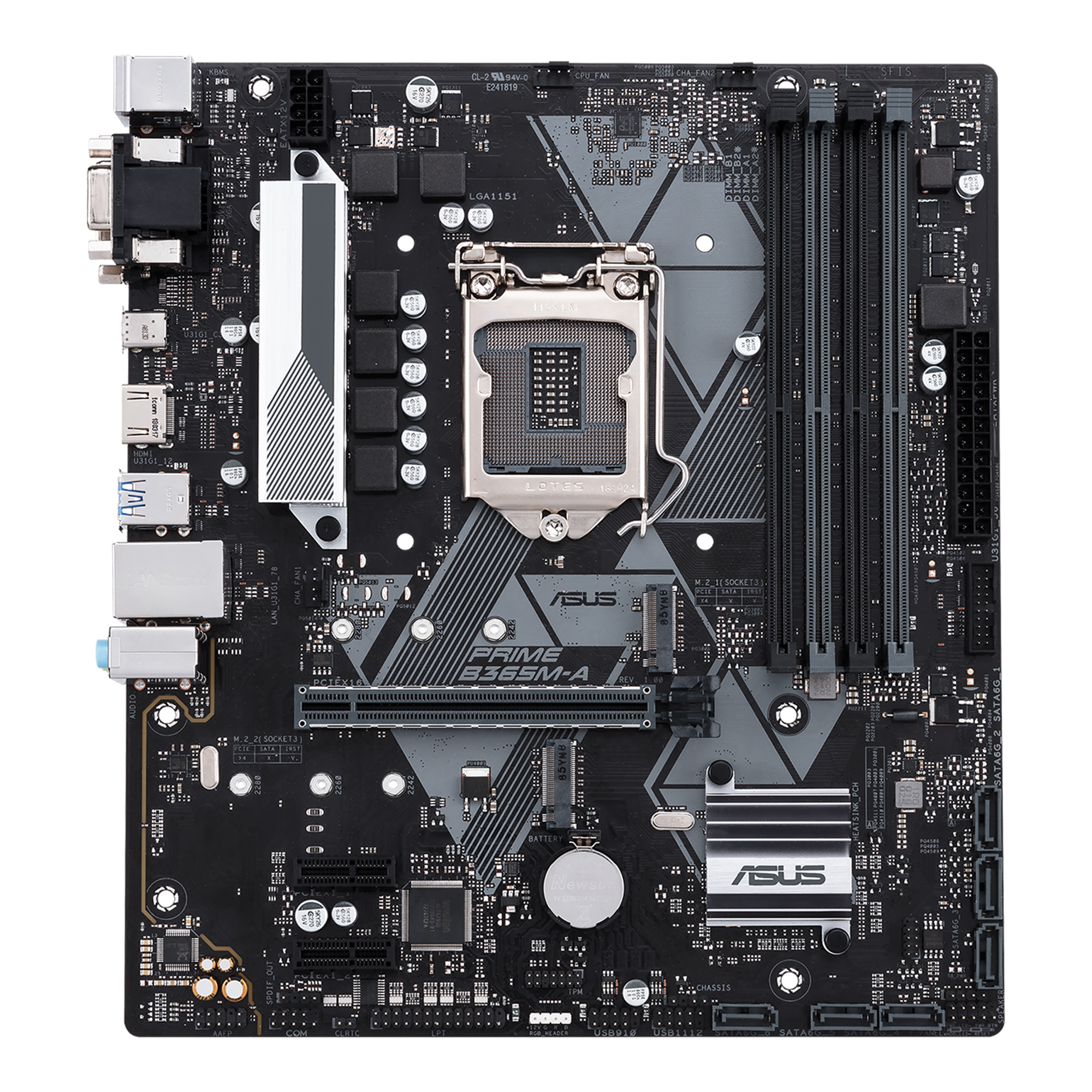
I can't find any TPM setting in the firmware menu.
Is there a way to enable TPM 2 on this Mobo, so it will be Windows 11 compliant?
If not, what do I need to buy, and where is it sold?
The ASUS site talks about this component:
But it is sold out on Amazon and Newegg. Is this what I need, or what?
 
Last edited:
If yours is an INTEL mobo then look for PTT setting in the BIOS. INTEL calls TPM as PTT (Platform Trust Technology)
Like I said in the title and again in the text, it is an ASUS Mobo.
 
  • Like
Reactions: Nevi
To enable PTT go in the BIOS: Advanced --> PCH-FW Configuration

Do see any option to enable PTT in there?
You're the Man!
That was it. It had two options:
Enable discrete TPM
Enable firmware TPM

The second option was what I needed. Now the PC health check tool says I am ready for Windows 11.
 
Like I said in the title and again in the text, it is an ASUS Mobo.
ASUS (like MSI, GIGA, INTEL etc) are manufacturers of mobos. They'll either manufacture mobos as INTEL or AMD (not for INTEL) to cater for INTEL/AMD CPUs

Other mobo manufacturers are here

 
ASUS (like MSI, GIGA, INTEL etc) are manufacturers of mobos. They'll either manufacture mobos as INTEL or AMD to cater for INTEL/AMD CPUs

Other mobo manufacturers are here

This ASUS Mobo is for INTEL CPUs. But the firmware calls it "TPM"
 
Congrats on finding it, shmu26! Now you don't have to spend 75 USD--not even a penny. Same thing for my ASUS Prime--the TPM wasn't in the usual places you'd look nor was it coming up in an advanced search. I'd ordered a hardware one anyway but it was 16 USD--not scalper's pricing.

I would celebrate this victory. ✨💥💫🍸
 
My custom-built desktop is about a year old and has a ASUS PRIME B365M-A motherboard.

I can't find any TPM setting in the firmware menu.
Is there a way to enable TPM 2 on this Mobo, so it will be Windows 11 compliant?
If not, what do I need to buy, and where is it sold?
The ASUS site talks about this component:
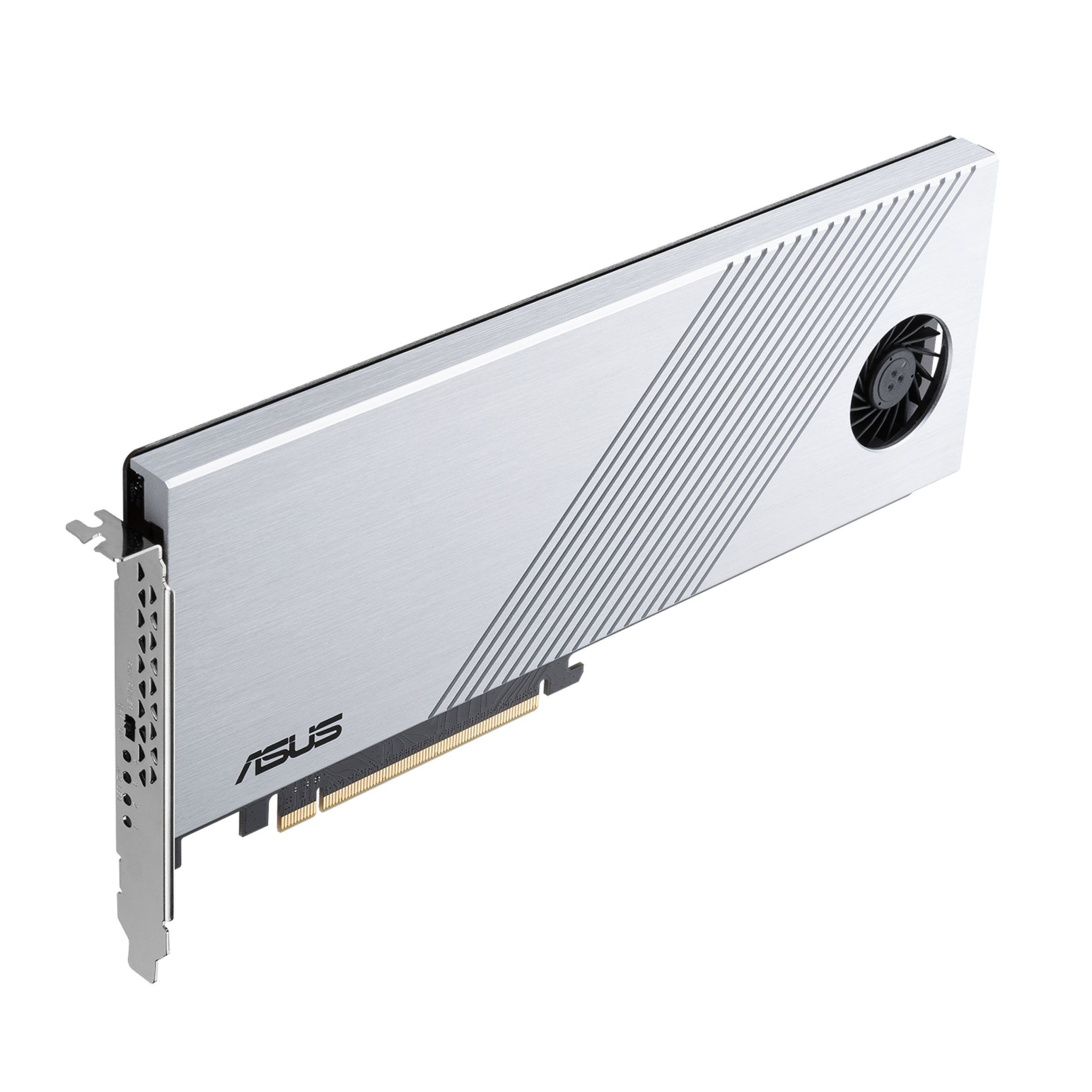
But it is sold out on Amazon and Newegg. Is this what I need, or what?
It is the same component I have been looking at. UEFI has not option to check if TPM is enabled, all I know that my AMD Asus PC has a slot for TPM but it has not those pins sticking out as in the picture below. Are they needed? if so what's name and where to get them in order to install the TPM component as I have seen on some pictures and videos on the net. I am sorry guys but if anyone can direct me with this, thanks!
Asus (2).jpg
 
It is the same component I have been looking at. UEFI has not option to check if TPM is enabled, all I know that my AMD Asus PC has a slot for TPM but it has not those pins sticking out as in the picture below. Are they needed? if so what's name and where to get them in order to install the TPM component as I have seen on some pictures and videos on the net. I am sorry guys but if anyone can direct me with this, thanks!View attachment 259491
See post 5
 
It is the same component I have been looking at. UEFI has not option to check if TPM is enabled, all I know that my AMD Asus PC has a slot for TPM but it has not those pins sticking out as in the picture below. Are they needed? if so what's name and where to get them in order to install the TPM component as I have seen on some pictures and videos on the net. I am sorry guys but if anyone can direct me with this, thanks!
Is the UEFI setting set to 'advanced mode'? Otherwise, you wouldn't see the item that sets the TPM. There should have been a place to switch between simple mode and advanced mode at the bottom.