

Avast Could not Stop the Installation Process Although it was Found as a Malware!!!!

Status
Not open for further replies.

phyniks

Level 7
Thread author
Verified
Well-known
Nov 17, 2013
300
788
567
46
I ve just installed the latest version of Avast Free.
It found a PUP on my Downloads....I did not delet it on manual scan
I let the PUP be installed....Avast Warned it is a "potentially Unwanted Program",but it did not terminate the installation!!!
During the setup,other PUP was detected by Avast....

I think it s not a good management.....When a file is detected as any kind of malware,it should be blocked on execution
Capture.PNG


The PUP URL:
Code:
hxxp://download.cdn.torchbrowser.com/cdn/r/275/TorchSetup-r275-n-bf.exe
 
Last edited by a moderator:
  • Like
Reactions: kiric96
Not very sure what you mean, if avast detects it on a manual scan then it should also detect it when you run it. However if you are running an installer that is not detected by avast signatures and the installer downloads adware from the servers that avast recognizes then it will stop that particular adware but not necessarily the entire installer.
 
  • Like
Reactions: Cats-4_Owners-2
The installer is detected ....
Capture.PNG


It is also detected on execution but the installation is not terminated

Capture2.PNG

The installation continutes,,it downloads some files,Another PUP was detected during the download process
Capture3.PNG


Again It continues to download

Capture4.PNG


Capture5.PNG


I terminated the process using Task Manager

:cool::cool::cool:
 
  • Like
Reactions: Cats-4_Owners-2
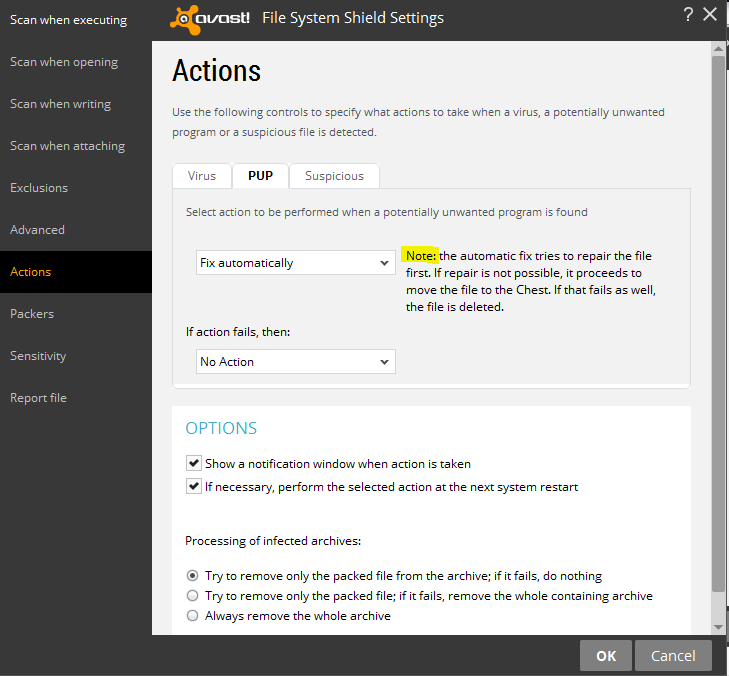
In other words its considered to be 'partial blocking', normally Avast and other products are tends to detect any malicious as possible without deleting the whole contents.

except in compressed files if a settings is available to delete everything.
 
Looks like torch had a payload.


AutoSandbox anyone?

Suggestion: Do a Boot Scan if you haven't done it yet

No sandboxing

I removed the files....I just want to describe the mismanagement

In other words its considered to be 'partial blocking', normally Avast and other products are tends to detect any malicious as possible without deleting the whole contents.

except in compressed files if a settings is available to delete everything.

I m not sure avast has done the job well
 
Oh sh....t

Scanning AppData/Local/Temp:

Capture.PNG
 
As you can see, the files detected are the uninstaller and the starter.exe, these are payloads of the original torch installer that was NOT detected during the scan (the scan detected the uninstaller), it's no surprise that avast did not block the installer here because it only quarantines the files it deems as adware and won't kill clean processes. Take for example if you are downloading a java update and it contains the Ask toolbar as well, it will block the Ask toolbar but not the Java and I'm almost certain that you won't want it to terminate Java either right? :P
 
But there were downloaded in the "Temp"

Why avast has let the PUPs being downloaded?

Manual scanning shows there are some PUPs(according to avast) which has been downloaded during the set up and avast did not block them

The file named "starter.exe" is a PUP according to Avast.Avast warned that they have been quarantined....but they were there in the Temp
 
But there were downloaded in the "Temp"

Why avast has let the PUPs being downloaded?

Manual scanning shows there are some PUPs(according to avast) which has been downloaded during the set up and avast did not block them

The file named "starter.exe" is a PUP according to Avast.Avast warned that they have been quarantined....but they were there in the Temp

Hello @phyniks, I've also noticed occasions when files have been downloaded instead to 'Temp' rather than the usual 'downloads' file. Most recently this occurred with Sandboxie's latest upgrade that was unusually automated, yet users were also alerted of this. When this has occurred, even with legitimate downloads, it has impressed a concern to me for the very reasons illustrated here, and the installer mentioned which slipped by before being noticed.
 
Last edited:
Hello @phyniks, I've also noticed occasions when files have been downloaded instead to 'Temp' rather than the usual 'downloads' file. Most recently this occurred with Sandboxie's latest upgrade that was unusually automated, yet which users were also alerted. When this has occurred, even with legitimate downloads, it has impressed a concern to me for the very reasons illustrated here, and the installer mentioned which slipped by before being noticed.

Thanks for the reply
I think Avast should monitor every file coming to the system....I m not using Sandboxi
Avast poped that the file has been detected and quarantined
But,In real world,it was not

I hope some Avast users test the process...
Download the "Torch" file,dont let Avast catch it on download(disable Avast when downloading)

Then enable avast, Run the PUP and tell us about the result....
Also scan the User/AppData/Local/Temp at the end
Thanks
 
  • Like
Reactions: Cats-4_Owners-2
Usually you are not infected on that case, installer common drop points are from temporary files directory either in Appdata or Roaming now that technique made by Avast as I said is totally standard to avoid any accidents to kill the overall program.

Installer like in adware sometimes its not been detected by AV is because they prefer to analyze the behavior rather than flag without checking it.
 
Status
Not open for further replies.