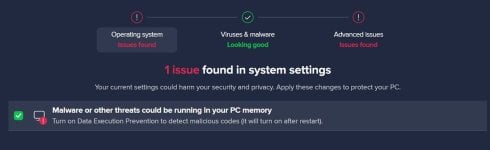
Enabling DEP (Data Execution Prevention) for all programs does improve security, but it can occasionally break older or niche software. The safest general approach is to enable it for all programs and add exceptions only if something you trust stops working.
Microsoft’s guidance
Windows enables DEP by default for core system programs and services. Microsoft and security vendors state that protection can be increased by having DEP monitor all programs, not just essential Windows components.
Pros and cons of “all programs”
Turning DEP on for all programs extends this memory protection to your entire userland, reducing the chance that a vulnerable third‑party app is used as an entry point. However, some older or specialized applications that generate or execute code in unusual ways (for example, certain compilers, simulation tools, or in‑house utilities) may crash or refuse to start under strict DEP.
Typical issues you might see
- Older 32‑bit or legacy business apps failing to launch or crashing immediately.
- Custom tools or obscure utilities being terminated with a DEP error even though they are benign.
In short: yes, use DEP for all programs for better security in most setups, but be prepared to whitelist only the rare, trustworthy applications that cannot run under it.




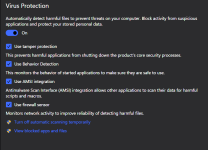
 With Avast, does it think it's protecting our PC's better by enabling (suggesting) DEP for all, wouldn't that be a more secure environment for a normal user?