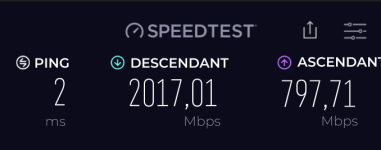
Hello all.
I hope this is the appropriate sub-forum for this, this is the closest one to the subject I could find. I'm curious about fiber internet. My condo is getting fiber to our building in a few days and I was wondering is anyone has any thoughts on it. I'm thinking of switching over to Google fiber from my current ISP Cox. Currently I use Cox cable, and I'm getting 1gbps for about $100 per month. For the same price, yet for 3 gbps, I can switch over to Google fiber. Is there any downside to doing this?
Thanks.
Fiber is generally an upgrade over cable, especially if you care about consistency, upload speed, and latency. Moving from Cox 1 Gbps cable to Google Fiber 3 Gbps (for similar cost) usually has no “gotcha” downside, but there are a few practical and network/security details worth checking first.
What’s typically better with fiber (vs cable)
- Much better upload: Cable 1 Gbps plans are often very asymmetric (high download, much lower upload). Fiber is commonly symmetric or at least far higher upload, which helps backups, cloud sync, large uploads, Plex/remote access, and video calls.
- Lower latency and jitter: Fiber tends to be more consistent, which helps gaming/VoIP/real-time apps.
- More consistent peak-hour performance: Cable can slow more during busy hours depending on neighborhood congestion.
- Often fewer “RF/coax” issues: No coax splitters/ingress noise problems inside the building/unit.
The “downsides” are usually not fiber itself, but these common friction points
1) 3 Gbps is hard to actually use unless your home network is ready
To benefit from 3 Gbps, you generally need:
- A router/firewall that can route/NAT at 3 Gbps (many consumer routers can’t sustain this with security features enabled).
- Multi-gig Ethernet (2.5 GbE / 5 GbE / 10 GbE) on the router, switch, and your main PC/NAS. A lot of devices are still 1 GbE.
- Appropriate cabling (Cat5e often works for 2.5 GbE; Cat6/Cat6A is safer for higher rates/longer runs).
- Realistic Wi‑Fi expectations: even Wi‑Fi 6/6E/7 rarely delivers a “true” 3 Gbps to a single device in normal apartments/condos due to interference and client limits.
If most of your devices are 1 GbE and you’re on Wi‑Fi, you may see little difference from 1 Gbps except for multiple simultaneous users/devices.
2) Provider equipment and “bridge mode” limitations
Many fiber ISPs provide an ONT and sometimes a router. Potential issues:
- Some setups make it harder to use your own router cleanly (or the “bridge/bypass” options are limited).
- If you plan to run your own firewall (pfSense/OPNsense/Ubiquiti/etc.), confirm the handoff type and whether you can avoid double-NAT.
3) IP addressing: CGNAT / IPv6 behavior
This matters if you host anything inbound (remote access, self-hosted services, some VPN setups):
- Some ISPs use CGNAT, which can complicate inbound port forwarding (though many users never notice).
- IPv6 availability/quality varies by ISP and can affect certain use-cases.
This is not “good or bad” universally, but it’s a functional difference that can matter.
4) Real-world reliability and support
Fiber is often very reliable, but service quality still depends on:
- Local build quality in the condo (splices, conduit runs, shared spaces).
- ISP support responsiveness and outage handling.
- Peering/routing in your area (affects performance to specific services).
5) Privacy/logging and included services
Any ISP can log metadata. Some providers bundle extras (DNS/security filtering, Wi‑Fi apps, “advanced security,” etc.). Those can be useful, but they can also be more data-sharing surface area depending on how they’re implemented.
Security-focused tips if you switch
- Update/lock down the router: Change admin password, disable remote administration from the internet, enable automatic firmware updates if available.
- Use WPA3 (or WPA2-AES if needed), disable WPS, and set a strong Wi‑Fi password.
- Segment IoT: Put smart devices on a separate guest/VLAN if your router supports it.
- Review DNS settings: If you care about filtering/privacy, use a reputable DNS provider (or your own local resolver) instead of whatever defaults get pushed.
- If you need inbound access (remote desktop, NAS, cameras), prefer a VPN solution over exposing ports directly.
Practical conclusion
If the price is similar, switching from Cox 1 Gbps cable to Google Fiber 3 Gbps is usually a net win, with the main “downside” being that 3 Gbps may require upgrading your router/switch/NICs to actually realize the speed. The safest approach is to confirm the install handoff/equipment options and plan a basic home-network refresh (multi-gig where it matters) rather than expecting every device to suddenly run at 3 Gbps.