Advanced Security Capitán Awesome Debian 13.5(trixie) Security Config 2025

Last updated
May 19, 2026
How it's used?
For work or educational use
Operating system
Linux
Other operating system
MX Linux 25.2 "Infinity"
On-device encryption
Other full-disk drive encryption software
Log-in security
    • Basic account password (insecure)
Security updates
Allow security updates and latest features
Update channels
Allow stable updates only
User Access Control
N/A - Linux / Mac / Other operating system
Smart App Control
N/A - Linux / Mac / Other operating system
Network firewall
Enabled
Real-time security
AppArmor
Firewall security
Built-in Firewall for Mac/Linux
About custom security
Open Snitch,Lynis,Fail2Ban,FireJail and its GUI
Periodic malware scanners
Clam Av(very rare use),Chkrootkit,rkhunter
Malware sample testing
I do not participate in malware testing
Environment for malware testing
N/A
Browser(s) and extensions
Ulaa,LibreWolf
Secure DNS
N/A
Desktop VPN
Windscribe VPN (Free)
Password manager

Ente Auth, KeePassXC​

File and Photo backup
Déjà Dup
Subscriptions
    • None
System recovery
Timeshift
Risk factors
    • Working from home
    • Buying from online stores, entering banks card details
Computer specs
N/A
Notable changes
Added Ente Auth,Synaptic Package Manager,Déjà Dup,Timeshift,VeraCrypt,KeePassXC,LibreWolf,Gear lever,Windscribe VPN,DaVinci Resolve
What I'm looking for?

Looking for maximum feedback.

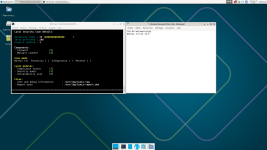
My Lynis score on debian trixie stable :
Capture d’écran_2026-05-28_10-05-03.png
 
How is your experience with fedora kinote?
better & better, I'm liking it and not feeling that I need to boot fedora 44 / Gnome. I got bogged down with fedora_silverblue atomic (gnome) a couple of years ago because I was always updating the OSTree everyday, but immutable / atomic you do not really have to do that. update the flatpak software and maybe update OSTree once a week or interval that suits you. PS I tried the openSUSE kalpa atomic with discovered it's still Alpha and had immediate issues with my VMware, while regular Tumbleweed KDE Plasma was excellent. But liking the atomic-ness of KDE Plasma on fedora_kinoite.
 
@simmerskool I am interested in how you look at the security of Kinoite. I understand from immutable OSNix there has to be a directory that is writable for the OS to update itself. It is just that the OS mounts / as non-writable. So an attacker who obtained root can say hostnamectl and find out this is Kinoite and umount the / and do whatever he wants. If the attacker has Not obtained root, then he can't modify anything, in Kinoite or non-Kinoite. So what does this Kinoite gain via being immutable? It is just safer from update accidents, and gives you rollback capability. There is no stop-an-attacker-security gain.
 
Last edited:
@simmerskool I am interested in how you look at the security of Kinoite. I understand from immutable OSNix there has to be a directory that is writable for the OS to update itself. It is just that the OS mounts / as non-writable. So an attacker who obtained root can say hostnamectl and find out this is Kinoite and umount the / and do whatever he wants. If the attacker has Not obtained root, then he can't modify anything, in Kinoite or non-Kinoite. So what does this Kinoite gain via being immutable? It is just safer from update accidents, and gives you rollback capability. There is no stop-an-attacker-security gain.
Excellent question that does need some elaboration, but I am far from a linux expert, I'm just a user, so I asked the deep thinker here chatGPT 5.5 (probably instant):
>>I think the question mixes together two different threat models.
If an attacker already has unrestricted root access, then I mostly agree: Kinoite's immutability is not a magic shield. A root-level attacker can modify booted systems, user data, persistence mechanisms, scheduled tasks, Flatpaks, containers, and can often remount filesystems or alter future deployments. An immutable OS should not be viewed as protection against a fully compromised root account.

Where I think Kinoite does provide security value is before that point.
On a traditional Linux system, many applications, installers, scripts, and administrative actions can modify large portions of the operating system over time. The system gradually drifts from its original state. Kinoite greatly reduces that drift because the base OS is delivered as a signed, image-based deployment. Changes to the base system become more visible and more deliberate.

That provides several benefits:
Reduced accidental damage to the OS.
Easier rollback to a known-good state.
Smaller attack surface for persistence in the base system.
Stronger separation between the OS and applications.
Less configuration drift over months and years.

I view Kinoite's security benefit as similar to read-only firmware or a write-protected recovery partition. It doesn't stop someone who already owns the machine, but it can make compromise, persistence, recovery, auditing, and rollback easier to manage.

So I would not claim Kinoite is "more secure" in the sense that it defeats a root compromise. I would say it is more resistant to system drift, easier to recover, and somewhat harder for malware or unwanted software to permanently modify the base operating system.

For me, the biggest advantage is not that an attacker cannot change the OS. The advantage is that legitimate software, mistakes, and routine administration are much less likely to change it accidentally.

In my experience, many people hear "immutable" and immediately jump to "unhackable." That's the wrong comparison. The real comparison is:
Fedora Workstation: "The OS can change a little every day."
Kinoite: "The OS changes only when I deliberately deploy a new image."
That's a meaningful security property, but it's not the same thing as being immune to a root compromise.<< end of quote.

I do have a python py running, that checks the status of various systems every 10 seconds, and as VM there's nothing in the VM to get. Next time I update the OSTree, I'll run a lynis audit and plug what is pluggable and IIRC during the install most services are disabled by default, but I know the firewall is active and selinux is enforcing.
 
sudo nano /etc/sysctl.d/99-hardened.confInsert:net.ipv4.conf.all.rp_filter = 1net.ipv4.conf.default.rp_filter = 1net.ipv4.conf.all.accept_redirects = 0net.ipv6.conf.all.accept_redirects = 0kernel.dmesg_restrict = 1Stability: Command - sudo nano /etc/sysctl.confInsert:vm.swappiness=10
Kernel Hardening:
sudo sysctl --system
To make these settings take effect right away without rebooting.
 
Last edited:
sudo nano /etc/sysctl.d/99-hardened.confInsert:net.ipv4.conf.all.rp_filter = 1net.ipv4.conf.default.rp_filter = 1net.ipv4.conf.all.accept_redirects = 0net.ipv6.conf.all.accept_redirects = 0kernel.dmesg_restrict = 1Stability: Command - sudo nano /etc/sysctl.confInsert:vm.swappiness=10

What does this do ?
 
  • Wow
Reactions: Zero Knowledge
What does this do ?
IP Spoofing Protection
net.ipv4.conf.all.rp_filter = 1: Enables strict Reverse Path Filtering on all network interfaces.net.ipv4.conf.default.rp_filter = 1: Applies strict Reverse Path Filtering to any new interfaces.What it does: It drops network packets that arrive from unexpected interfaces. This prevents attackers from using "IP spoofing" to fake their location.

Routing Protection
  • net.ipv4.conf.all.accept_redirects = 0: Stops the system from accepting IPv4 ICMP redirect messages.
  • net.ipv6.conf.all.accept_redirects = 0: Stops the system from accepting IPv6 ICMP redirect messages.
  • What it does: It prevents attackers from altering your system's routing tables. This blocks potential Man-in-the-Middle (MitM) attacks.
Kernel Privacy
kernel.dmesg_restrict = 1: Restricts access to the kernel log buffer.What it does: Only users with CAP_SYSLOG privileges (like root) can view kernel logs via dmesg. This hides hardware and memory addresses from unprivileged users, blocking a common starting point for local exploits.

Performance Optimization

vm.swappiness=10: Lowers the kernel's inclination to use swap space.What it does: The default value is usually 60. Lowering it to 10 tells Linux to keep data in physical RAM as long as possible before moving it to the slower hard drive (swap), which usually improves desktop system responsiveness.
 
AT YOUR OWN RISK!!! WORK FOR ME
ah and i don't use swap partition

# IPv4
net.ipv4.conf.all.rp_filter = 1
net.ipv4.conf.default.rp_filter = 1
net.ipv4.conf.all.accept_redirects = 0
net.ipv4.conf.default.accept_redirects = 0
net.ipv4.conf.all.send_redirects = 0
net.ipv4.conf.default.send_redirects = 0
net.ipv4.tcp_syncookies = 1
net.ipv4.tcp_rfc1337 = 1
net.ipv4.conf.all.log_martians = 1
net.ipv4.conf.default.log_martians = 1

# IPv6
net.ipv6.conf.all.accept_redirects = 0
net.ipv6.conf.default.accept_redirects = 0
net.ipv6.conf.all.accept_ra = 1
net.ipv6.conf.default.accept_ra = 1

# TCP
net.ipv4.tcp_timestamps = 1
net.ipv4.tcp_sack = 1
net.ipv4.tcp_dsack = 1
net.ipv4.tcp_fack = 1
net.ipv4.tcp_window_scaling = 1

# Kernel / mémoire
kernel.kptr_restrict = 2
kernel.dmesg_restrict = 1
kernel.kexec_load_disabled = 1
kernel.yama.ptrace_scope = 1
vm.mmap_rnd_bits = 32
vm.mmap_rnd_compat_bits = 16

# Filesystem
fs.protected_hardlinks = 1
fs.protected_symlinks = 1
fs.protected_fifos = 1
fs.protected_regular = 1
 
sudo nano /etc/sysctl.d/99-hardened.confInsert:net.ipv4.conf.all.rp_filter = 1net.ipv4.conf.default.rp_filter = 1net.ipv4.conf.all.accept_redirects = 0net.ipv6.conf.all.accept_redirects = 0kernel.dmesg_restrict = 1Stability: Command - sudo nano /etc/sysctl.confInsert:vm.swappiness=10

What does this do ?
I plugged it into ChatGPT 5.5 for its spin. generally favorable to this hardening with FYI "important Debian 13 wrinkle: do not use /etc/sysctl.conf as the main method. Debian 13 release notes say systemd-sysctl no longer reads /etc/sysctl.conf; use /etc/sysctl.d/*.conf instead." @Captain Awesome
 
I plugged it into ChatGPT 5.5 for its spin. generally favorable to this hardening with FYI "important Debian 13 wrinkle: do not use /etc/sysctl.conf as the main method. Debian 13 release notes say systemd-sysctl no longer reads /etc/sysctl.conf; use /etc/sysctl.d/*.conf instead." @Captain Awesome
Its all about order; actually latest 13.5 read in that order in a XFCE environnement :
sudo sysctl --system
123.png


the 99-hardening.conf created by me read at the end and overwrite the rest.

For LMDE 7 for example it read in etc/sysctl.d and also usr/lib/sysctl.d, the one in etc "lmde.conf" is read at last so kernel.dmesg_restrict = 0, which is set to default overwrite your 99-hardening.conf with if you've set it to 1, so for example rename the lmde.conf to "01-lmde.conf" and your hardening.conf parameters will work
 
Last edited: