Question Checking CPU temperature

Please provide comments and solutions that are helpful to the author of this topic.

Junglist

Level 2
Thread author
Sep 12, 2017
71
97
63
UK
Hello,

I was cleaning my laptop fan when I accidently lifted the heatsink on the CPU :rolleyes:, therefore disturbing the thermal paste. I decided to remove and replace the thermal paste and now need a way of stress testing the CPU and monitoring temperatures to make sure I have applied the thermal paste correctly. What's the simplest way of doing this for a novice?

Thank you.
 
  • Like
Reactions: Sorrento
I always used cinebench and monitored everything with hwinfo. When stress testing don't be surprised if your CPU does hit peak temp & potentially throttle especially if it's an intel or you use an air cooler which given a laptop I assume it must be air cooled.

In the end you can also compare your benchmark score against others using the same CPU to see how your setup fared.

HWiNFO - Free System Information, Monitoring and Diagnostics

 
Prime95, brings me back to memory lane when I used to overclock. Not sure if it's dead or not, but another one is SiSoft Sandra
 
  • Like
Reactions: Junglist
So, the results are in. After 45 minutes, all tests conducted were passed and the temp ranges between 44° and 82°. So from my understanding, everything seems okay.
Update: I bought a new fan as the old one was noisy. After fitting I repeated the same test with Prime95. After 21 minutes (half the original time) I stopped the test. The temp results are below.

My CoreTemps.jpg


The highest temp is 11°C higher than with the old fan . This fan cost me 30 British pounds, so I thought it would be decent. There's an exclamation mark next to the Core #1 so I'm guessing this is too high. Is there a better place to source a fan for a Dell Latitude 3440 laptop?

Thanks for your help.
 
Update: I bought a new fan as the old one was noisy. After fitting I repeated the same test with Prime95. After 21 minutes (half the original time) I stopped the test. The temp results are below.

View attachment 290720

The highest temp is 11°C higher than with the old fan . This fan cost me 30 British pounds, so I thought it would be decent. There's an exclamation mark next to the Core #1 so I'm guessing this is too high. Is there a better place to source a fan for a Dell Latitude 3440 laptop?

Thanks for your help.
Did you replaced it with the same Fan with the same RPM or totally different? Also ensure you are testing using power plug instead of battery to ensure no power saving is happening and limiting the fan speed( check power settings )
 
Did you replaced it with the same Fan with the same RPM or totally different? Also ensure you are testing using power plug instead of battery to ensure no power saving is happening and limiting the fan speed( check power settings )
Oh, I didn't plug in the charger this time... Would those results be acceptable on battery power or would the temp still be too high?

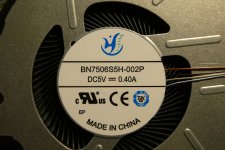
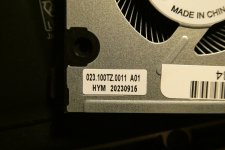
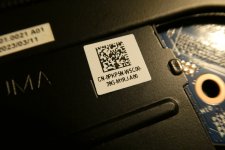
I can't see any mention of RPM speed on either fan. I did notice that the old fan is 0.5A and the new fan is 0.4A.

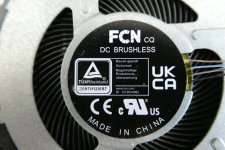
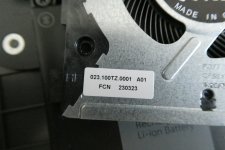
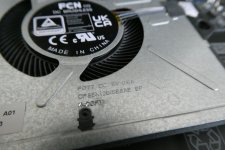
Here is the old fan,
P1000776.JPG P1000778.JPG P1000782.JPG P1000788.JPG

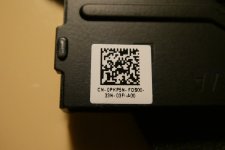
Here is the new fan,
P1000787.JPG P1000786.JPG P1000785.JPG
 
  • Like
Reactions: Sorrento
Likely different RPM as the Ampere is lower.

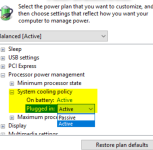
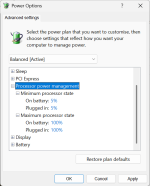
This is the setting that can affect the Fan if on battery/plug and if it's Active (more usage of fan) or Passive (Natural Heat Dissipation)
 

Attachments

  • Screenshot_20250902-135450_(1).png
    Screenshot_20250902-135450_(1).png
    253.3 KB · Views: 57
I just put the old fan back in as I was seeing high temps during general use. I decided to do another test, with the charger plugged in as before. I stopped it after 12 minutes. The results are now similar to the new fan. :confused:

CoreTemp-Scr.jpg


Likely different RPM as the Ampere is lower.

This is the setting that can affect the Fan if on battery/plug and if it's Active (more usage of fan) or Passive (Natural Heat Dissipation)
I can't find that setting

1757073650605.png