
Just search for Giorgia Meloni and you understand 


Open MalwareTips from your Home Screen or desktop. Follow discussions, find answers and pick up where you left off.
If you cannot find an install option, update your browser or use its bookmark option to keep MalwareTips close.
After installation, open the app and sign in. Enable push notifications in Preferences if you want alerts. On iPhone and iPad, push requires a Home Screen web app and iOS or iPadOS 16.4 or later.
Sign in to manage notificationsInstallation is optional. Your notification settings stay under your control.

You sure?@Marko :)
I asked AI about the ads category and it sais it was no longer supported. Are you using it? (if so what are your experiences with it).
Cloudflare does not currently offer a dedicated "Ads" category for blocking in its Zero Trust Gateway DNS filtering. While there was a previously available category with ID 66 labeled "Advertisements," it is no longer supported and cannot be used in policies. The only related category available is "Deceptive Ads," which falls under the broader "Questionable Content" category and is intended to block misleading or fraudulent advertising, not all types of ads.
googleadservices.com successfully).
No I am not sure that is why I asked youYou sure?
Advertisements is still there and works for me (blockedgoogleadservices.comsuccessfully).
View attachment 294507
View attachment 294508
 did you encounter website breakage?
Absolutely none. It's not very aggressive and doesn't block a lot. I get more things blocked with HaGeZi Pro++ than with their Advertisements category.No I am not sure that is why I asked you


Thanks for testing the script.Now that I got time, I'm testing @SeriousHoax script. So far, I'm impressed. I asked AI which script is better and @SeriousHoax takes a win.
Thank you for making the script. Here's the trophy:Thanks for testing the script.
Now tell AI to make me a trophy
I had some issues yesterday, or day before with disconnection during downloads so I'm not using it at the moment but I did notice website opening faster though.BTW, I also enabled Warp Plus with MASQUE for my Cloudflare WARP app. But I'm not using it permanently. Only when my internet is slow. Have you also enabled the proxy and inspection features?
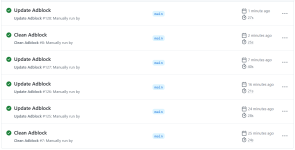
I don't think that's needed. The list of workflow runs has a history of 90 days for free repositories so anything older is deleted automatically.@SeriousHoax, The blocklist download works well now; it matches the total domains in the Hagezi Pro list. Could you add the cleanup workflow to your repo? I'm using the script from your personal branch; I'll also test the "policy description" if you configure the script.
I have now updated the script to save filter version information in the gateway policy description. So, the JSON file is not needed anymore.@SeriousHoax, The blocklist download works well now; it matches the total domains in the Hagezi Pro list. Could you add the cleanup workflow to your repo? I'm using the script from your personal branch; I'll also test the "policy description" if you configure the script.
He asked if you could create workflow .yml file for deleting all created lists from Cloudflare dashboard, if I understood it correctly.I'm not sure what do you mean by me adding the cleanup workflow? I have updated the YML file to remove the GitHub action bot commit section since that is not needed anymore and changed the permission from contents: write to contents: read.
You are right, thanks.He asked if you could create workflow .yml file for deleting all created lists from Cloudflare dashboard, if I understood it correctly.
 github.com
Everything runs smoothly and swiftly!Please test and let me know if it works reliably.

I downloaded your repo and uploaded to mine. So I'm not affected by the change. Will have to download again, thanks!I have modified to script to name the polices from, "Block Hagezi Pro++" to "Hagezi Pro++".
I think it's better this way. So, if @rashmi @Marko :) or anyone were directly using my script pointing to my repo in your yml file, then you might have to run the cleanup script once before running the main script again without triggering a GitHub action failure.
 emoji. It might look a bit better in logs.
"Enabled block page which shows which policy triggered the block"—Are you referring to the Cloudflare block page?I have modified to script
Members who viewed this thread in the last 5 minutes


