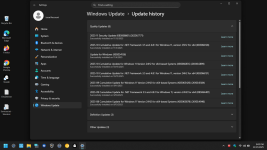
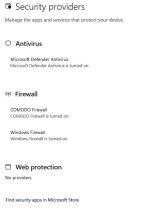
Is this where the issue lies?
Great that you have found a set-up that works.
However, I have some more information on where I believe the underlying issue lies.
I've tried multiple times over the past few months to post this information on your thread on the
COMODO Firewall - Firewall module make Windows update fail with error 0x80070005 on Windows 11 24H2 but have not been able to get into that forum either by using an existing account that I have or by creating a new one. There seems to be a known issue with the logging into the forum and Xcitium seem to have no inclination to fix it. I've also tried posting in various places to attract cruelsister's attention, but no joy.
So now I've found your posting here - joy of joys!
So, to the Comodo issue itself.
By a process of elimination I have found that removing the "Important Files/Folders" entry under HIPS, Protected Objects, Protected Files tab, the Windows Updates run smoothly. So I've got in the habit of temporarily removing Important Files/Folders during Windows Updates.
Drilling down further the issue lies with the %windir%\*| entry of Important Files/Folders, but removing just this and then reinstating it (from within File Rating, File Groups) is not easy, so I have stuck with dealing with it at the HIPS, Protected Objects, Protected Files, Important Files/Folders level.
Whether HIPS itself is left turned on or not does not seem to affect the outcome, which I find very strange given that the way things are presented the Protected Objects are a subordinate part of HIPS.
Of course HIPS turned on and nothing else changed was the original scenario when the problem was discovered.
Just turning off HIPS does not solve the issue.
But removing Important Files/Folders (with HIPS either on or off), does work OK for Windows Update.
BTW, I'm currently using Comodo 12.2.2.7098, but have tried with what I believe is the latest version "12.3.4.8162 Final" with exactly the same results. Similarly I have tried with a default configuration (i.e. "out of the box") and the issue still exists, with the same Important Files/Folders workaround getting past it.
Rather than jump through hoops to set Comodo up again from scratch (I've been using it for a long long time and have a lot of tweaks), I would dearly love to know what the real underlying issue is and what a possible proper fix (to the configuration?) might be.
Lastly, I would be grateful if someone could get this information into the afore-mentioned Comodo forum thread (even better would be finding some way of getting into the forum).
HTH
Barry