App Review Comodo Internet Security 11 Review | Test vs Malware

It is advised to take all reviews with a grain of salt. In extreme cases some reviews use dramatization for entertainment purposes.
This Valkyrie project is very ambitious and the same time very risky.
Not really, advanced user will probably never be infected in real life
And if that happens once, valkyrie probably wont fp that and the backup saves ass anyways

If you take a look at CCAV its great av when comparing the performance and it comes as free product

The malware couldnt even prompt, and woul've been clean after antimalware reboot
 
Not really, advanced user will probably never be infected in real life
And if that happens once, valkyrie probably wont fp that and the backup saves ass anyways

If you take a look at CCAV its great av when comparing the performance and it comes as free product

The malware couldnt even prompt, and woul've been clean after antimalware reboot
The power of Comodo is not only the container but also the HIPS.In this case we don't know if it gave an alert,actually it was off but if it was on i believe it wil prompt an alert so an advanced user would understand that something was wrong.This also proves the wrong testing Leo used for this program.
 
If you create an account at verdict.valkyrie.comodo.com you can download this file.

M- I don't mean to burden you in any way, but I did sign up for an account at valkyrie and did not see any option to download the sample (I thought it may have been a browser issue, but tried it with all of them and still No Joy).

If you have the time and desire, can you upload the file to something like Google Drive and PM me the link? I hate making ignorant statements and would like to determine what occurred (although the shotgun method of the Python script used hardly represents real world usage).

Anyway, if you have the time it would be appreciated, if not you still have my respect!.

M
 
M- I don't mean to burden you in any way, but I did sign up for an account at valkyrie and did not see any option to download the sample (I thought it may have been a browser issue, but tried it with all of them and still No Joy).

If you have the time and desire, can you upload the file to something like Google Drive and PM me the link? I hate making ignorant statements and would like to determine what occurred (although the shotgun method of the Python script used hardly represents real world usage).

Anyway, if you have the time it would be appreciated, if not you still have my respect!.

M
Check your inbox
 
My post is based on assuming the file was trusted.

a lesson Comodo needs to learn with their trusted list.
It happened already, they don't retain the lesson, Comodo is a lost cause; like some major bugs not fixed after 10 years, denying of bug reports, etc...LOL.

The power of Comodo is not only the container but also the HIPS.In this case we don't know if it gave an alert,actually it was off but if it was on i believe it wil prompt an alert so an advanced user would understand that something was wrong.This also proves the wrong testing Leo used for this program.
The testing was not wrong. The HIPS is disabled by default but not OFF
Comodo Internet Security's Auto-Sandbox (Containment) & HIPS interaction explanation

but even HIPS is ON, it won't do at damn thing because the file was trusted, the only right setting to catch the file is to set the HIPS on Paranoid, as i always promoted.

Comodo's Myths & Facts


Comodo without HIPS on Paranoid = put your pant down and bend over.

so before bashing a tester, learn the damn software.


itwt
 
Last edited by a moderator:
My post is assuming the file was trusted.


It happened already, they don't retain the lesson, Comodo is a lost cause; like some major bugs not fixed after 10 years, denying of bug reports, etc...LOL.


The testing was not wrong. The HIPS is disabled by default but not OFF
Comodo Internet Security's Auto-Sandbox (Containment) & HIPS interaction explanation

but even HIPS is ON, it won't do at damn thing because the file was trusted, the only right setting is to set the HIPS on Paranoid, as i always promoted.

Comodo without HIPS on Paranoid = put your pant down and bend over.

so before bashing a tester, learn the damn software.


itwt
Even when HIPS is on safe mode, in some trusted files they "false" give an alert considering malicious actions,(ccleaner).It could be the same in that case and this maybe will make someone suspicious.
 
  • Like
Reactions: stefanos and AtlBo
Check here: Comodo's Myths & Facts

  • Safe Mode = "HIPS Alert Mode" for any Unrecognized files + Auto-Sandboxing of Unrecognized files
last time i used Comodo, Safe mode only alert on "unrecognized" file, safe mode assume (obviously) that a trusted file is clean and will ignore it.
i dont believe the principle changed since.
 
  • Like
Reactions: harlan4096
Check here: Comodo's Myths & Facts

  • Safe Mode = "HIPS Alert Mode" for any Unrecognized files + Auto-Sandboxing of Unrecognized files
last time i used Comodo, Safe mode only alert on "unrecognized" file, safe mode assume (obviously) that a trusted file is clean and will ignore it.
i dont believe the principle changed since.
I am using now CIS v10 Proactive,HIPS on (safe mode) and when i run ccleaner i am getting an alert "a program trying to make changes to your browser"and it's trusted.
 
Last edited:
I am using now CIS v10 Proactive,HIPS on (safe mode) and when i run ccleaner i am getting an alert "a program trying to make changes to your browser".
The newest cis build wont even do that ( 11) also for me safe mode hips is killing forticlient completely so i have to run hips off on cf . Anyways im using cs settings on fw for now

The 11 is buggy as people talks, but still usable for some people
 
I've downloaded the file, and by my preliminary estimation, the file is indeed malware wrongly marked as Trusted by Comodo.
It doesn't do anything obviously malicious for today's standards (encrypting documents)"except" for calling home, adding some reg keys.

Enough for me to mark it as malicious.
 
yeah, so it is not the first time, we had already a long thread in the past for the same reason...how can you trust a vendor that keep whitelisting malware LOL
Even their expert reviewed the file and marked it as malicious, but in the end, they put it in the Trusted bucket.
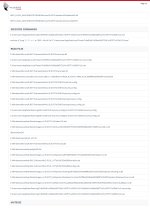
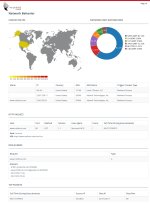
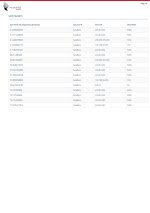
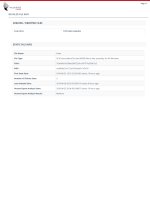
export-01.jpgexport-02.jpgexport-03.jpgexport-04.jpgexport-05.jpgexport-06.jpgexport-07.jpgexport-08.jpgexport-09.jpgexport-10.jpgexport-11.jpgexport-12.jpgexport-13.jpgexport-14.jpgexport-15.jpgexport-16.jpgexport-17.jpgexport-18.jpgexport-19.jpgexport-20.jpg
 
Even their expert reviewed the file and marked it as malicious, but in the end, they put it in the Trusted basket.
Shameful, people must be blind to keep trusting it (sorry for the pun) after all the issue/bugs discovered.
I was a big fan of Comodo from v3 to v8, then i say bye bye...

itwt
 
  • Like
Reactions: stefanos
This is an automated analysis and this file was trusted before it. Its “trusted” verdict is not based on it. It has to be removed.

The alert from Ccleaner about browser modification is independent from HIPS. It comes from browser protection module. This module protects browsers from both trusted and unknown files modification.
 
This is an automated analysis and this file was trusted before it. Its “trusted” verdict is not based on it. It has to be removed.
The file is still Trusted, I tested it 40min ago against Comodo Cloud AV. And where is the logic in that? Isn't the purpose of the "cloud" being always up to date? The file dates from 2014, reviewed 3 times by Valkyrie and 1 time by a human, relation 2:2 Malware:NotMalware
 
Use Comodo together with an AV. It is very unlikely for both softwares to make the same mistake, and whitelist the same malware sample.
Because for Comodo to mistakenly whitelist malware, it needs to be reviewed by a human. By the time that happens, most AVs will already know about the file, and blacklist it.
This way, Comodo will block the zero-days, and your AV will block the Comodo mistakes. You are covered from all angles. :)