F
ForgottenSeer 94633
Very nice wallpapers you present. The last one with the locomotive motif is beautiful. Old steam locomotives are my passion



Open MalwareTips from your Home Screen or desktop. Follow discussions, find answers and pick up where you left off.
If you cannot find an install option, update your browser or use its bookmark option to keep MalwareTips close.
After installation, open the app and sign in. Enable push notifications in Preferences if you want alerts. On iPhone and iPad, push requires a Home Screen web app and iOS or iPadOS 16.4 or later.
Sign in to manage notificationsInstallation is optional. Your notification settings stay under your control.
 Thread starter
Jack
Thread starter
Jack
Very nice wallpapers you present. The last one with the locomotive motif is beautiful. Old steam locomotives are my passion
Thank you very much!Very nice wallpapers you present. The last one with the locomotive motif is beautiful. Old steam locomotives are my passion

Thank you very much!
If you want this wallpaper, here it is: Wallpaper Link
However, my monitor is 2560 x 1080 ultrawide, so I don't know if it will look right on your monitor because of the size.


I liked seeing your apps open
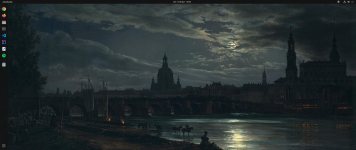
I could see that it's not just me who uses Intellij here in the community  can you share this wallpaper? Thanks
There you goI liked seeing your apps open


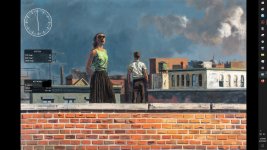
How do you do to leave only Windows Defender there in the lower right corner?

Right click on the task bar and select Taskbar settings. Then click on Taskbar corner overflow. From there you can select what you want to appear.How do you do to leave only Windows Defender there in the lower right corner?
Sorry for the silly question, but I did not adapt to Windows 11.
Members who viewed this thread in the last 5 minutes