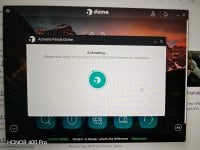
I didn't experience this 15 min install on my Panda installs. Usually it's quite fast ony end. Maybe you got remnants of old AV/ conflicts?Panda took around 15 mins to install. And now it is stuck on Starting for the first time after installation.
View attachment 298737
On the bright side, Panda has not included any extras in the installer not even the VPN.
I always restore a clean system image (which contains zero installed apps) before trying a new product.I didn't experience this 15 min install on my Panda installs. Usually it's quite fast ony end. Maybe you got remnants of old AV/ conflicts?
Only issue I have is one of my machine (16GB, Ryzen 8645HS) restarts with kernel error using Panda Cloud Cleaner . The dome are ok on my end.
Ya I saw you got good System Specs. Something is not right on your Dome. But still this is one of the lightest AV out there. Worth the try.I always restore a clean system image (which contains zero installed apps) before trying a new product.
Sth is clearly wrong. I am figuring it out. My system is quite good in terms of performance
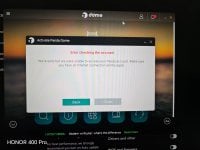
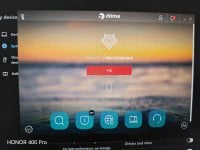
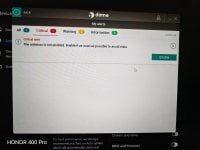
Uninstall,redownload, clean registry keys and delete any leftover folders. Try again the installation.It seems I have a broken installation. Nothing works at all. Protection is permanently disabled and there is no way to enable it.
Tested with Adguard VPN. Panda cannot connect to servers.
Found the culprit. Panda does not support Windows 11 Enterprise IOT LTSC. I viewed Panda logs and somehow it is showing my OS as Win 10 24H2Uninstall,redownload, clean registry keys and delete any leftover folders. Try again the installation.
Yeah but the VPN is too little. Just 150MB/day unless users go for premium with unli vpn.One more update regarding panda. The VPN is integrated in the app. It is not installed as a separate app. VPN can be accessed in the settings panel.
I never use the VPN bundled with security app. I have Adguard VPN and Windscribe. I wish there was an option to remove the VPN from PandaYeah but the VPN is too little. Just 150MB/day unless you users go for premium with unli vpn.
The internet ads will just eat that up.
Same with F-Secure, but you can monitor it and access the settings from the system tray icon, or open up the VPN screen from the top option.One more update regarding panda. The VPN is integrated in the app. It is not installed as a separate app. VPN can be accessed in the settings panel.
I looked everythere and could not find the VPN service. It seems you need to run it once before it gets activated. Good I do not need it.You cannot remove it from the Dome GUI. But last time I'm able to disable that VPN under services.msc
You can check that out.
After hours of digging, I managed to fix Panda. What caused the issue was not LTSC. I restored a clean Windows 11 Pro 25H2 and I encountered the exact problem.
Installing the latest. NET update from WU fixed the issue.
BTW I contacted Panda support (they offer 24/7 chat support). Please DO NOT contact Panda support no matter how disperate you are. The worst experience I have ever had with support. The agent kept sending links to their Help Center and he did not even listen to a single word. I attached some screenshot and instead of addressing the issue, he sent me a link to download Panda Dome Essential![]()
I wish I knew earlier. I spent the past 4 hours to figure what is wrong. But at least I managed to make it work finally.It seems to me that the Panda interface runs on .NET, which is why your update issues were resolved.
With what you've been posting and going through, I would've ditched it and moved on. I understand that you're limited in what you can use, but if I had to struggle with it that long, how would I know the security is running flawlessly? But, maybe it's a nice exercise in trying to figure it out, you against the Panda bearI wish I knew earlier. I spent the past 4 hours to figure what is wrong. But at least I managed to make it work finally.
On the usability side, Panda is not that great. It slows down the launch or installed programmes.
I also ran AMTSO free tests and Panda reacted very slowly. After downloading the PUP test, Panda threw the warning after almost 10 secs.
Believe I had fun with posting and with Panda. But you're making a valid point about security. I did not test anything except for AMTSO free tests. Panda blocked them all but it was very slow to react.With what you've been posting and going through, I would've ditched it and moved on. I understand that you're limited in what you can use, but if I had to struggle with it that long, how do I know the security is running flawlessly?