


When loaded in Brave, it was past ControlD native malware filter.I got a similar result here but in FF, but was due to NextDNS was blocking it...
When loaded in Brave, it was past ControlD native malware filter.I got a similar result here but in FF, but was due to NextDNS was blocking it...

Maybe ur DNS is blocking jt

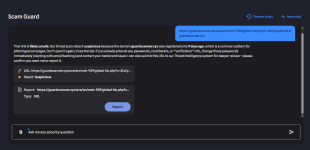
kaspersky experts didn't check properly first time?I reported the main URL at 1st, then reported again adding that capture and this time:
View attachment 298833


I am using the same DNS for both Brave and Edge.Maybe ur DNS is blocking jt
Could you please go toI am using the same DNS for both Brave and Edge.
I suspect it is uBOL; it is the only thing different in Edge compared to Brave.Maybe ur DNS is blocking jt
Brave
Yea it is not DNS. You can try disabling uBlock and see if you can access the website
The same with both uBOL and McAfee disabled!Yea it is not DNS. You can try disabling uBlock and see if you can access the website
There must be sth in Edge settingsThe same with both uBOL and McAfee disabled!

I know I can enable MD Web protection, but I will skip it. Instead, I will either use BDTL, or just harden my Adguard DNS.It seems I will install the following.
1- MD (default settings)
2- WFC
3- NVT OSA
Still have not decided what to use for web protection

How to enable MD web protection, and how to harden your AdGuard DNS?I know I can enable MD Web protection, but I will skip it. Instead, I will either use BDTL, or just harden my Adguard DNS.
To enable MD Network ProtectionHow to enable MD web protection, and how to harden your AdGuard DNS?
Are you referring to the premium version of AdGuard for Windows?As for Adguard DNS hardening, I am researching the following to add to Adguard lists
No I am using Adguard DNS (Personal Plan) which is included with my Adguard VPN subscription.Are you referring to the premium version of AdGuard for Windows?


