Open MalwareTips in Safari and tap Share. You may need to open the Page Menu first.
Choose Add to Home Screen. If it is not listed, use Edit Actions to add it.
Keep Open as Web App enabled if shown, then tap Add.
Android
Open MalwareTips in Chrome or another browser that supports app installation.
Open the browser menu and look for Install app, Install and create shortcut, or Add to Home screen.
Choose Install and confirm. Wording varies by browser.
Desktop
Chrome: use the install icon in the address bar, or the menu under Cast, save and share.
Edge: open the menu, then More tools, Apps and Install this site as an app.
Safari on Mac: choose Share or File, then Add to Dock. Firefox on Windows: look for the web apps button in the address bar.
If you cannot find an install option, update your browser or use its bookmark option to keep MalwareTips close.
Keep up with your conversations
After installation, open the app and sign in. Enable push notifications in Preferences if you want alerts. On iPhone and iPad, push requires a Home Screen web app and iOS or iPadOS 16.4 or later.
Most DNS servers will use port 53 for UDP and TCP connections. This traffic can be seen by your local ISP.
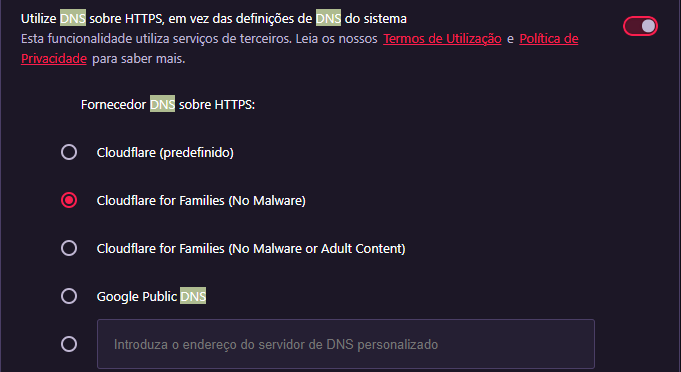
DOH will use port 443 which is more private has its encrypts your DNS name resolution traffic.
If you want your DNS traffic to be kept private, then you can use DOH.
Most DNS servers will use port 53 for UDP and TCP connections. This traffic can be seen by your local ISP.
DOH will use port 443 which is more private has its encrypts your DNS name resolution traffic.
If you want your DNS traffic to be kept private, then you can use DOH.
Your router is using regular DNS over port 53. If your browser is using DNSoverHTTPS it will use port 443 and encrypted. It is literally flying through the firewall unless you specifically have it set to use regular DNS. I would test tbh. Are you sure your browser is always using your router DNS? Google Chrome is notoriously known to jump straight to Google and even ping root DNS servers. If all of your requests are being resolved by your DNS on your router, good. I think using the DNS in your router is more secure than using a 3rd party DNS any day and it's much much faster. But all operating systems appear to slowly move to DNS over HTTPS so you will most likely have to revisit that question and double check if it's not bypassing your DNS.
Recently browsing
Members who viewed this thread in the last 5 minutes