
Do DNS rebinding attacks matter for home users?


Open MalwareTips from your Home Screen or desktop. Follow discussions, find answers and pick up where you left off.
If you cannot find an install option, update your browser or use its bookmark option to keep MalwareTips close.
After installation, open the app and sign in. Enable push notifications in Preferences if you want alerts. On iPhone and iPad, push requires a Home Screen web app and iOS or iPadOS 16.4 or later.
Sign in to manage notificationsInstallation is optional. Your notification settings stay under your control.

They can matter, but for most home users DNS rebinding is a niche but real risk rather than a day‑to‑day concern. It’s most relevant if you have poorly secured routers / NAS / IoT devices on your network.Do DNS rebinding attacks matter for home users?

When tested for dns rebinding attack vulnerability, those of NextDns and Adguard (free with account to include Hagezi rebinding protection list) passed, while all the free dns (without account) such as Adguard, ControlD, and others, failed.Sadly yes, I used to disable DNS Cache, but unfortunately, DoH and DoT rely on it. I disable DNS Cache (DNS Boost in NextDNS), but it does not matter, if Windows uses it.
DNS Cache is an obsolete feature, even if you would use the DNS server on the other side of the world, you would get ~800ms delay, less than a second, hardly noticeable.
I wonder, what test did you use? ControlD failed a basic NRDs, they supposedly fixed it, but how the hell can you fail that, unless they cheated and used a blacklist?while all the free dns (without account) such as Adguard, ControlD, and others, failed.

I wonder, what test did you use?
I think that the problem is that the service uses ControlD and bigdig.energy to test, so it might be a little biased.DNS Rebind Test: Secure Your Network from Hidden Threats | Control D
Protect your devices from DNS rebinding attacks. Run a DNS rebind test to guard against malicious actors and keep your data safe.controld.com
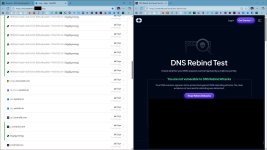
ControlD free failed to pass ControlD test; NextDNS and Aguard (with rebinding attack protection enabled in controld or rebinding attack hagezi list included in adguard) pass the test with success.I think that the problem is that the service uses ControlD and bigdig.energy to test, so it might be a little biased.
View attachment 293319

 on this VM according to
It reported some routers are equipped with dns rebinding attack protection; mine does not have such an option in settings, but NextDNS and Adguard DNS (the free account with 300K limit) have.I just hope the router updates will help

What router do you use? Most Routers already have DNS Rebinding Protection included. Even the basic ones.It reported some routers are equipped with dns rebinding attack protection; mine does not have such an option in settings, but NextDNS and Adguard DNS (the free account with 300K limit) have.
ISP-provided "sub-basic" oneEven the basic ones
 It is Zyxel.
Never heard of that one but Google says it also has DNS Rebinding Protection. Open the Router interface and scroll through the WAN settings. Maybe you find it thereISP-provided "sub-basic" one
It is a Taiwanese brand; it is not bad compared to my ISP worse routers by ZTE, but it looks like a low-end one by Zyxel, lacking several features.Never heard of that one but Google says it also has DNS Rebinding Protection. Open the Router interface and scroll through the WAN settings. Maybe you find it there

ControlD Free DNS (HaGeZi Pro Plus) absolutely passes this test on my PC. I'm connecting through my Asus router (which is behind the NAT of ISP issued router Huawei).ControlD free failed to pass ControlD test; NextDNS and Aguard (with rebinding attack protection enabled in controld or rebinding attack hagezi list included in adguard) pass the test with success.
Failed for me, as well as all the free dns plans by controld and other providers; only passed with NextDNS (only with enabled rebinding protection in settings) and Adguard free account (with including Hagezi rebind protection list).ControlD Free DNS (HaGeZi Pro Plus) absolutely passes this test on my PC. I'm connecting through my Asus router (which is behind the NAT of ISP issued router Huawei).
View attachment 293325
It's either your web browser acting up or you misconfigured ControlD; can't be anything else.Failed for me, as well as all the free dns plans by controld and other providers; only passed with NextDNS (only with enabled rebinding protection in settings) and Adguard free account (with including Hagezi rebind protection list).
https://freedns.controld.com/x-hagezi-proplus and try again. It should pass the test immediately. If you still don't pass the test, try doing the same in Firefox and see if it passes the test. If it does, your default browser is acting up and not the ControlD.x-hagezi-proplus and click Connect button. This will make ControlD system-wide and now it should definitely pass this test in all web browsers. If neither works, it's your router then and not the ControlD or your device.
Edge stable (updated)It's either your web browser acting up
ControlD free has no settings; it is similar to Adguard free without account (with account, AG free is customizable, such as NextDNS).or you misconfigured ControlD
Members who viewed this thread in the last 5 minutes


