New Update EditPad Lite Updates Thread

lokamoka820

Level 37
Thread author
Verified
Well-known
Mar 1, 2024
2,654
3
7,890
3,569
Banana Republic
EditPad Lite is a compact general-purpose text editor. Use EditPad Lite to easily edit any kind of plain text file. EditPad Lite has all the essential features to make text editing a breeze:
  • Large file and long line support.
  • Full Unicode support, including complex scripts and right-to-left scripts.
  • Direct editing of text files using Windows, UNIX, and mac Mac text encodings (code pages) and line breaks.
  • Tabbed interface for working with many files.
  • Unlimited undo and redo for all open files, even after saving.
  • Automatic backup and working copies prevent data loss.
  • Powerful search-and-replace with literal search terms and regular expressions that can span multiple lines.
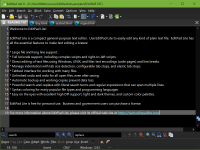
EditPad Lite is free for personal use. Business and government users can purchase a license.

Screenshot 2024-11-04 at 18-00-49 EditPad Lite - Free Text Editor for Windows.png
 
EditPad Lite 8.5.3
Nov 4, 2024
Improvements:
  • Extra|Statistics now uses the encoding of the default file type rather than the system encoding for its output.
  • File Types: Markdown Headings Tree file navigation schemes now nest folding ranges for lower level headings inside ranges for higher level headings so the folding of the file corresponds with the folding of the file navigation tree.
  • The Markdown Headings (without “Tree”) file navigation schemes have not been changed. They still fold the text that immediately follows each heading under that heading, without hiding any following headings, even if those headings are at a deeper level.
  • Macros menu and Organize Macros dialog now show icons for macros and macro folders.
  • Tilting the mouse wheel on a mouse that supports mouse wheel tilt now scrolls EditPad’s editor control horizontally.
  • Two-finger horizontal scroll now works with touchpads that send horizontal mouse wheel messages in response to this gesture.
Bug fixes:
  • Access violation error when attempting to use the spell checker or open or start a file with live spelling enabled (8.5.x only).
  • Block|Move Selection did not correctly move a rectangular selection.
  • Block|Swap Selections failed when the selections to be swapped were rectangular.
  • File type configuration dialog now disables the option to hide the “unspecified file type” from file type selection lists because many of EditPad’s features assume that they can fall back to the *.* file type at the top of the list.
  • PHP syntax coloring schemes now only highlight \ and ’ as escaped characters inside single-quoted strings.
  • View|Split Editor results in an endless stream of access violation errors when switching between files if one file uses a left-to-right text layout and the other uses a right-to-left text layout.
 
EditPad Lite 8.5.4
Jun 26, 2025
New feature:
  • Setup: Licensed installer can now be run with /portable d:folder /silent to automate a portable installation.
Improvements:
  • EditPad’s window no longer briefly flashes white when started with the dark theme.
  • File|Reload from Disk is now enabled when the file has unsaved changed regardless of whether EditPad has a lock on the file.
  • Files received via the command line or drag-and-drop are now opened in alphanumeric rather than alphabetic order.
  • Strip \? and \?UNC prefixes from paths received via the command line or from File|Open and File|Save and similar dialogs.
  • Toolbar drop-down lists allow an item to be selected by entering the first letter(s) of the item.
  • Toolbar drop-down lists can be scrolled with the mouse when the drop-down list is expanded.
Bug fixes:
  • Convert|Case: Rectangular selections containing tabs had extraneous spaces appended to lines containing tabs.
  • Go|Go to Position: Cursor was moved one column further to the right than the specified column number.
  • Palette: Strikeout styles other than “font” did not appear when using a complex script text layout configuration.
  • Preferences: Apply button applied the settings and closed the dialog instead of applying the settings without closing the dialog.
  • Search: Highlighting matches in line by line mode no longer highlights lines when the regex finds a zero-length match after the line break; this makes it consistent wtih other search commands that also ignore zero-length matches after the line break in line by line mode.
  • Search: In rare circumstances, doing a search-and-replace across all open files could cause a file for which word wrap was enabled to appear blank in EditPad; this did not affect the file on disk.
  • View|New Editor|Split Vertically/Horizontally had some minor window placement issues that could either create a small gap between the two windows or place the window slightly too high putting the top part of the window caption off-screen; the issues differed depending on your version of Windows and whether the original EditPad instance was maximized or not.
 

You may also like...